DiscDj 3D Music Player is a fully-featured virtual music tool. With its innovative 3D user interface, this application allows users to turn their mobile devices into virtual DJ booths, delivering a highly interactive experience. With DiscDj 3D Music Player, you can enjoy a unique music experience anytime, anywhere. The application has a vast built-in music library, allowing you to freely explore your favorite music, and also features a 10-band equalizer to help users create satisfying musical rhythms.
The application provides album art for the disks being played. Users can find their own songs with the advance browsing feature. They can use parameters like the album title, artist name, folder location, composer name, song genre, playlist and more. The controls on both turntables have the basic and important functions such as play, pause, previous and next.
The Automatic Crossfade or Autofade can be toggled on or off, at the same time its timing can be adjusted. The Button click fade is similar to autofade on clicking the buttons. Users have the option of manually shift slide any songs through crossfader. The mixer has every option like equalizer, volume controls, and playlist management.
The Equalizer has multiple band settings with precise controls while covering most song genres. The Sampler Addon has 4 sets of audio clips and each of them has 6 individual samples with 3 play modes. Users can select Cut Play, Loop and Stop. They can also make song arrangements while reviewing them by pre-cueing, pre-listening and Split Audio Output. The Loop button has extra modes through In/Out, Reloop/Exit and Seconds.
The play function has subcategories like Shuffle, Play All and Play Single. Other available buttons are Pitch Slider, Sound Effects, Low & High Pass Filter, BPM adjustment, Cues, and 4 Hot Cues. The application allows recording of any remixes done for later playback.

3D DJ Interface: Realistic virtual DJ machine in a floating 3D environment for interactive usage.
Dual Turntables: Two separate decks allow seamless transitions or solo music playback.
Autofade Function: Automatic crossfade with a customizable timer to mix songs smoothly.
Button Click Fade: Trigger crossfade effects by clicking controls instead of manual sliding.
Manual Crossfader: Slide between tracks using the crossfader for hands-on DJ control.
Central Controls: One-tap control for play, pause, next, and previous on both discs.
Album Art Display: Visual representation of your music through rotating album discs.
Advanced Music Browsing: Navigate by albums, artists, genres, playlists, and folders.
Built-in Equalizer: Modify your audio with volume controls and EQ settings.
Lock and Reset View: Easily reset the 3D view to default or lock your preferred position.

Pros
3D DJ mixer instrument interface with two turntables
Compatible with Android 2.3+ and above
Easy to use functionality
Remix recording
Cons
Requires larger mobile device screen
Can only edit the samples
Lacks Bluetooth or audio jack options

* Volume / Loudness Boost
* True 32-bit High Quality Audio
* Pitch / Speed Quality Improved
* Sfx Reverb Added
* New Improved Key Lock / Master Tempo
* Multiple Crossfade Curves
* Record / Import Samples
* BPM / Beatgrid Editor
* Bug Fixes

With DiscDj 3D Music Player’s features for pre-cueing, pre-listening, and split audio output, you can experience audio output on par with that produced by professionals. You can get the ideal tone by utilizing the pitch slider and the sound effects (SFX) to make minute adjustments to your mixes and transitions. You may effortlessly browse your music library using the play/pause, next/previous, and other buttons on each turntable or deck. This will allow you to ensure a flawless performance for your audience or your listening enjoyment.
Size:23.1MB Version:12.2.0s
Requirements:Android Votes:276

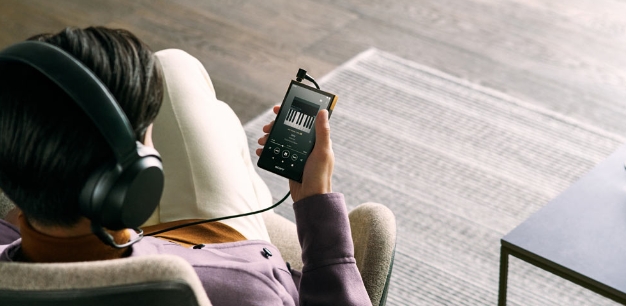
Music Player is a tool designed to play audio files, available as both software applications and dedicated hardware devices. It can be installed on electronic devices like smartphones, tablets, and computers, allowing users to stream or play locally stored music in various formats. Additionally, standalone hardware devices, such as MP3 players and digital audio players, are specifically built for high-quality music playback. Many modern music players support advanced features like equalizers, playlists, offline playback, and streaming service integration, enhancing the overall listening experience.
Music is an indispensable part of our lives, not only as a seasoning for our dull lives, but also as our spiritual nourishment. Without music, life lacks color. In this article, the editor recommends the best sound quality music app rankings. Good sound quality is important for us to enjoy music. These best sound quality music apps will bring you a different experience and add a bright color to your dull life.
About us | Contact us | Privacy policy| DMCA
Copyright © 2026 Xiaohei All rights reserved.