ZipGrade is a powerful grading tool. This application boasts robust features, allowing users to use their device's camera as an optical scanner for instant grading in the classroom, eliminating the need for traditional answer sheets or other marking devices. With ZipGrade, you can save more study time, receive instant feedback on questions, and view your scores immediately after completing a test. This application requires no internet connection, supports grading using various writing tools, and can recognize erasures and other corrections, making it suitable for diverse classroom environments.
Free answer sheets available in several formats and sizes (up to 100 question answer sheets)
Works without internet connectivity. Data will sync whenever a connection is found (optional).
Uses student ID numbers or written name of student for reporting.
Knows when a paper is in viewfinder and sufficiently in focus to grade. No buttons to press while grading!
Students may use pen or pencil. Handles erasures and white out well.
Combination answers of up to 3 letters allow for up to 31 answers for each question-- great for matching portions!
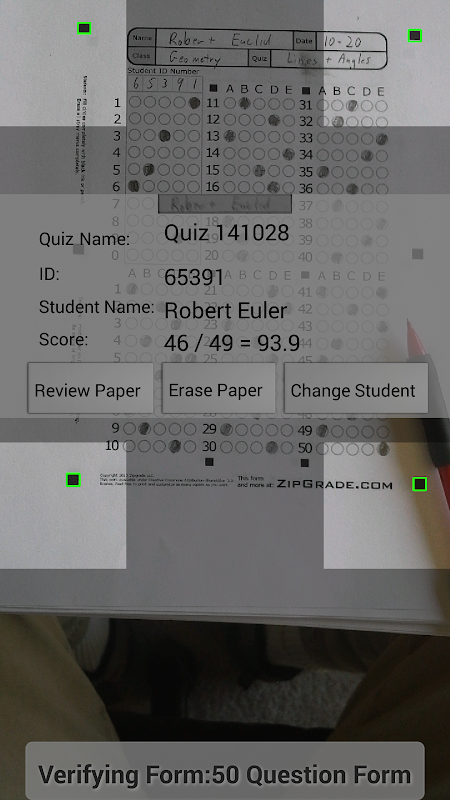
Camera-Based Scanning: The application allows access to the camera to facilitate scanning of completed multiple-choice documents and to facilitate the grading process.
No Extra Hardware: The application will not require too many operations, nor require the use of additional hardware to ensure the most convenient use.
Fast Turnaround Time: Just access the camera, place it in the correct position, and the application will immediately process smoothly to ensure faster results.
Instant Student Results: If you are a teacher, grading quickly to get immediate results for students will be more convenient, not taking too much time, and the grading quality is accurate.
Learning Encouragement Boost: The app also offers smart solutions, and this encourages students to learn and gain new knowledge.
Quick Instruction Adjustments: In addition to scoring, the app also offers quick math instruction or provides additional hints with correct answers.
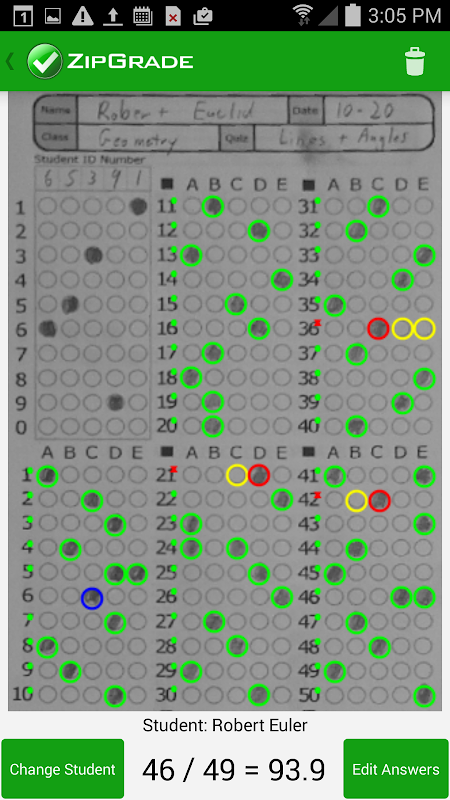
Super fast multiple choice test scoring
Users choose a number of standards for paper size, number of questions and answers to proceed with scoring. You can use data from the previously saved library or directly scan with the camera and test paper. The Scan function performs a general scan in order from top to bottom, ensuring that no questions are missed. You hold the paper on a flat surface, then adjust the camera to fit the four right angles on the screen. ZipGrade MOD APK automatically scans, determines the position of each question and compares the results according to the pattern. All operations must be performed accurately to avoid confusing the scores, which will become complicated and difficult to handle.
Analyze results
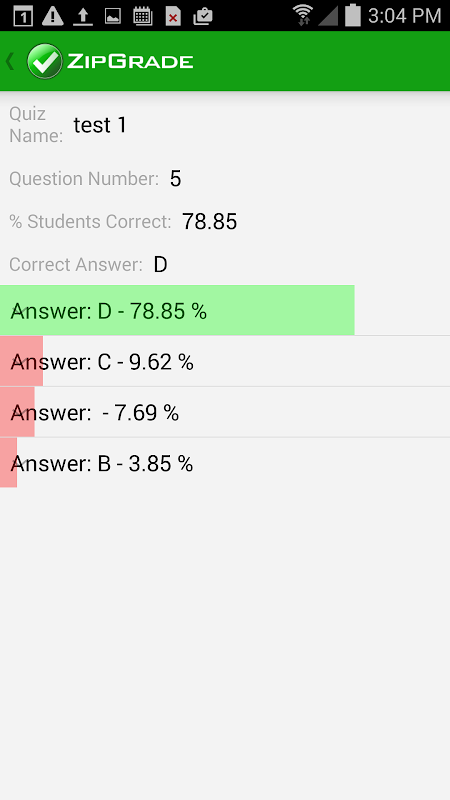
The test has a different structure, but the application performs scoring at the same speed. ZipGrade APK notes the test name, total number of questions, analyzes correct and incorrect answers for each student participating in the test. Scores quickly and displays results immediately when the data is successfully scanned. The system calculates the correct answer on the total number of questions in the test and divides the score on a scale of 10, 20, 50 or 100. Teachers score all students in the class to be able to compare and evaluate the most accurate ability. The tool provides additional percentages of the number of answers selected for each question, thereby capturing how many of you answered correctly and incorrectly.
Sync and export storage data
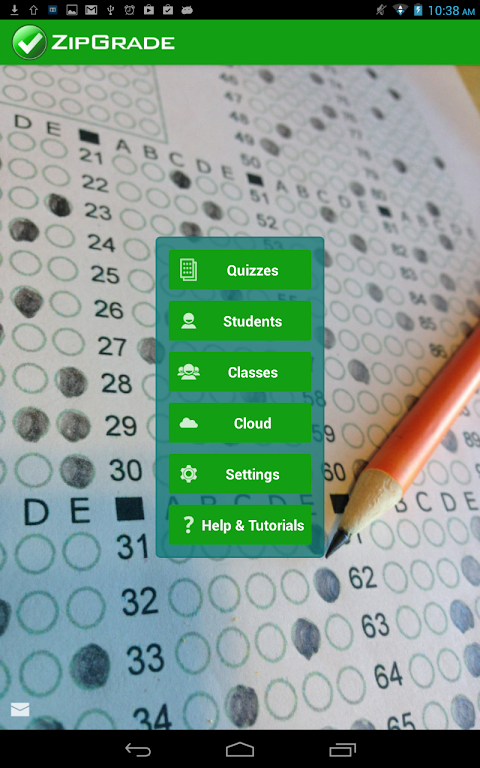
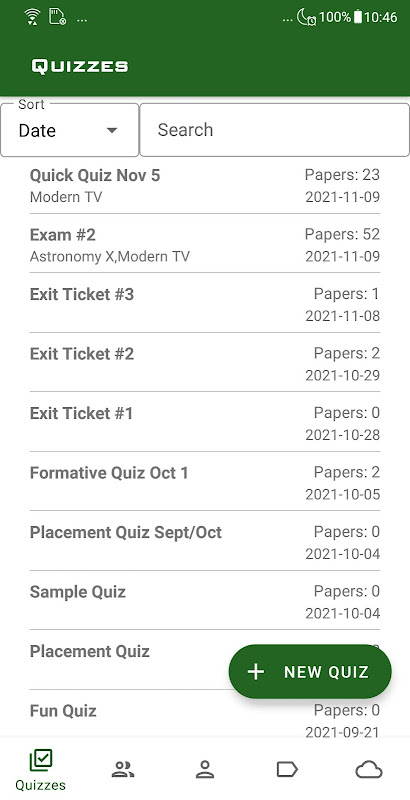
ZipGrade APK mod separates folders including Quizzes, Students, Classes for better data management. Users choose the scoring feature for each purpose to have an accurate assessment of their own learning ability and other students. The application synthesizes the results and allows exporting content in CSV, PDF, Excel or Google Sheets format. Synchronize information on cloud data to increase the ability to remember, backup and restore in case of data loss. You use the scoring system as a professional reporting tool, which can be sent directly to students or parents. This method replaces the form of manual document storage, all converted to an electronic system.
Score information security
Teachers can manage student and class information right on the application, continuously updating their scores in separate folders. ZipGrade APK 3.79.616 aggregates scores by student ID number instead of using name to limit confusion in the same class. Create a new one with the New Quiz tool in the right corner of the screen, complete the scanning process and record the results. Then, the screen displays the Change Student function to score the next student or Edit Answers to adjust the answer. All operations are recorded and set to activity history, allowing searching by access time.
It is especially beneficial for fostering efficient feedback cycles, which is crucial for exit tickets, formative assessments, and regular quizzes. Its portability replaces bulkier grading equipment, making it an excellent choice for modern educators. Users are encouraged to contribute feedback to help further enhance the platform and tailor it to user needs.
Size:125.56MB Version:3.79.616
Requirements:Android Votes:74
Package Name:com.zipgradellc.android.zipgrade Signature:a309b53dacc455d462a5642e63cb8158
Educational software are emerging in an endless stream on the market, so which one can stand out? It should not only be simple and convenient to use but also helpful for our study. Below, Xiaohei.com brings you a very comprehensive and practical summary of educational software downloads. Come and download it, there is always one that suits you.
About us | Contact us | Privacy policy| DMCA
Copyright © 2026 Xiaohei All rights reserved.