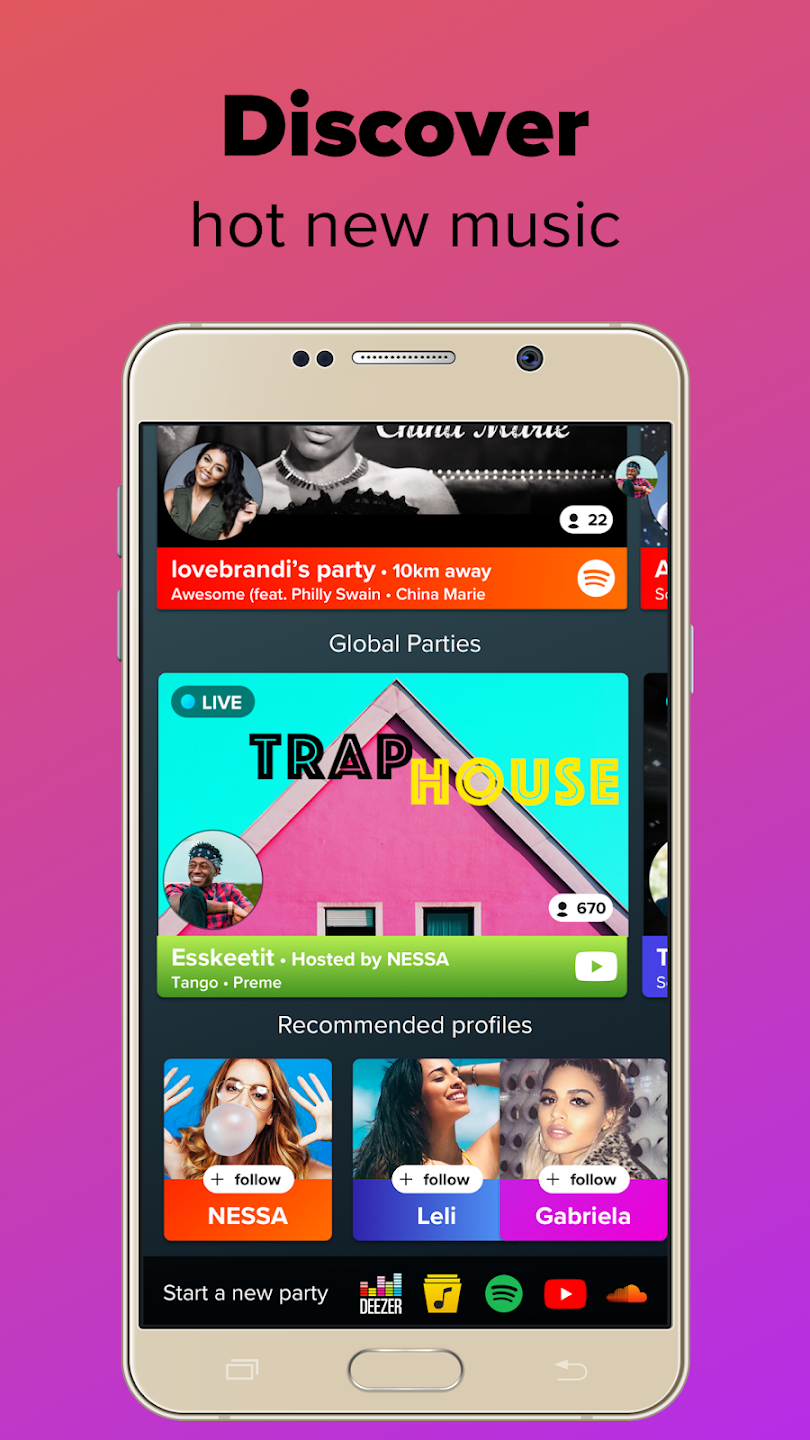
AmpMe is a popular music player favored by users. It boasts a massive music library from major music platforms, allowing users to find their favorite music through keyword search and category filtering. Users can also start live parties anytime, showcasing their singing talents and attracting attention and cheers from users worldwide. Users can log in to their accounts on different devices simultaneously and play the same music, creating a vibrant music environment and enhancing immersion. Users can freely follow or unfollow different friends, and the system will automatically remind users to join their parties, ensuring you don't miss any exciting moments.
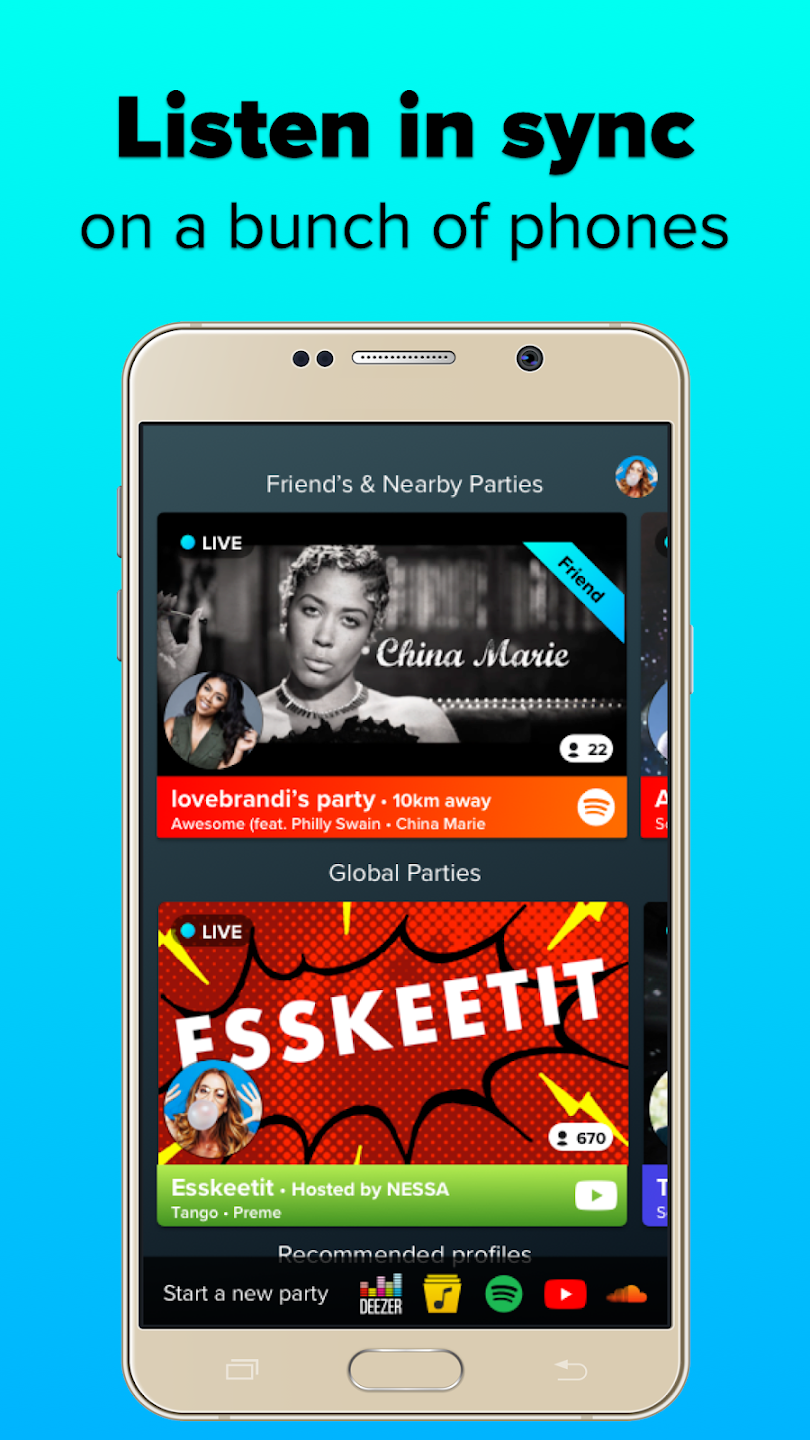
Sync multiple phones for bigger sound: AmpMe plays the same track or video in the same moment across all connected devices. As friends join, the combined volume increases naturally because more speakers are active. This setup is useful in a living room, backyard, or any space where one phone is not enough. You keep the group in time so the experience feels consistent.
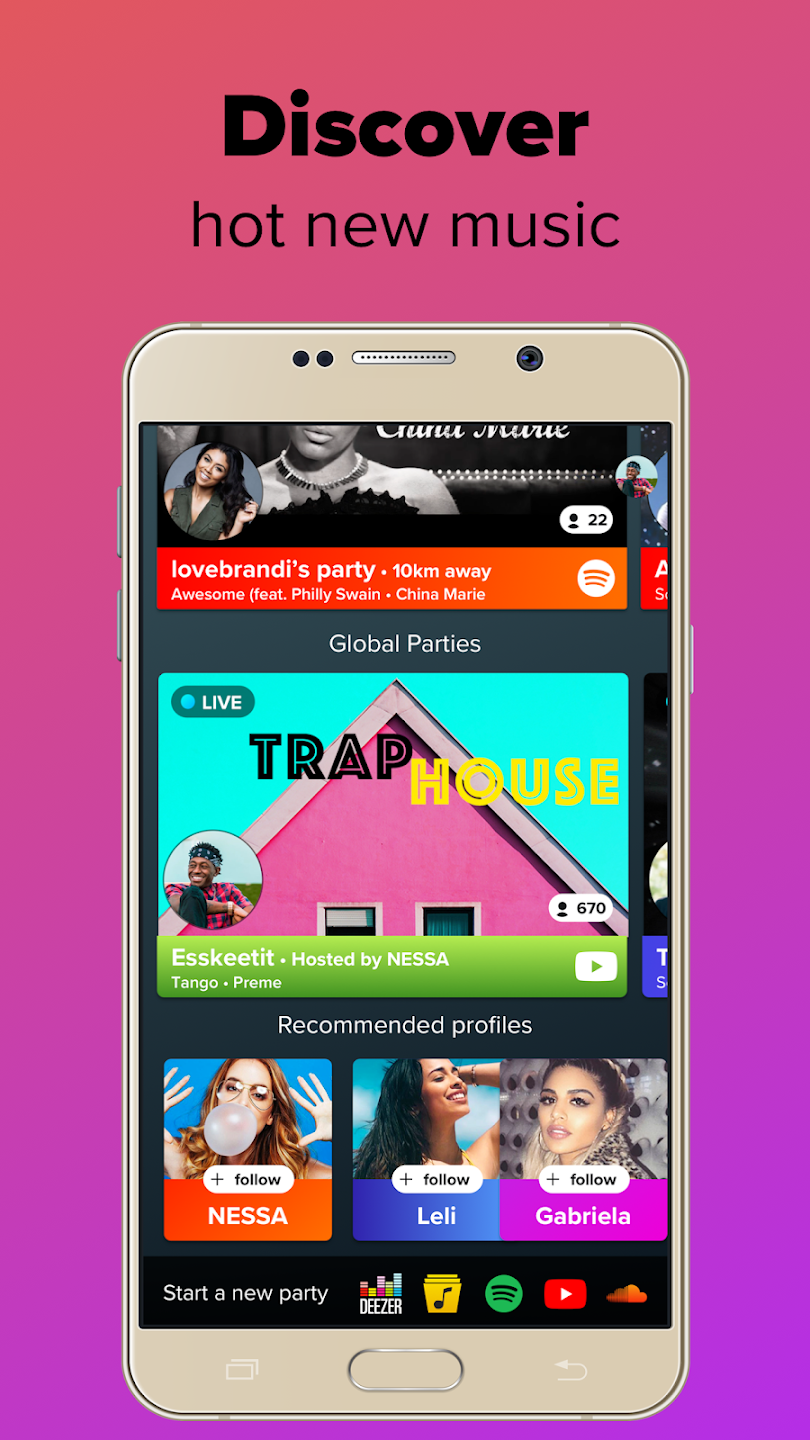
Play music and videos from popular sources: You can start a party from YouTube, SoundCloud, Spotify, Deezer, or your local Music Library. AmpMe aligns playback across devices no matter which source you choose. Availability for Spotify and Deezer depends on your country, so some users may see different options. If streaming is limited, local files and YouTube offer a simple path to start.
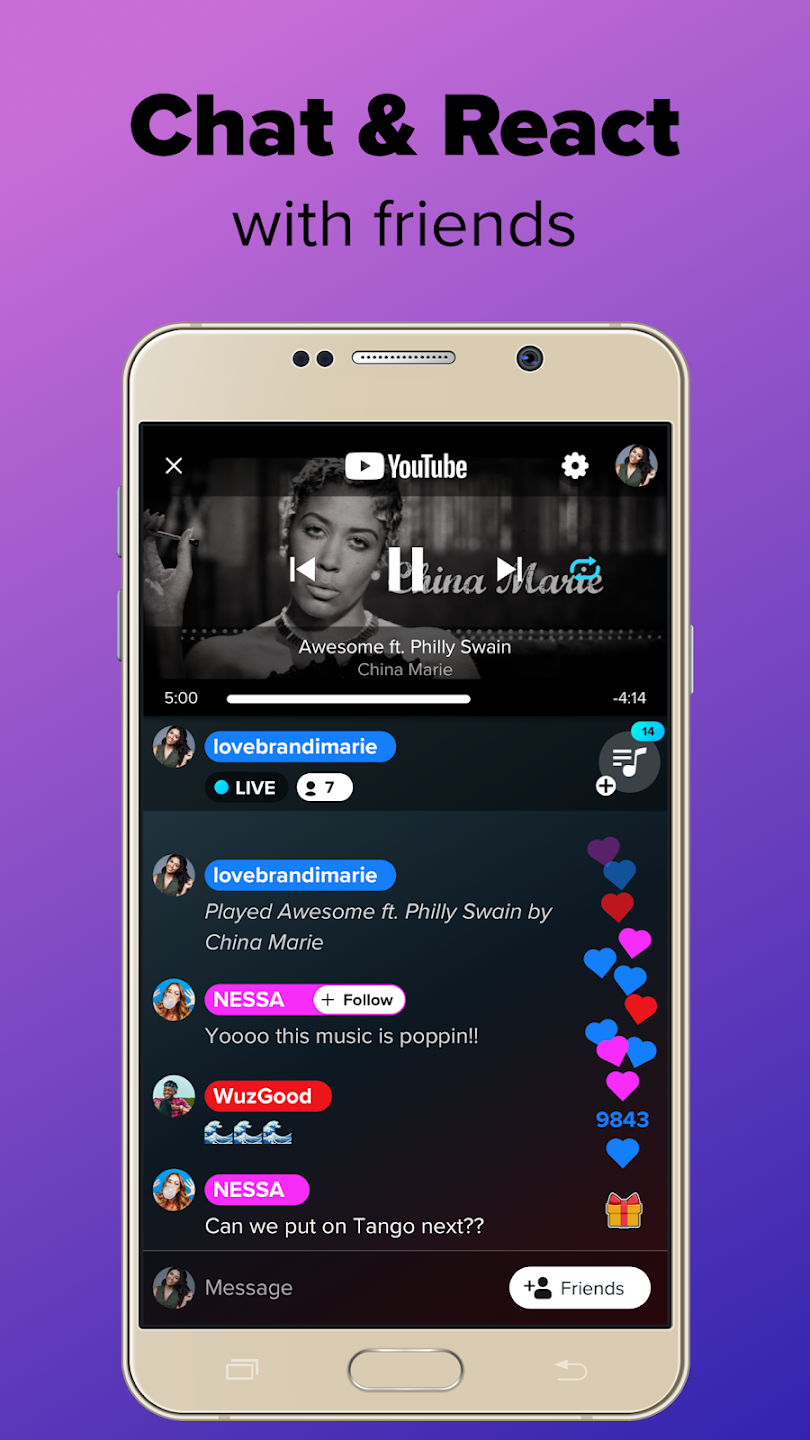
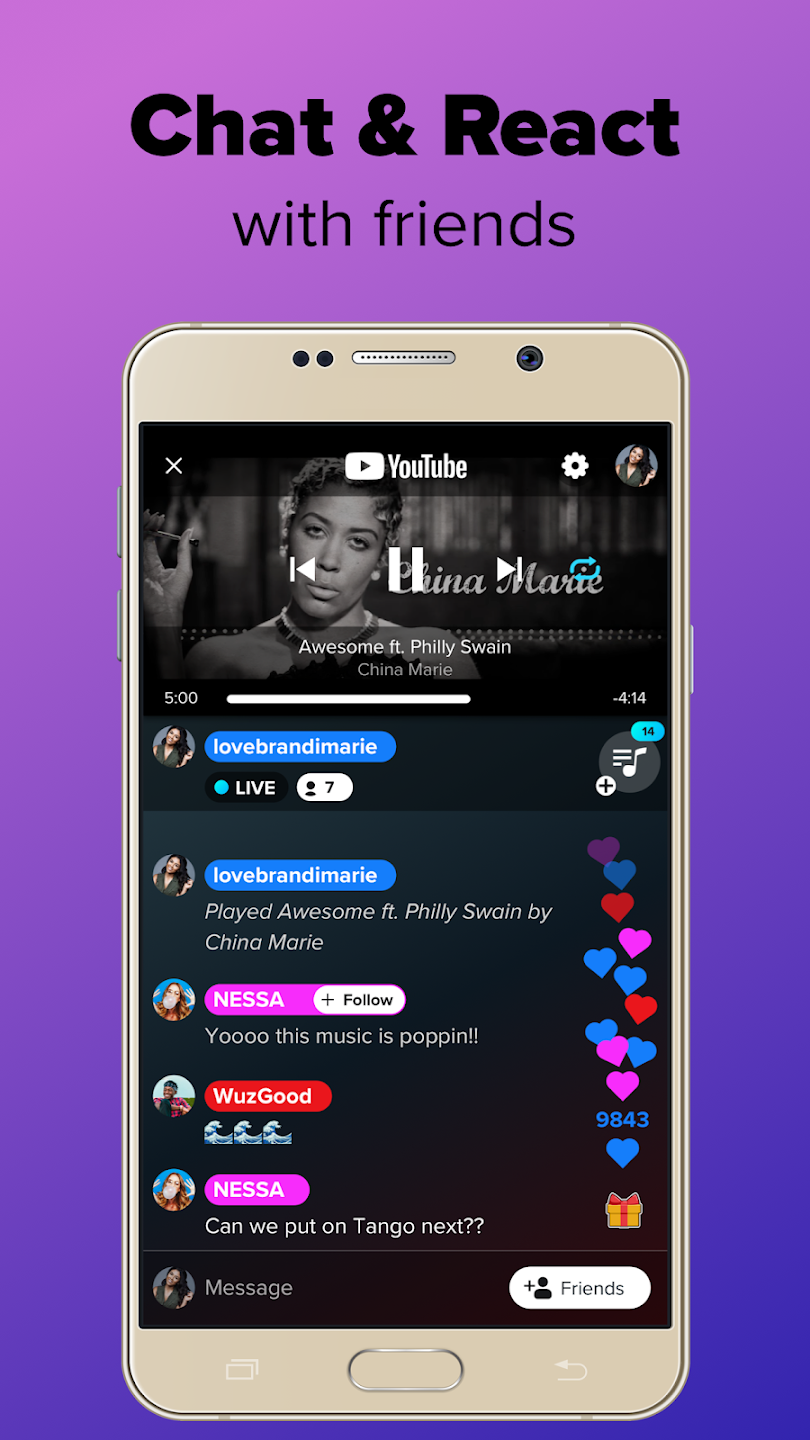
Chat And React: In this app, users will also get the features to chat and react while connected to each other devices. Share your song suggestion, react to the song your homies are playing, and just have a random fun chat. This really fun feature boosts your overall experience of using this wonderful application.
DJ controls and shared queue: The host manages the queue and playback so the session stays organized. You can add, reorder, or skip tracks based on the group vibe. If you prefer a collaborative approach, guests can be allowed to add songs to the queue. Real time chat and reactions make coordination simple without leaving the party screen.
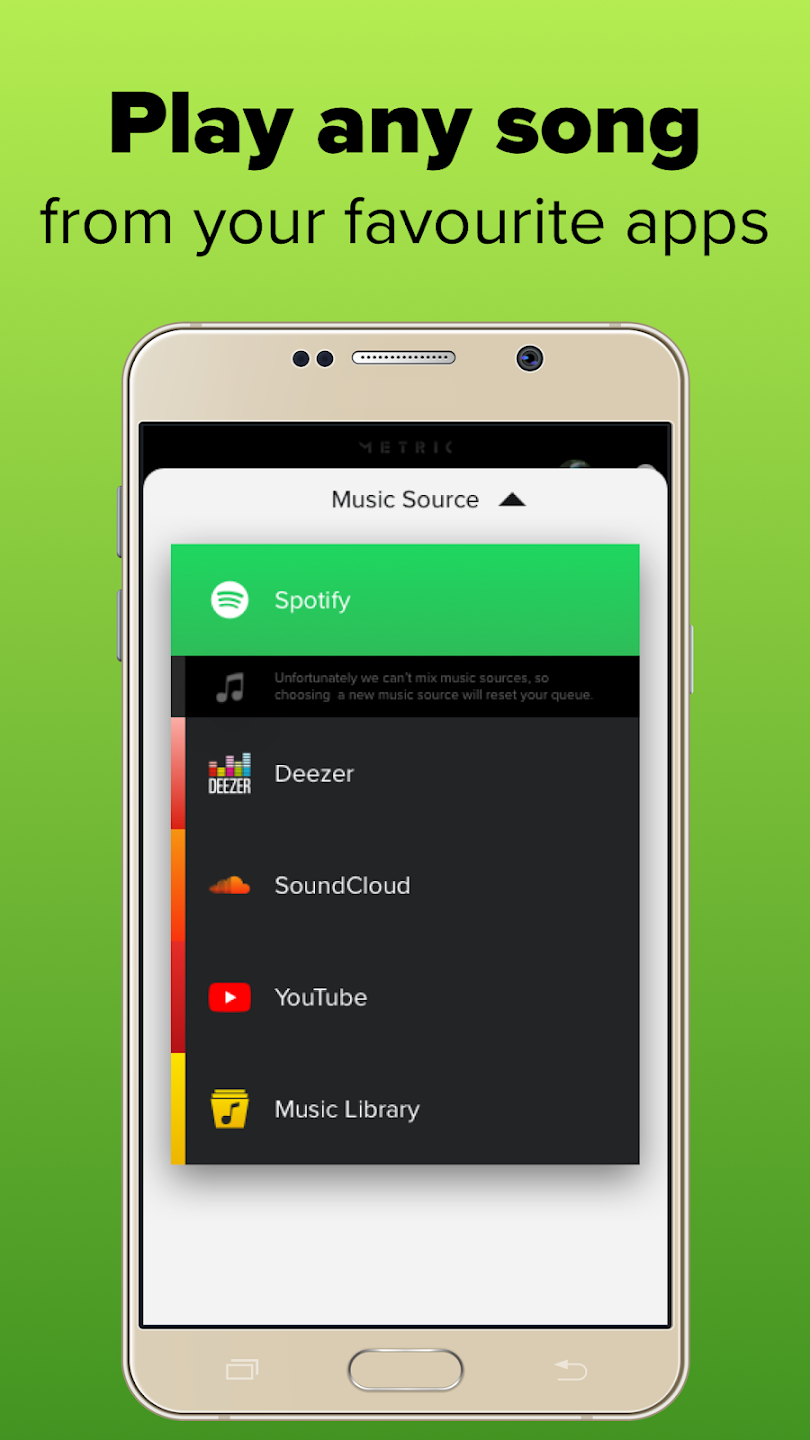
Group Listening Through Phone and Streaming Sync: The central idea behind AmpMe is simple but distinctive: synchronize music or video playback across multiple devices so a group can listen together. You can start a session using popular services such as YouTube, Spotify, Deezer or SoundCloud, as well as tracks stored in your own music library. Once a party is active, other devices that join will play the same content in step with the host.Whoever starts the session acts as the DJ and controls what is playing. Guests can be allowed to add tracks to the queue, so a playlist can grow collaboratively. This turns each gathering into a shared music experience instead of one person just streaming from their phone.
Social Parties, Chat and Following Friends: AmpMe is not only about local playback. You can connect with friends, DJs, influencers and other listeners through what the app calls Live Parties. These sessions can be joined even when participants are not in the same room, which lets you listen to the same playlist with people across town or across the globe.Account integration with Facebook or Google helps you find contacts who also use the app. You can follow their profiles and receive notifications when they start a party, then drop in to listen. Built-in chat and reactions keep the experience interactive, since you can comment on the current track, tease a friend about a questionable song, or suggest what should play next.
Bluetooth Support and Multi-Speaker Limitations: AmpMe also works with Bluetooth speakers, which is attractive if you want more punch than a phone’s built-in speaker can provide. However, the way this is set up matters, and can surprise anyone expecting traditional multi-speaker output from a single phone.The app supports only one Bluetooth device per phone. That means you cannot drive several Bluetooth speakers directly from one handset. To build a larger system with multiple speakers, each speaker must be paired with a separate phone or tablet that runs AmpMe and joins the same party.
I heard about the Ampmeapp through Instagram and decided I had to give it a try! Me and a friend connected our phones for a small party and were very happy with the results. It had great sound, was easy to use, and worked well with the wifi. It did cut out a bit when we walked too far away from each other but that was easily fixed by connecting another phone!! Its a great app that did just what we needed/hoped for!
GREAT APP! Simple and easy to use. If you have multiple devices and BT speakers and simply want to pair them together add app to all join your own party with all devises sync upped then you have speakers that previously were un-pairable paired. I have 6 different brands of bluetooth speakers some have a strong bass profile while some are much better with highs and mids but no way to experience the combined effects. Now that all are joined and arranged correctly..awesome soundstage!!!
This app worked really well! I heard about this on instagram and thought I'd give it a try. It works great when at parties or hanging with friends and want to blast music! For those that read this review I recommend you install it. It works as it says it does and its fun to mess around with. If I were you, I'd install it right now.
Really very good app when I installed this this was not connecting with other device I angrred on company but suddenly I turned my phone data off and this played in both devices I am telling all comment readers this is very perfect app for party we can connect more devices of our friends and without internet.
Does AmpMe use data?
In the same way other music streaming services function, AmpMe uses regular data plans to start a party, unless you’re connected to a local WiFi.We do, however, offer an Offline Mode. To see how to turn on Offline Mode see the section 'Party Features and How to Use Them'.
Can I still receive phone calls while I use AmpMe?
Yes. Don’t worry; you’ll still receive all of your phone calls while you use AmpMe, however the music will stop on your phone so that you can chat it up. Meanwhile, the other phones will continue to play music so that the party can go on without you.
Can I use AmpMe without an Internet connection?
For the complete experience, AmpMe requires an internet connection from your data plan or a nearby WiFi network in order to stream a music party. However, AmpMe also works in offline mode. You and your friends could be on a local LAN or hotspot without internet and it would work with your local library.To see how to turn on Offline Mode see the section 'Party Features and How to Use Them'.
How do I sync music if the app is not doing it properly?
To improve the sync, have guests manually sync their phone to the host’s. To do this: Go to party settings (gear icon at the top right hand side) and have guests change the "manual offset" themselves. This feature allows guests to manually sync the music to be playing at the right time.
Can AmpMe connect more than one bluetooth speaker to one phone?
No, one phone can only be connected to one bluetooth speaker. This is because AmpMe uses Bluetooth 4.1 and 4.2, which only allows for one-to-one pairing. We do not support Bluetooth 5.0 yet!
You can’t deny that using other smartphones as speakers is a super interesting feature, but, it’s not the only feature that AmpMe includes. Even when you synchronize your smartphone to others, you can continue using the app as if it were a normal music player. You can create playlists, search by artists, etc.
Size:105.5MB Version:9.2.2
Requirements:Android Votes:376
Package Name:com.amp.android Signature:df43c35c3ebd11af7b18d0a303608c8481efa8ee
Dive into this comprehensive hub of music applications designed for every type of listener. Stream global hits, craft custom playlists tailored to your mood, or uncover hidden gems across diverse genres-all with intuitive, high-quality platforms. Discover both industry-leading streaming services and specialized apps offering exclusive features like AI-powered recommendations, social sharing, or advanced audio customization. Whatever your musical preference, find the ideal app to enhance your listening journey with effortless discovery and premium sound.
Music Player is a tool designed to play audio files, available as both software applications and dedicated hardware devices. It can be installed on electronic devices like smartphones, tablets, and computers, allowing users to stream or play locally stored music in various formats. Additionally, standalone hardware devices, such as MP3 players and digital audio players, are specifically built for high-quality music playback. Many modern music players support advanced features like equalizers, playlists, offline playback, and streaming service integration, enhancing the overall listening experience.
The emergence of various digital music platforms provides people with a massive music library covering a wide range of music genres, such as pop, classical dj、 You can find your favorite songs and singers on the platform, such as electronic music, and enjoy high-quality music. Today we bring you the ranking list of music listening software. Listening to music is a very unique enjoyment that relieves stress and relaxes the body and mind. Professional recommendations to make people's lives more enjoyable, today we recommend several popular software for you.
About us | Contact us | Privacy policy| DMCA
Copyright © 2026 Xiaohei All rights reserved.