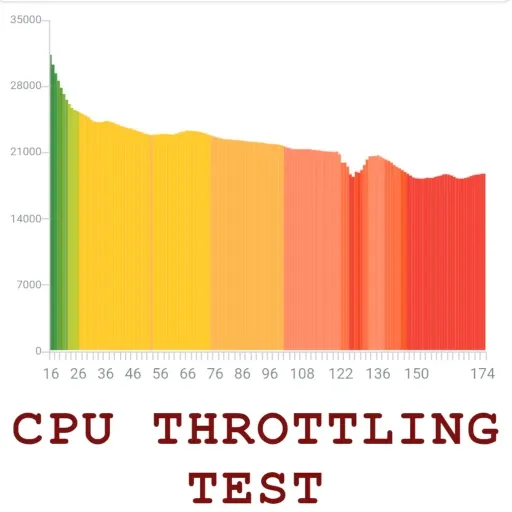
CPU Throttling Test is a CPU testing tool for Android systems. It continuously analyzes CPU load and its causes, displaying graphs and reporting parameters. Based on native Java and native C benchmarks, it shows differences between different codebases and multi-threaded performance. It monitors the CPU in real-time, tracking temperature and usage. It can perform frequency reduction tests to compare device heat dissipation. Over time, it displays whether performance degrades under high load on the phone, and the test is fast, completing in just 20 minutes.
Sustained CPU load and throttling analysis
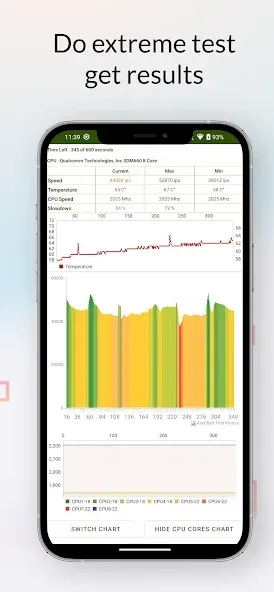
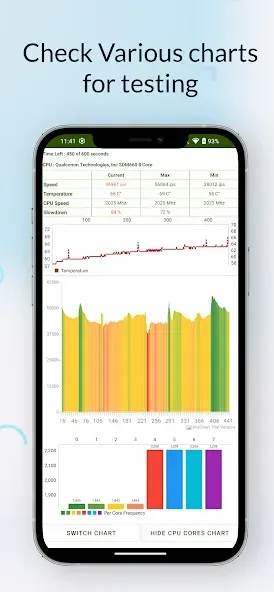
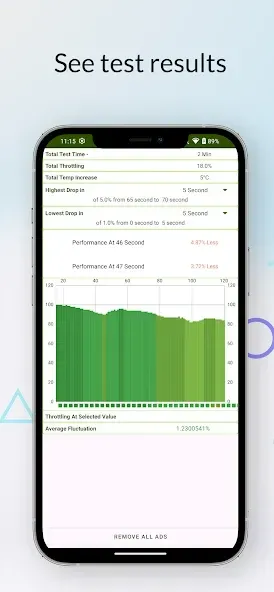
After you download CPU Throttling Test, you can load the processor with up to 100 threads and measure performance throughout the run. It displays a graph and reports maximum, minimum, and average values. After the test, it analyzes the data to indicate if throttling occurred and by how much.
Java and native C benchmarks
The app includes a built-in benchmark that measures single threaded and multi threaded performance in Java and native C. This lets you observe differences between runtime and native code under the same conditions.
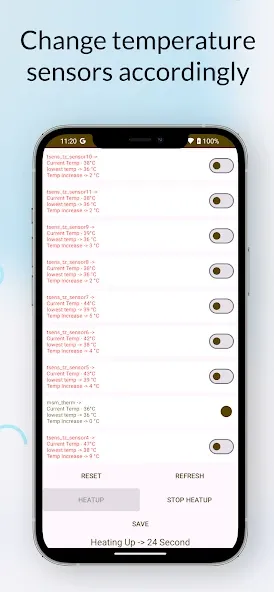
Real time CPU monitor
You can track core clock, temperature, and usage on a graph during testing. On Android 8 Oreo and above, CPU utilization tracking is disabled due to platform limits, so results will omit that metric on those versions.
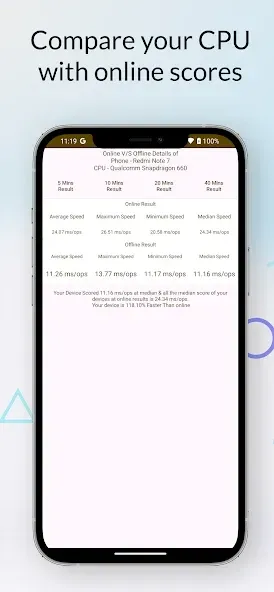
Compare device cooling
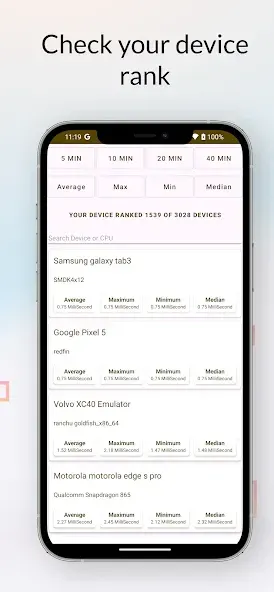
Use the same test across phones that share a chipset to check cooling differences. CPU Throttling Test helps you identify which device maintains speed longer and which one throttles sooner, so you can understand real world behavior beyond short benchmarks.
Q:What is GIPS, and why does it matter?
A:GIPS stands for Giga Instructions Per Second. It measures how many instructions the CPU executes per second; tracking GIPS over time shows whether performance drops during heavy use.
Q:How long should I run the test?
A:For the most accurate analysis, run the recommended 20-minute test. Shorter tests (5 or 10 minutes) can provide quick insight, while a 40-minute run can reveal long-term behavior.
Q:Will the test damage my device?
A:No, the app stresses the CPU but within normal operating limits. It may make the device warm and drain battery faster, so follow the prep tips and stop the test if temperatures feel unsafe.
Q:Why should I cool the device before testing?
A:Cooling the device (let it rest for ~10 minutes) ensures the test starts from a consistent baseline. This helps the app measure how performance changes with heating rather than the starting temperature.
App is good for cpu and gpu testing and to heat up your phone to dry it in humid weather. I purchased the pro version on 30th Dec 2024. But due to some reason it was not showing the purchase, which got resolved after contacting the developer.
My phone has good performance, but when the temperature is above 45° thermal throttiling reduces more than 60% of its performance, it's sad
Just tested the CPU Throttle app on my setup during a heavy workload session. It effectively capped temps at 85°C, preventing crashes, but the interface feels clunky with laggy graphs. Solid for basic throttling, though—dropped power draw by 20% without much performance hit. Worth it for laptops, but needs UI polish. 7/10.
Knowledge is power. By understanding your device’s limits, you can take full control of your mobile experience. Whether you want to eliminate lag, improve gaming performance, or simply monitor the health of your processor, CPU Throttling Test APK is your go-to smart utility. Join thousands of users who have optimized their devices for a smoother, faster, and more reliable experience. Don’t wait—download the ultimate performance diagnostic tool today and unlock the true potential of your device!
Size:18.97MB Version:CPU_223
Requirements:Android Votes:445
Package Name:com.texts.throttlebench Signature:2b9e83d6d0a374db2ec90d738d257374
Utility apps are indispensable in our lives, making our daily routines more convenient. To help you find these apps more easily, this site has created a collection. This collection brings together a series of practical tools covering various aspects of life, work, and education, meeting all your needs. What are you waiting for? Try these apps now and make your life easier!
Transform your mobile device into a powerhouse of efficiency with these handpicked essential tools. Whether you need professional-grade photo editing, seamless file organization, smart task management, or real-time weather updates, our curated selection of premium apps delivers unbeatable performance. Streamline your daily routine, automate repetitive tasks, and boost your productivity with intuitive interfaces and powerful features. Designed for both professionals and casual users, these editor-approved applications will revolutionize how you work and play. Don't settle for an ordinary phone - upgrade your digital experience today and unlock your device's full potential!
With the development of mobile hardware and software, many practical tool software have emerged, covering a wide range of aspects and becoming a good helper for everyone in work and life. Today, the editor provides you with a list of useful tool software downloads. These tools are not particularly complex types, and after reading them, everyone can quickly learn how to use them. Proper use can bring great convenience to life and work.
About us | Contact us | Privacy policy| DMCA
Copyright © 2026 Xiaohei All rights reserved.