AirDroid Parental Control is a software dedicated to parental control. It has no pop-up ads and is a text-based application. It uses AI for filtering and enhanced protection, monitoring children's dangerous behaviors. The software can monitor dozens of children's devices, ensuring encrypted communication between parents and children. It's also cross-platform compatible, has stable GPS positioning, and low power consumption. This application helps parents manage their children's habits and has millions of downloads. Users need to log in to their own account to control the software.
Ad-Free Experience
No banners, no pop-ups. The version delivers a focused environment where you can manage family devices without distraction.
AI-Enhanced Protection
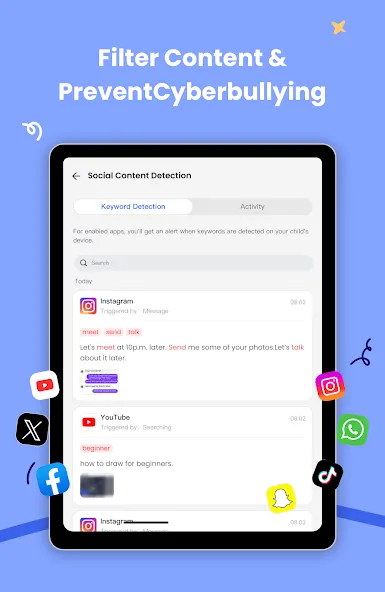
Unlike static filters that rely on blocked keywords, AirDroid’s AI understands tone and context. It flags subtle cues of risky behavior early, allowing parents to act before problems grow.
Multi-Device Support
One account can supervise up to ten child devices. Perfect for multi-child households, schools, or guardians managing several Android phones.
Data Privacy First
All communication between parent and child devices is encrypted and complies with GDPR. Location, notifications, and media stay on secure servers managed by SAND STUDIO—not shared with outsiders.
Cross-Platform Flexibility
Whether you’re on iOS or Android, you can still monitor across systems. AirDroid keeps feature parity, so every parent gets the same tools regardless of device brand.
Performance and Reliability
Users consistently report stable GPS tracking and smooth notification syncing. The app runs quietly in the background, consuming minimal battery power.
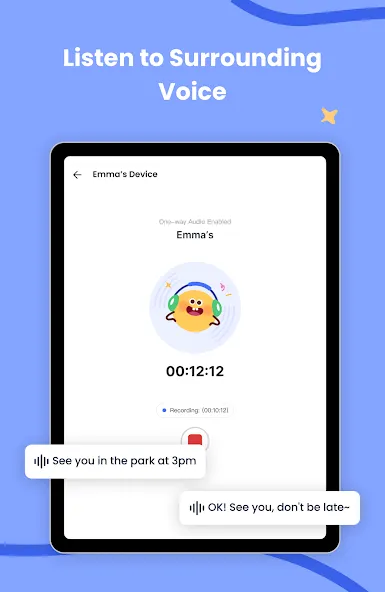
What is AirDroid Parental Control APK used for?
AirDroid Parental Control APK is designed to help parents manage their children’s digital habits safely. It offers real-time GPS tracking, app blocking, screen-time control, and AI-powered content monitoring—all in one secure Android app.
Is AirDroid Parental Control APK safe to use?
Yes. The app is developed by Sand Studio, a trusted software company with millions of downloads worldwide. It follows strict privacy and encryption standards, ensuring that your family’s data remains secure and never shared with third parties.
How do I set up AirDroid Parental Control APK on Android?
To install, download the APK file from a verified source, enable “Install from Unknown Sources,” and complete the setup. Then pair your child’s device through AirDroid Kids, grant permissions, and customize GPS zones, screen limits, and alerts.
What makes the version different from the regular AirDroid app?
The version unlocks all premium features, removes ads, and allows multi-device control without subscriptions. It delivers faster sync, real-time updates, and unlimited parental monitoring options for smoother everyday use.
Can AirDroid Parental Control help reduce screen addiction in kids?
Absolutely. With smart screen-time scheduling and daily limits, parents can balance their child’s study, rest, and play hours. The app encourages healthier routines and teaches kids responsible device usage through consistent guidance.
Install AirDroid Parental Control on your Android phone and sign up or sign in to your account.
On your child’s device, install the companion app AirDroid Kids and follow the on screen instructions to pair it with your account.
Grant the requested permissions on the child’s device so screen monitoring, app limits, notifications, and location features can work correctly.
Return to the parent app and set basic rules. Create downtime schedules, app limits, and website filters, then turn on monitoring and alerts as needed.
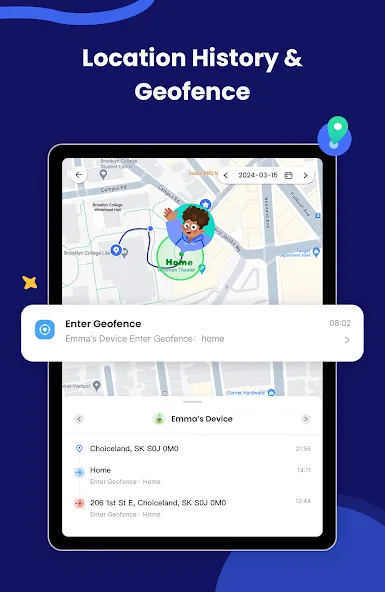
Set geofences for important places and choose alert preferences. After that, review reports regularly and adjust rules from the app or the web portal when routines change.
Everything in this app is good, but there are two issues. First, the microphone icon is always visible. Second, when using screen mirroring, the screen cast icon appears. Because of these icons, children can easily realize that they are being monitored. Also, if something unexpected happens or the phone ends up with someone else, those icons will reveal that the device is being monitored. Overall, everything else about the app is good. I just wanted to share this concern.
AirDroid Kids has been one of the best parental control apps I've used. The setup was straightforward, and it gives me peace of mind knowing I can monitor my child's location, manage screen time, and make sure they're using their device safely. The real-time alerts and app management features are especially helpful, and the interface is clean and easy to navigate. What I appreciate most is that it helps encourage healthier digital habits without making everything overly complicated.
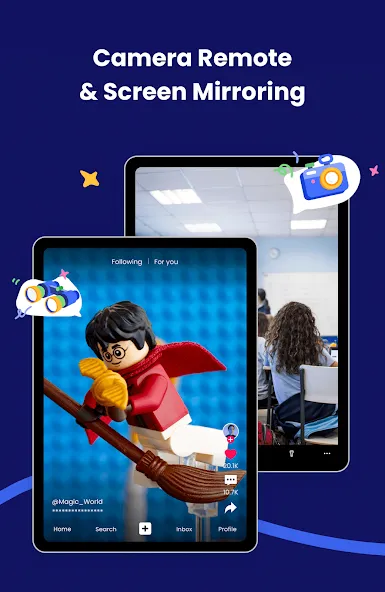
best parental control app ever but only issue is that it play sound of remote camera as call volume it should be played as media volume it is not a call, in chrome it is playing as media volume but in app it treated as call volume so if we are outside and trying to monitor child we can also hear in low volume I hope you will fix it and there are lagging issue with website when we use remote camera in chrome it lags very much compare to app please fix this two issues
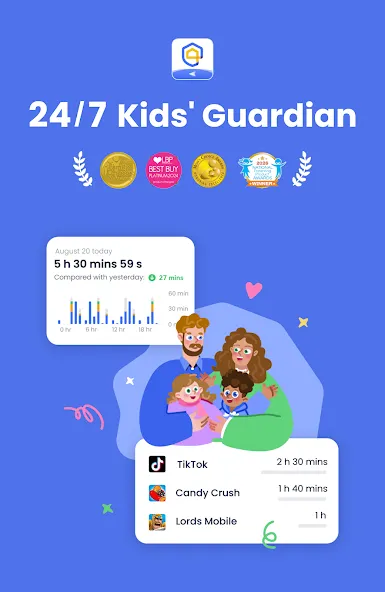
AirDroid Parental Control is a parental control app uniquely designed as a digital security tool that allows parents to monitor and control their children's use of their Android devices. With features such as location tracking, setting screen time limits, and the ability to view and lock apps, AirDroid Parental Control provides a robust set of functions to ensure children's digital safety.
Size:123.18MB Version:2.7.7.0
Requirements:Android Votes:326
Package Name:com.sand.airdroidkidp Signature:00d3c8b9059ad520ad525fe6e22e6e1f
Utility apps are indispensable in our lives, making our daily routines more convenient. To help you find these apps more easily, this site has created a collection. This collection brings together a series of practical tools covering various aspects of life, work, and education, meeting all your needs. What are you waiting for? Try these apps now and make your life easier!
Transform your mobile device into a powerhouse of efficiency with these handpicked essential tools. Whether you need professional-grade photo editing, seamless file organization, smart task management, or real-time weather updates, our curated selection of premium apps delivers unbeatable performance. Streamline your daily routine, automate repetitive tasks, and boost your productivity with intuitive interfaces and powerful features. Designed for both professionals and casual users, these editor-approved applications will revolutionize how you work and play. Don't settle for an ordinary phone - upgrade your digital experience today and unlock your device's full potential!
With the development of mobile hardware and software, many practical tool software have emerged, covering a wide range of aspects and becoming a good helper for everyone in work and life. Today, the editor provides you with a list of useful tool software downloads. These tools are not particularly complex types, and after reading them, everyone can quickly learn how to use them. Proper use can bring great convenience to life and work.
About us | Contact us | Privacy policy| DMCA
Copyright © 2026 Xiaohei All rights reserved.