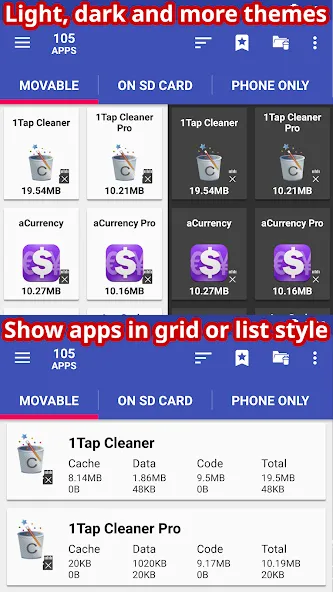
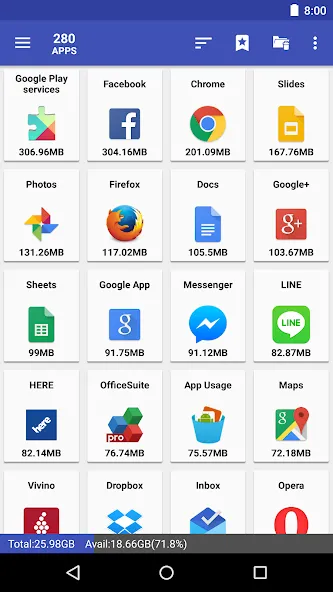
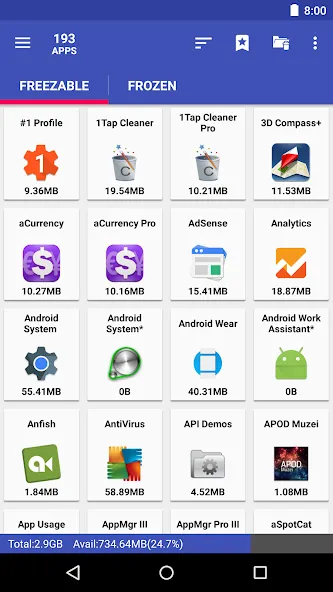
AppMgr Pro III is an app management tool for Android devices, featuring a modern UI and themes. It allows for batch operations on applications, including fully automated transfers to external storage cards. Users can hide apps and secure them with a password lock, as well as clear caches in bulk. This ad-free version enables quick app deployment, uninstallation, and installation, and supports home screen widgets. It offers enhanced functionality for rooted devices, granting advanced management privileges. The app supports multiple languages with easy switching, and its simple interface ensures a quick learning curve, helping users manage their phones more efficiently.
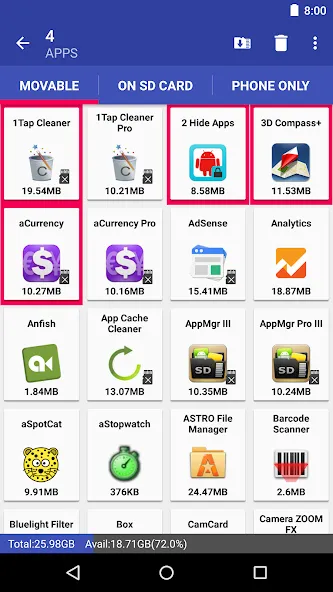
up-to-date UI style, themes
batch archive or restore apps (Android 15+ only)
uninstall apps
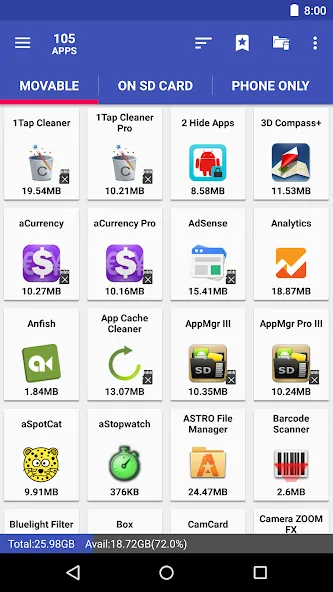
move apps to external storage
notify when movable apps installed
hide apps from the app drawer
freeze apps to a stop state
1-tap to clear all cache
clear apps cache or data
export the app list
install apps from the exported app list
quick uninstall or move an app by drag-n-drop
sort apps by name, size, or installation time
share customized app list with friends
support home screen widgets
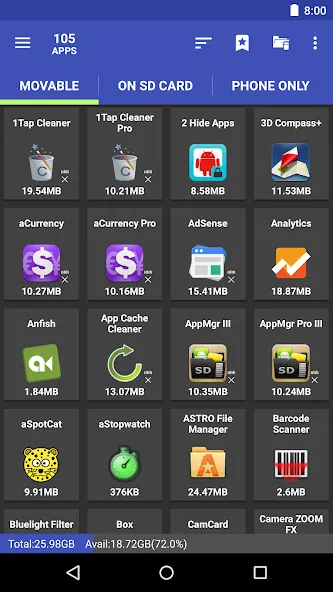
Useful home screen widgets to enable
For those of you who are interested, you can now enjoy working with the useful home screen widgets in AppMgr Pro III, which will allow Android users to easily work on its features without having to open the app. Simply access the widgets from your home screen and perform any needed actions with ease.
Advanced features for rooted devices
To make the app more capable, AppMgr Pro III can now work on rooted devices, which will provide the app with even more advanced managing options. Here, you can easily use the Root uninstaller, Root freeze, Root cache cleaner, and Root app mover to work on all the different features in the app. These options can even on system apps so you will have a lot more authority in managing your devices
Work well with different language options
To make the app more accessible, AppMgr Pro III also features many available language options, which will allow Android users to enjoy the app in their native languages. Feel free to choose between many available options aside from the default English and you can further enjoy the app. Also, if you wish to contribute to the translations of the app, then feel free to send your emails to Sam Lu – the creator of the app.
Pros
Provides a convenient way to see all apps on your device.
Allows app freezing to prevent them from using system resources.
Can quickly clear all app caches.
Cons
Interface may be confusing for users without much technical knowledge.
It's likely the best out there; I've been using this for years, and updates are consistent. It's one of the few apps I've actually bought. Great work, devs!
This is one of the most helpful apps that I've ever had on my phone. Safes me from the memory issues all the time. I'm glad the developer is keeping this app at a reasonable price and at the best quality. 12/10
Great app to quickly clear cache. I used to have it set to automatically prompt me to clear cache every evening. it quit the prompt, now I can't find a way to schedule it again.
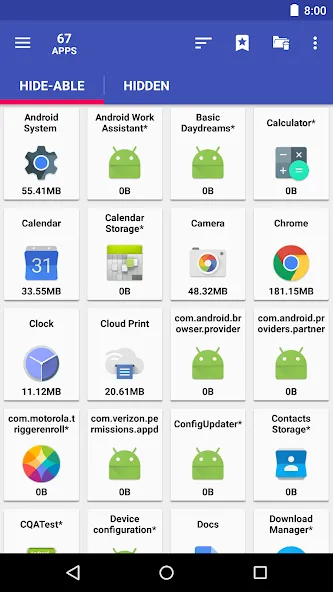
AppMgr Pro III is a versatile app management tool designed to optimize storage on Android devices. Key features include archiving and moving apps to internal or external storage, hiding built-in apps from the app drawer, and freezing apps to conserve CPU and memory resources. It offers batch management options for uninstalling, moving, and sharing apps, along with cache clearing capabilities. The app also provides notifications for movable apps and supports home screen widgets. For rooted devices, additional functions like root uninstaller and cache cleaner are available, enhancing overall app management efficiency.
Size:14.89MB Version:6.20
Requirements:Android 2.3+ Votes:560
Package Name:com.a0soft.gphone.app2sd Signature:680fdc762992ca0c2170ccc7e2fdec94
Utility apps are indispensable in our lives, making our daily routines more convenient. To help you find these apps more easily, this site has created a collection. This collection brings together a series of practical tools covering various aspects of life, work, and education, meeting all your needs. What are you waiting for? Try these apps now and make your life easier!
Transform your mobile device into a powerhouse of efficiency with these handpicked essential tools. Whether you need professional-grade photo editing, seamless file organization, smart task management, or real-time weather updates, our curated selection of premium apps delivers unbeatable performance. Streamline your daily routine, automate repetitive tasks, and boost your productivity with intuitive interfaces and powerful features. Designed for both professionals and casual users, these editor-approved applications will revolutionize how you work and play. Don't settle for an ordinary phone - upgrade your digital experience today and unlock your device's full potential!
With the development of mobile hardware and software, many practical tool software have emerged, covering a wide range of aspects and becoming a good helper for everyone in work and life. Today, the editor provides you with a list of useful tool software downloads. These tools are not particularly complex types, and after reading them, everyone can quickly learn how to use them. Proper use can bring great convenience to life and work.
About us | Contact us | Privacy policy| DMCA
Copyright © 2026 Xiaohei All rights reserved.