Mi Band Tools is a smart band app designed for users of Xiaomi wearable devices. It allows users to customize settings—such as text display, notifications from various apps, and alarms—and choose how these alerts are presented (e.g., via vibration, ringing, or screen activation) to suit their specific needs. Regarding health and wellness, the app continuously monitors heart rate and alerts the user to any irregularities. Additionally, the app boasts excellent compatibility, supporting installation and operation across all versions of the Xiaomi Mi Band; it is constantly updated and optimized with new, practical features—so stay tuned for more!
Display Text Support (see caller contact names & contents of notifications on your Mi Band).
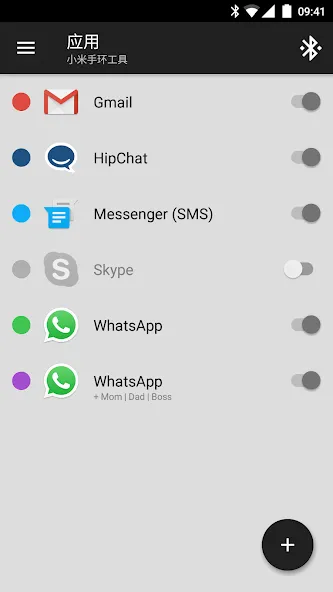
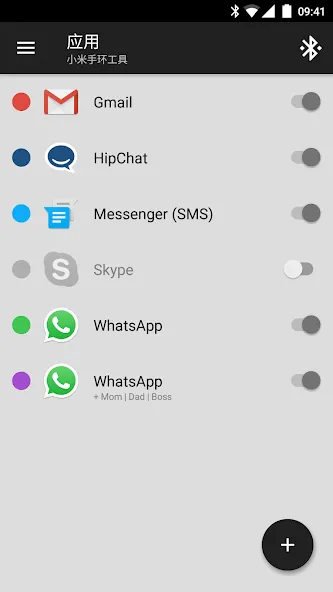
Application notifications (configurable per application as well as globally).
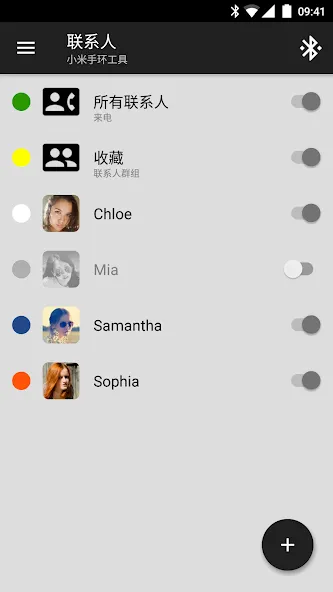
Incoming call notifications (configurable per contact as well as globally).
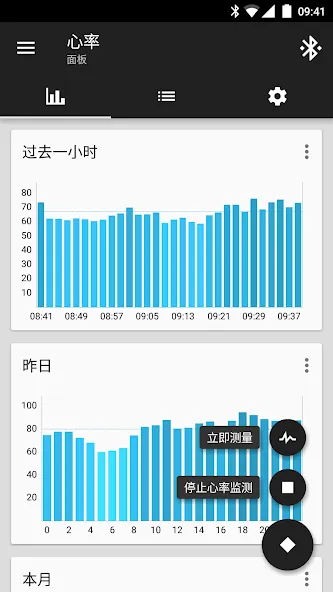
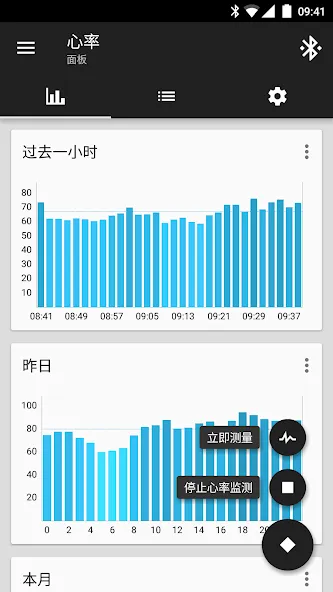
Continuous heart rate monitoring & notifying, configurable heart rate dashboard charts (Mi Band 7, Mi Band 6, Mi Band 5, Mi Band 4, Mi Band 3, Mi Band 2, 1S).
Sleep as Android Integration (Mi Band 7, Mi Band 6, Mi Band 5, Mi Band 4, Mi Band 3, Mi Band 2, 1.0, 1A).
Alarm notifications (including safety sound alarm - vibrations won't wake you up? safety sound alarm will trigger after few minutes)
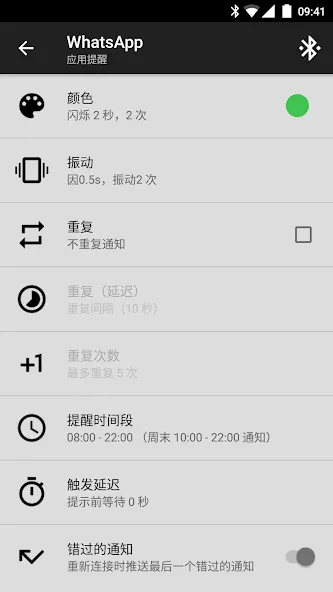
Custom repeating notifications (you can set anything you like, for example: hourly chimes, change workout reminder, take a pill reminders and more).
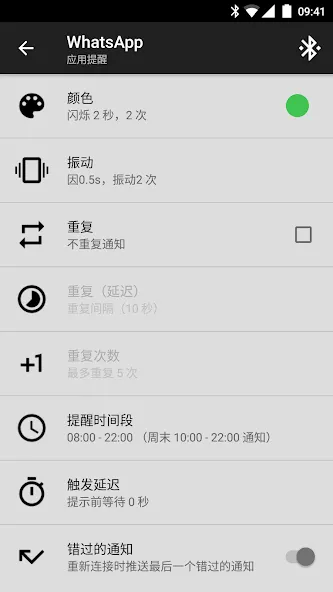
Fully customizable notification patterns (including multi-color notifications, custom vibration patterns).
Notification content filters (only interested in SMS notifications for certain people? not a problem for Mi Band Tools).
Multiple notifications per application (thanks to this feature, you can set different patterns for single application, for example you can set WhatsApp messages from your boss in red and from your friends in blue).
For Amazfit GTS (4, 4 Mini, 3, 2, 2E, 2 Mini), GTR (4, 3, 3 Pro, 2, 2E), T-Rex (1, 2), Verge, Bip, Arc, Cor, Amazfit Band (7, 6, 5) changelog, see Tools & Amazfit
New: Updated to latest Android 16 usability, security and performance improvements to enhance overall user experience
New: Many adjustments for latest released firmwares of all supported bracelets
Improved: Major connection stability improvements for all Android versions (make sure to configure your phone not to kill processes as described on dontkillmyapp.com - do it for Mi Fit as well as for Mi Band Tools)
Improved: Updated to all latest localizations
Several minor fixes and dozens of minor improvements
Get it on Google Play
New: Updated to latest Android 15 usability, security and performance improvements to enhance overall user experience
New: Many adjustments for latest released firmwares of all supported bracelets
Improved: Major connection stability improvements for all Android versions (make sure to configure your phone not to kill processes as described on dontkillmyapp.com - do it for Mi Fit as well as for Mi Band Tools)
Improved: Updated to all latest localizations
Several minor fixes and dozens of minor improvements
Get it on Google Play
Love the app. I would just love it much more if there was an option that only activated the heart rate reader when I start my sleep recording and then turns it off when the recording is over in the morning. I am tired of forgetting to turn it off and it eats my battery. If that was a thing in future updates I would give 5 stars.
It is very stable and reliable, but I would like to see more advanced features - other than catching up with each new Mi Band model (admittedly, very important part) it does not feel like much development is going on. What I'm really missing right now is being able to dismiss a repeating notification straight from the band (as it is, you can only dismiss a single repeat).
Mostly good, but definitely needs work. Especially with alarms. One alarm wouldn't dismiss, it literally went off every 5 seconds after hitting dismiss, the Bluetooth disconnected so re-syncing fixed that. Also had alarms that were turned off still go off.. Deleted any alarms I'm not using and that seemed to prevent unwanted alarms from going off again. Mostly use Sleep as Android for alarms now. However the custom watch faces are great. Update: much smoother recently.
Changing back to five stars. All issues were remediated by latest update. Thanks. I was really satisfied as I am using this app really long time but with new updates some issues occured. Some users already mentioned that but it it looks you still do not care. First of all. Incoming call is not shown with contact names. Secondly, dnd mode in status bar does not work. When I switch off the band vibration by clicking the icon in status bar, band vibrates anyway. Pls fix it asap. My phone model is not important as it all worked before on same phone... Thank you.
Do you support Amazfit GTS? GTR? T-Rex? Verge Lite? Bip? Bip Lite? Bip S? Cor? Arc?
Yes. We do have a special application specifically for Amazfit bracelets with brand new features (like Button Control & Sensor Control, Button Control Profiles, Incoming Call Buttons, Advanced Plugins and many more) and full support for Amazfit GTS 4 (all versions), Amazfit GTS 3 (all versions), Amazfit GTR 4 (all versions), Amazfit GTR 3 (all versions), Amazfit GTS 2 (all versions), Amazfit GTR 2 (all versions), Amazfit T-Rex, Amazfit GTS, Amazfit GTR, Amazfit Verge Lite, Amazfit Bip, Bip Lite, Bip S, Amazfit Cor, Cor 2 and Amazfit Arc.
Heart rate not working or intermittent?
If you bought this application and heart rate is not working or the measuring is intermittent, please follow this guide carefully:
Install latest version of Mi Band Tools available on Google Play
Restart your phone afterwards.
Still not working? Please perform the profile synchronization by carefully following all these steps:
Restart your phone.
Synchronize your bracelet with original Mi Fit application.
Open Mi Band Tools and tap the bluetooth icon in upper right corner
Wait about 60 seconds.
How to pair a new bracelet?
In case you changed your bracelet and you want to pair Mi Band Tools with a new one, do following:
Make sure the new bracelet is correctly paired and synced with Mi Fit
Go to Mi Band Tools - Settings.
Select Mi Band Bluetooth Address (at the bottom, in Advanced category)
Clear all the characters you see there (so the field is empty)
Press OK.
Mi Band Tools will now automatically restart itself and re-pair with your new bracelet.
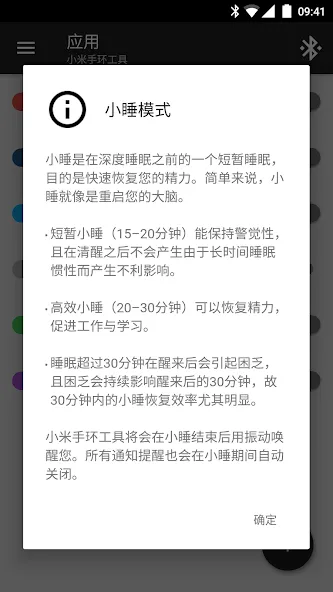
Get the most out of your Mi Band smart bracelet with Mi Band Tools! Set up your own, individual and fully customizable notifications for incoming calls and applications. Energize your brain during a hard day using the power nap feature, configure multi-color custom patterns for every single notification, fine-tune custom content filters, and a lot more!
Size:8.17MB Version:2.0.1
Requirements:Android 4.3+ Votes:580
Package Name:cz.zdenekhorak.mibandtools Signature:99a3fff52650938f3c30b19d21ce8114
Transform your mobile device into a powerhouse of efficiency with these handpicked essential tools. Whether you need professional-grade photo editing, seamless file organization, smart task management, or real-time weather updates, our curated selection of premium apps delivers unbeatable performance. Streamline your daily routine, automate repetitive tasks, and boost your productivity with intuitive interfaces and powerful features. Designed for both professionals and casual users, these editor-approved applications will revolutionize how you work and play. Don't settle for an ordinary phone - upgrade your digital experience today and unlock your device's full potential!
With the development of mobile hardware and software, many practical tool software have emerged, covering a wide range of aspects and becoming a good helper for everyone in work and life. Today, the editor provides you with a list of useful tool software downloads. These tools are not particularly complex types, and after reading them, everyone can quickly learn how to use them. Proper use can bring great convenience to life and work.
About us | Contact us | Privacy policy| DMCA
Copyright © 2026 Xiaohei All rights reserved.