GEICO Mobile is an automotive management app for Android devices. It allows users to link documents—such as insurance cards—without needing to dig through their wallets, and these can also be added to Apple Wallet. Users can download billing statements in real-time and make payments at their convenience. If your vehicle breaks down in a remote area, the app enables you to summon a tow truck service. It also facilitates vehicle maintenance and servicing. You can log in using your account credentials, or obtain price quotes even without an account. Additionally, the app features a built-in AI assistant to answer user questions at any time.
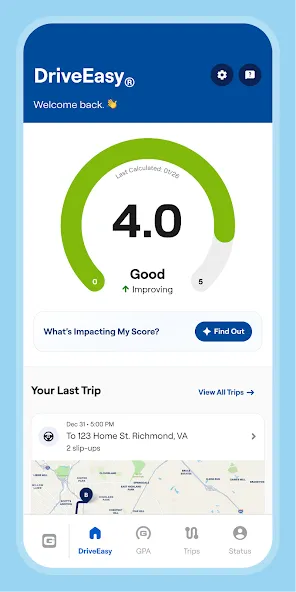
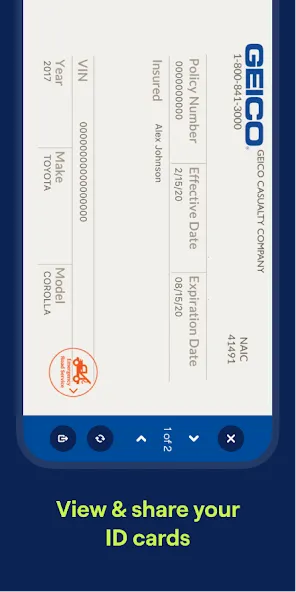
DIGITAL ID CARDS
The days of rummaging through your wallet, past expired gym memberships and old receipts to find your insurance ID cards are over. Now they’re always easy to access right on your phone. Access them from the app or add them to your Apple Wallet.
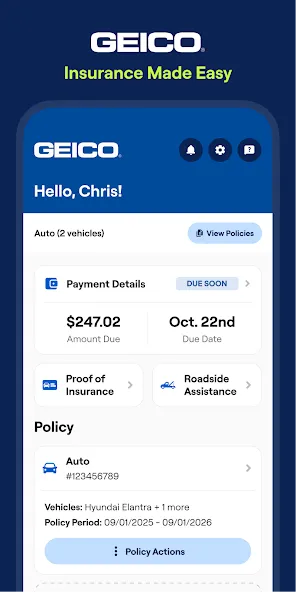
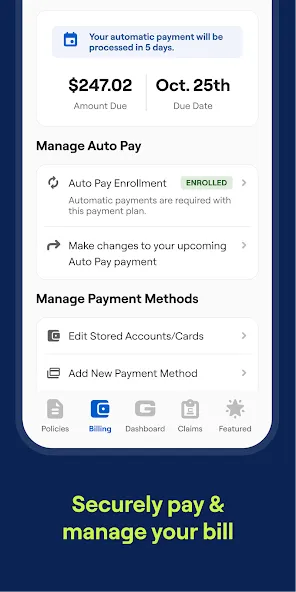
BILLING - MAKE A PAYMENT
Now you don’t have to slow your roll to pay or manage your bill. The GEICO Mobile app makes paying on the go easy with numerous payment method options as well as flexible payment amounts that fit your needs.
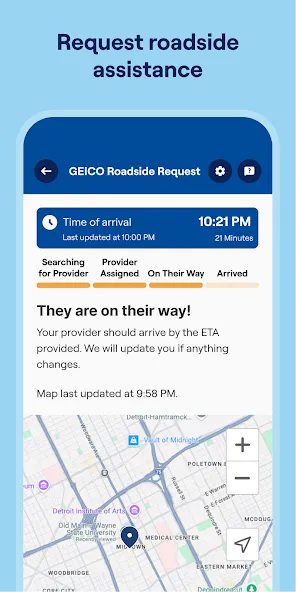
ROADSIDE ASSISTANCE
No one likes being stranded in the middle of nowhere – or even in the middle of somewhere. The GEICO Mobile app lets you tap for a tow anyplace, anytime.
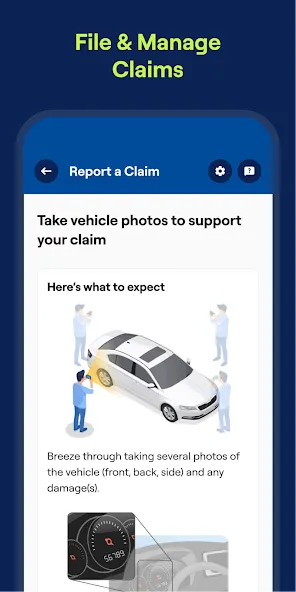
SUBMIT AND MANAGE YOUR CLAIM
Let’s be real - claims aren’t fun. A fender bender, crash or broken windshield can all be nerve-racking. That's why GEICO Mobile makes it easy to file and manage a claim.
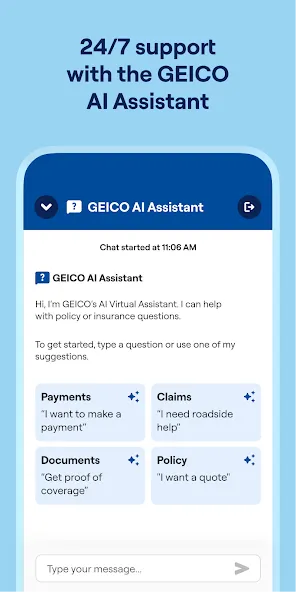
YOUR VIRTUAL ASSISTANT
Ever wish you had a teeny tiny person in your pocket that you could ask questions about your policy, billing or more? Us too. So just ask GEICO Mobile’s Virtual Assistant.
VEHICLE CARE
Vehicles need tender loving care too. That’s why we make it so easy to get your car serviced, find out about recall alerts, and even get maintenance reminders. It’s like a hug for your car.
Do I need an account to use the GEICO Mobile app?
You do not need to set up a separate account to service your policy through GEICO Mobile; you can log in using the same user ID/password you use online. However, you do not need an account to get a quote, file a claim, or access extra features!
Will I stay permanently logged into the app?
You can select "Keep Me Logged In" which will save your User ID and password to your device making logging into your policy effortless.
How do I login with my fingerprint?
If you have a device with a fingerprint sensor enabled and have a fingerprint stored on your device, you will receive a prompt asking if you'd like to use your fingerprint on your next login.
How do I save my ID card for offline access?
Once you have logged into the app and viewed your ID cards, they will be automatically saved to your device. Next time you're logged out, you can easily access your ID cards from the login screen.
What about security/privacy in GEICO Mobile?
GEICO Mobile cares about your security and privacy. All of your personal information is encrypted for any communication with GEICO Mobile servers.
I just want to point out the phone getting warmer Well naturally the phone got warmer but I know what the questions asking No my phone did not overheat but it had to have gotten warmer especially considering it's in a closed cooling system But I need component does that's what he sinks in thermal grease are for overclocking is just up in the frequency in the voltages that increases heat and I'll just stop there
They have made it the easiest and most pleasant experience possible, in regards to car insurance and customer service. A breath of fresh air so far.
the app is great and so easy to use. I am so happy I switched from progressive. Im paying less too super happy...so far
Discover the convenience of managing all your car insurance needs on the go with the GEICO Mobile app. This comprehensive application is designed to streamline the way you interact with your insurance provider, offering a suite of features to enhance your experience. It is tailored for those who desire instant access to their insurance information, require the ability to manage their account swiftly, and want the security of roadside assistance at their fingertips.
Size:96.80MB Version:5.105.1
Requirements:Android 4.0+ Votes:212
Package Name:com.geico.mobile Signature:489a5e66d07fa7b0b6c8d7ce436e4f94
Utility apps are indispensable in our lives, making our daily routines more convenient. To help you find these apps more easily, this site has created a collection. This collection brings together a series of practical tools covering various aspects of life, work, and education, meeting all your needs. What are you waiting for? Try these apps now and make your life easier!
Transform your mobile device into a powerhouse of efficiency with these handpicked essential tools. Whether you need professional-grade photo editing, seamless file organization, smart task management, or real-time weather updates, our curated selection of premium apps delivers unbeatable performance. Streamline your daily routine, automate repetitive tasks, and boost your productivity with intuitive interfaces and powerful features. Designed for both professionals and casual users, these editor-approved applications will revolutionize how you work and play. Don't settle for an ordinary phone - upgrade your digital experience today and unlock your device's full potential!
With the development of mobile hardware and software, many practical tool software have emerged, covering a wide range of aspects and becoming a good helper for everyone in work and life. Today, the editor provides you with a list of useful tool software downloads. These tools are not particularly complex types, and after reading them, everyone can quickly learn how to use them. Proper use can bring great convenience to life and work.
About us | Contact us | Privacy policy| DMCA
Copyright © 2026 Xiaohei All rights reserved.