Honeydew is a cooking app designed for home chefs; users can simply enter the name of a dish or specific ingredients to find relevant recipes, cooking videos, and notes, helping them create delicious meals. Leveraging cutting-edge AI technology, the app quickly generates weekly meal plans—eliminating the daily dilemma of what to cook—and suggests ingredient substitutions based on what is already in the pantry, making grocery shopping more convenient. It also features a built-in calorie calculator that estimates intake simply by snapping a photo, catering to a variety of user needs.
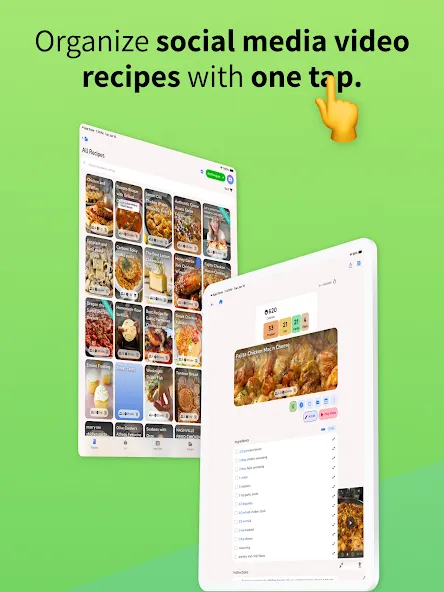
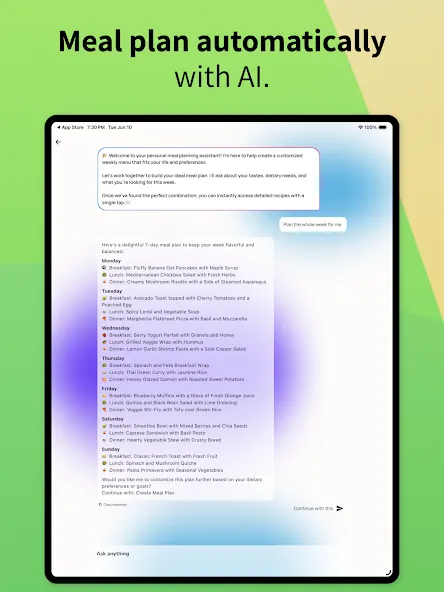
AI Meal Planner & Diet Customization: The app provides AI-powered meal planning, generating weekly meal plans in seconds and creating custom plans based on specific dietary needs, which significantly streamlines the meal preparation process for busy users.
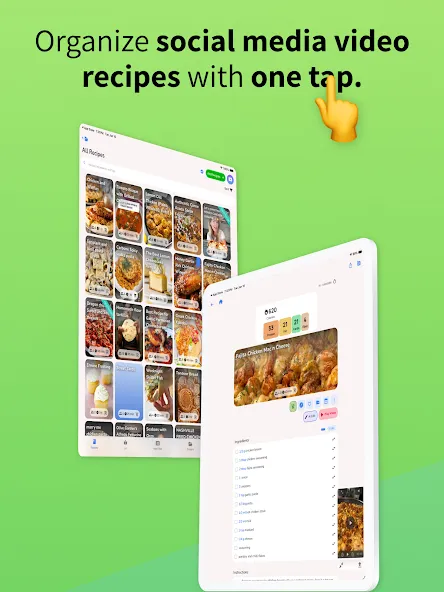
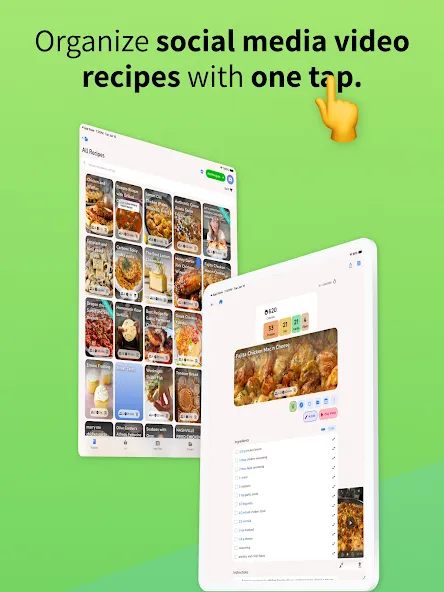
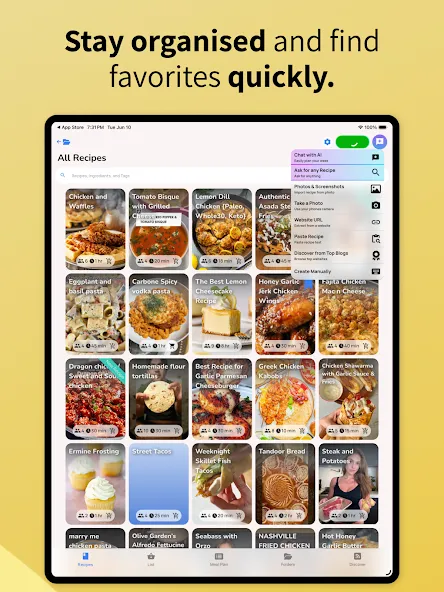
One-Tap Recipe Import & Digital Cookbook: It allows users to instantly import recipes from various sources, including YouTube, Instagram Reels, screenshots, and websites, consolidating all recipes into a beautifully organized digital cookbook. This eliminates the frustration of scattered recipes and simplifies management.
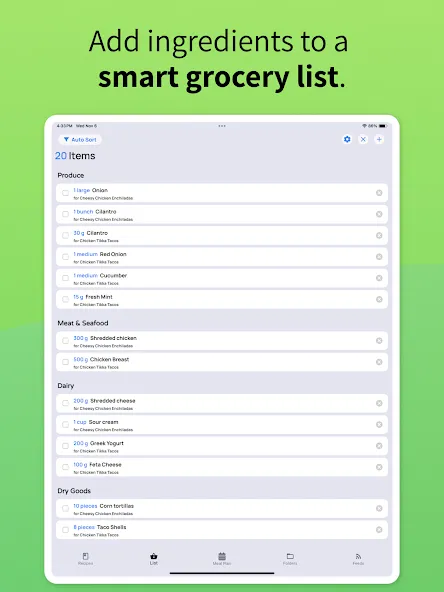
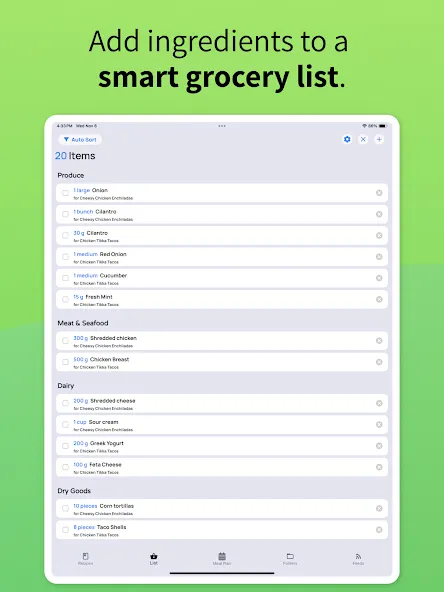
Automated Grocery List Generation: This tool features automatic grocery list generation from meal plans, with lists sorted by store sections, ensuring efficiency and preventing forgotten items during shopping. It directly addresses the need for streamlined grocery management.
Smart Cooking Tools (Substitutions, Nutrition & Scaling): The app offers smart ingredient substitutions, auto calorie and macro calculation, and smart serving size scaling, which are crucial for users focused on healthy eating and diet-specific meal plans, providing convenience and accuracy.
Ad-Free Experience & No Screen Lock: It provides a no-ads experience and prevents screen lock while cooking, ensuring a seamless, distraction-free environment that busy home cooks value for efficiency and focus.
Household Sharing & Syncing: This tool enables household sharing for meal plans and grocery lists, fostering collaboration and coordination among family members, which is beneficial for managing household meal tasks.
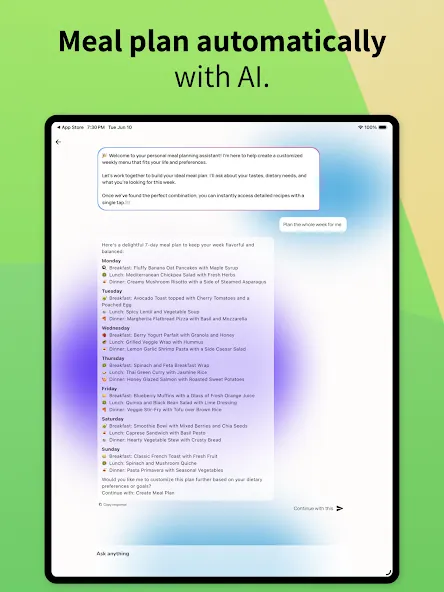
Smart Ingredient Swaps and Nutrition Tracking: Honeydew’s DIISH algorithm excels at recommending ingredient swaps without losing the essence of a dish. If a recipe calls for hard-to-source items like tamarind paste, kaffir lime leaves, or galangal, the app suggests accessible alternatives. It even considers how each ingredient functions - whether as a flavor base, emulsifier, or leavening agent - ensuring your fusion creation stays true to its original intent.For those focused on health, the app’s nutrition tracking feature is a game-changer. Using USDA data, it calculates calories and macronutrients (protein, carbs, fats, and fiber) per serving. Whether you’re scaling a recipe for a dinner party or tweaking it for specific dietary goals, the app instantly recalculates everything. This is especially handy for dishes like high-protein vegetarian tacos that merge Mexican and Indian flavors while meeting nutritional targets.
Family Sharing and Grocery Integration: Honeydew also simplifies meal planning for families and groups. With support for up to six family members, the household sharing feature lets everyone contribute to weekly meal plans and shared recipe collections. This is perfect for coordinating fusion meals that cater to different preferences and dietary needs.Shopping is made easier with aisle-sorted grocery lists that organize ingredients by store section. For even more convenience, the app integrates with Instacart, allowing you to send your ingredient list directly for delivery in just one click. And when it’s time to cook, the "no screen lock" mode ensures your device stays active, so you can follow recipes without needing to touch your phone with messy hands.Honeydew Recipe Manager is free to download on iOS and Android, with the Honeydew Plus subscription available for $4.17/month. The subscription unlocks unlimited recipe storage and advanced features, making it an excellent tool for fusion cooking enthusiasts.
Combining Unexpected Ingredients: Fusion cooking thrives on blending the unexpected, and AI can be a great partner in this culinary adventure. Start by clearly defining your dish type - whether it’s a starter, main course, soup, or dessert - and the two cuisines you want to merge. This focus helps the AI deliver practical and creative suggestions rather than random pairings.Got a mix of ingredients at home but no idea what to make? Snap a photo of everything laid out on your kitchen counter and let the AI suggest fusion ideas. A flat, well-lit surface improves visibility, so fewer photos are needed. Tools like Honeydew Recipe Manager can make this process even smoother by pairing ingredients effortlessly.Sometimes, AI might suggest combinations that seem unusual - like cheese paired with chickpeas and rice. Don’t dismiss these outright. Instead, refine the results by asking for substitution suggestions, specific proportions, or alternative flavor profiles. Iterative prompts help you fine-tune these combinations into something delicious.
Straight forward to use and to manage with ease, and this app automatically sets up everything for you. I really love this app and highly recommend it to anyone young and old and have options on what you want to eat.
So easy to import and with the ingredient list and amounts already calculated there's no reason not to incorporate this app with your daily life to make it easier and less stressful!
it seems like a good idea . Because most times the recipe is not in the caption. Or you have to comment a word to get the recipe. Looking forward to cooking more.
I like what I see so far. I've only just opened the app. The first thing it did was pull up a beef stew recipe from a video online and it showed the video, all ingredients, step-by-step instructions from start to finish. also broke down all the calories, protein, salt, healthy, & A few other things, that were helpful for me, For Health reasons, I am just learning to cook healthier meals, honestly, I don't know what healthy cooking is, or where to start.
I am in love with this app! I haven't found something as useful in years! really, like 10-15 years! life saver for scraping my favorite recipes online.
This app deserves 5 stars. Not for for its ingenuity in converting virtually any recipe format - be it videos, reels, and handwritten notes - but for the phenomenal customer support and followup. I look forward to future updates to see how the developer perfects the interface and function.
How to view the original recipe source?
Every recipe saved in Honeydew keeps a link back to the original source -- whether that's a food blog, YouTube video, TikTok, or any other website. You can visit the original page anytime to see additional context, photos, or comments the author may have included.
How to add notes to a recipe?
Honeydew lets you add personal notes to any recipe. Whether you want to jot down a substitution that worked well, a cooking tip you discovered, or a reminder for next time, notes keep all of your insights right alongside the recipe itself.
Open the recipe: Navigate to the recipe you want to annotate and tap to open it.
Tap the notes section: Scroll to the notes section of the recipe. Tap on it to open the text editor.
Type your note: Write whatever you'd like to remember -- ingredient swaps, cooking adjustments, serving suggestions, or anything else.
Save: Tap Save or tap outside the notes area. Your note is now attached to the recipe.
How to move a recipe?
Open the recipe: Navigate to the recipe you want to move and tap to open it.
Tap the folder icon: Look for the folder icon on the recipe screen. Tapping it will show you a list of all your folders.
Select the new folder: Tap the folder you want to add the recipe to. A checkmark will appear next to selected folders.
Deselect the old folder (optional): If you want the recipe to appear only in the new folder, deselect the previous folder by tapping it. If you'd like the recipe in both, simply leave both selected.
Can I translate recipes in Honeydew?
Yes, Honeydew can translate recipes into other languages using the AI Edit feature. Whether you've saved a recipe in French, Japanese, Spanish, or any other language, you can translate it so you can read and follow along comfortably in your preferred language.
The Honeydew app also includes features such as smart meal planning—allowing users to create weekly plans in seconds—and the ability to share meal plans and shopping lists with family members. Honeydew works offline and is ad-free, ensuring an uninterrupted user experience. With options to save recipes from multiple sources and support for various dietary needs, Honeydew is an all-in-one solution for both beginners and experienced cooks.
Size:104.00MB Version:1.8.0
Requirements:Android 7.0+ Votes:313
Package Name:com.redhoney.eatlist Signature:f92cdf6e6726efc1d070363f3b1cbe66

A healthy lifestyle is about more than just proper nutrition and consistent exercise. Getting enough sleep, taking care of your body and mind, and managing things like medications and doctor’s appointments also play important roles in staying healthy. A good app can be a great way to manage it all. That’s why Healthline tested a variety of different healthy lifestyle apps. We chose the year’s best based on content, reliability, and user reviews.
Take charge of your daily routine with the most innovative lifestyle apps of 2024. Elevate your fitness, mindfulness, and nutrition with cutting-edge workout, meditation, and meal-planning tools. Boost productivity with smart scheduling apps that simplify time management, or unwind with curated entertainment, news, and reading platforms. Whether you want to stay organized, energized, or inspired, these handpicked apps help you achieve balance effortlessly. Download now and transform your work, wellness, and free time-your best life is just a tap away!
About us | Contact us | Privacy policy| DMCA
Copyright © 2026 Xiaohei All rights reserved.