TP-Link Tapo is a control app designed specifically for Tapo device users. After creating an account and pairing their smart devices with the app, users can remotely control their devices and configure various settings—enabling them to monitor their home environment and ensure security at any time. Users can also share control access with family members, allowing others to operate the devices remotely and meeting the diverse needs of the household. The app undergoes continuous updates and optimizations to expand device compatibility and introduce new control features, ensuring a convenient user experience.
Fast setup: Add new Tapo devices in no time with simple prompts that guide you from unboxing to connected.
Control from anywhere: Turn devices on or off, adjust settings, and check status whether you’re at home, at work, or away on a trip.
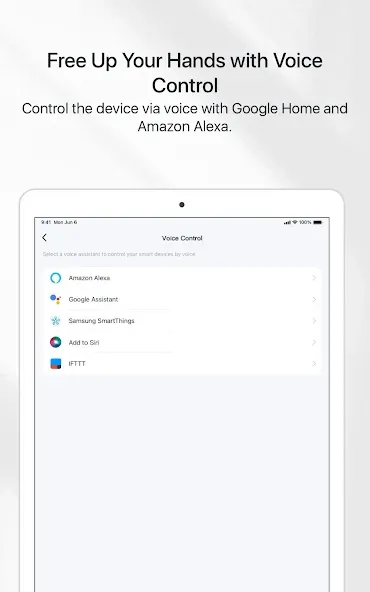
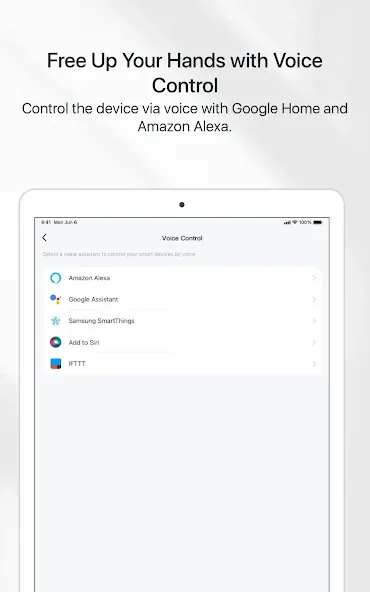
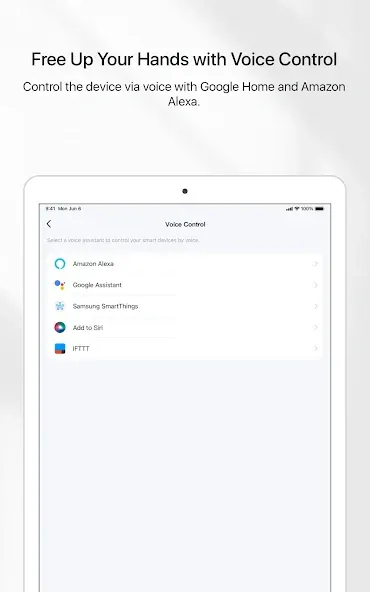
Hands-free voice control: Connect with Google Home or Amazon Echo to switch lights, trigger plugs, or set the mood just by asking.
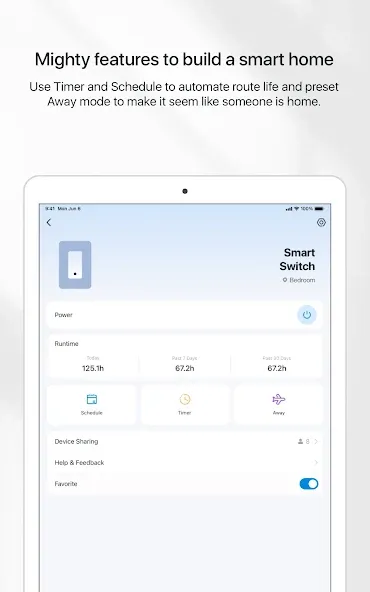
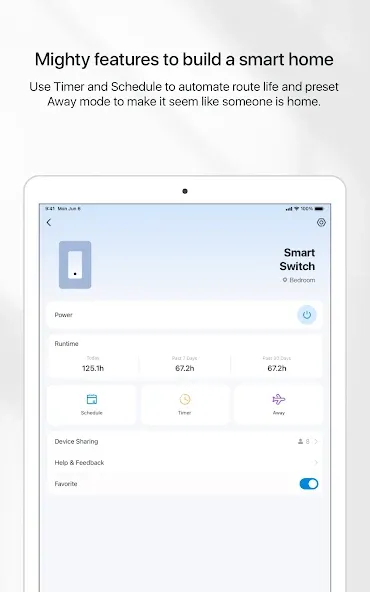
Schedules that stick: Create routines so lights and plugs follow your day—wake-up, bedtime, work hours, weekends, you name it.
Countdown timers: Start a timer that powers a device on or off after a set duration—perfect for things like heaters, fans, or humidifiers.
Away mode: Randomize lighting while you’re out so your place looks lived-in and a little less predictable.
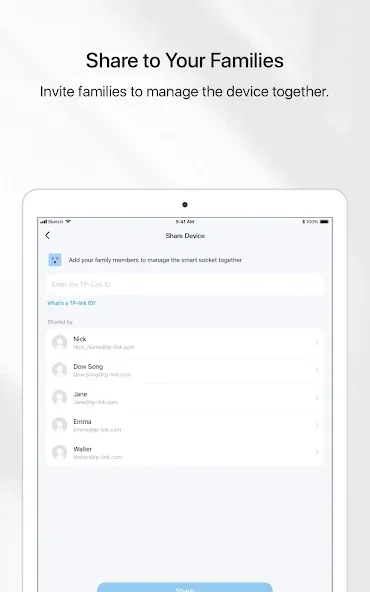
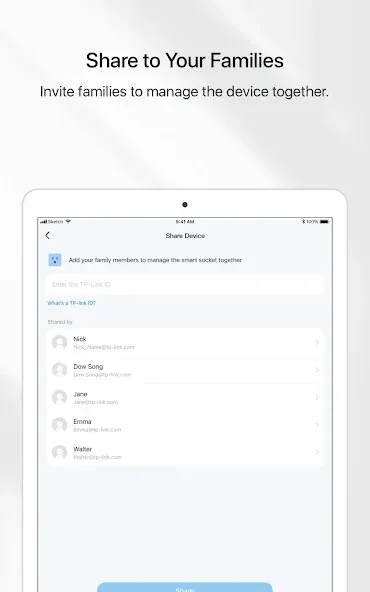
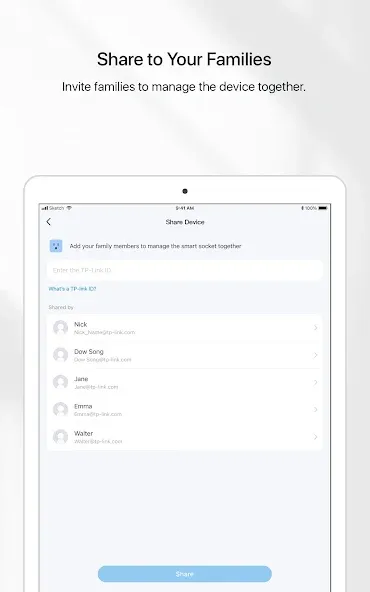
Shared access: Invite family members to control selected devices, assign permissions, and manage everything together without juggling logins.
The Tapo app helps you set up the Tapo smart devices within minutes and puts everything you need at the tip of your fingers
Control your smart device from anywhere.
Control the device via voice with Google Home and Amazon Echo.
Preset Away mode to make it seem like someone is home.
Set a countdown timer to automatically turn the device on or off.
Schedule when to turn the device on or off automatically at times.
Invite families to manage the device together.
The Tapo app helps you set up the Tapo smart devices within minutes and puts everything you need at the tip of your fingers
Control your smart device from anywhere.
Control the device via voice with Google Home and Amazon Echo.
Preset Away mode to make it seem like someone is home.
Set a countdown timer to automatically turn the device on or off.
Schedule when to turn the device on or off automatically at times.
Invite families to manage the device together.
To begin, download TP-Link Tapo and sign in with a TP-Link ID or create a new one. The app will then guide you through adding and organizing your smart devices at home. Follow the prompts and keep your phone connected to the internet during setup.Smart home sensors.
Open the app and tap the add button, then choose your device type to start pairing. Make sure the device is powered on and nearby for a stable connection.
For cameras, wait until the status LED indicates pairing readiness, often by blinking in a specific pattern. If it does not, press the reset button as directed on the device label, then try pairing again.
When prompted, connect your phone to the device hotspot and return to the app so it can pass your home Wi Fi details to the device. Confirm the correct network and enter the password to complete the link.
Name the device, select an icon, and assign it to a room for easier organization. If you use a voice assistant, you can link accounts to enable voice control after initial setup.
Set schedules or timers for regular routines and create groups for multi device control. When finished, share device access with family members to allow basic control on their phones.
TP-Link Tapo offers a powerful solution for those looking to enhance their smart home experience. With its wide range of features and compatibility with voice assistants, it’s the perfect app for anyone seeking a streamlined, intelligent way to manage their devices from anywhere.
Size:448.38MB Version:3.21.114
Requirements:Android 7.0+ Votes:307
Package Name:com.tplink.iot Signature:f421fad015394d748fd52f3e9a9d9b86
A healthy lifestyle is about more than just proper nutrition and consistent exercise. Getting enough sleep, taking care of your body and mind, and managing things like medications and doctor’s appointments also play important roles in staying healthy. A good app can be a great way to manage it all. That’s why Healthline tested a variety of different healthy lifestyle apps. We chose the year’s best based on content, reliability, and user reviews.
Nowadays, people's lives not only rely on mobile phones, but also on various apps. In addition to shopping apps and video watching apps, there are also many lifestyle apps that are commonly used by people. Today, I will share with you the apps for daily life? If you also want to make your life more convenient, you should really understand it well, which is also essential for everyone.
About us | Contact us | Privacy policy| DMCA
Copyright © 2026 Xiaohei All rights reserved.