Win7 Simu is a deeply engaging casual sandbox simulation game where players can experience classic Windows 7 desktop activities. Explore realistic animations, familiar elements, and classic functions with rich interactive features. The game offers smooth responsiveness and realistic graphics, providing excellent touch controls and a variety of themes and customization options. It supports a wide range of gestures, allowing you to easily access desktop tools, enjoy the nostalgic interface, and freely explore classic desktop layouts.
Realistic Desktop Experience
Win7 Simu recreates familiar elements from classic Windows, including the startup animation, login screen, desktop, taskbar, and Start menu. You can open menus, launch items, and switch between simulated applications on the taskbar. Window borders, icons, and interface tips have been carefully designed for a familiar feel, making the layout intuitive.
Classic Programs
In the simulated environment, you can open classic tools such as the calculator, notepad, wordpad, Internet Explorer, media player, and screenshot tool. Each program offers simulation functionality consistent with its original purpose, allowing you to take notes, perform quick calculations, navigate the simulation environment, play media, or capture screenshots. These applications open in their respective windows and operate as expected. This consistency helps you switch easily between different tasks without learning new rules.
Themes and Customization
Win7 Simu includes themes inspired by Windows 2000, Vista, Windows 10, and Windows 11. You can switch themes to personalize your desktop and keep it fresh. The Theme Studio lets you freely choose colors and elements to create a unique style. Your desktop can have a classic look or a modern feel, and you can change it anytime with just a few clicks.
Touch-First and Offline Use
The entire simulation system is optimized for touch operation, so clicking and gestures feel natural on your phone or tablet. Buttons, menus, and window controls are carefully sized for comfortable use. Once installed, you can use Win7 Simu for casual practice anytime, offline. This makes short breaks and free time during travel a great opportunity to explore the desktop and open some tools.
Privacy and Emulator Scope
Win7 Simu is an emulator designed for entertainment and education. It cannot run actual Windows programs or executables, nor can it replace the desktop operating system. According to the developers, it does not collect or share any data, and data transfer is encrypted. Users can also request to delete their own data if needed. This information helps you understand your expectations before you start using it.

Install and open the application, then wait for the startup animation to complete. After the login screen appears, follow the prompts to enter the desktop.
On the desktop, click the "Start" button to open the menu. Browse the list and select the program you want to launch.
Open classic tools such as Notepad or Calculator and try some basic operations. While working, you can use the taskbar to switch between open windows.
To change the appearance, open the emulator's settings or theme studio. Choose a preset theme or create a new one and apply it.
For quick screenshots, open the screenshot tool and follow the on-screen steps. Once finished, please close the window from the title bar or exit the application from the desktop.

This is a very realistic simulation of not only Win 7 but Win 95-11, as well as several other OSs. Even the never released Whistler and Longhorn are here. The startup and shutdown screens are very realistic. Guest mode is great for basic internet access, clock and calculator, but how can I access my images, music, and videos? I use this app always in offline mode-and always will-so I do not get 50 Bazillion ads. How do I login as a non-guest?
This game is amazing, It's A Perfect Simulation Of Windows 7, I Kinda wish that this was an Android launcher, it would be perfect for my phone, maybe the dev could try to make a launcher version of win 7 sim? Probably not, But this is amazing, I definitely recommend it, It brings me back.
Sit, the application here is very good, but the mobile apps are not opening in it, please give the option to open within this, please update, I will wait till when will you Update

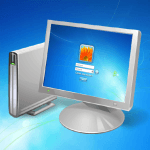
Upon opening Win7 Simu, the classic Windows 7 animation appears on the screen. Then, the application displays a login box; clicking it takes you to the desktop. By default, the application places a series of applications on the desktop, but you can change this yourself. You can customize the desktop to your liking and create any number of shortcuts.
By default, the interface includes the Recycle Bin, Google Chrome, device memory access permissions, the Game Library, and Paint. The bottom toolbar is Notepad, where you can enter anything. There's also a familiar drop-down menu for easy access to all installed applications. There's even a built-in file explorer, allowing you to manage all files on your device just like on a Windows 7 PC. Finally, if you no longer wish to use any features, simply click the "Shut Down" button to see the classic shutdown animation, exit the application, and return to your familiar interface.

In conclusion, Win7 Simu provides users with a fun way to experience modern gaming technology on mobile devices while reliving the glory days of Windows 7. With its easy-to-use interface and customizable features, it's no wonder this Android game is so popular among tech enthusiasts worldwide.
Size:51MB Version:4.4.0
Requirements:Android Votes:99
Package Name:com.visnalize.win7simu Signature:5f27318d7a768ba4262e9d9f7199a47e643c5ec7

Games have the unique ability to offer us both an escape from reality and a reflection of it. On one hand, they provide a refuge-a place where we can immerse ourselves in a virtual world, away from the pressures and challenges of our everyday lives. On the other hand, games can also bring us face-to-face with the complexities of real life, allowing us to experience its highs and lows, its moments of joy and sorrow, all within a controlled environment. This dual nature of gaming-offering both an escape and a confrontation with reality-is what makes it so deeply connected to the essence of the human experience. It allows us to explore, learn, and grow, while also providing a space for reflection and personal discovery.
The world offers infinite experiences, but no single person could possibly live them all. That’s where games come in-they unlock endless possibilities beyond reality’s limits. Ever dreamed of piloting a jet, running a business empire, becoming a viral streamer, or mixing chemicals in a lab? In gaming, nothing is out of reach. Simulation games, in particular, bring these fantasies to life, letting you step into any role imaginable. Whether conquering skies, managing cities, or crafting potions, games make the impossible possible. Simulation doesn’t just imitate life-it expands it!
Running a large corporation is no simple task-it demands sharp leadership and meticulous oversight at every level. From workforce management to supply chain logistics, from marketing campaigns to distribution networks, each element must function flawlessly to sustain success. A single misstep in operations, hiring, or strategy could jeopardize the entire enterprise. This immense responsibility serves as both a challenge and a chance to prove your managerial expertise. For those who thrive under pressure, steering a major company offers unparalleled growth, turning ambitious visionaries into seasoned industry leaders. Are you ready to rise to the occasion?
About us | Contact us | Privacy policy| DMCA
Copyright © 2026 Xiaohei All rights reserved.