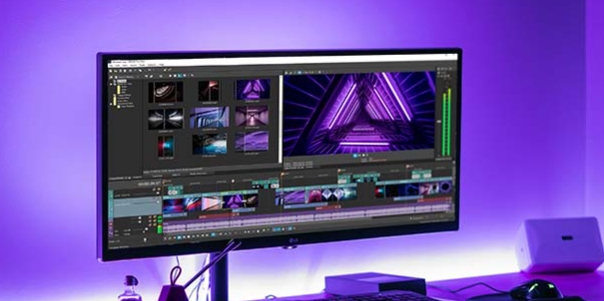
WOMBO Dream is an excellent video editing application. Utilizing advanced AI capabilities, it boasts powerful features that allow users to easily create a variety of realistic abstract art. With WOMBO Dream, you can create a fun song video simply by uploading a selfie, thanks to its creative lip-syncing and advanced AI features. Furthermore, the app allows for a wealth of unique edits using your favorite songs and recognizable cutouts. Click to download and experience it now!
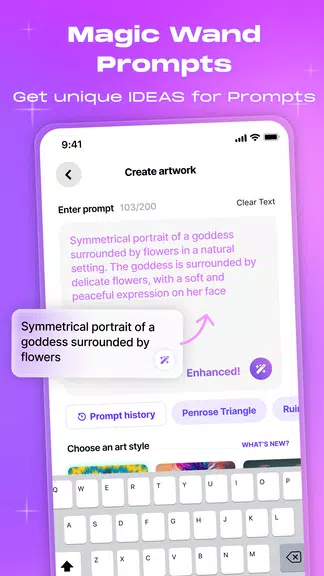
Convert text to pictures
To put it simply, WOMBO Dream will turn all the thoughts in your head into pictures on paper. This is where you can turn the most chaotic, absurd thoughts into unique paintings. You just need to enter a few keywords, a random description like “Cat eating pizza on the moon”, and boom! AI will turn it into a complete picture. That’s right, this app is not afraid of any challenge, crazy ideas or abstract concepts. Who needs to learn to draw when you have WOMBO Dream?
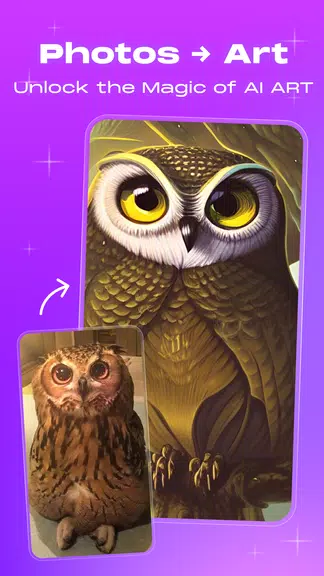
Create paintings from real life photos
Besides creating images from text, WOMBO Dream also has another interesting feature which is to turn your everyday photos into drawings, paintings. Seriously, I’m not kidding. Just go to the photo library, choose a picture you want, portrait, landscape, family photo or anything, then choose the drawing style you want and the application will recreate that photo in a completely different painting style.
Choose the drawing style you want
Turning text into pictures is cool, but WOMBO Dream also lets you decide what the picture looks like. Do you want it to look like it was drawn by an artist in the 70s? Or do you want a futuristic cyberpunk look? WOMBO Dream has all the cool style and drawing options for you to explore. Here, you control everything – the colors, the drawing style, the detail…
Edit the created picture
Hey, what if the photo isn’t as you want it to be? Don’t worry, WOMBO Dream won’t leave you alone. The editing feature allows you to go back and edit any details you don’t like. Want to add a little color, reduce the brightness? Easy! And especially at this step, you don’t have to do it manually. Suggest adding a little text dialogue, if you see anything you don’t like, just tell it, the application will handle it all for you.
Create video from AI photos
Do you know the AI storytelling style that is popular on Reels, Shorts or short video social networks? It’s very interesting, right? So do you want to create such products for yourself? It’s simple, just tell WOMBO Dream a sentence and let it do it for you. Accordingly, you just need to go to the video creation section, sit down and compose a paragraph with everything you think about an interesting story and let WOMBO Dream turn it into a video for you.
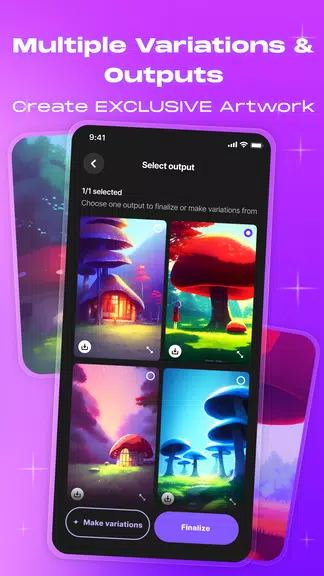
Explore Styles with AI Photo Generator & Image Creator
Whether you’re looking for a vibrant colorful painting or something darker and more dystopian, WOMBO Dream - AI Photo Generator, has you covered with an array of selected styles.
Edit Your Digital Art with Text - Image Creator
Customize your picture & photos and adjust tiny details by writing a simple instruction. Whether you want to change the hair color, add a background, or adjust the lighting, the possibilities are endless. Create your own AI Generated Art!
Your go-to Digital Art App - Image Creator & Picture Maker
Start with an image as a visual base for your prompt in picture maker. Upload a photo or select from our library, and watch our image creator transform it into a masterpiece tailored to your vision. Transform photos of your partners or bring your kids' artwork to life. Enjoy your AI Generated art, AI avatar & AI portrait.
Share Your AI Generated Art & Go Viral
Share your digital art with your friends, and family, or on social media to join the latest artificial intelligence trend.
Get AI Generated Art, AI portrait & avatar using advanced AI technology
You can turn any text into a stunning image in seconds. Whether you're looking to create a beautiful piece of art or design your AI avatar and AI portrait, our WOMBO Dream - AI Photo Generator app has got you covered.
Choose high-quality photos: For best results, choose clear, high-quality photos. Photos with high resolution and fine details will help the application analyze and create art more accurately.
Try a variety of styles: Wombo Dream AI Art Generator offers a variety of art styles. Try on a variety of styles to explore and find the one that suits your creative will. You can explore different styles to create a variety of works.
Customize your artwork: Use the in-app customization feature to tailor your artwork. Experiment with color, brightness, contrast, and other factors to create results that meet your expectations. This helps your work stand out and reflect your personality.
Take advantage of the preview feature: Before applying a particular art style, preview the result to see how the work will look. This helps you evaluate and adjust before creating the final result.
Share and discover: After creating your art, share your work with friends and family. You can get feedback and ideas from others, thereby improving and developing your creative skills.
Discover and try new: Feel free to experiment and explore different features and styles in the app. You can create unique works and constantly improve your skills by experimenting with styles and customizations.
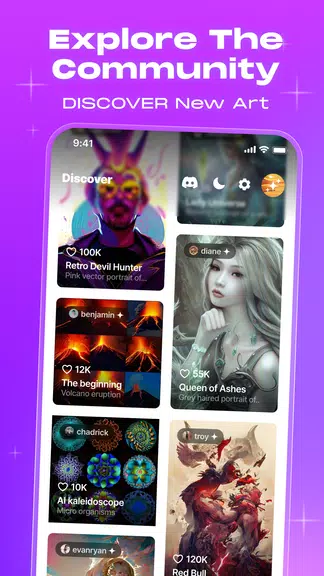
It is a cutting-edge app that leverages artificial intelligence to generate visual art from user prompts. Users can enter a text prompt and select an art style to see their concepts come to life in seconds. This app allows you to create artwork based on your imagination without the need for any drawing or design skills. It combines simplicity with powerful features, allowing users of all skill levels to create beautiful digital artwork in seconds. Creating art for personal use, social media, or inspiration is easy and enjoyable.
Size:63.96MB Version:4.2.6
Requirements:Android Votes:82
Video Editor is a powerful software tool designed for crafting, refining, and enhancing video content. It enables users to transform raw footage into compelling visual narratives or effective communication platforms. As digital media continues to evolve, video editing has grown in significance - no longer just a professional necessity but also an accessible skill for everyday creators. Modern editing tools now offer intuitive interfaces, AI-powered features, and cross-platform compatibility, making high-quality video production achievable for both experts and casual users alike.
In the era of popular short videos, it seems that everyone can edit, which has become an essential skill. The editor brings you a ranking of video editing software that is good. Editing videos seems to be a daily routine, used by both internet celebrities and daily life recorders. The editing techniques are also different. The videos edited by professional personnel are more shocking and beautiful, while those edited by non professional personnel are ordinary. Below, the editor will organize some useful video editing software.
About us | Contact us | Privacy policy| DMCA
Copyright © 2026 Xiaohei All rights reserved.