PicsArt Animator: Gif & Video is a fantastic animation creation tool. Download the latest Android version for free and experience a powerful yet user-friendly cartoon video editor. PicsArt Animator: Gif & Video presents a fun and diverse animation editing platform. Users can explore rich customization options and easily get started with an intuitive and simple interface to create stunning high-end animations. Use PicsArt Animator: Gif & Video to flexibly create frame-by-frame animations and enjoy the fun of doodling!
Draw animations frame-by-frame
View the animation timeline through playback mode
Use frame management and copy functions
Draw and create animated selfies on photos
Get advanced drawing and sketching tools
Create complex animations using multiple layers
Control animation length and speed
Easily save as videos or GIFs and share to social networks like YouTube, Facebook, and Instagram
Record sound and narration for your animations.

PicsArt Animator boasts a clean and intuitive design, making it easy for even beginners to use. The user interface is logically laid out, and the powerful toolkit is clearly presented, preventing user confusion. Each function is clearly labeled for easy navigation, ensuring a smooth workflow from project initiation to completion.
PicsArt Animator stands out for its rich feature set. It provides everything needed to create cartoons or animations, from basic sketching tools to advanced animation features. You can animate frame by frame, use multiple layers for complex designs, and even add voice-over to your animations.
The application also supports rotoscoping, a technique that allows you to trace over video to create smooth and realistic animations. This feature is typically absent in other mobile animation apps, setting PicsArt Animator apart from its competitors.

Pros
User-friendly interface
Rich feature set
Smooth performance
Rotoscoping support
Cons
Some advanced features may require a learning curve.

I've been using this app for four years and it has inspired me to want to go into the animation industry in the future. Great app! I wish the coloring could be less smudgy. Is it possible to create a camera tool like Toon Boom Harmony?.
This....app...is ......amazing I like this app very much . U can try to make this app even better by adding colors to the stickers. U can add more tools for drawing for making the animations pretty good . And u can believe this app 98% . U can add size for the paper cause whenever I draw animations it won't fit inside the paper. But anyway 5 star's for now.
In the beginning, I was able to rename my projects, but I don't remember how to do that anymore, or if the feature was Removed, so if someone remembers or has information, please help, thanks. Also, I hear there's an audio option. I don't know if that's still around, but I'd like to check if it is. Again, if anyone has any information, let me know. Other than those two things, I love the app! It's really helped me go far in terms of digital art and animation, so thanks!

PicsArt Animator: GIFs and Videos – Want to create your own short videos or GIFs? With this app, anything is possible! Now you no longer need to edit video clips to create your own mini-movies; you can draw them yourself using the many tools and features provided by this app. Furthermore, if you want to add decorations to your GIFs, you can also draw and add your own animations.
Size:30.4MB Version:2.2.1
Requirements:Android Votes:236
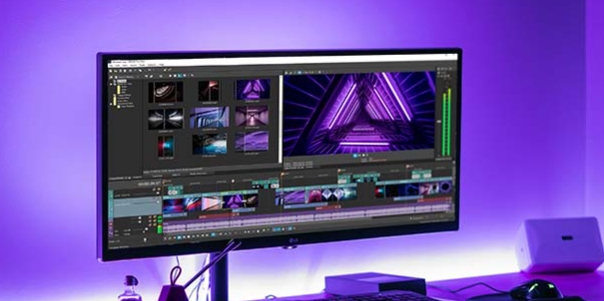
Video Editor is a powerful software tool designed for crafting, refining, and enhancing video content. It enables users to transform raw footage into compelling visual narratives or effective communication platforms. As digital media continues to evolve, video editing has grown in significance - no longer just a professional necessity but also an accessible skill for everyday creators. Modern editing tools now offer intuitive interfaces, AI-powered features, and cross-platform compatibility, making high-quality video production achievable for both experts and casual users alike.
Mobile video editing tools are highly popular, with complete functions and professional tools that provide a strong atmosphere for various materials. Rich video templates can be operated with just one click, saving time and without too high a threshold. So what are the free versions of mobile video editing software? Editing software should have high popularity, but most of them require membership. Next, I recommend several platforms that can be used for free.
In the era of popular short videos, it seems that everyone can edit, which has become an essential skill. The editor brings you a ranking of video editing software that is good. Editing videos seems to be a daily routine, used by both internet celebrities and daily life recorders. The editing techniques are also different. The videos edited by professional personnel are more shocking and beautiful, while those edited by non professional personnel are ordinary. Below, the editor will organize some useful video editing software.
About us | Contact us | Privacy policy| DMCA
Copyright © 2026 Xiaohei All rights reserved.