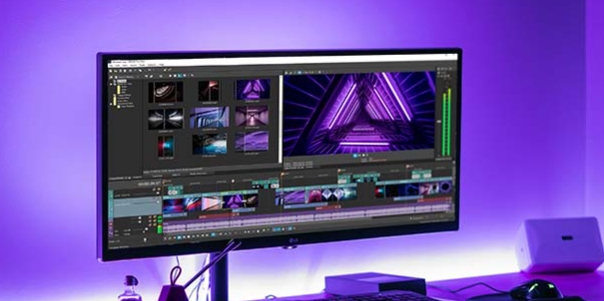
VlogNow is an outstanding video editing utility that helps users easily create stunning video works, allowing you to unleash your creativity and limitless imagination. VlogNow presents users with a powerful, easy-to-use, and stylish video editing application, offering professional video editing features and excellent high-quality export settings. VlogNow boasts flexible customization options, allowing users to insert images, text, stickers, and more. The application features exceptional responsiveness, enabling users to precisely trim, splice, and transition videos to achieve professional-grade final results.
Add Editing Elements to Your Video
The editing options available are as professional as some of the most popular desktop editing software. Menu options at the bottom of the screen include speed, effects, borders, transitions, mirroring effects, zoom, and more. Add these elements to your work with just a few taps.
Export Your Work
After editing your video, simply save the project within the application. If needed, you can also export it as an MP4 file and save it to your Android device's gallery. VN - the video editor - also has its own social platform where you can share your favorite short videos and browse the work of other content creators. This allows you to draw inspiration and create your own amazing videos.

Vibrant and Colorful Visual Effects
VlogNow boasts a massive library of visual effects that users can use for free to create various videos, including animations and blending effects. In addition to effects, filters also play a vital role, providing users with more inspiration for the effective use of color. All effects and filters are diverse and powerful, allowing users to fully utilize them to create various types of videos.
Custom Presets for Advanced Editing
The application focuses on providing services or tools, but also allows users to customize many presets or functions for optimal performance. Each preset can contain multiple elements, such as tools, functions, and effects, and the changes are clearly visible. Furthermore, users can mix and match different presets randomly to create new, unique, and attractive effects tailored to their personal style.

Ad-free
Stable version
Unlimited use
Security guaranteed
Dropable endings
Unlimited projects
Unlimited visual novel template creation
No activity trackers or ads

Transitions and Effects: Use transitions and effects (such as overlays and blurs) and set their duration and speed to make your videos more dynamic.
Rich Filters: Import LUT (.cube) files to give your videos a cinematic feel. A wealth of cinematic filters lets you easily create stunning visual effects.
Keyframe Animation: Create cool video effects and customize your products using 19 built-in keyframe animation effects; you can also add additional keyframes or curves to your footage to customize the final effect.
Reverse and Zoom: Experience the fun of reversing video clips and use zoom effects to make your videos more appealing.

VN - Video Editor is an excellent video editing application that not only merges two video clips into one movie, but also allows you to take it a step further with professional-level editing, turning videos into movies. It's easy to use, eliminating the need for typically complex operations.
Size:253MB Version:2.11.0
Requirements:Android Votes:600


Video Editor is a powerful software tool designed for crafting, refining, and enhancing video content. It enables users to transform raw footage into compelling visual narratives or effective communication platforms. As digital media continues to evolve, video editing has grown in significance - no longer just a professional necessity but also an accessible skill for everyday creators. Modern editing tools now offer intuitive interfaces, AI-powered features, and cross-platform compatibility, making high-quality video production achievable for both experts and casual users alike.
Mobile video editing tools are highly popular, with complete functions and professional tools that provide a strong atmosphere for various materials. Rich video templates can be operated with just one click, saving time and without too high a threshold. So what are the free versions of mobile video editing software? Editing software should have high popularity, but most of them require membership. Next, I recommend several platforms that can be used for free.
In the era of popular short videos, it seems that everyone can edit, which has become an essential skill. The editor brings you a ranking of video editing software that is good. Editing videos seems to be a daily routine, used by both internet celebrities and daily life recorders. The editing techniques are also different. The videos edited by professional personnel are more shocking and beautiful, while those edited by non professional personnel are ordinary. Below, the editor will organize some useful video editing software.
About us | Contact us | Privacy policy| DMCA
Copyright © 2026 Xiaohei All rights reserved.