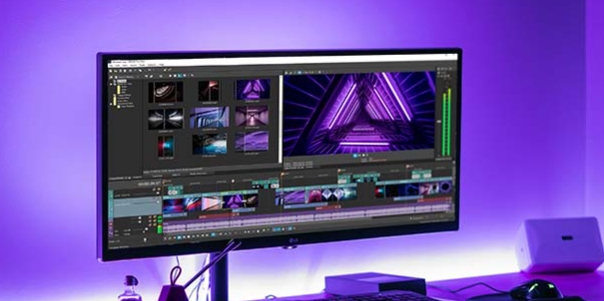
GoCut is a deeply ingrained video editing utility that lets you experience rich editing features, easily create amazing and creative video works, and enjoy smooth performance and advanced visual effects. GoCut presents users with a feature-rich and stylish video editing application, allowing you to create expressive video content like a professional and share it on social media platforms. GoCut boasts a rich library of materials and advanced templates, letting you create your ideal video effects and unleash your creative talents.
Video Editor App
Trim videos to your desired length. You can also easily edit videos down to the second, split videos on the timeline, or divide videos into multiple segments. Easily overlay images onto clips, adjust speed, and add music/stickers/text to your amazing creations. CapCut - Free Doodle Effects Video Editor App. Trim videos without losing quality.
Multi-Layer Editing
GoCut allows users to easily perform multi-layer editing. You can overlay images or exciting clips onto videos to make them even more eye-catching! This multi-layer editing feature helps anyone create beautiful videos! GoCut Editor – The Best Free High-Speed Video Editing Tool.
Music Video Maker
GoCut Editor is also a music video creation tool that can fully meet your needs. With GoCut Editor, you can add a selection of free music or sound effects to your video clips to make them more entertaining. Adjust the music volume to perfectly match the video. This free video editing tool has a curated selection of songs and lyrics. Using GoCut Velocity templates, you can easily create stylish short music videos and perfectly blend audio and video.
Save and Share Videos
Customize the video export resolution and export your speed videos in 720p, Full HD 1080p, and 4K resolutions. You can save your videos to your phone at any time. GoCut Velocity Edit Maker also supports direct sharing of videos to social media. In short, GoCut Editor is the best video editor with effects such as neon drawing and speed editing.

Popular Music for Trending Videos
Music is at the heart of today's trending videos, and GoCut offers a massive free music library. These tracks are categorized by genre and type, providing users with a wide selection to help them find the perfect style for their videos. Besides music, familiar sound effects can also make videos more engaging, and users can synchronize sound with visuals using advanced tools.
Unique Personalization to Enhance Your Experience
GoCut offers rich personalization settings to help users create unique video design styles. This personalization system not only improves tool performance and effect quality but also optimizes the overall video editing experience. Each user has their own style, and they can directly adjust settings for easier editing of large projects.

Create videos with smooth speed effects.
1000+ Velocity Templates - Choose from the coolest Velocity templates to make your videos unique.
Choose your favorite template for advanced speed editing.
Popular effects - glow lines, speed, spiral, VHS, echo, Kira, wave, glitch, rainbow, motion...
Powerful toolset - neon brushes, neon stickers, glowing signs, retro filters, transitions, and more.
Different graffiti effects are available: neon hearts, horn wings, spirals, guitars, stars, music styles, pizza, rockets, beats and more...

I absolutely adore this app! I like to make edits in my free time, but so many apps have a paywall. Yes, this has a Pro option, but there's enough free options that I actually want to pay for more and I know the quality will be great! It's very easy to use, beautiful, and really helps me to express what I'm feeling. Whoever made this, thank you SO much!
This app is amazing! It has some of the greatest transitions I've seen on a free app and it's surprisingly easy to use. You can add stickers and even do animation on top of your videos frame by frame. I've seen some people say that they have had trouble exporting but I haven't so I don't know. The only downside for me is that there is a watermark but I understand why. Otherwise it's a great app which I will be using a lot from now on. 5 stars.
At first I didn't think much, but then I started playing around and actually made good edits. I'm giving it five stars for how you can make so simple yet complex things at the same time. I also have a glitch on capcut that says the internet doesn't work, but on this it doesn't, and it can make just as good stuff. I would recommend this for ship editors and anime editors.

With its endless editing possibilities and numerous pre-installed options, this app is very user-friendly for both beginners and experienced users. More importantly, our improved app will surely make you love it.
Size:84.6MB Version:3.0.4
Requirements:Android Votes:139
Package Name:com.videoedit.gocut Signature:58c2f947e0c06921ce052103b7ec36bce19aad3f
Video Editor is a powerful software tool designed for crafting, refining, and enhancing video content. It enables users to transform raw footage into compelling visual narratives or effective communication platforms. As digital media continues to evolve, video editing has grown in significance - no longer just a professional necessity but also an accessible skill for everyday creators. Modern editing tools now offer intuitive interfaces, AI-powered features, and cross-platform compatibility, making high-quality video production achievable for both experts and casual users alike.
Mobile video editing tools are highly popular, with complete functions and professional tools that provide a strong atmosphere for various materials. Rich video templates can be operated with just one click, saving time and without too high a threshold. So what are the free versions of mobile video editing software? Editing software should have high popularity, but most of them require membership. Next, I recommend several platforms that can be used for free.
In the era of popular short videos, it seems that everyone can edit, which has become an essential skill. The editor brings you a ranking of video editing software that is good. Editing videos seems to be a daily routine, used by both internet celebrities and daily life recorders. The editing techniques are also different. The videos edited by professional personnel are more shocking and beautiful, while those edited by non professional personnel are ordinary. Below, the editor will organize some useful video editing software.
About us | Contact us | Privacy policy| DMCA
Copyright © 2026 Xiaohei All rights reserved.