MP3 Cutter and Ringtone Maker is a highly praised audio editing utility that helps users easily trim, splice, and create satisfying audio files, which can then be saved as ringtones, notification sounds, etc. MP3 Cutter and Ringtone Maker presents a lightweight, easy-to-use, and powerful audio production application, allowing users to access a vast library of ringtones, precisely cut tracks, and support common formats. This application brings rich audio effects, making your audio more vivid and distinctive.
The recording button in the upper left corner of the application is used to record audio/music for editing.
An inverted red triangle is used to select and edit MP3s/music from your phone/SD card.
You can optionally delete created ringtones (with confirmation prompts).
View the scrollable waveform representation of audio files with 4 zoom levels.
Use the optional touch interface to set the start and end times of audio clips.
Tap anywhere on the wave, and the built-in
music player will start playing from that position.
You can choose to name your new clip when saving.
Use this editor to set your new clip as your default ringtone or assign it to a contact.

Edit Names and Convert Audio Formats
This MP3 Cutter and Ringtone Maker app allows Android users to easily edit audio names and convert specific audio files to other formats. This gives you the flexibility to work with various audio files on your system and customize them to your personal preferences.
Easily Mix and Merge Audio Files
MP3 Cutter and Ringtone Maker now comes with easy mixing and merging tools, allowing Android users to easily merge multiple audio tracks together in any order. You can also use these tools to mix different audio tracks to achieve a unified tone. Explore these features and the flexible mixing and merging options to create the perfect ringtone, alarm, and more.
Customizable Audio Bitrate
The bitrate of audio files edited in MP3 Cutter and Ringtone Maker can be freely adjusted, with various options available within the app. You can easily lock the bitrate to higher values such as 64kb/s, 128kb/s, 192kb/s, and 256kb/s according to your personal preference. This fully optimized application will complete the setup in seconds.

best app so far for making ringtones besides the ads. I tried other mp3 trimmer/cutter apps to make ringtones, it wasn't great and seems to be more complicated with all the app features. Unfortunately, I don't have the time to play around with the app just to make a simple ringtone. one mp3 cutter app didn't trim the song exactly how I wanted but I tried this app, must say, I'm pretty happy with it, easy to use. I hope it continues to offer the app for free.
I downloaded this app because I thought it looked fun and it was it was not too hard to use. Please keep in mind that I am a grandma and I know nothing about any of this stuff I was trying to impress my grandson who writes sings and performs, hip hop and he was impressed that I made a ringtone out of "Old Town Road" It is a fun app and I'm sure it has some good applications in the real world also.
I use this tool to trim mp3 files and I think It's really good. The layout and design were well thought out and make it easy to use. It doesn't degrade the audio quality or remove tags and cover art after processing.

View audio file details
Audio track zoom
Record high-quality real-time audio and edit it into ringtones
Find all audio files on your phone and locate the edited files.
Select a song to edit, play, rename, set as ringtone, delete, and share.
Manually set the exact start and end times, or drag the track list to define the ringtone range.

The MP3 editor and ringtone maker is simple and easy to use, allowing mobile phone users to easily and conveniently edit existing audio files and add new audio files to their music library. You can freely edit different audio clips and set them as ringtones, alarm sounds, and notification sounds for contacts, alarms, and apps.
Size:5.52MB Version:2.3.3
Requirements:Android Votes:71

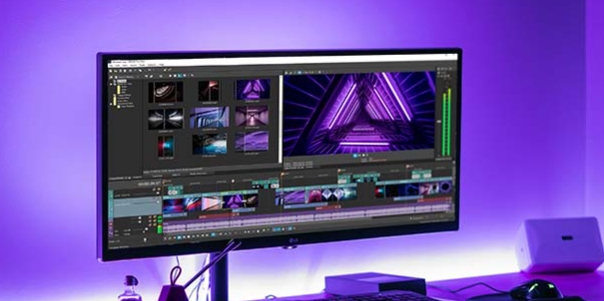
Video Editor is a powerful software tool designed for crafting, refining, and enhancing video content. It enables users to transform raw footage into compelling visual narratives or effective communication platforms. As digital media continues to evolve, video editing has grown in significance - no longer just a professional necessity but also an accessible skill for everyday creators. Modern editing tools now offer intuitive interfaces, AI-powered features, and cross-platform compatibility, making high-quality video production achievable for both experts and casual users alike.
Mobile video editing tools are highly popular, with complete functions and professional tools that provide a strong atmosphere for various materials. Rich video templates can be operated with just one click, saving time and without too high a threshold. So what are the free versions of mobile video editing software? Editing software should have high popularity, but most of them require membership. Next, I recommend several platforms that can be used for free.
In the era of popular short videos, it seems that everyone can edit, which has become an essential skill. The editor brings you a ranking of video editing software that is good. Editing videos seems to be a daily routine, used by both internet celebrities and daily life recorders. The editing techniques are also different. The videos edited by professional personnel are more shocking and beautiful, while those edited by non professional personnel are ordinary. Below, the editor will organize some useful video editing software.
About us | Contact us | Privacy policy| DMCA
Copyright © 2026 Xiaohei All rights reserved.