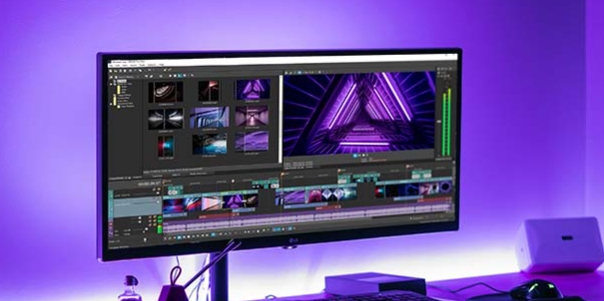
Stick Nodes Pro – Stickfigure Animator is a practical video editing application. This app boasts comprehensive tool options, making it ideal for users interested in animation production and looking to improve their skills. With Stick Nodes Pro, you can use automatically customized storyboards to make your animations smoother. Choose from various shapes, colors, gradients, and sizes to create characters that suit your preferences and apply them to different clips. Furthermore, you can use existing assets to create simple, lightweight videos, using these complete models to help refine the details of your videos.

Integration of Tools: It provides an array of integrated toolbars, each with specific functions. With a little understanding of each shortcut, players can easily navigate and utilize the vast array of tools at their disposal, allowing for seamless and efficient creation of their animations.
Customizable Characters: It offers a wide range of options for customizing stickman characters. From body shape and skin tones to outfit choices and accessories, players have the freedom to make their stickman characters truly unique. This level of customization increases the players' level of engagement and personal connection with their creations.
Special Effects: To add more life and vibrancy to each frame, Stick Nodes allows players to create effects for their characters. By using the feature to create movement with red dots on the screen, users can make their animations more unique. Realistic eyes and smiles add a touch of realism to the characters, enhancing the overall visual appeal.
CAREFULLY EVERY IMAGE WITH ZOOM
To be able to create the perfect animated movie, every detail in the segments must be meticulously cared for by you. When all the details in the movie are great, there is no reason to let you down with the finished work. Supporting your creative work, with the latest version, users can zoom images up to 5000%. It makes it easy to observe and adjust small details that are not satisfactory.
STICKFIGURE ANIMATION COMMUNITY
When you step into that colorful world, you can create cartoon images using the stick figure system. This particular cartoon community inspired it, so our website contains over 30000 different stick figures. You can go to the website, search for the things you need, and then download them for free to use. From these stick figures, you’ll use your creativity to craft images with a personal touch.
BECOME A PROFESSIONAL ARTIST WITH A NEW CAMERA
Like a v-cam in Flash, the camera system allows you to pan and zoom in on your surroundings. This is an important thing to create animation. Character movements are created more simply. With this simple camera, you can create hundreds of professional masterpieces! Professionalism in each panning, transition, and scene grafting.
COLLECTION OF CHARACTERS WITH YOUR PERSONALITY
An animated character, after being created, will be stored in the memory of Stick Nodes Pro. Gradually, a collection of animated objects of all kinds is created just for you. This is an invaluable asset for your imagination, creativity, and your time and effort after a while. With the following animation projects, if you feel your old characters are suitable, you are ultimately allowed to use them again and again. This feature is called Movieclips.
In this graphic kingdom, you are free to drop your soaring artist soul here. A variety of customizations in shapes, colors, and proportions are waiting for you to come and explore them. On the basis of each specific segment, curvature, a slope can also be set to any. They are ready to support unique ideas, one of a kind in this universe. In art, unconventional creativity is essential. From now on, with Stick Nodes Pro, you will not be limited by any rules.
PERFECT COMBINATION
With pictures but no sound, it cannot be called an animated movie. Therefore, besides the investment in the image array, the sound system is equally focused. Stick Nodes Pro allows you to use songs and music pieces available in the system. If they don’t meet your needs, you can take your own audio files to add to create great animations. It is a combination of images, sounds, and actions of the character.
GREAT QUALITY
In general, besides being an ideal environment for animators with the ability to export to MP4 video, the finished work can be exported as GIF. With short GIFs, you can easily express your personality in conversations with friends and relatives. In this application, there will be no concept of blurred images.

Create Animations with Stick Nodes Pro
With Stick Nodes Pro, you can easily create dynamic and creative stickman animations using a wide range of tools and features. Whether it's a short animation clip or a full-fledged cartoon, Stick Nodes Pro provides all the necessary tools.
Professional and Easy to Use
Stick Nodes Pro combines professional capabilities with ease of use, making it an ideal tool for beginner animators and professionals alike. The intuitive interface and wide array of features make the animation creation process incredibly simple and convenient.
Share Your Creations
Create unique animations and share them with friends and family by exporting them as GIF files or MP4. Also, with Stick Nodes Pro, you can post your creations directly on social media platforms. Let the world see your creativity with Stick Nodes Pro.
Pros
Automatic frame-tweening for smooth animation
Massive, active community with thousands of free stick figures
Pro-only features like MP4 export and sound effects enhance creations
Simple, powerful camera and movieclip features streamline workflow
Cons
MP4 export and sound effects are Pro-only features

Download Stick Nodes pro and start your amazing creative journey of exploring new stuff and features. Stick Nodes is perhaps the best Android animation app. Its exceptional simplicity and extraordinary functionality make it the best choice for animation enthusiasts. The use of this technology to learn animation is laudable, especially in an educational institution for students or beginners. Stick Nodes' strength and power allow even the best animators to showcase their talents.
Size:97.05MB Version:4.3.1
Requirements:Android Votes:153

Video Editor is a powerful software tool designed for crafting, refining, and enhancing video content. It enables users to transform raw footage into compelling visual narratives or effective communication platforms. As digital media continues to evolve, video editing has grown in significance - no longer just a professional necessity but also an accessible skill for everyday creators. Modern editing tools now offer intuitive interfaces, AI-powered features, and cross-platform compatibility, making high-quality video production achievable for both experts and casual users alike.
In the era of popular short videos, it seems that everyone can edit, which has become an essential skill. The editor brings you a ranking of video editing software that is good. Editing videos seems to be a daily routine, used by both internet celebrities and daily life recorders. The editing techniques are also different. The videos edited by professional personnel are more shocking and beautiful, while those edited by non professional personnel are ordinary. Below, the editor will organize some useful video editing software.
About us | Contact us | Privacy policy| DMCA
Copyright © 2026 Xiaohei All rights reserved.