MVideo – Music Video Maker is an exceptional tool for creating music videos. Leveraging advanced AI capabilities, this app transforms your selfies into stunning short video masterpieces. With MVideo – Music Video Maker, you can effortlessly export your videos in high-resolution formats and share them directly to your social media platforms. By utilizing the app's video templates and pairing them with a variety of musical effects, you can easily produce exquisite, cinematic-quality music videos. Furthermore, the app features a free AI Baby Predictor; simply upload photos of yourself and your partner to generate a realistic image of what your future baby might look like.

Vast collection: This app has a huge collection of templates suitable for all occasions, including birthdays, weddings, and more. If you are a travel enthusiast and want to make beautiful movies, the application also provides suitable templates!
Easy to use: This application is suitable for people aged 3 and up, which proves that even a first grader can create a video they like. Users can turn still photos into vibrant and attractive videos with just a few small steps.
Helps unleash creativity: This is an opportunity to unleash your creativity and create beautiful videos for life. In addition to using the available templates, users can create videos that suit their style! Isn’t that great?

- Video merge: You can easily merge multiple videos in this app very easily.
- Video Cutter: You can cut or split video and trim video very easily in this App.
- Video Speed: You can fast or slow down video very easily.
- Reverse Video: You can Reverse Video easily and play it in reverse to create stunning video.
- Photo SlideShow Maker: You can make videos by merge photos to create slideshow with audios from your library and pictures.
- MP3 Converter: You can extract audio directly from any video very easily.
- Music to Video: You can add music over video.
- Filters: Very good filter and effects collection to make your video stand out and grab user attention.

Easy-to-use 3-step Editing:
MVideo simplifies the editing process with just three simple steps. Choose a stylish effect template, upload your photos, and click OK. It's that easy!
Endless Templates:
Unleash your creative potential with MVideo's vast collection of templates. Whether it's a birthday slideshow, travel montage, or romantic music video, we have templates to suit every occasion. Transform your photos and videos into stunning masterpieces with just a few taps.
Seamless 3D Transitions:
Enhance your videos with mesmerizing 3D transitions that add elegance and professionalism. Our carefully curated transition effects will smoothly blend your clips, providing a seamless visual experience. Create engaging videos that leave a lasting impression.
Trendy Beat Music:
What sets this app apart is its extensive library of trendy beat music. Choose from a wide range of genres, including pop, hip-hop, and traditional Indian music. Find the perfect tunes to complement your videos and take them to the next level.
Slideshows with Music:
Elevate your photo slideshows by adding your favorite music tracks. The app allows you to handpick the perfect tunes that convey the emotions behind your photos. Your slideshows will be transformed into unforgettable experiences that bring back cherished memories.
Export with High Quality:
Share your high-quality music videos with ease. Spread your creative works on Facebook, Instagram, and other social networking sites. Gain as many likes as you desire and showcase your talent to the world.

MVideo simplifies the editing process with its easy-to-use 3-step editing feature. Choose a stylish effect template, upload your photos, and export your video with just a few taps. This app is perfect for gaining more visibility and engagement on popular social media platforms like Instagram, Twitter, and Likee. Stand out from the crowd with stunning transitions like 3D, cartoon, neon, and glitch, all designed to follow the beat.ly music rhythm for a seamless and high-quality result.
Size:118.6MB Version:1.0.11504
Requirements:Android Votes:570

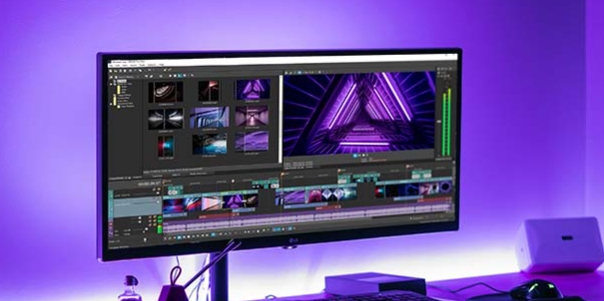
Video Editor is a powerful software tool designed for crafting, refining, and enhancing video content. It enables users to transform raw footage into compelling visual narratives or effective communication platforms. As digital media continues to evolve, video editing has grown in significance - no longer just a professional necessity but also an accessible skill for everyday creators. Modern editing tools now offer intuitive interfaces, AI-powered features, and cross-platform compatibility, making high-quality video production achievable for both experts and casual users alike.
In the era of popular short videos, it seems that everyone can edit, which has become an essential skill. The editor brings you a ranking of video editing software that is good. Editing videos seems to be a daily routine, used by both internet celebrities and daily life recorders. The editing techniques are also different. The videos edited by professional personnel are more shocking and beautiful, while those edited by non professional personnel are ordinary. Below, the editor will organize some useful video editing software.
About us | Contact us | Privacy policy| DMCA
Copyright © 2026 Xiaohei All rights reserved.