
If your phone's Home Back button is broken, SoftKey - Home Back Button lets you use your phone normally without paying expensive repair fees at a phone repair shop! It replaces the on-screen navigation bar and gesture navigation, and allows you to customize the Home Back button bar completely—you can freely set its appearance and size until it suits your aesthetic or your phone's dimensions. Perhaps SoftKey - Home Back Button is a last resort for a broken Home Back button, but its powerful customization features are also a way to personalize your phone!
Unlike other applications that modify core Android system functions, SoftKey - Home Back Button does not require root access and is very easy to set up. After opening the app, you will see instructions to follow. First, you need to grant a series of permissions (shortcuts can be found within the app), and then you need to enable the app in accessibility settings. After completing these two steps, the button bar will be enabled.
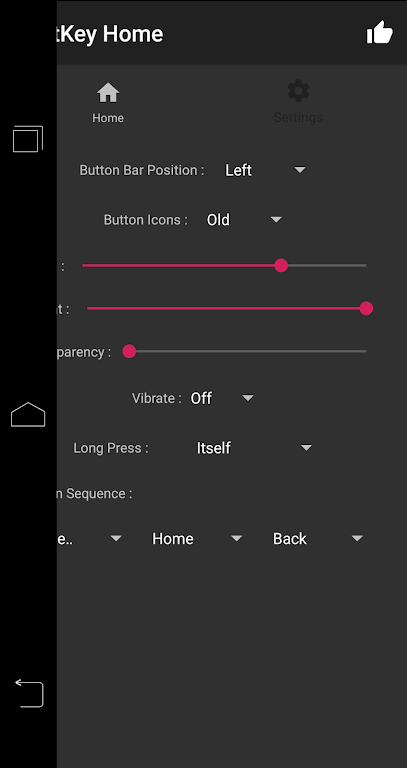
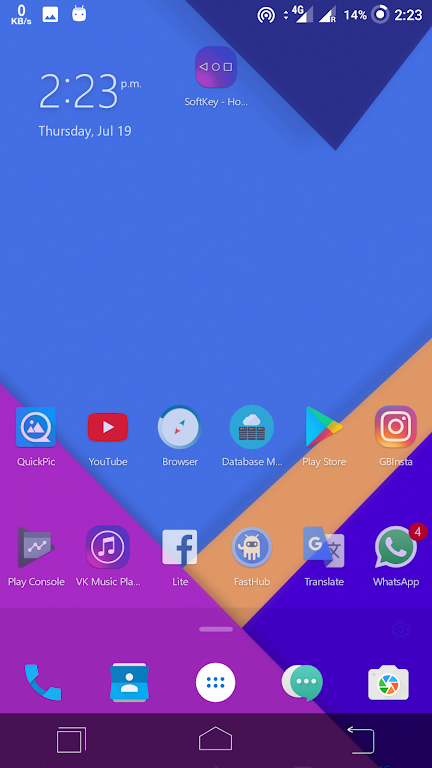
By default, "SoftKey - Home Back Button" uses the traditional toolbar appearance of the Android Ice Cream Sandwich system. However, you can change the appearance of the toolbar in the "Settings" tab. First, you can choose its location: bottom, top, or side edges of the screen. You can also change the appearance of the buttons themselves to better resemble the style of Android 5 or Android 6. You can even change the size of the toolbar, making it thicker or longer.
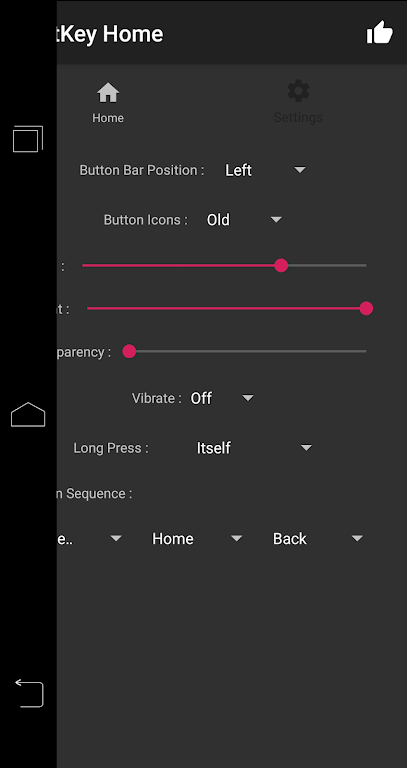
• Auto-hide navigation bar
• Easily show/hide the navigation bar by swiping up or down
• Functions: Home, Back, Recent Tasks
• Customizable touch vibration
• Lockable navigation bar
• Customizable navigation bar background and button colors
• Customizable navigation bar height
• Two themes available
• Three-button navigation
• Gesture navigation
• Back action
• Home action
• Recent Tasks action
• Long press the Back, Home, and Recent Tasks buttons
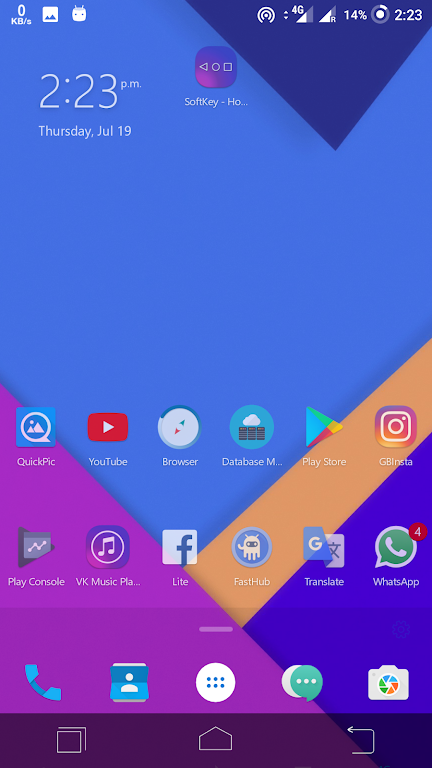
A major highlight of the SoftKey - Home Back Button is its height customization. Users can customize the appearance of the navigation bar by changing the background and button colors, creating a personalized interface that suits their style. Furthermore, the app allows users to adjust the size of the navigation bar to fit different screen sizes, ensuring compatibility with various devices and user needs.
The SoftKey - Home Back button includes an auto-hide function, enhancing the user experience by keeping the screen clean. This feature automatically hides the navigation bar when not in use, providing a larger display area for the application. Users can easily swipe up or down to reveal the navigation bar as needed, maintaining a clean interface while still providing quick access to basic navigation functions.
The app supports gesture navigation, allowing users to perform actions with simple swipes. For example, swiping up from the bottom of the screen returns to the home screen, while swiping and holding switches between recently used apps. To return to the previous level, users can swipe from the left or right edge of the screen for a smooth and intuitive navigation experience.
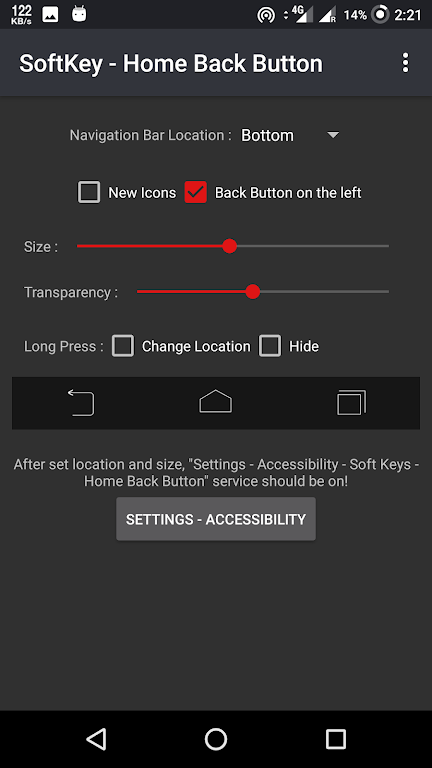
Pros
Restores important navigation functions on devices with broken buttons
Quick installation without root access
Lightweight and minimal resource consumption
Clean and distracting interface
Compatible with multiple Android versions
Cons
Limited customization and themes
Outdated appearance
SoftKey is a good alternative for broken navigation bars on smartphones or tablets. It allows you to efficiently perform certain tasks on your device using on-screen flashing buttons. If you value disk space more than additional personalization, this small app will meet your needs.
Size:2.8MB Version:11.1
Requirements:Android Votes:222

Utility apps are indispensable in our lives, making our daily routines more convenient. To help you find these apps more easily, this site has created a collection. This collection brings together a series of practical tools covering various aspects of life, work, and education, meeting all your needs. What are you waiting for? Try these apps now and make your life easier!
Transform your mobile device into a powerhouse of efficiency with these handpicked essential tools. Whether you need professional-grade photo editing, seamless file organization, smart task management, or real-time weather updates, our curated selection of premium apps delivers unbeatable performance. Streamline your daily routine, automate repetitive tasks, and boost your productivity with intuitive interfaces and powerful features. Designed for both professionals and casual users, these editor-approved applications will revolutionize how you work and play. Don't settle for an ordinary phone - upgrade your digital experience today and unlock your device's full potential!
With the development of mobile hardware and software, many practical tool software have emerged, covering a wide range of aspects and becoming a good helper for everyone in work and life. Today, the editor provides you with a list of useful tool software downloads. These tools are not particularly complex types, and after reading them, everyone can quickly learn how to use them. Proper use can bring great convenience to life and work.
About us | Contact us | Privacy policy| DMCA
Copyright © 2026 Xiaohei All rights reserved.


























