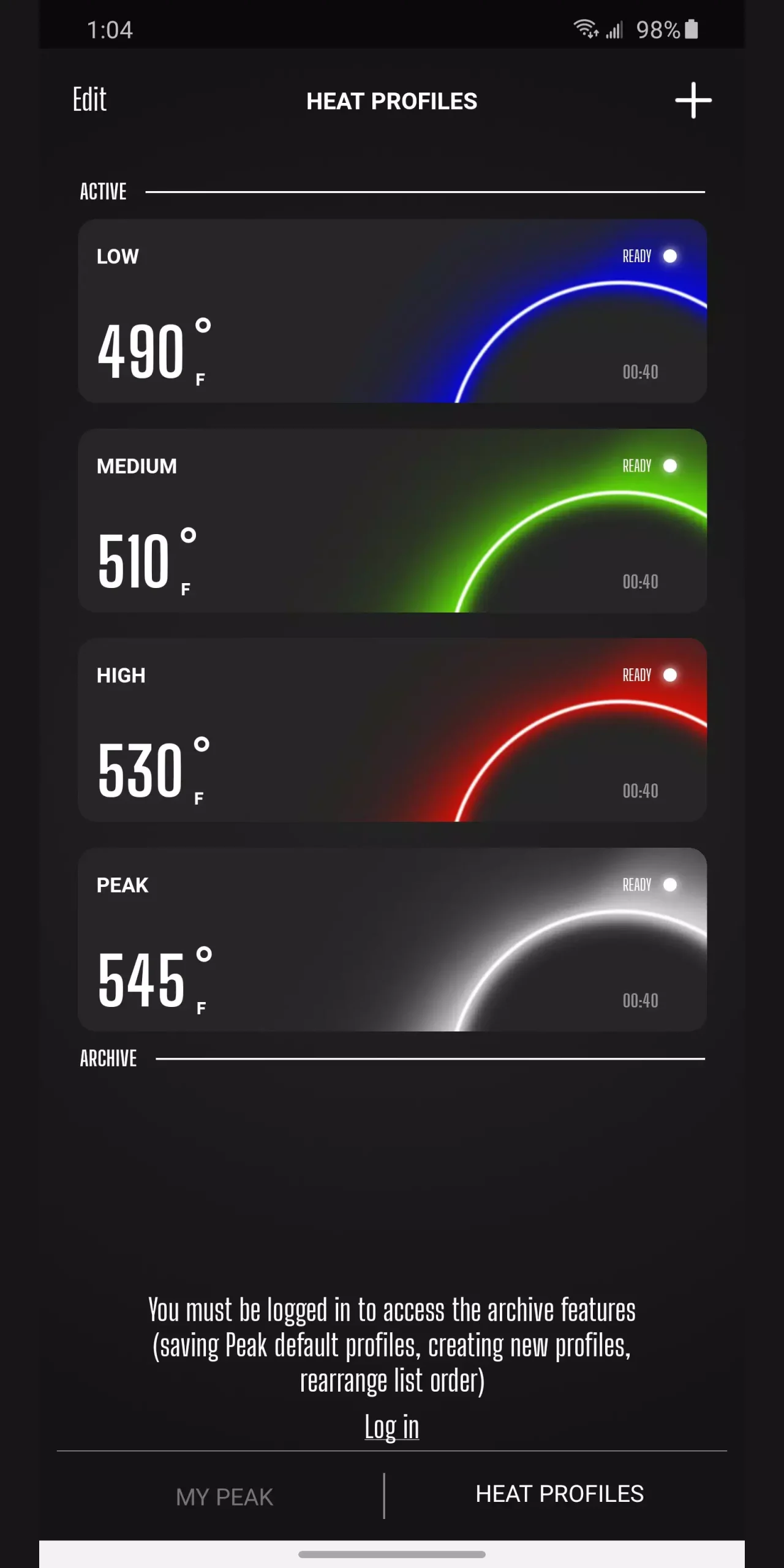
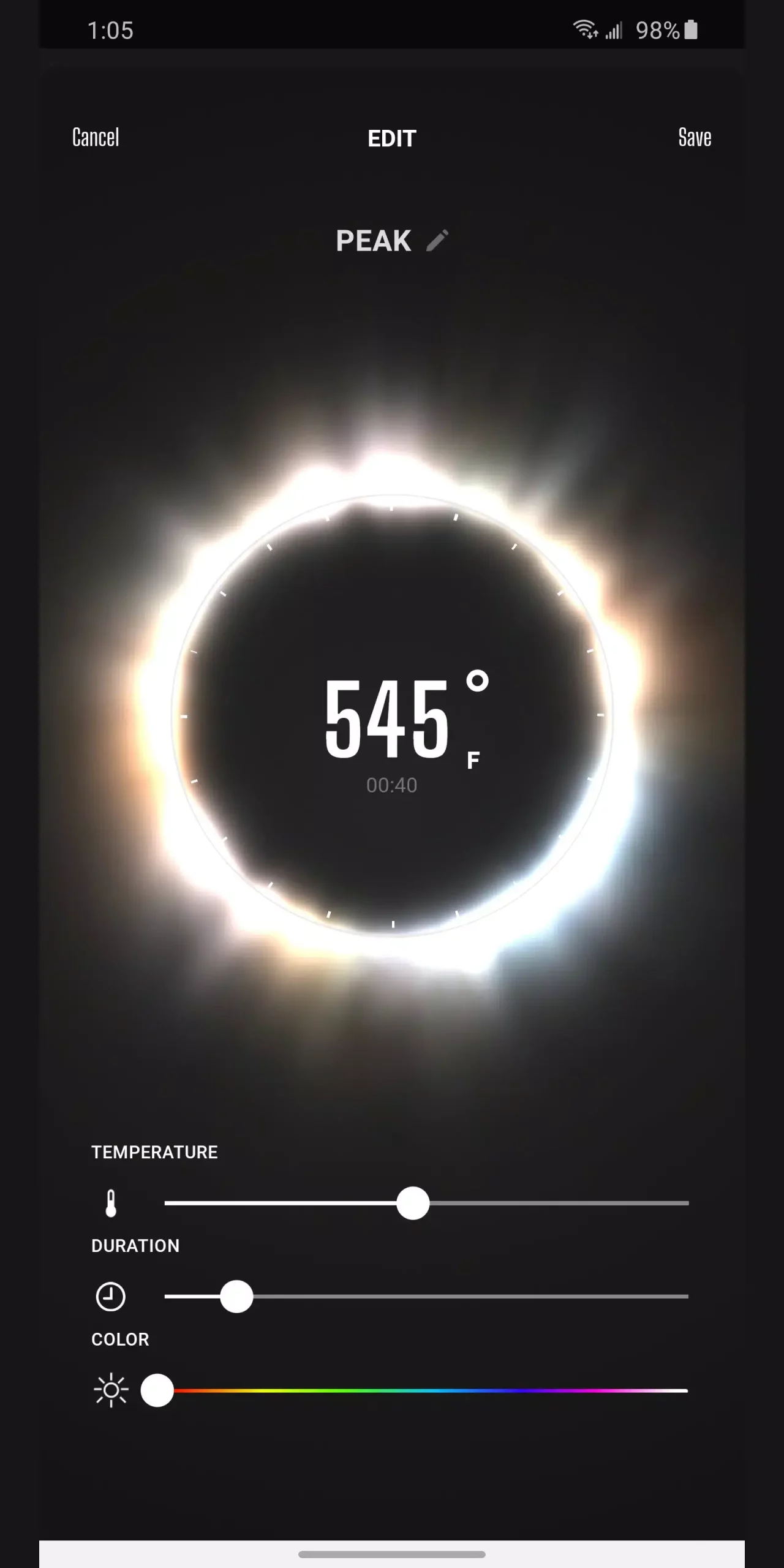
Puffco Connect is a feature-rich utility application. It offers a range of customizable functions designed to enhance Peak Pro's performance and personalization experience, thereby improving the user experience. With Puffco Connect, you can create up to 25 unique heating modes for precise control over temperature, time, and lighting animations. Meanwhile, the steam control settings allow you to adjust smoke density independently of temperature, providing greater flexibility. Whether you're seeking a more powerful heating effect or a more discreet user experience, Puffco Connect caters to your needs.
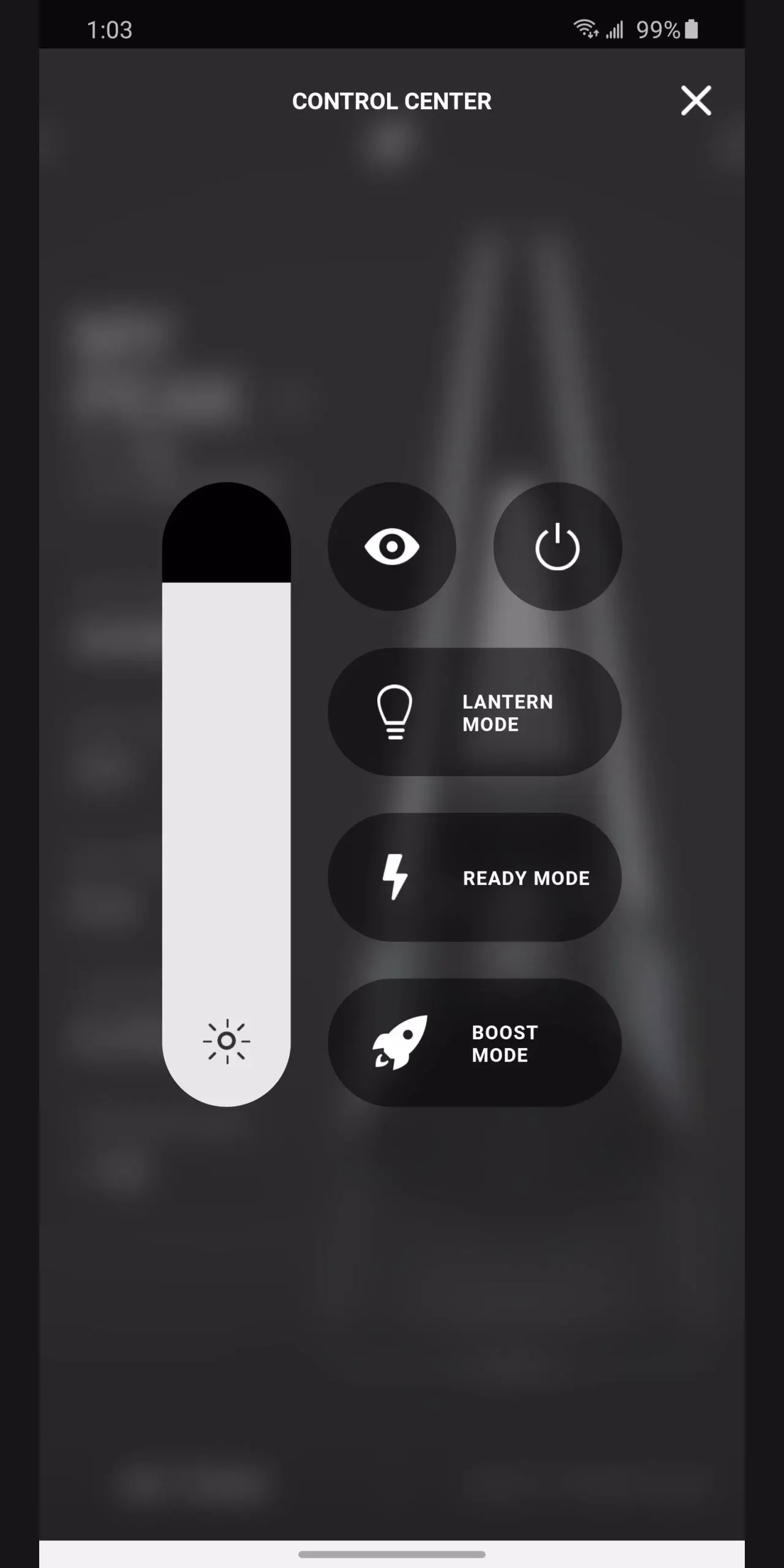
Precision Vapor Control - Customize your cloud volume with adjustable Vapor Control for a session tailored to your preference.
Custom Heat Profiles - Create and save personalized heat profiles with precise temperatures, duration, and mood lights.
Mood Lights - Design your own lighting experience with auto-generated moods or create custom lights from your photos.
Share Your Setup - Share heat profiles, mood lights, and account metrics with friends and the Puffco community.
Account Metrics - Track and share detailed insights about your Peak Pro and Proxy usage.
Firmware Updates - Unlock new features, performance improvements, and ongoing enhancements with seamless firmware updates.
Device Care & Support - Stay on top of maintenance with cleaning reminders, how-to videos, and direct access to customer support.
Rehash - Your annual recap highlights your sessions, stats, and milestones.
Pros
Precise vapor control and customizable heat profiles
Mood lighting with shareable setups and photo-based options
Detailed account metrics and ongoing firmware updates
Active community sharing features for Puffco setups
Cons
Lacks broader patterns, scenes, or color-based automation features commonly found in competing apps.
Limited to the Puffco ecosystem with no explicit smart home or multi-device integration.
No listing of permissions in the data may raise questions about data access for some users
Is Peak Pro and Puffco app different?
No. The Peak Pro app and the Puffco app are the same. Peak Pro is the model of vape from Puffco and can be managed through the Puffco Connect app.
How to Connect with a Puffco device?
You can use the WiFi or Bluetooth network to connect with the nearby Puffco vaping devices.
Is this app safe to use?
Yes. The Puffco Connect app is perfectly fine to use, as it does not ask for any unnecessary permissions.
What’s New: Notification Center
Be the first to access Puffco’s latest drops and exclusive promotions with the new Notification Center. All Puffco updates now live in one place, keeping you connected to the community.
Personalize Your Inbox
Pick the topics you care about (community, products, promotions, and app updates) and stay focused on what matters to you.
Enjoying the app? We’d love your rating!
Need help or have feedback? Contact us anytime at support@puffco.com
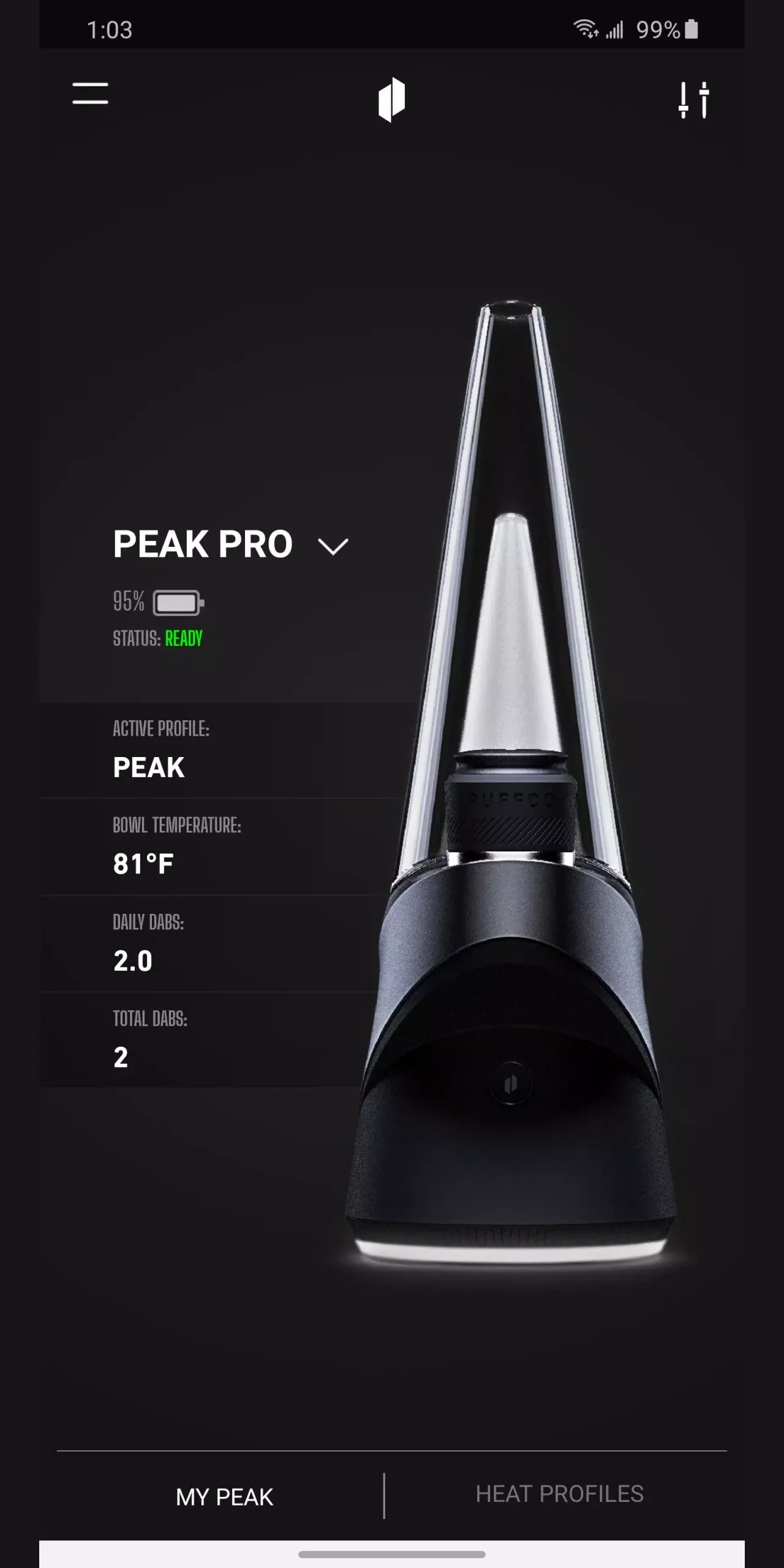
Puffco Connect simplifies device management through improved pairing and onboarding processes. Ready Mode streamlines operation for quick and efficient use, while cleaning reminders and tutorials help extend the longevity of your device. Moreover, seamless firmware updates ensure that your Peak Pro stays up to date with the latest enhancements, providing the best possible experience.
Size:112.45MB Version:3.6.26
Requirements:Android Votes:428
Package Name:com.puffco.android Signature:59b374aed03583dea48805035d4b37d8a916190e
Utility apps are indispensable in our lives, making our daily routines more convenient. To help you find these apps more easily, this site has created a collection. This collection brings together a series of practical tools covering various aspects of life, work, and education, meeting all your needs. What are you waiting for? Try these apps now and make your life easier!
Transform your mobile device into a powerhouse of efficiency with these handpicked essential tools. Whether you need professional-grade photo editing, seamless file organization, smart task management, or real-time weather updates, our curated selection of premium apps delivers unbeatable performance. Streamline your daily routine, automate repetitive tasks, and boost your productivity with intuitive interfaces and powerful features. Designed for both professionals and casual users, these editor-approved applications will revolutionize how you work and play. Don't settle for an ordinary phone - upgrade your digital experience today and unlock your device's full potential!
About us | Contact us | Privacy policy| DMCA
Copyright © 2026 Xiaohei All rights reserved.