Storybeat is a video editing app. Here you'll find 1000+ unique template designs. Whether you're creating photos, Instagram stories, or videos, you'll always find a template or layout that suits you, easily creating fun video collage grids to gain more followers! You can also add music to your videos or record your voice into photos and videos for the most personalized results! In addition, the app supports platform sharing and exporting to your device for easy retrieval anytime!
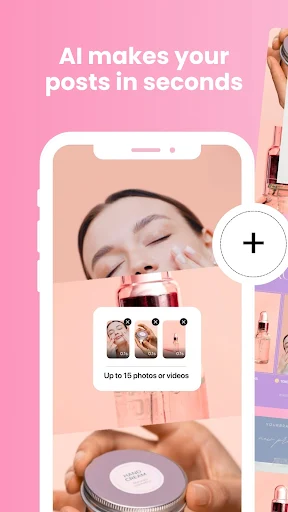
Storybeat allows you to choose from multiple categories while creating. You can choose music and photos, videos, or a combination of both. To start creating, simply tap the montage option and add the files you want to use from your gallery.
Once the visuals are set up, you can choose background music. You can use songs saved on your device or find other songs in the app's built-in music library. After completing these steps, simply set the final cut length, and Storybeat will automatically complete the editing.
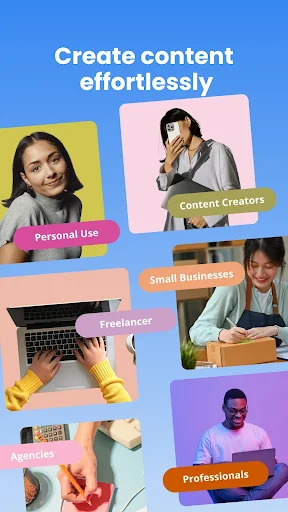
1000+ Unique Template Designs
Storybeat offers a vast collection of templates, animated templates, grid layouts, and collages for single or multiple photos, Instagram stories, and videos. These materials are 100% editable. Browse our theme collections, including retro, minimalist, Polaroid, vaporwave, mood boards, and more, for artistic inspiration. Create stylish, personalized Instagram photo collage grids like a pro and share them with everyone. Elevate your content aesthetic.
Photo and Video Editing Tools
Storybeat makes photo and video editing effortless, allowing you to easily become a photographer. Storybeat's editing tools include brightness, contrast, cropping, and many more tools not found on Instagram. Create stunning compositions, apply artistic photo presets and filters, transform photos and videos into beautiful compositions and stories, and enhance your photo grids. Hundreds of text styles are available, with beautifully animated and fully customizable effects.
Trends Creator Sync Photos and Music
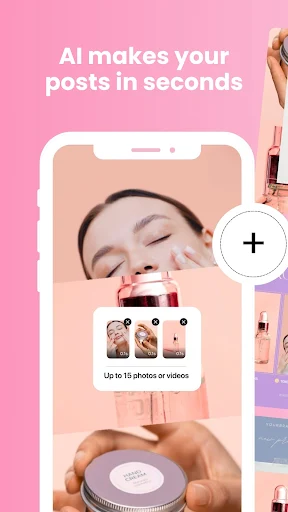
With Trends Creator, you can sync your favorite photos and music in seconds, turning them into amazing music Trends clips.
Add Music to Your Stories
Storybeat offers a vast music library, updated daily with the hottest tracks, which you can add to your video and photo creations anytime. Unleash your creativity with our art design and photo/video editing tools. The music library contains songs from all artists. Choose your favorite songs from the extensive library and add them to your stories. Record your own voice or other sounds into photos or videos to personalize them. Or simply add sound effects to enhance your photos
Easy Sharing or Private Saving
We support easy sharing with all major platforms: Instagram, WhatsApp, Facebook, Snap, TikTok Stories, Email, YouTube, Twitter, and more. You can also export your stories to your device for easy reliving anytime. You can also upload Storybeat clips from your camera roll to all social networks!

Users can upload videos or photos from their gallery, which will be set to music by Storybeat. The system sorts the materials according to the user-defined order and allows users to make any necessary adjustments. Users can preview and modify the video before adding music. Once the video is finished, users can save it to their device or share it directly to their chosen social networking sites. To facilitate wider sharing, the system also provides links to popular websites.
In addition to adding your favorite music to your video, Storybeat also allows users to create other components. We offer a rich selection of sound effects, which you can categorize by theme or search by popular content. Users can also extract audio from other videos or select any audio file directly on their device. Other elements added to the video include subtitles, decorative stickers, and various types of highlight borders. Furthermore, other effects can be applied, and playback speed can be reset.
Which Android version is required to install Storybeat?
Storybeat requires Android 5.0 Key Lime Pie or higher to install and run. This ensures compatibility with game features and performance. To check your device's Android version, go to Settings > About phone > Software information. If your device is running an earlier version, please consider updating your system to meet the game's requirements.
Why can't I install the Storybeat app on my Android device?
Storybeat installation may fail due to insufficient storage space, a poor network connection, or incompatibility with your Android device. To resolve this issue, ensure your device meets the minimum system requirements before attempting installation.
How large is the Storybeat file?
Storybeat takes up approximately 56.1 MB of storage space.
If you want to give your Instagram Stories a fresh feel by creating music videos from files on your phone, Storybeat is a fun tool that adds an original touch to your shared content.
Size:56MB Version:4.36.1.0
Requirements:Android Votes:304

Transform your smartphone into a powerful editing studio with the best video editing apps for Android! Whether you're a content creator, social media enthusiast, or just looking to polish personal videos, these apps offer professional-grade tools right at your fingertips. Enjoy intuitive interfaces, advanced features like multi-track editing and filters, and seamless exporting options - all optimized for mobile devices. Download now and start creating stunning videos anytime, anywhere!
Video Editor is a powerful software tool designed for crafting, refining, and enhancing video content. It enables users to transform raw footage into compelling visual narratives or effective communication platforms. As digital media continues to evolve, video editing has grown in significance - no longer just a professional necessity but also an accessible skill for everyday creators. Modern editing tools now offer intuitive interfaces, AI-powered features, and cross-platform compatibility, making high-quality video production achievable for both experts and casual users alike.
Mobile video editing tools are highly popular, with complete functions and professional tools that provide a strong atmosphere for various materials. Rich video templates can be operated with just one click, saving time and without too high a threshold. So what are the free versions of mobile video editing software? Editing software should have high popularity, but most of them require membership. Next, I recommend several platforms that can be used for free.
About us | Contact us | Privacy policy| DMCA
Copyright © 2026 Xiaohei All rights reserved.