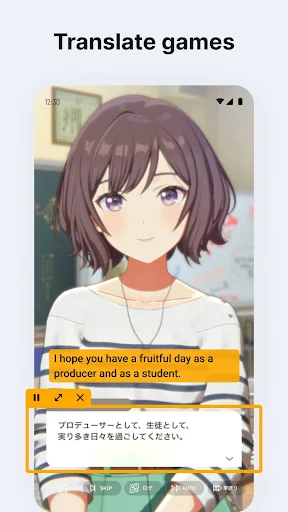
Bubble Screen Translate is a floating screen real-time translation tool designed specifically for Android devices. Its main feature is cross-application translation without switching scenes. It supports recognizing and translating text on any screen, including games, web pages, social media, documents, and images, solving cross-language communication and reading barriers. It also provides users with full-screen translation and selection translation modes, as well as a comic-style text recognition mode, supporting both vertical and horizontal comic text recognition to meet the personalized needs of different users.
1. Open the Bubble Screen Translate app on your device to launch the language learning interface.
2. Select the language pair you wish to practice. The app offers a wide range of language options, allowing you to choose the languages you want to focus on.
3. The bubbles containing foreign words will appear on the screen, floating around in a playful manner. Your task is to tap on the bubble that corresponds to the correct translation of each word in your native language.
4. As you tap on the correct translations, the bubbles will pop, and new words will continue to appear. The app is designed to be engaging and dynamic, keeping you on your toes as you match translations.
5. Pay attention to the timer as the game is timed. Try to match the translations quickly and accurately to earn points and improve your score.
6. Track your progress as you continue playing. The app keeps a record of your performance, allowing you to monitor your improvement over time and set goals for language proficiency.
7. Take advantage of the hint system when needed. If you encounter a challenging word or translation, use the hints provided to help you progress and expand your vocabulary.
8. Customize your learning experience by exploring different language pairs and adjusting settings to suit your preferences. Experiment with various languages to broaden your linguistic skills and cultural knowledge.
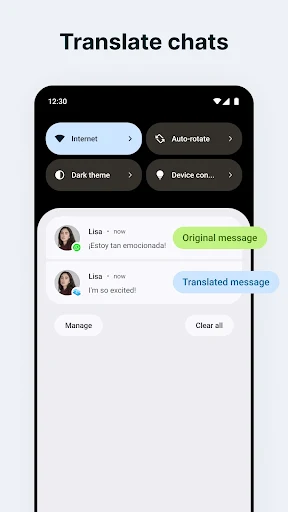
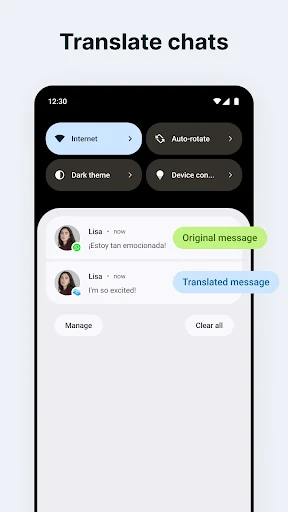
Standard Translation Mode: This mode is suitable for translating text on apps, whether it's a News story, a post, a chat you're having with friend, a menu of Japanese food, a website in Spanish, it can be instantly translated into your native language so you can read it smoothly.
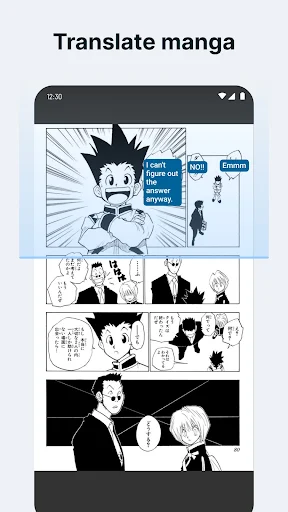
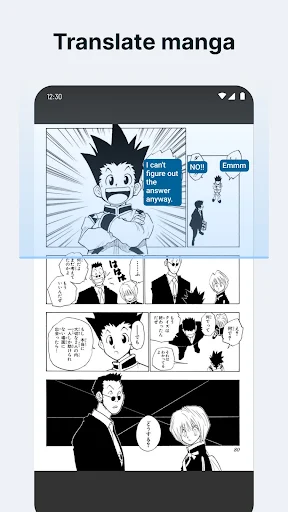
Comic Translation Mode: This mode is designed for manga lovers. The vertical text mode is more suitable for translating Japanese comics where the text is read from top to bottom, while the horizontal text mode is more suitable for translating comics where the text is read from left to right, such as Chinese, Korean, and English.
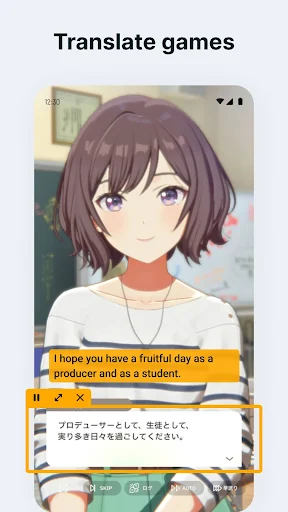
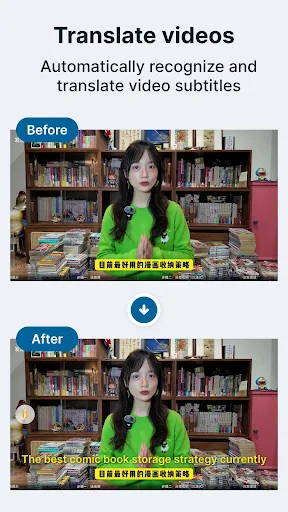
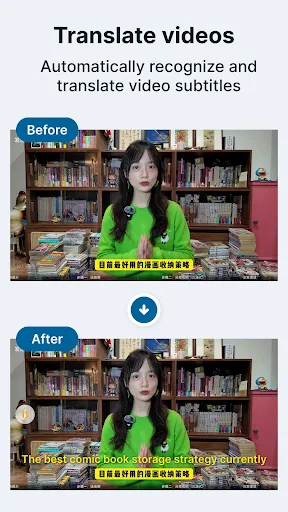
Movie Translation Mode: Turn on this mode when watching movies or TV with subtitles, Bubble Screen Translate will automatically translate each subtitle for you and display it above the screen without pausing, giving you a smooth viewing experience.
Document Translation: Bubble Screen Translate allows users to upload docx or pdf files for translation while preserving the original formatting. It supports side-by-side comparison of the original and translated text, and users can save the translated result as a new pdf file.
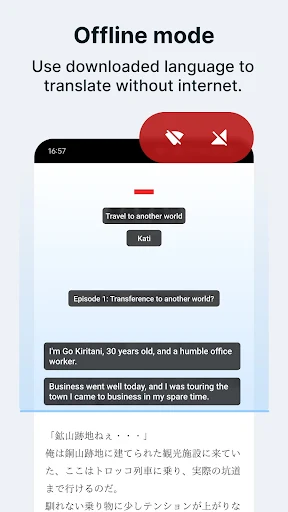
Offline Translation Mode: Download the language packs you need in advance, even when there's no network, it doesn't affect the translation, and you can also save data usage.
Fullscreen Translate: Translate all text on the current phone screen, including text on pictures.
Partial Translate: Only the text in the area you select will be translated.
Auto Translate: After turning on this mode, Bubbble Screen Translate will automatically translate the text in the area you select without any further operation. You can start and pause auto translation at any time.
Pros:
Ease of Use: Intuitive and simple interface to operate.
Multiplatform: Works on various applications and websites.
Constant Updates: Continuous improvements and inclusion of new languages.
Cons:
Permission Dependency: Permissions must be granted to function on the home screen.
Translation Accuracy: There may be variations in translation accuracy, especially in complex contexts.
Battery Consumption: Constant use may impact the device's battery life.
Internet Connection Required: Most functions require an active internet connection.
Q. Is my data secure when using this app?
A. Yes, Bubble Screen Translate is committed to security and privacy. Your data is not stored; translations are processed locally on your device.
Q. Can I use Bubble Screen Translate offline?
A. the app supports offline translation for selected languages, allowing you to translate without an internet connection.
Q. Is there a limit to the number of languages it can translate?
A. No, Bubble Screen Translate supports many languages, ensuring comprehensive translation coverage.
If you frequently use multilingual apps, games, documents, or foreign language media and want seamless translation on mobile devices, then Bubble Screen Translate APK is the perfect choice. From full-screen OCR to floating bubbles, subtitle translation, and offline mode—all in one tool. Download the latest version now from xiaohei.com and easily break down language barriers.
Size:113.0MB Version:4.4.3
Requirements:Android Votes:476
Utility apps are indispensable in our lives, making our daily routines more convenient. To help you find these apps more easily, this site has created a collection. This collection brings together a series of practical tools covering various aspects of life, work, and education, meeting all your needs. What are you waiting for? Try these apps now and make your life easier!
Transform your mobile device into a powerhouse of efficiency with these handpicked essential tools. Whether you need professional-grade photo editing, seamless file organization, smart task management, or real-time weather updates, our curated selection of premium apps delivers unbeatable performance. Streamline your daily routine, automate repetitive tasks, and boost your productivity with intuitive interfaces and powerful features. Designed for both professionals and casual users, these editor-approved applications will revolutionize how you work and play. Don't settle for an ordinary phone - upgrade your digital experience today and unlock your device's full potential!
With the development of mobile hardware and software, many practical tool software have emerged, covering a wide range of aspects and becoming a good helper for everyone in work and life. Today, the editor provides you with a list of useful tool software downloads. These tools are not particularly complex types, and after reading them, everyone can quickly learn how to use them. Proper use can bring great convenience to life and work.
About us | Contact us | Privacy policy| DMCA
Copyright © 2026 Xiaohei All rights reserved.