Glitch Video Effects This is a video editor that lets you edit your work anytime, anywhere. It combines filters, transitions, AI, and other features. It's perfect for streaming content creators, and beginners can also learn professional video editing skills with this software. The software has a clean and intuitive interface; you can get started quickly by familiarizing yourself with the tools, simplifying your workflow. You can cut out backgrounds, replace or add backgrounds to your videos, and it supports high resolution. It's a very practical video editing software.
Wide Range of Glitch Effects:
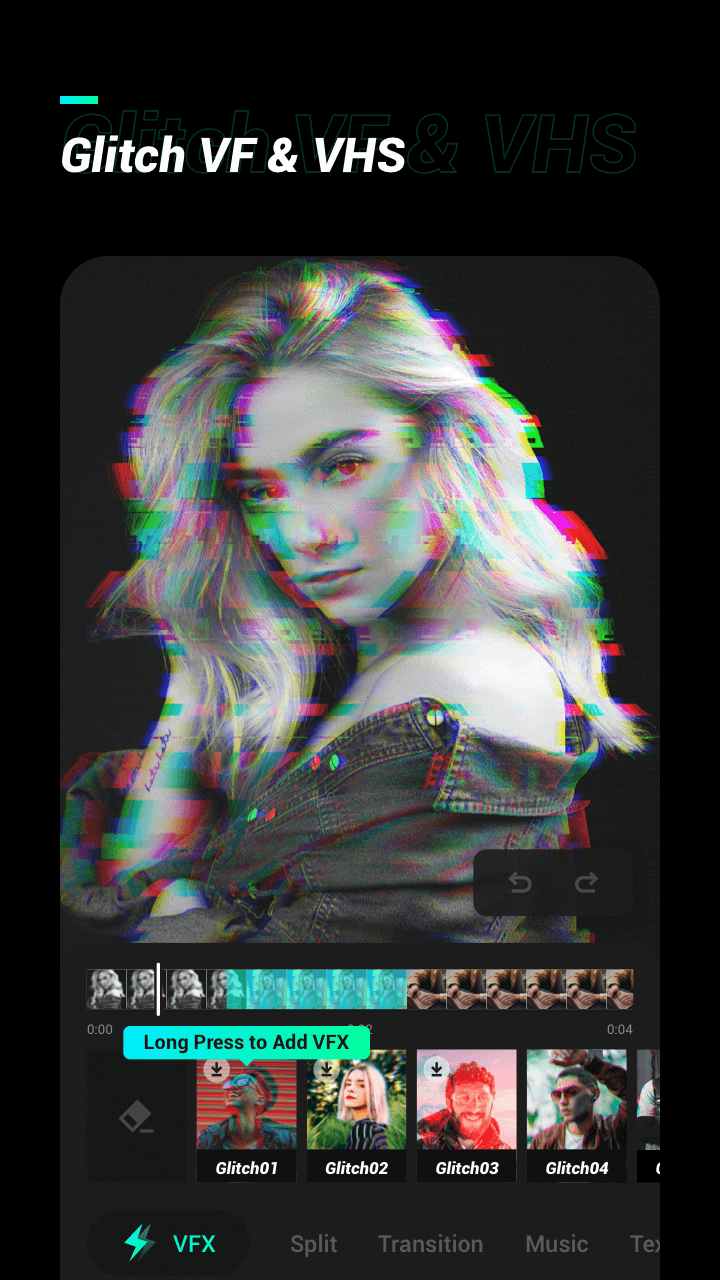
Explore a diverse collection of glitch effects, including classic VHS, RGB splits, distortion, and more. Add a touch of nostalgia or dive into futuristic aesthetics.
Intuitive Editing Tools:
Our user-friendly interface makes editing a breeze. Simply drag and drop effects, adjust parameters, and watch your video transform in real-time.
Real-time Preview:
Preview your video edits instantly to see how your glitch effects will look before saving. Experiment with different combinations until you achieve the perfect visual style.
Trim and Merge:
Easily trim and merge video clips to create seamless glitch transitions. Craft a story that flows effortlessly.
Add Music:
Elevate your videos with your favourite music tracks. Sync the beats with glitch effects for a mesmerising audiovisual experience.
Export in HD:
Export your glitch masterpieces in high definition, ensuring your videos look stunning on any screen.
Easy Sharing:
Share your glitch videos directly to social media platforms or save them to your device. Impress your friends and followers with your unique creations.
Customizable Templates:
Use pre-designed templates for quick and stunning edits or dive into advanced customisation options for a truly unique touch.
No Watermarks:
We believe your creativity should shine without any distractions. Enjoy watermark-free exports.
Layout and learning curve
The interface is designed to feel approachable, even with a long list of options. Trimming clips, adding a filter, or dropping in a transition is straightforward once you have spent a little time exploring the tools.
There is a brief learning period, especially when you start combining layers, effects, and audio adjustments, but it stops well short of feeling overwhelming. After some practice, the workflow becomes quite natural, and experimentation is encouraged rather than punished.
From quick cuts to detailed edits
For basic editing, the app covers the essentials: you can trim and cut clips with precision, merge multiple videos, change playback speed from 0.2x slow motion up to 100x time-lapse, and crop or resize to common aspect ratios like 1:1, 9:16, or 16:9. Reversing, rotating, and flipping footage is also supported, as are simple slideshow and stop-motion creations.
Where it starts to stand out is in the advanced editor. Picture-in-picture support lets you stack videos and images in multiple layers, ideal for collages or reaction-style layouts. Keyframe animation gives you frame-by-frame control over text, stickers, and video layers so elements can move, scale, or fade exactly when you want.
Chroma key (green screen), masking, and blend modes add another level of control. They let you cut a subject from a background, combine clips in creative ways, or fine-tune overlays instead of relying only on preset looks. A built-in color picker helps match elements to your overall style.
Glitch aesthetics and visual style
As the name suggests, glitch visuals are a major draw. The app includes more than 100 filters and glitch effects, including VHS, RGB split, X-ray, and retro-style looks. Paired with smooth transitions like blur, zoom, fade, and slide, you can turn plain footage into something far more eye-catching.
Manual controls for brightness, contrast, saturation, and other basic parameters let you correct footage or push it toward a specific mood. This combination of quick presets and finer adjustments works especially well for short attention-grabbing videos, such as workout highlights or dramatic intros.
Pros
Wide range of glitch, VHS, and retro effects alongside 100+ filters
Powerful editing tools, including keyframes, PIP, chroma key, masks, and blend modes
AI features like auto captions, background removal, smart tracking, and smooth slow-mo
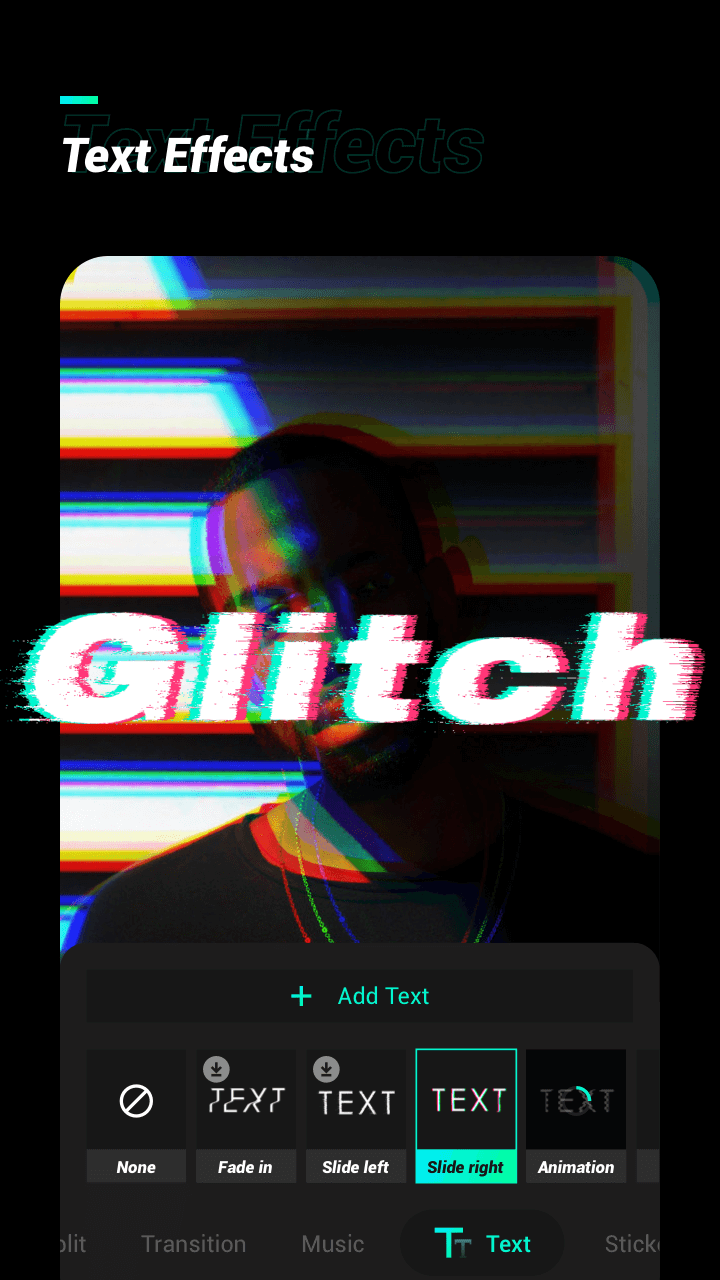
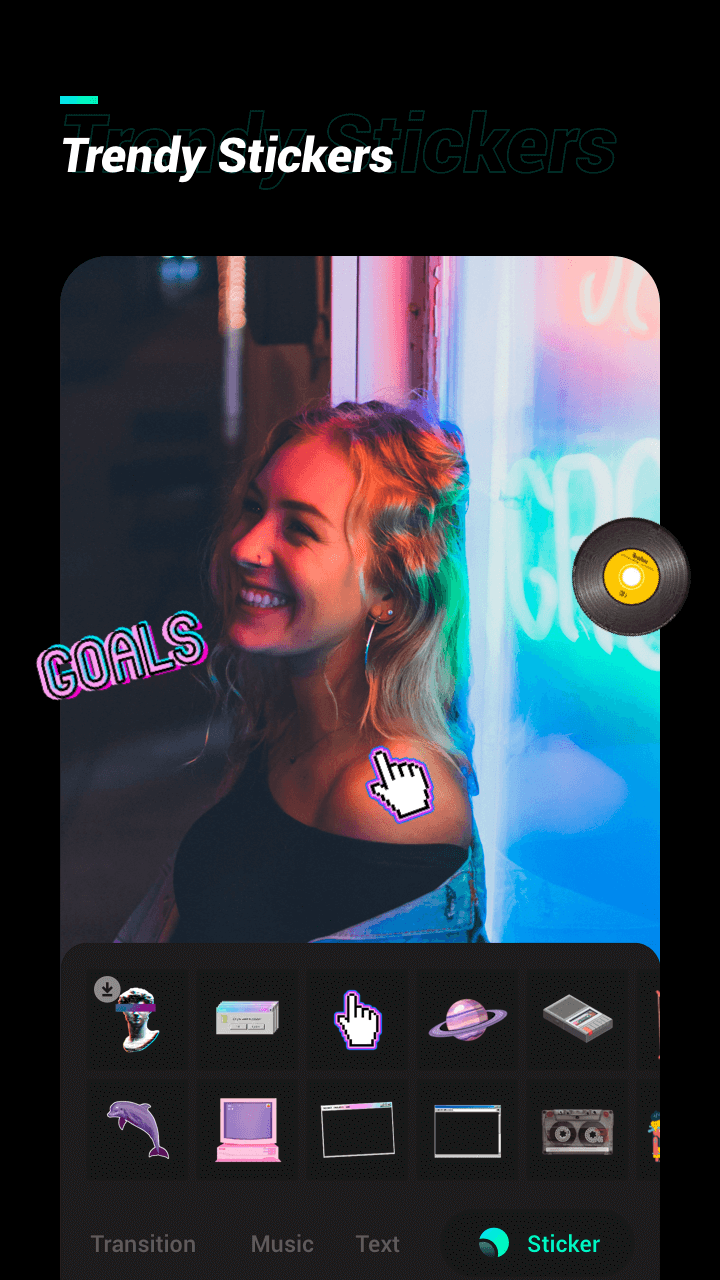
Rich text, sticker, GIF, and meme creation options with 1000+ fonts
HD export up to 4K 60fps, with no watermark and no ads
Good free tier, with affordable paid options for higher resolutions and full access
Cons
Some audio functions, like setting precise start and end points for voice or pitch changes, are not immediately obvious
Sheer number of tools and effects can feel busy until you get used to the layout
Best quality exports and complete effect set require a paid upgrade
Epically Insane! I can't stop trying all of the features. It's what I'd consider user friendly. The only feature that I haven't figured out yet is when adding a sound or change voice & pitch, how do I select a specific start/end point? I'll get it eventually.. The subscription prices can't be beat(well, except for free) I'm more than happy to pay for a subscription.. endless opposite. Ty 4 ur skills & creativity, you've helped me switch brain modes easily.. I lose track of time and I giggle.
Insanely a must for the price tag annually. Easy to use, not over the top with features and edits, nice app that will integrate a few features once or twice in a year so they feel more appropriate and appreciated. Doesn't overload the phone with data and efficiently good enough to run efficiently on android 6+
Im not gonna say much but this app is the best I've been using it for like 3 months It has some ads but one ad a day not a lot . you can use this app with out data but some filters will need data. this is the best I'll say I'm proud of who ever made this app.its not complicated and it's easy to use.one last thing:I'm not payed to say this and also I'm a real person not and AI .
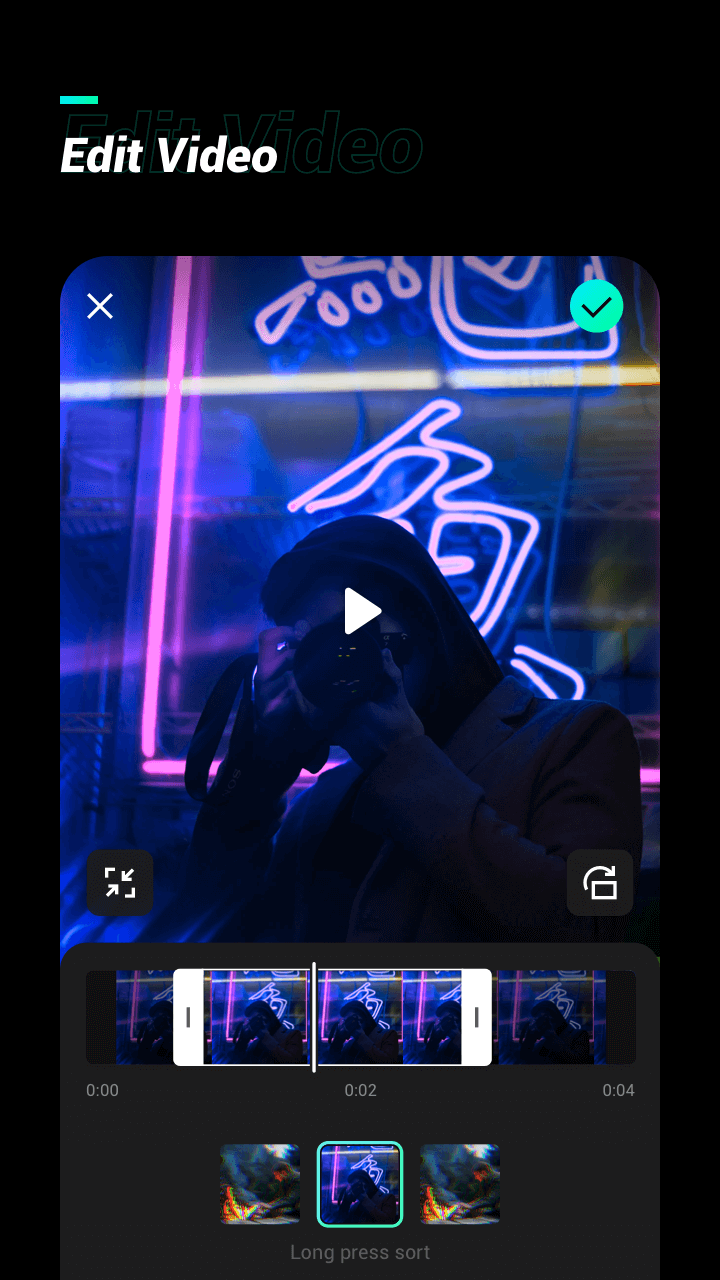
This app is incredibly easy to use and allows you to create amazing glitch effect videos in no time. It is an entire creative suite for content creators with new creative tools added all the time. In addition, this app offers a retro photo editor with vintage photo effects and retro filters. With a few taps, you can create eye-catching videos combined with magic video effects and fantastic filters, perfect for sharing on social media.
Size:13.7MB Version:1.4
Requirements:Android Votes:400
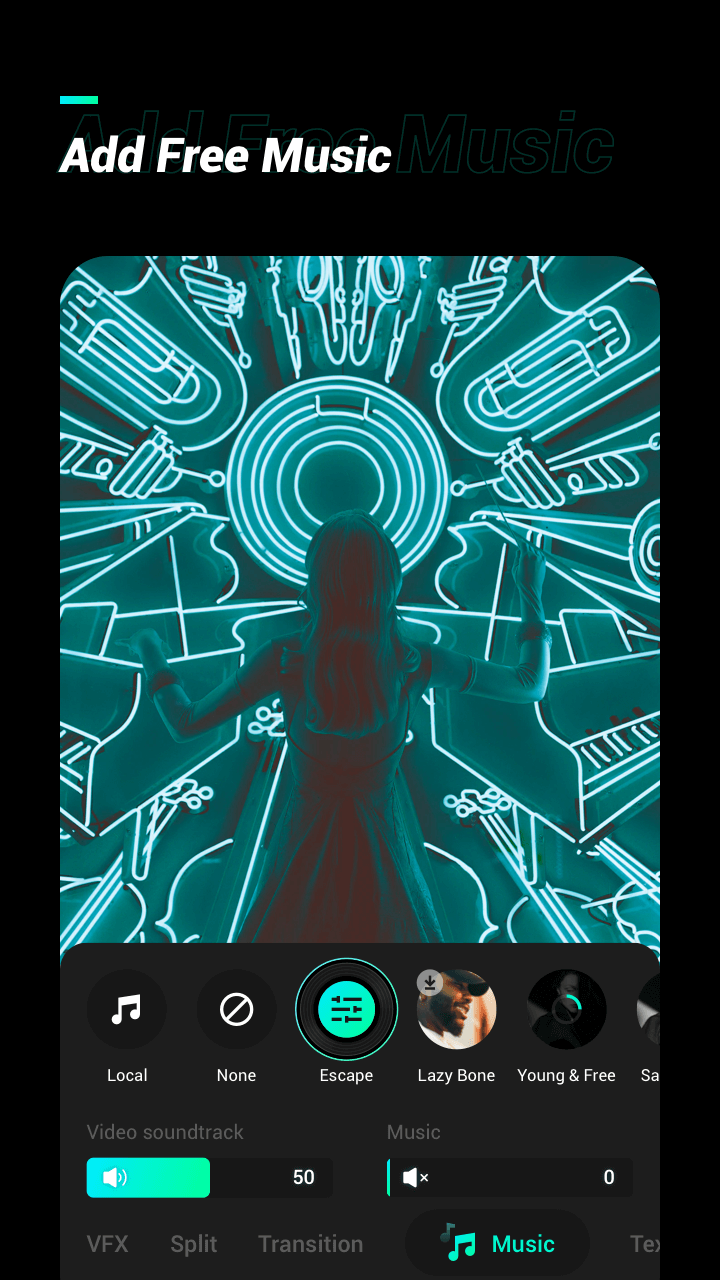
Transform your smartphone into a powerful editing studio with the best video editing apps for Android! Whether you're a content creator, social media enthusiast, or just looking to polish personal videos, these apps offer professional-grade tools right at your fingertips. Enjoy intuitive interfaces, advanced features like multi-track editing and filters, and seamless exporting options - all optimized for mobile devices. Download now and start creating stunning videos anytime, anywhere!
Video Editor is a powerful software tool designed for crafting, refining, and enhancing video content. It enables users to transform raw footage into compelling visual narratives or effective communication platforms. As digital media continues to evolve, video editing has grown in significance - no longer just a professional necessity but also an accessible skill for everyday creators. Modern editing tools now offer intuitive interfaces, AI-powered features, and cross-platform compatibility, making high-quality video production achievable for both experts and casual users alike.
Mobile video editing tools are highly popular, with complete functions and professional tools that provide a strong atmosphere for various materials. Rich video templates can be operated with just one click, saving time and without too high a threshold. So what are the free versions of mobile video editing software? Editing software should have high popularity, but most of them require membership. Next, I recommend several platforms that can be used for free.
About us | Contact us | Privacy policy| DMCA
Copyright © 2026 Xiaohei All rights reserved.