Worde This is a very practical office software. You can use it to edit documents and customize font size, color, font type, alignment, line spacing, and more. You can also insert images, links, tables, and more into your documents to make them stand out. This software also features comprehensive grammar and spell checking functions, which will be extremely useful if you have a lot of documents to write, as it can check the fluency of your grammar. Its interface is simple and easy to understand; even beginners can easily get started after learning the basic functions. It also boasts strong compatibility and is very practical. If you're planning to write a document, give it a try!
Creating and editing documents
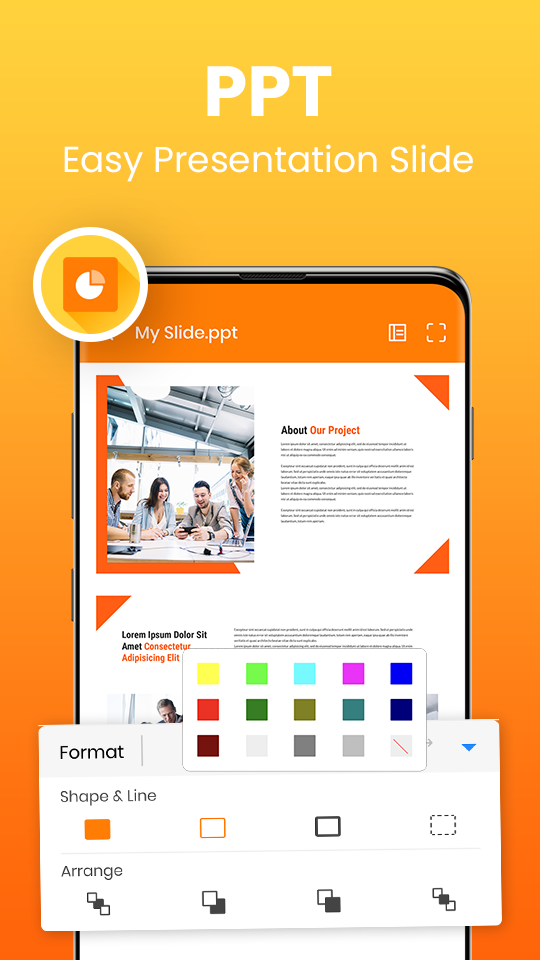
Thanks to Microsoft Word, creating new documents from scratch or editing existing ones is possible. Everything about the text can be modified, including font size, font, color, alignment, line spacing, etc. It is also possible to insert tables, images, graphics, links, etc. All text can be organized with headings and in any style you like. The app also offers a wide variety of templates to use as a basis for your documents and projects.
Cloud synchronization and real-time collaboration
Microsoft Word integrates with cloud storage services like OneDrive. Thanks to this, all your modifications can be saved in real-time, and your documents can be accessed from any device, anywhere, with the most recent version always available. What's more, you can grant access to other people so that they can read your document or even make modifications, facilitating collaboration on group projects. To get the most out of the app, it is best to create a Microsoft account to easily synchronize your files with OneDrive.
File compatibility: PDF, DOCX, TXT, and more
Microsoft Word supports a wide variety of files, although only files in .docx format can be edited. In read mode, the app supports formats such as .doc, .docm, .odt, .pdf, .rtf, and .txt. If you want to edit a file in any of these formats, the app will convert it directly to .docx.
Proofreading and error correction
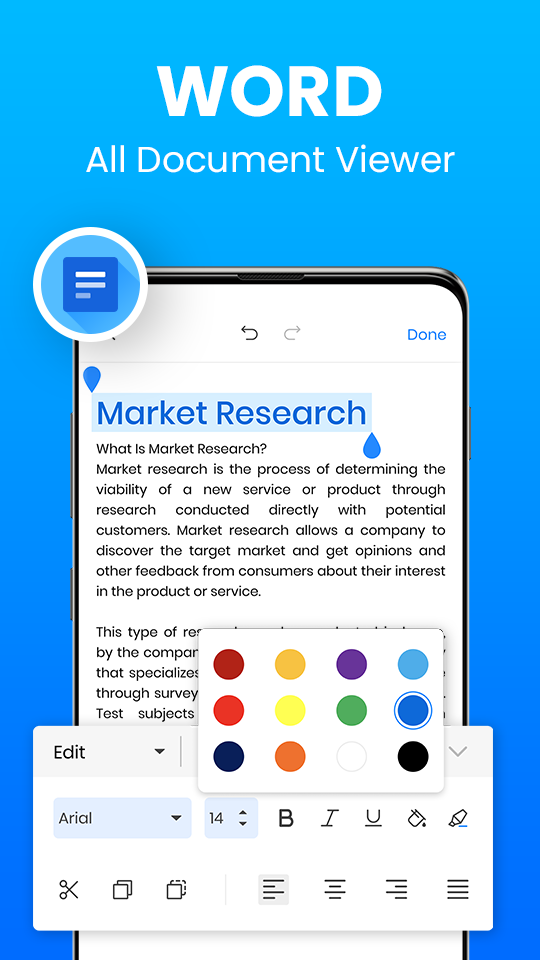
Microsoft Word has a comprehensive grammar and spell checker, thanks to which you can see whether you have spelled a word correctly or written a phrase fluidly. In some cases, the corrector will correct you in real-time as you type, although, if in doubt, it will show you the word underlined in red (if it is a spelling error) or blue if it is an issue with coherence.
Pros
Familiar and easy-to-learn interface
Powerful formatting and document tools
Strong collaboration and cloud integration
Excellent file compatibility across platforms
Reliable for long and complex documents
Cons
Advanced features can overwhelm beginners
Performance slows with very large files
Requires subscription for full features
Cloud features depend on stable internet connection
Can I work offline without internet connection?
Yes, the app allows you to access and edit recently opened documents offline. Your changes will automatically sync once you reconnect to the internet, ensuring no interruption to your workflow during travel or connectivity issues.
Does it support complex documents with images and tables?
The mobile app handles complex formatting including images, tables, charts, and advanced layouts. While some extremely complex desktop documents might show minor formatting differences, most business and academic documents translate perfectly to the mobile interface.
How secure are my documents in the app?
Documents stored through enterprise accounts benefit from Microsoft’s enterprise security protocols. For personal users, documents saved to OneDrive employ standard cloud security measures, and you can add password protection to sensitive files directly within the app.
The June 2026 update for Microsoft app (Word, Excel, Powerpoint) has a bug. You cannot even save your work. You cannot put the photo where you want them inserted. You cannot save the file after inserting the photo unless you save it as first time save as to a different directory. I believe in this app. Hope you can fix that bug. It all happens in either Word, Excel or Powerpoint for Android.
Microsoft Word is a reliable and easy-to-use app for creating, editing, and sharing documents. The formatting tools, templates, and cloud synchronization make it useful for students, professionals, and everyday work. The interface is clean and works smoothly across devices. However, some advanced features require a Microsoft 365 subscription. Overall, it’s one of the best apps for document editing and productivity.
It's amazing! It's just like writing your document but instead of working on your computer it's all done on a cellular phone . With an almost flawless replica of the computers Microsoft office interface. It especially comes in handy for projects on the go. when you don't have the time to stop pull out your computer and work. I highly recommend this for anybody who in the professional field uses Microsoft office for Windows.
Microsoft Word continues to prove why it remains the default choice for document creation across schools, businesses, and personal use. Its blend of familiar tools, powerful formatting, and evolving collaboration features keeps it relevant in a changing digital workspace. While advanced options and cloud reliance may not suit everyone, Word still delivers a dependable writing environment that balances tradition, productivity, and modern workflow demands effectively.
Size:269MB Version:16.0.19530.20070
Requirements:Android Votes:158
Utility apps are indispensable in our lives, making our daily routines more convenient. To help you find these apps more easily, this site has created a collection. This collection brings together a series of practical tools covering various aspects of life, work, and education, meeting all your needs. What are you waiting for? Try these apps now and make your life easier!
Transform your mobile device into a powerhouse of efficiency with these handpicked essential tools. Whether you need professional-grade photo editing, seamless file organization, smart task management, or real-time weather updates, our curated selection of premium apps delivers unbeatable performance. Streamline your daily routine, automate repetitive tasks, and boost your productivity with intuitive interfaces and powerful features. Designed for both professionals and casual users, these editor-approved applications will revolutionize how you work and play. Don't settle for an ordinary phone - upgrade your digital experience today and unlock your device's full potential!
With the development of mobile hardware and software, many practical tool software have emerged, covering a wide range of aspects and becoming a good helper for everyone in work and life. Today, the editor provides you with a list of useful tool software downloads. These tools are not particularly complex types, and after reading them, everyone can quickly learn how to use them. Proper use can bring great convenience to life and work.
About us | Contact us | Privacy policy| DMCA
Copyright © 2026 Xiaohei All rights reserved.