
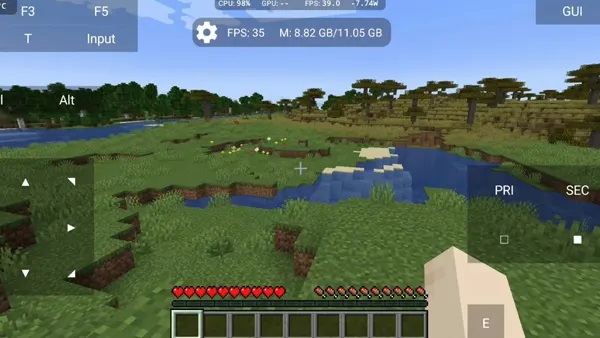
Zalith Launcher is a game experience optimization tool designed specifically for Minecraft players. It aims to provide a more comfortable gaming experience by reducing lag and improving graphics and stability. The software not only includes a built-in renderer, PVP controls, and performance optimization tools, but also helps users easily install various mods and resource packs without root access, opening up more possibilities for the game. The software is still being continuously updated and optimized, releasing more useful mods and editing tools. Players can look forward to it!
Multi-Version Support: Zalith Launcher allows you to play multiple Minecraft Java Edition versions on your Android device without losing your saved worlds. You can switch between older versions, latest releases, or snapshots easily and continue playing with your favorite mods and resource packs.
Built-in File Manager: The launcher has a secure built-in file manager that lets you move copy or backup worlds, organize mods and manage resource packs. You do not need a third party app and all your Minecraft files are safe and easy to access.
MobileGlues Plugin Integration: MobileGlues works with Zalith Launcher to enhance graphics on Android. It enables realistic shaders, better lighting and smoother FPS while playing Minecraft. With this plugin your game looks more detailed and runs more efficiently even on mid-range devices.
Mod & Resource Pack Support: Install popular mods like OptiFine Forge Fabric and many resource packs directly from the launcher. Each mod can be added individually ensuring compatibility and smooth gameplay without crashes. You can customize your Minecraft experience easily.
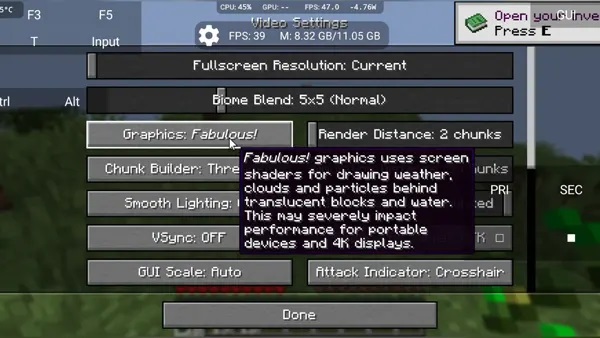
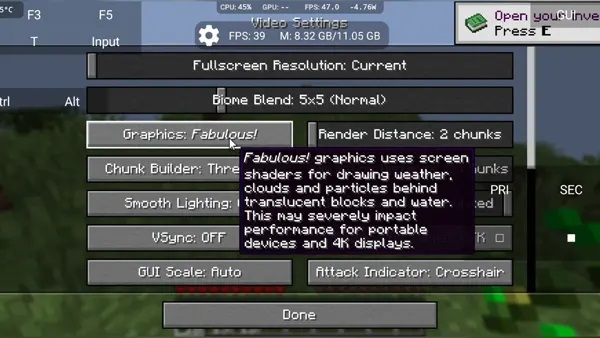
Customizable Graphics & Performance Settings: Adjust settings like render distance graphics quality max FPS V Sync and anti aliasing. This allows you to minimize lag and maximize FPS. MobileGlues settings further improve visuals while keeping gameplay smooth on Android devices.Android app store
Regular Updates: The launcher receives regular updates for bug fixes, new features and the latest Minecraft versions. This ensures you always have access to the newest improvements and your Android game runs at optimal performance without issues.
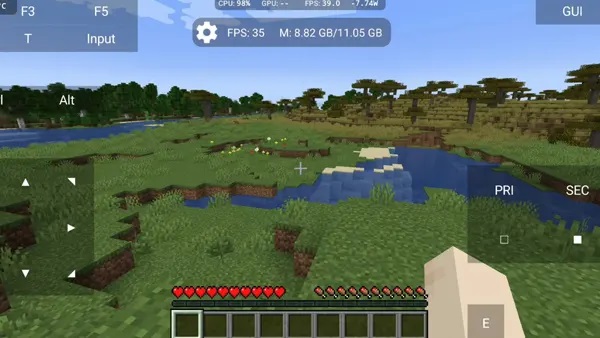
pvp control: It has built-in fine-tune control for PvP matches. You can also adjust attackbar sensitivity, hotbar switching, and custom layout for mostly combat matches.
Texture and theme pack: You can enhance your game with the texture and themes pack, which you can easily import from your folders. From enhanced textures to the medieval pack, its customization options are so vast that they never end.
Graphics & Performance Tweaks: In its built-in performance settings, optimizations for render distance, FPS cap, and memory allocation to each application can be easily made by even a beginner player. If you do not have a high-end phone, you can also Java edition smoothly.
User-friendly interface: Its refined and enhanced user-friendly interface makes it easy to navigate to every mod’s customizations, files, and settings. Its navigation is so easy that you can switch to a different version, manage resources, and start a new world in a few clicks.
Once you’re comfortable with the basics, these tips can help you get even more value out of T Launcher:
Mix and match icon packs: You don’t have to stick to one theme’s default icons; many icon packs work independently and can be layered on top of any theme.
Use hidden apps for privacy: Hide rarely used or sensitive apps from your app drawer so they’re not visible to anyone browsing your phone.
Enable app suggestions: Turn on smart suggestions in the app drawer so your most-used apps are always a tap away.
Back up regularly: Even if you’re not switching phones, periodic backups protect your carefully organized layout from accidental resets.
Check for updates: New themes and features are released frequently, so keep the app updated to access the latest additions.
Is using Zalith Launcher illegal?
No. Zalith Launcher is completely legal as it it follows along with the Terms that Mojang has laid out for its users.
Can I use mods with Zalith launcher?
Yes, you can add mods to Zalith Launcher. You need to install Forge or Fabric and place the mods in the right folder. Make sure the mods match the Minecraft version you are using.
How do I install Minecraft with Zalith Launcher?
When you open Zalith Launcher for the first time, log in with your Minecraft account. It will then download the necessary files automatically. You can choose which version of Minecraft you want to play in the settings.
Can I play multiplayer on Zalith Launcher?
Yes, you can play online multiplayer, join servers, and even play on LAN with friends, just like in the PC version. Make sure you have a stable internet connection for the best experience.
Can I use a controller with Zalith Launcher?
Yes, you can connect a Bluetooth or external controller and use it with Zalith Launcher. Just make sure the controller is properly set up on your device.
Zalith Launcher suits players who enjoy customizing Minecraft performance and visuals. It’s most useful for Android users who face lag or want to make the game look sharper without spending on a new device. Whether you’re a casual player or a mod enthusiast, this launcher helps you get the most out of your Minecraft sessions.
Size:192.6MB Version:1.4.0.8
Requirements:Android Votes:547
Package Name:com.movtery.zalithlauncher Signature:2225f73872ea8d090964a28d3475619a
Utility apps are indispensable in our lives, making our daily routines more convenient. To help you find these apps more easily, this site has created a collection. This collection brings together a series of practical tools covering various aspects of life, work, and education, meeting all your needs. What are you waiting for? Try these apps now and make your life easier!
Transform your mobile device into a powerhouse of efficiency with these handpicked essential tools. Whether you need professional-grade photo editing, seamless file organization, smart task management, or real-time weather updates, our curated selection of premium apps delivers unbeatable performance. Streamline your daily routine, automate repetitive tasks, and boost your productivity with intuitive interfaces and powerful features. Designed for both professionals and casual users, these editor-approved applications will revolutionize how you work and play. Don't settle for an ordinary phone - upgrade your digital experience today and unlock your device's full potential!
About us | Contact us | Privacy policy| DMCA
Copyright © 2026 Xiaohei All rights reserved.


























