GameGuardian is a game modifier designed for Android devices. Users can simply enter keywords to find corresponding hacking tools and tutorials, helping them easily unlock various currency and item quantity limits in games, improve graphics and sensitivity during matches, and dominate the game. The software not only supports multiple common languages but also has a robust anti-detection mechanism to protect user account security and game records in real time. It also provides frequently asked questions to help users solve potential installation and usage problems, creating a comfortable gaming environment.
GameGuardian packs a lot into one floating toolbar. Here is what people actually use it for:
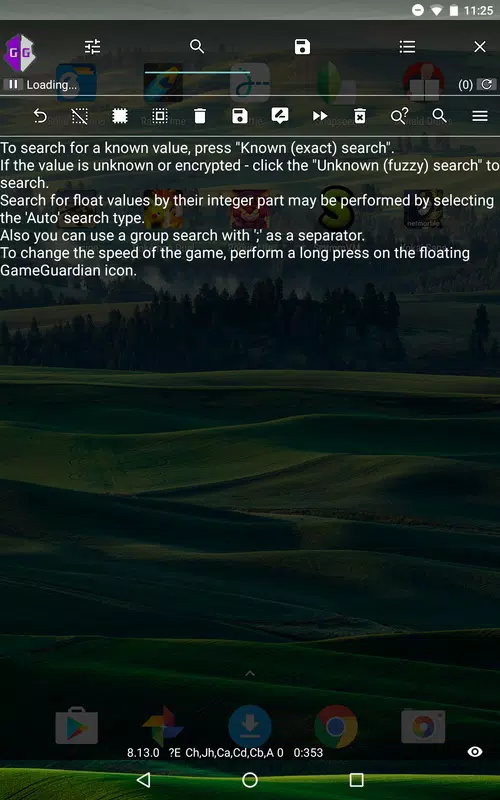
Memory scanner: Search game memory for any value and refine the results until one address remains.
Value editor and freeze: Change a found value, or lock it so the game cannot reduce it.
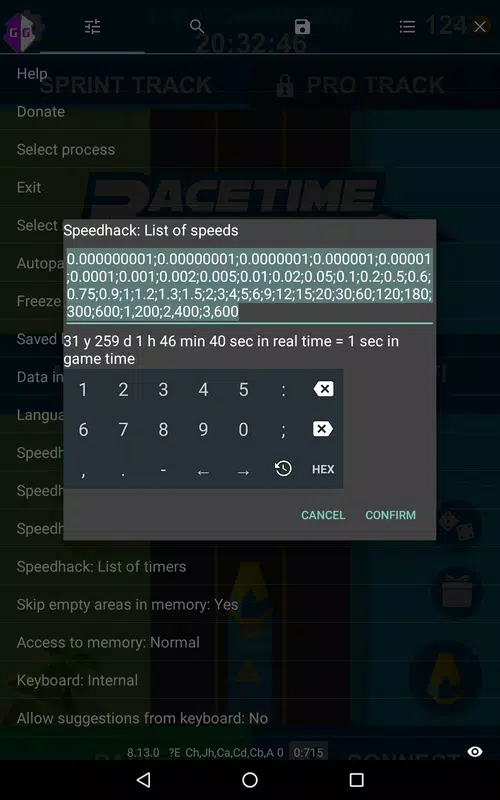
Speed hack: Run the game faster or slower to skip grinds or fine-tune timing.
Lua scripting: Automate scans and edits, then save and share scripts for specific games.
Fuzzy and grouped search: Find values even when you cannot see an exact number on screen.
No-root option: Run inside a virtual space app when your device is not rooted.
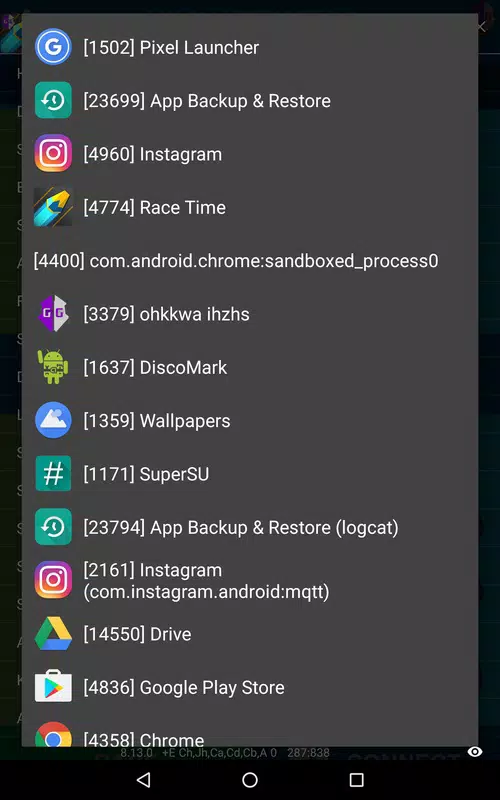
Unlocking New Possibilities: The non-root version of GameGuardian opens up a whole new realm of possibilities for mobile gamers. By running within a sandbox environment, it offers users a secure platform to explore and experiment with various modifications without compromising the integrity of the device's operating system. This innovative approach democratizes the world of game modification, allowing users of all technical backgrounds to participate in customizing their favorite games.
Enhancing the Gaming Experience: Players can elevate their gaming experience to a new level. Whether it's increasing in-game currency, unlocking advanced features, or bypassing restrictions, the non-root version empowers users with the ability to tailor the game according to their preferences. By offering advanced scripting capabilities, it enables users to create custom scripts, automate repetitive tasks, streamline the gaming process, and gain a competitive edge.
User-Friendly Interface: The non-root version of GameGuardian features a user-friendly interface designed to cater to users of varying skill levels. With intuitive controls and simple navigation, it makes game modification easy to understand for beginners while providing advanced features for experienced users. From modifying game values to creating complex scripts, every aspect of the tool is aimed at enhancing user experience and simplifying the modification process.
Safety and Reliability: Safety is paramount when modifying mobile games, and the non-root version of GameGuardian prioritizes user safety. By running within a sandbox environment, it reduces the risk of unauthorized modifications leading to malicious software, viruses, and other security threats. This ensures that users can enjoy the benefits of game modification without compromising the integrity of their devices or personal data.
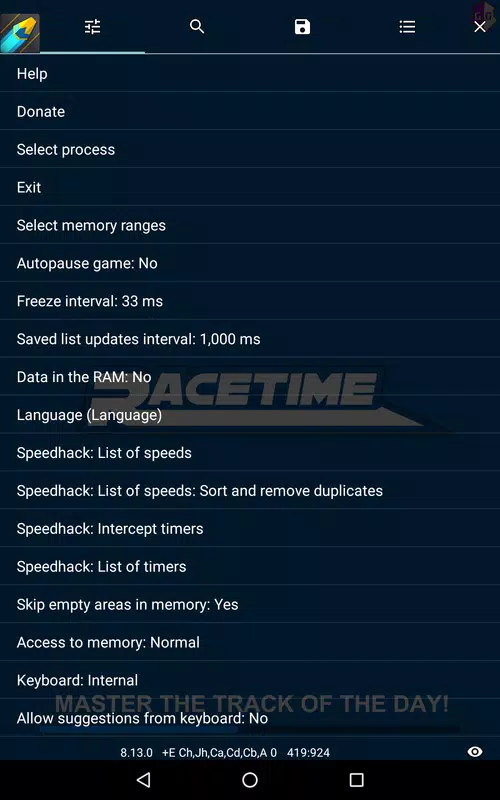
How do I search for a value if it is displayed in rounding with the game? For example, 1.85M.
Search for the search range. The range limits depend on the rounding rules. For example, "1845000~1854999" for standard rounding.
How do I search for a percentage value? For example, 123%.
It is depends on the implementation. For each game it can all be different. For example 123%. It can be Float or Double with any value. Like 1.23 or 123.0. Or it can be integer types: Byte, Word, Dword. For example 123 or 12300. On output it can be divided on some number. 100 or 345 or anything else. For each game it can be different. You can try the most obvious cases. For 123% it can be 1.23 or 123. Type: Auto. If you are lucky it can be what you need.
What if the game detects GameGuardian?
Try the following options (singly or in any combination):
: Enable the "Hide GameGuardian from the game:" options. Usually enough 2, 3 and 4 options.
: Do not cancel the reinstallation GameGuardian with a random name. This is done the first time GameGuardian is run outside of virtual space.
: Use XPrivacy or similar utilities. Look on the Internet for how to do this.
: If you have root rights, use root from the virtual space with hidden installation of applications. Read more in the context help for the "Use root in virtual space:" setting.
GameGuardian searches for values very slowly and for a long time in the Android emulator on the PC?
Most likely you have virtualization disabled in the PC BIOS. Turn it on.
GameGuardian runs inside the emulator, so the speed of it work depends on the speed of the emulator.
If virtualization is enabled, but the speed is still low, check the settings of your emulator, or use another emulator.
You can also use the another tool: CheatEngine for PC: it will search faster and give you many features which are never will be in GameGuardian.
What's the difference with the HW/SW versions? And which one should I use?
Two launch icons. The first, with software acceleration: "Game (SW)", the second, with hardware acceleration: "Game (HW)". Now it will always be so.
On some firmwares only one version works, on normal ones both.
It is better to use software acceleration, it works less smoothly, but consumes less memory.
You can hide one of the icons in the application settings: "Hide launcher icons".
How to search for time?
: Try to search as the number of days, hours, minutes or seconds. The data type can be either Byte, Word, Dword or Qword. Also you can use type Auto.
: Try to search as a number of milli- or nanoseconds. The data type is Dword or Qword.
: Try to search as unix timestamp the end date. Type: Dword. It is considered as the difference between the current unix timestamp and the saved one. Search through the range search.
For example, if 30 days are written, then you are looking for 30 +/- 1 day from the current unix timestamp. The current unix timestamp can be easily viewed on the Internet.
Download GameGuardian if you want to explore the ins and outs of your favorite video games. While it is true that the most common use of the app is to unlock tricks and cheats in general, it also allows you to explore the inner workings of video games and apps in a simple and accessible way, which very few other apps offer.
Size:19.8MB Version:407.8
Requirements:Android Votes:127
Package Name:com.vnxxtm.oqhyxiemitye Signature:61ed377e85d386a8dfee6b864bd85b0bfaa5af81
Utility apps are indispensable in our lives, making our daily routines more convenient. To help you find these apps more easily, this site has created a collection. This collection brings together a series of practical tools covering various aspects of life, work, and education, meeting all your needs. What are you waiting for? Try these apps now and make your life easier!
With the development of mobile hardware and software, many practical tool software have emerged, covering a wide range of aspects and becoming a good helper for everyone in work and life. Today, the editor provides you with a list of useful tool software downloads. These tools are not particularly complex types, and after reading them, everyone can quickly learn how to use them. Proper use can bring great convenience to life and work.
About us | Contact us | Privacy policy| DMCA
Copyright © 2026 Xiaohei All rights reserved.