Iriun 4K Webcam easily turns your mobile device into a webcam. Users simply log in and connect via Wi-Fi, data cable, or other methods. Once connected, the software automatically records the video and then automatically connects to a PC afterward. Users can freely adjust the webcam's exposure, brightness, color, image quality, and other settings to begin their video conference. After the meeting, users can export the recording to their device and decide whether to add a watermark or share it with friends. Most importantly, the software is completely free, allowing users unlimited screen recordings.
Turn Your Phone Into a Versatile Webcam: Iriun 4K Webcam is an application designed to help users repurpose their Android devices as wireless webcams for both Windows and macOS systems. Offering video streaming capabilities of up to 4K resolution (subject to the capabilities of the phone’s camera), this tool is particularly useful for remote work, live streaming, video conferencing, and any scenario where a higher-quality webcam is desirable.
Simple Connection Setup: Setting up Iriun 4K Webcam involves installing the app on an Android smartphone and downloading the companion desktop client from the developer’s website. The app connects automatically over a shared Wi-Fi network, offering a hassle-free setup. Users who prefer a more stable and faster connection can opt for USB connectivity, though full USB support is only available on Windows and Linux. Mac users need to rely on the wireless option, which still provides impressive video quality but may be subject to the usual limitations of network connections.
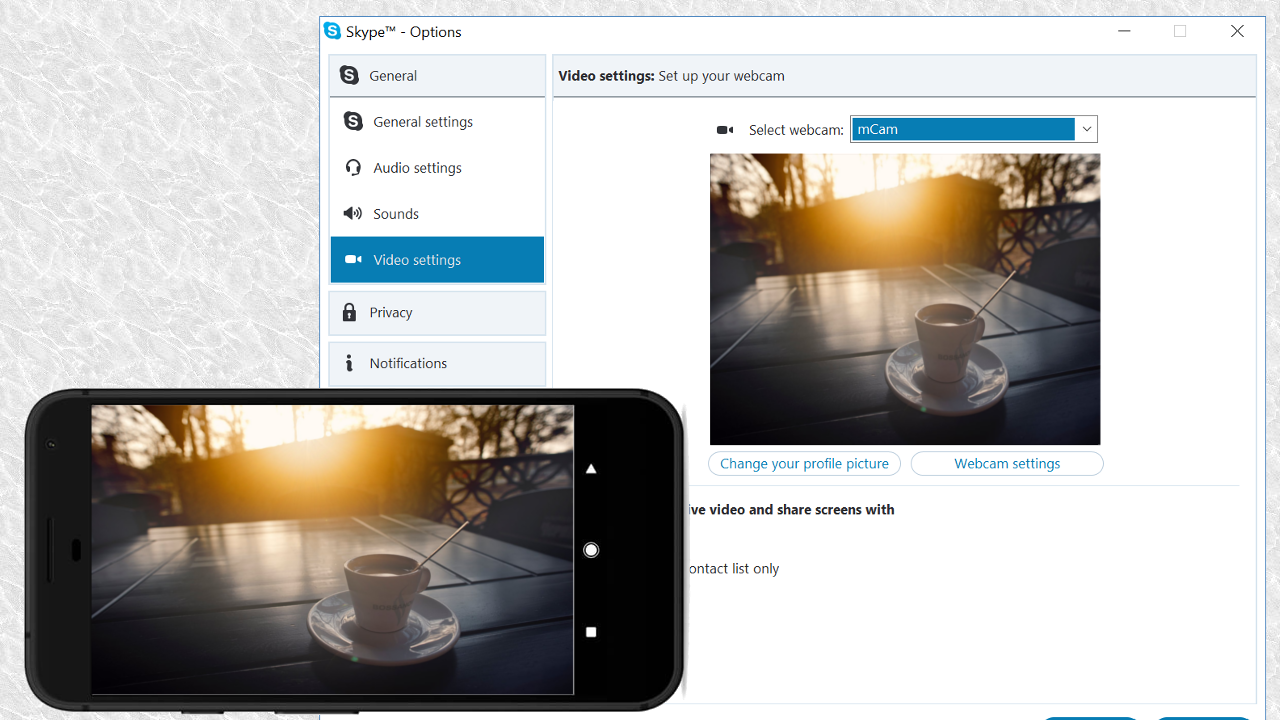
User Interface and Experience: Iriun 4K Webcam features a straightforward interface, making it accessible even for those with limited technical expertise. Launching the mobile app and desktop client establishes the connection, while major video platforms and apps (such as Skype, OBS, and Teams) will recognize Iriun as a selectable webcam source. Integration with some third-party applications on macOS, however, may require additional configuration, as certain apps default to the built-in FaceTime camera.
Flexible Video Quality Options: A standout aspect of Iriun is its support for resolutions up to 4K. The effective streaming resolution is contingent on the phone’s hardware, with many mid-range devices delivering smooth 1080p video. Users can adjust resolution and orientation settings within the app, providing flexibility for different streaming environments.
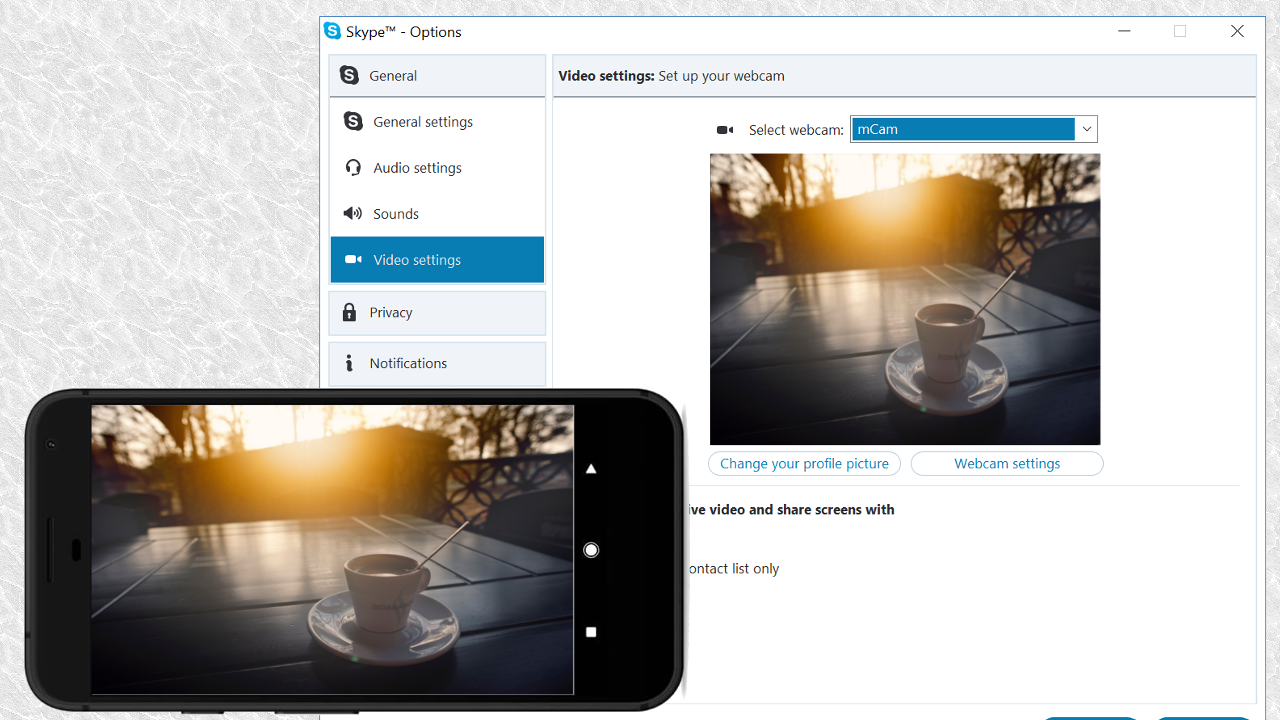
Iriun 4K Webcam caters to a wide audience, from casual users to professionals who require reliable webcam functionality. The app's design emphasizes user-friendliness, making it accessible for individuals who may not have extensive technical knowledge. The straightforward installation process and intuitive interface contribute to its appeal among users looking for a simple yet effective solution for video communication.
Security and privacy are also considerations for users of webcam applications. Iriun 4K Webcam prioritizes user data by ensuring that the connection between devices is secure. This aspect is crucial for individuals who may be concerned about unauthorized access during video calls or streaming sessions.
The app’s design takes into account the importance of minimal distractions. Users can benefit from an ad-free experience, allowing them to focus on their video calls or streams without interruptions. This aspect is particularly advantageous during professional meetings or important conversations, where maintaining attention is essential.
Moreover, the Iriun 4K Webcam app is regularly updated to improve performance and user experience. These updates often include bug fixes and enhancements that ensure compatibility with the latest devices and operating systems. Keeping the app up-to-date allows users to take advantage of new features and improvements as they become available.
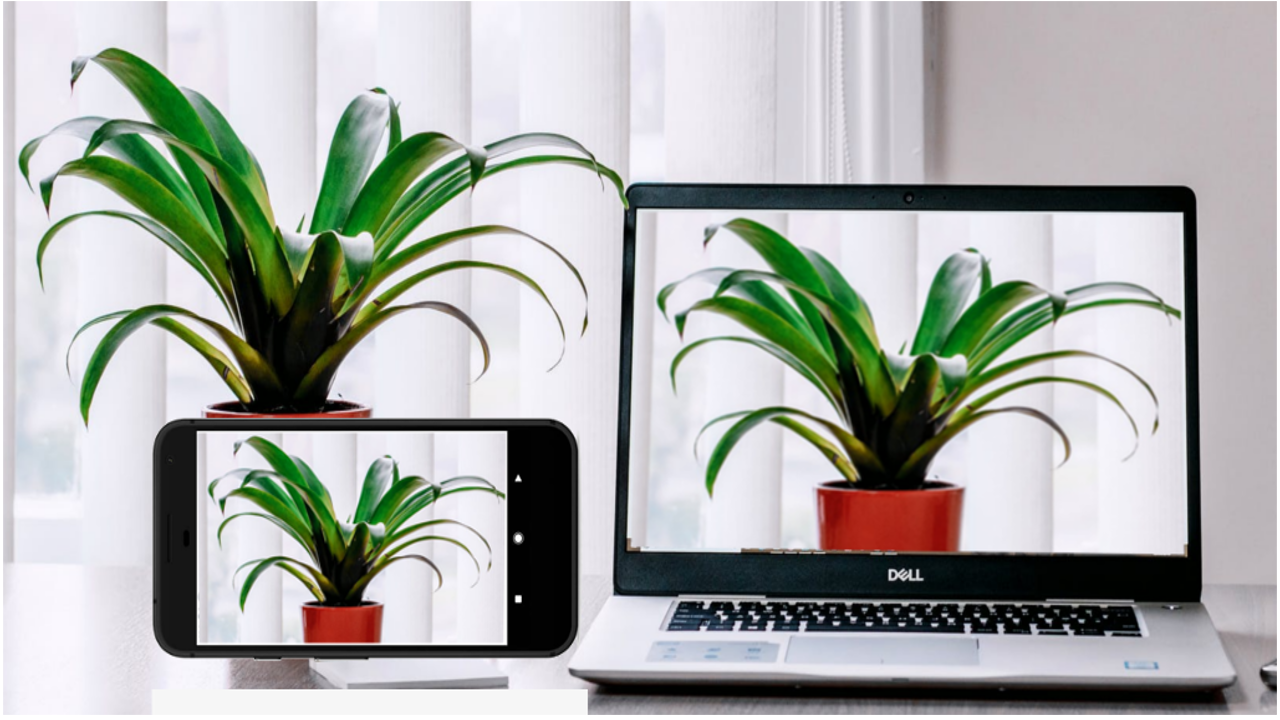
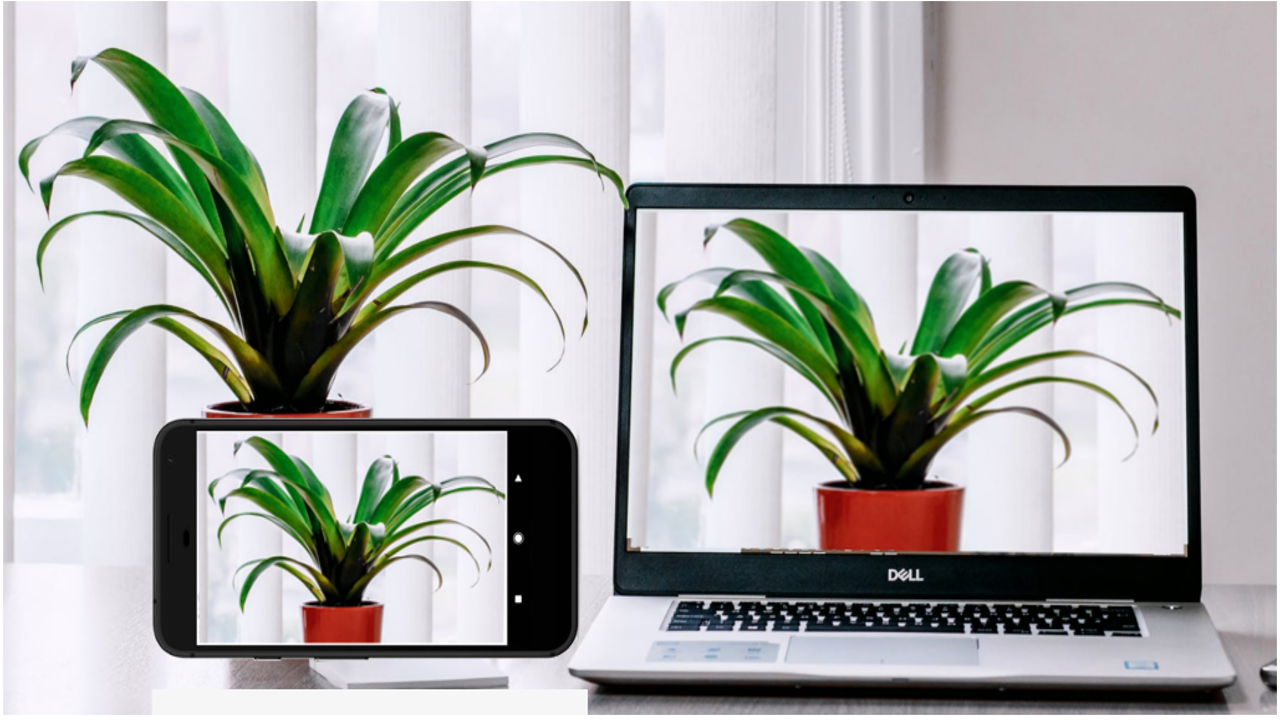
This app is friggin' great. I imagined downloading it and then spending a day figuring out how to get the laptop and cell phone connected. But no need. I literally fired up the cell phone app, fired up the laptop app, and started seeing big, crisp, live video! ETA: I'm using the app to monitor my 3D printer. I frequently print at night and I don't want to keep all the lights on. So I bought the Pro version of Iriun just now for $5.49 one-time payment, and does everything I need!
This app is easy to setup and works very well. Image quality is very good. Auto focus works really well. The computer side application allows connecting 3 phones simultaneously. It does work with lots of applications. I use it with OBS and have no issues with setting up the video capture device. Zoom has to be done from the phone but that is fine for me since I prefer to setup and not change anything during the stream or record session. The phone display can be set to dim automatically which does help to conserve battery life. Just a couple of thing I would like to see added to app. The ability to control brightness on the phone app. There are some situations where that would be very useful. I also would like the application on the computer to be able to always keep a specific phone as camera 1, 2, or 3. Currently whenever you connect a phone it randomly connects as 1, 2, or 3. For example, it would be great if I could configure a phone to always be camera 1. Other than that, this app is totally worth it.
Great App! There is one feature that would make it perfect imo. I use it to record my drum practice in OBS on a Windows 10 notebook, if I got a notification on my windows screen when someone texts or is calling it would be perfect! Other than that, it's still a great app! *For all the people having USB Connection issues, turning the WiFi function off completely on the phone (which I'm sure is less than ideal for some) solved the issue for me. Upgrading to HiSpd USB 3 Cable also helped IMO.
This is a lightweight, low latency, HD video app that supports up to 4 remote devices as webcams. I've tested it on a Windows PC with 3 Android phones and an iPad and it works like a charm. You have to specify the number of video inputs that you want when you install the program on the PC. The free version has a small watermark at the top left corner. You can configure this program as a video input in OBS, Zoom, etc. If you want to use it via WiFi, make sure that you have a fast connection (preferably on the 5 GHz band) and a strong signal. You can also use this over USB but it requires USB debugging to be enabled on your device. I really like this app!
Once you've selected the same network on both your smartphone and computer, you can begin. Simply select Iriun Webcam as the default camera for whatever program you plan to use. After that, the video will start streaming right away with whatever quality your smartphone camera offers. This app is compatible with up to 4K, so chances are that you'll get great results.
Size:7.5MB Version:2.8.10
Requirements:Android Votes:277
Package Name:com.jacksoftw.webcam Signature:541a197ba2ece267d093d9150f2edfdf
Transform your mobile device into a powerhouse of efficiency with these handpicked essential tools. Whether you need professional-grade photo editing, seamless file organization, smart task management, or real-time weather updates, our curated selection of premium apps delivers unbeatable performance. Streamline your daily routine, automate repetitive tasks, and boost your productivity with intuitive interfaces and powerful features. Designed for both professionals and casual users, these editor-approved applications will revolutionize how you work and play. Don't settle for an ordinary phone - upgrade your digital experience today and unlock your device's full potential!
With the development of mobile hardware and software, many practical tool software have emerged, covering a wide range of aspects and becoming a good helper for everyone in work and life. Today, the editor provides you with a list of useful tool software downloads. These tools are not particularly complex types, and after reading them, everyone can quickly learn how to use them. Proper use can bring great convenience to life and work.
About us | Contact us | Privacy policy| DMCA
Copyright © 2026 Xiaohei All rights reserved.