Install with Options is a full-featured installation management application. This powerful application utilizes Shizuku to run with shell privileges, allowing users to install various applications and software packages for a smooth user experience. With Install with Options, you only need to enable Shizuku on your device to begin installing various software packages, including a variety of interesting test-based and bypass-restriction packages, giving you complete control over your phone. Furthermore, the application supports installing split APKs or batch installing multiple independent applications, allowing you to install various APK packages at once.
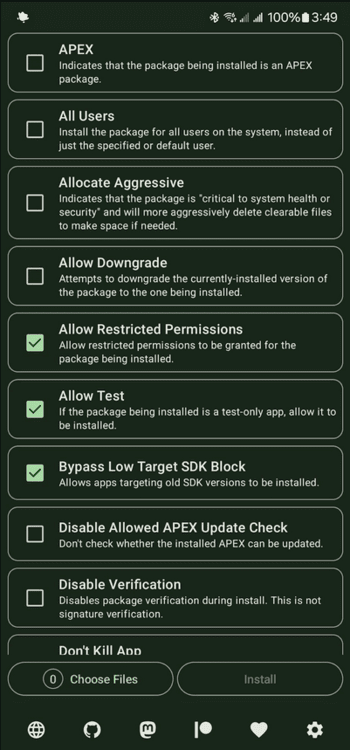
Tool to install APK files with advanced system parameters.
Integration with Shizuku to execute operations with elevated permissions without root.
Option to reinstall applications while keeping or replacing data according to settings.
Management of signatures and control over version conflicts.
Installation of packages as an update or as a new app.
Light and dark mode.
Open-source project with transparent development and public updates.
You need to have Shizuku installed
Install with Options depends on Shizuku to function with shell permissions, so before using this app, you need to have Shizuku active on your device. This dependency allows Install with Options to operate with the same level of access that you would have by connecting your smartphone to a PC, but without needing to leave your device plugged in during the entire process.
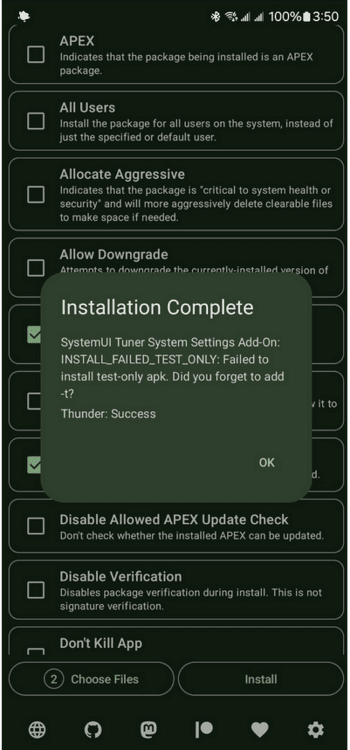
Install apps that Android says are not compatible
With Install with Options, you can install apps that Android blocks by default, including unsigned test apps. On devices with Android 14 or higher, this app also allows bypassing the restriction that prevents installing packages with a target SDK that is too old, which is useful when you need to keep a specific version of an app running that the system would otherwise consider obsolete.
Install older versions of apps
Install with Options includes an option for installing an older version of an app that you already have installed, instead of forcing you to uninstall it and install it again from scratch. This feature is somewhat limited on recent versions of Android, in which the system requires root permissions or that the app in question be compiled in debug mode before allowing the downgrade.
Split APKs and batch installation
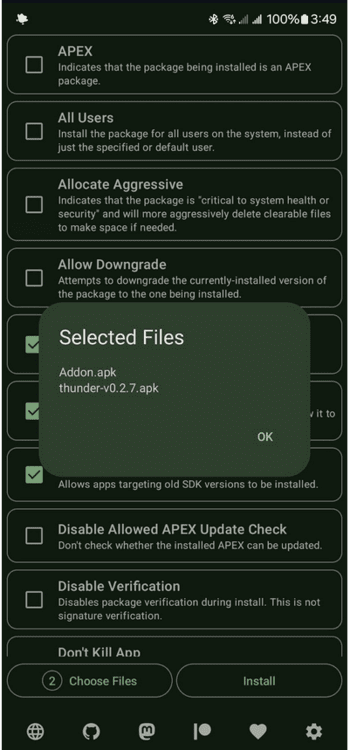
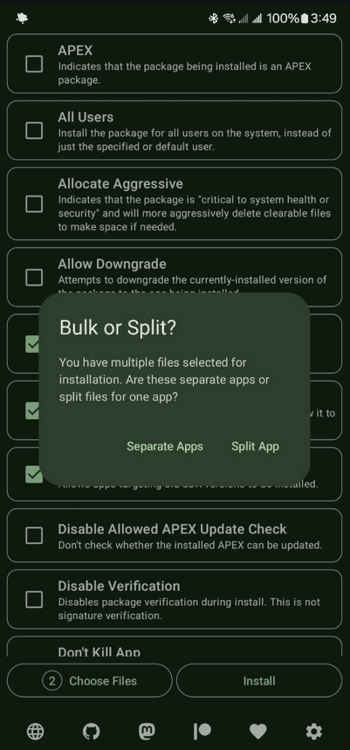
Many modern apps are distributed in multiple separate files instead of a single APK, and Install with Options recognizes that split format without you having to manually combine the files before installing. It also supports the installation of several different apps in a single batch, so if you need to install several APKs at once on the same device, there is no need to repeat the same process one app after another.
Disabling basic verification
When a specific APK needs to bypass standard package verification to install correctly, Install with Options offers that option explicitly. To be clear, this does not override the signature check between different versions of the same app, so if the new APK has a different signature than the one that's installed, you will still need to uninstall the previous version before continuing.
You want to install incompatible or outdated Android apps directly, bypassing system compatibility restrictions
You value managing split APKs and batch installations efficiently on-device, without needing a computer
You seek ADB-level installation options like downgrades and relaxed verification using Shizuku shell access
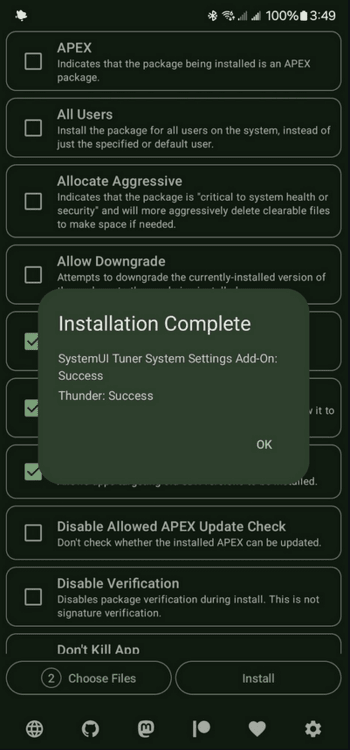
Install with Options uses Shizuku to run with shell permissions, allowing you to install test-only apps, bypass Android 14's target SDK limit, downgrade certain packages, and more, all without leaving your phone (at least on Android 11 and later). It also supports installing split APKs or batch-installing multiple separate apps.
Size:12.49MB Version:0.9.2
Requirements:Android Votes:365
Package Name:dev.zwander.installwithoptions Signature:16d74d8c01ce92636837e7e57b7f99c9
Utility apps are indispensable in our lives, making our daily routines more convenient. To help you find these apps more easily, this site has created a collection. This collection brings together a series of practical tools covering various aspects of life, work, and education, meeting all your needs. What are you waiting for? Try these apps now and make your life easier!
With the development of mobile hardware and software, many practical tool software have emerged, covering a wide range of aspects and becoming a good helper for everyone in work and life. Today, the editor provides you with a list of useful tool software downloads. These tools are not particularly complex types, and after reading them, everyone can quickly learn how to use them. Proper use can bring great convenience to life and work.
About us | Contact us | Privacy policy| DMCA
Copyright © 2026 Xiaohei All rights reserved.