LemonLoader is a game installation framework, also known as a game modifier. It can automatically patch games, check game permissions, guide the game installation package to release files, and safely install the game onto the phone. This app is open source and risk-free. It can perform module injection. If you want to install a certain plugin or function, you can use this framework to inject it. It is an essential tool for mobile game enthusiasts.
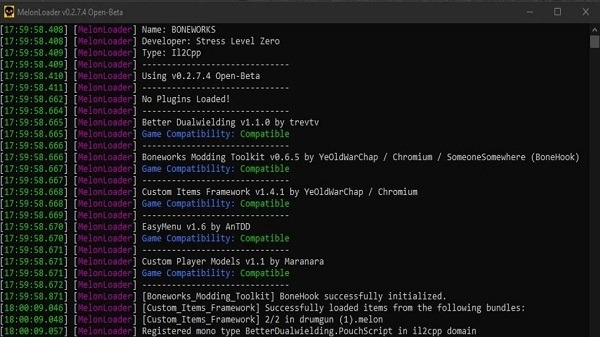
One tap MelonLoader setup
LemonLoader installs the MelonLoader framework for supported Unity games with a single action. You do not need to manage multiple tools or move files by hand. This approach helps both first time users and experienced modders start faster with MelonLoader on Android.
Automatic game patching
The app patches supported games so they can load mods through the MelonLoader framework. After you select a game, LemonLoader handles configuration tasks in order and confirms each step. As a result, you can focus on choosing mods later instead of troubleshooting setup steps now.
On device workflow with fewer manual steps
Everything runs on your Android phone, from permission checks to patching. LemonLoader keeps the process contained, so you avoid copying files to a PC or editing configuration files manually. This reduces chances of mistakes and shortens the time from install to first launch.
Clear permissions and guided setup
LemonLoader presents each required permission in a straightforward way. You see what is needed and why before continuing. The guided flow helps you select a game, start the patch, and confirm when the setup is complete, which improves consistency across different devices.
Open source and built for reliability
The project is open source, with code available for community review on GitHub. This transparency helps users understand how the tool works and contributes to trust. The design aims to reduce installation errors, making it approachable for beginners and efficient for advanced users.
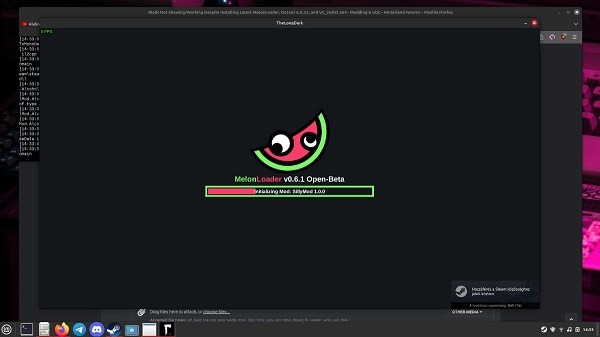
MelonLoader for Android
LemonLoader brings MelonLoader’s powerful mod loading features to Android devices, supporting a wide range of Unity-based mobile games.
Modding Unity Games on Android
Patch and mod your favorite Unity engine games using MelonLoader through LemonLoader’s straightforward interface.
No Mods Included
LemonLoader provides the loader only — you must find and install compatible mods from official communities or trusted sources.
Minimalist, Intuitive UI
Designed for ease of use with a clean interface that requires minimal setup once permissions are granted.
In Active Development
The app is still evolving. Use with caution and stay updated on new releases.
The basic flow is simple and runs entirely on your phone. To get started, download LemonLoader and open it on your device. The process follows a clear order so you can complete setup in minutes.
Open LemonLoader and review the permission prompts. Grant the requested access so the app can detect your game and apply changes.
Next, choose the installed Unity game you want to prepare. Select it from the list or use the picker if the game is not shown immediately.
Then start patching. LemonLoader installs MelonLoader components and configures the game for mod loading. Wait until the app confirms the process is complete.
After that, launch the patched game from its regular icon. On first run, the framework initializes and creates the folders needed for mods.
Finally, add compatible mods later by placing them into the generated Mods folder as instructed by the mod author. Relaunch the game to see changes.
What is Lemon Loader?
Lemon Loader is a utility app for Android that automates game and app modding by applying custom modifications directly at launch.
How does Lemon Loader work?
The app runs in the background, detecting compatible mods and injecting them automatically, saving users from complex manual steps.
Is Lemon Loader safe to use?
It includes sandboxed mod execution for stability, but since it requires root access, users should be cautious about security risks.
Who should use Lemon Loader?
It’s suitable for Android gamers and tech enthusiasts who enjoy customizing apps, tweaking graphics, or testing community-made mods.
What are the downsides of Lemon Loader?
The main drawbacks are the need for root access, which can void warranties, and the risks that come with altering system settings.
LemonLoader is an open-source Android application and installer designed to bring mod loading capabilities to Unity-engine games on Android and VR platforms. It makes it easier to install and run mods by automating the integration of MelonLoader into compatible Android titles — most notably VR games like BONELAB on Meta Quest.
Size:29MB Version:1.0.0
Requirements:Android Votes:349
Package Name:com.lavagang.melonloader.installer Signature:ed3691260341537e658aae3d08550f3b
Welcome to our collection of game customization tools! These apps help you personalize your gameplay. You can access premium content, enjoy more in-game resources, or opt for an ad-free experience. Apps like Game Guardian and Lucky Patcher allow you to adjust game parameters. Just a heads-up, it's good to be mindful of the game's original terms of service. Feel free to explore and elevate your play, but always use them responsibly.
About us | Contact us | Privacy policy| DMCA
Copyright © 2026 Xiaohei All rights reserved.