Ruok FF Auto Headshot is a game cheat tool that can adjust the game's DPI value, i.e., resolution, to make the game run more smoothly, expand the player's field of view, quickly adjust weapon sensitivity, and has anti-lag functions. The simple interface allows users to get started quickly. Its biggest feature is that it can be set to automatically headshot, providing players with the space to cheat, allowing them to use cheats to get more thrills and show off their skills in the game.
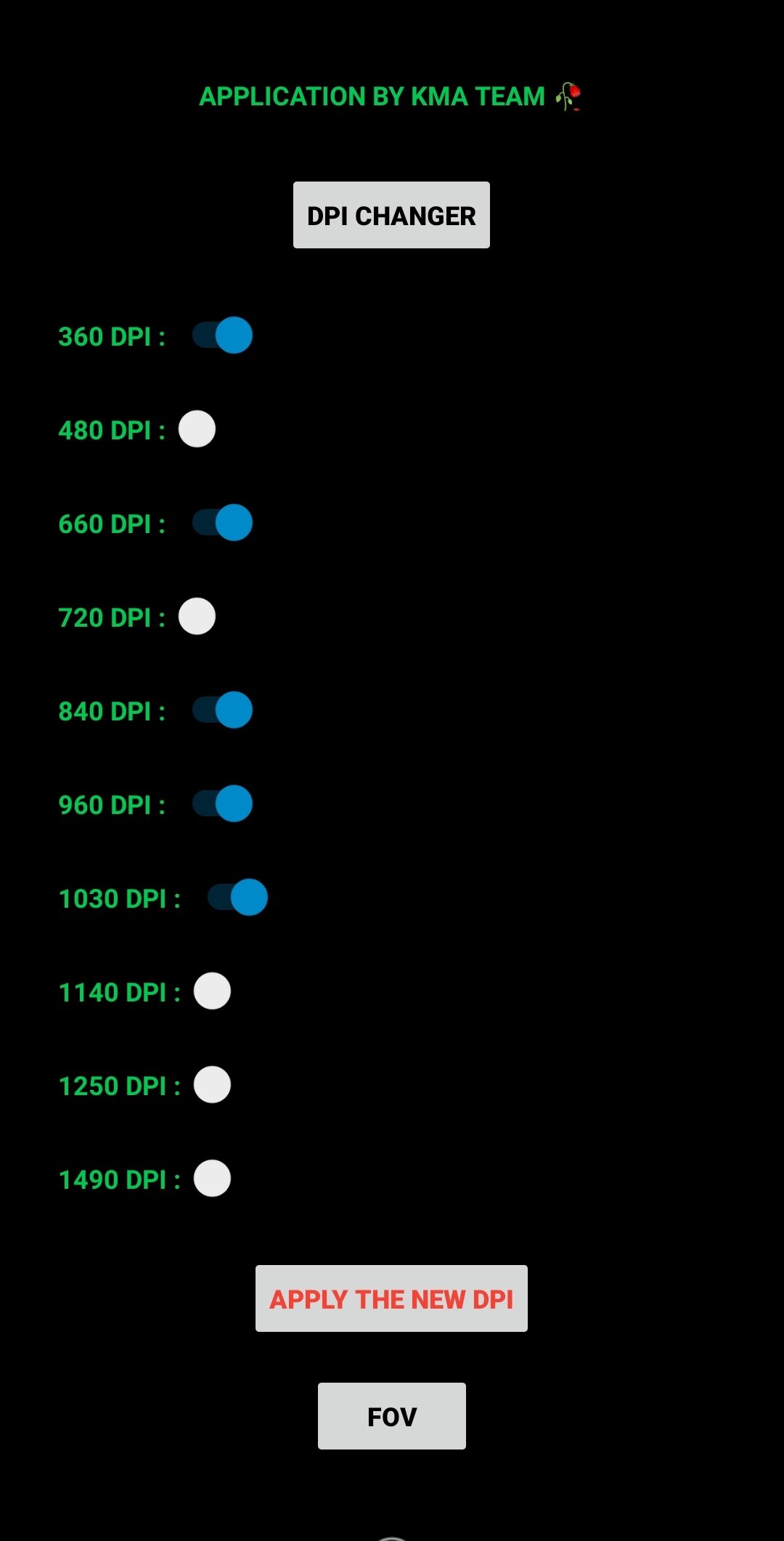
DPI Changer
The App lets you change the DPI or resolution of Free Fire. You can choose from 360 DPI, 480 DPI, 660 DPI, 720 DPI, 840 DPI, 960 DPI, 1030 DPI, 1140 DPI, 1250 DPI, and 1490 DPI.
FOV
You also get the option to choose the FOV or field of view. You get four options, 30FOV, 60FOV, 90FOV, and 120FOV.
Sensitivity
Sensitivity is one of the main functions when it comes to touch screen controls. This Application allows players to adjust the sensitivity. You can choose from 999X, 1999X, 2999X, 3999X, 4999X, 5999X, and up to 19999X.
Sensibility
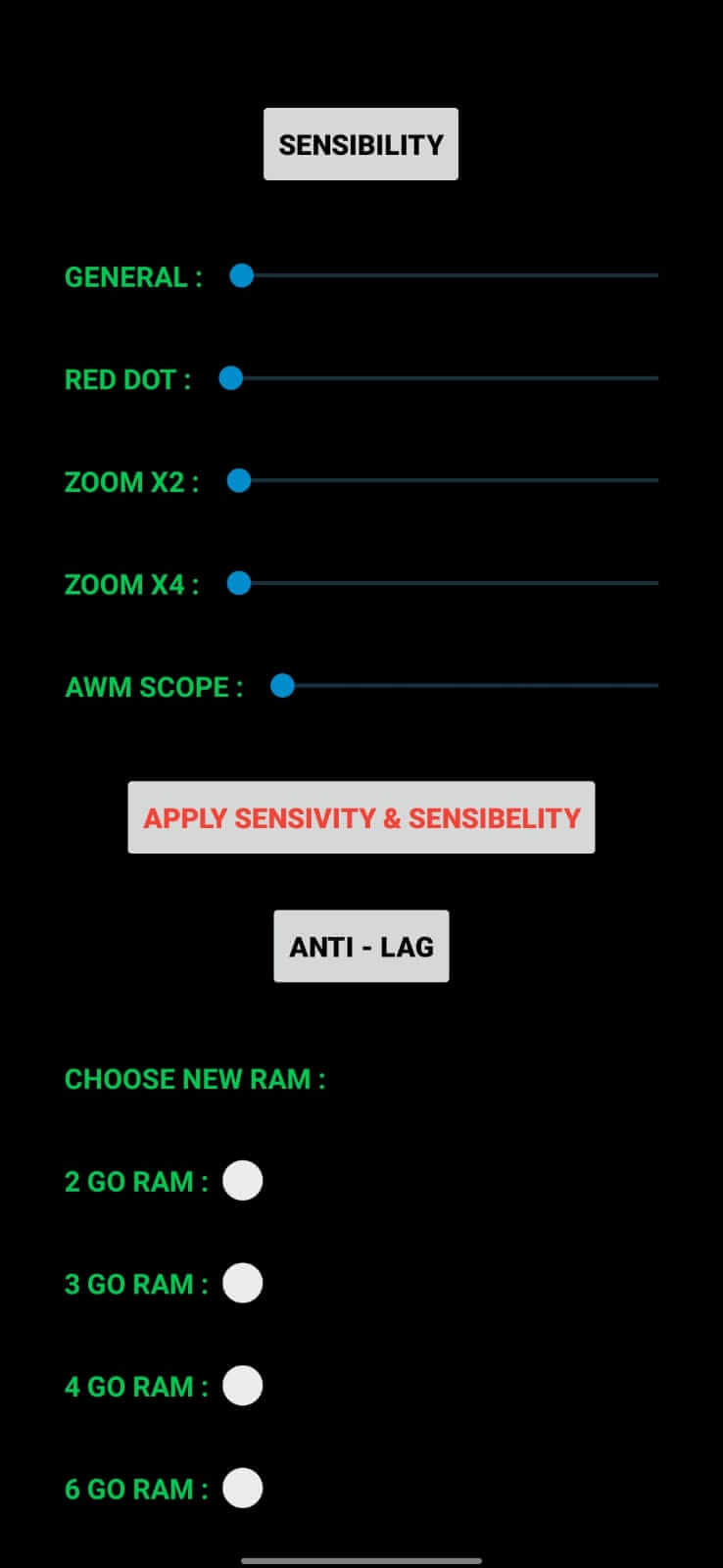
Another primary function is sensibility. The App allows you to adjust the sensibility for headshots. It includes General Sensibility, Red Dot Sensibility, Zoom X2 Sensibility, Zoom X4 Sensibility, and AWM Scope Sensibility.
Anti-Lag
The App makes sure that you enjoy the game smoothly. It offers an Anti-lag feature and allows you to choose a new RAM. You can choose from 2 GO RAM, 3 GO RAM, 4 GO RAM, 6 GO RAM, and up to 12 GO RAM.
Weapons
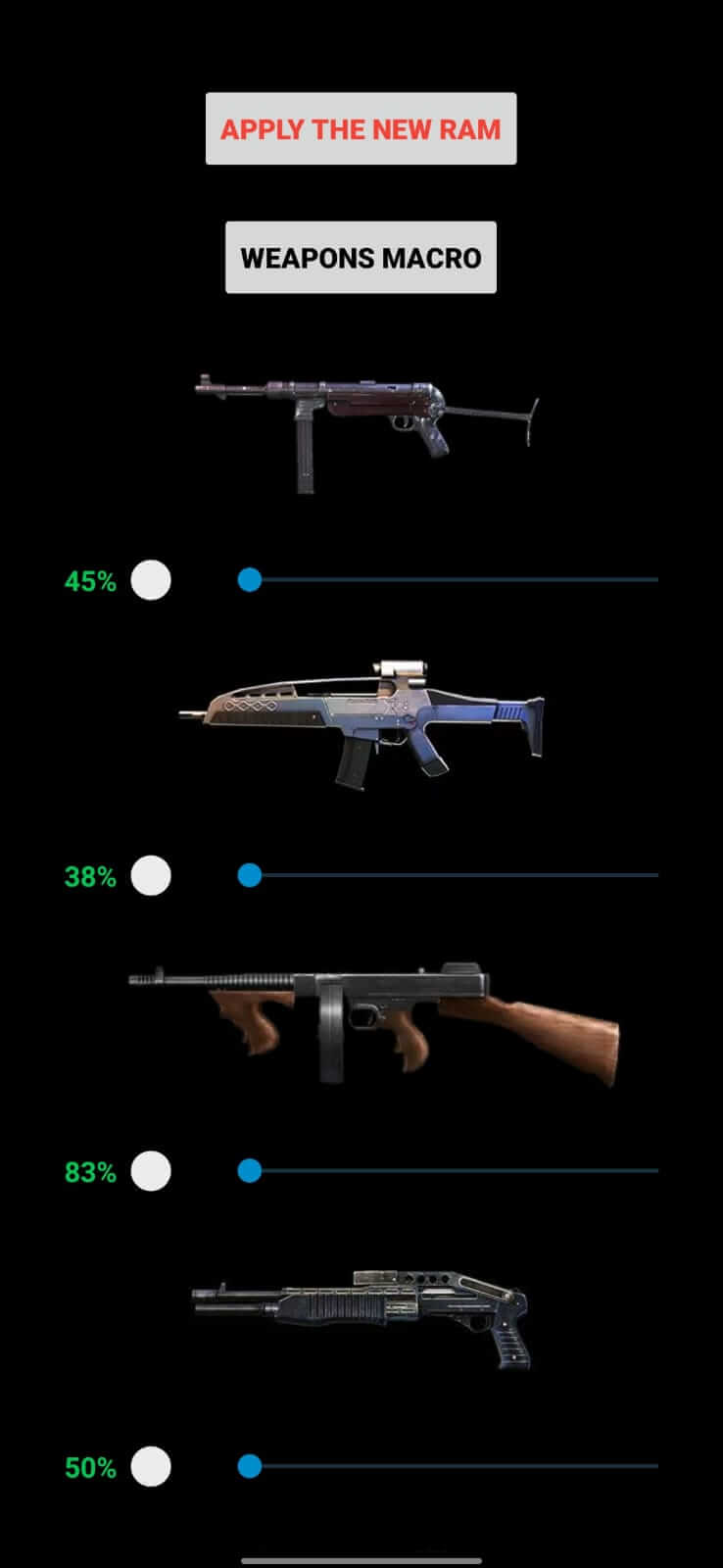
With this App, you can also adjust the sensibility of Macro Weapons. You will see a list of macro weapons and a slider under them. You can drag the slider to adjust it from zero to maximum.
Pros
Simple and intuitive user interface
Detailed weapon customization options
Significant aiming assistance through enhanced sensitivity settings
Free to use
Cons
Risk of account suspension or ban in competitive matches
Requires permission to install applications from unknown sources
How do you set Auto Headshots?
You can use the Ruok FF Auto Headshot App. It allows you set auto headshots for free Fire. Also, you can enjoy more advantages.
What is headshot sensitivity in the free Fire?
The Ruok FF Auto Headshot App lets users get the best sensitivity settings for headshots. Set the General, Red Dot, 2X Scope, 4X Scope, and AWM Scope sensibility from zero to maximum.
Is Ruok FF Auto Headshot safe?
Yes, the tool is safe. It comes with an anti-ban feature that protects your free account from banning.
Ruok FF Auto Headshot is a free utility tool for Android that enhances Weapon Handling and sensitivity in Free Fire. Winning is not easy in Free Fire. Aiming and handling weapons can be difficult while moving to keep yourself safe. So, the App helps players to win the game by offering many advantages, including Auto headshots and Advanced level sensitivity control.
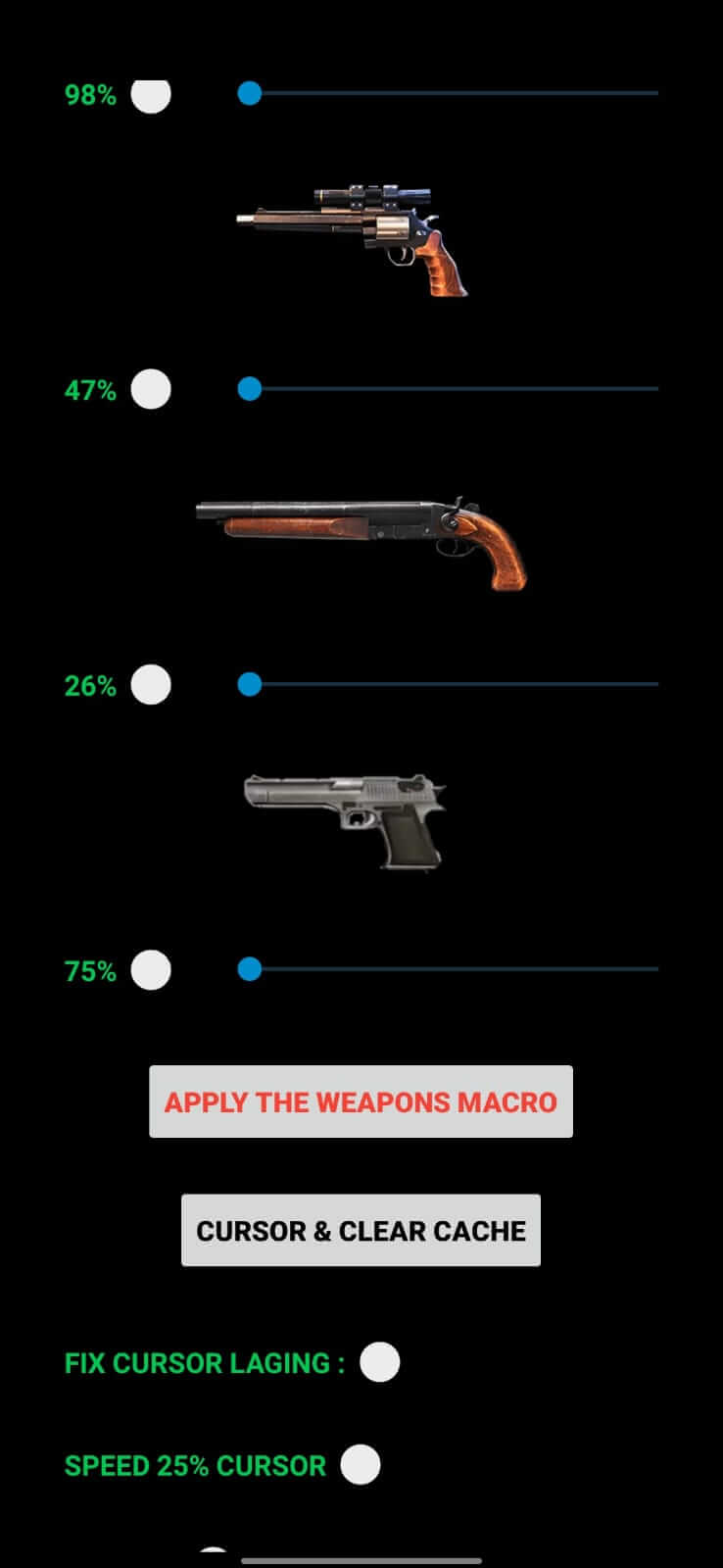
Moreover, it offers Improved Weapon handling, enhanced weapon sensitivity, increased touchscreen aiming, and more. The App is developed by Head Macro Team to offer Free Fire extras for better performance. It has features like DPI Changer, FOV selection, Sensitivity and Sensibility setup, Anti-Lag, Weapon Sensitivity Adjustment, and Cursor and clear cache functions. All these features are described in detail below.
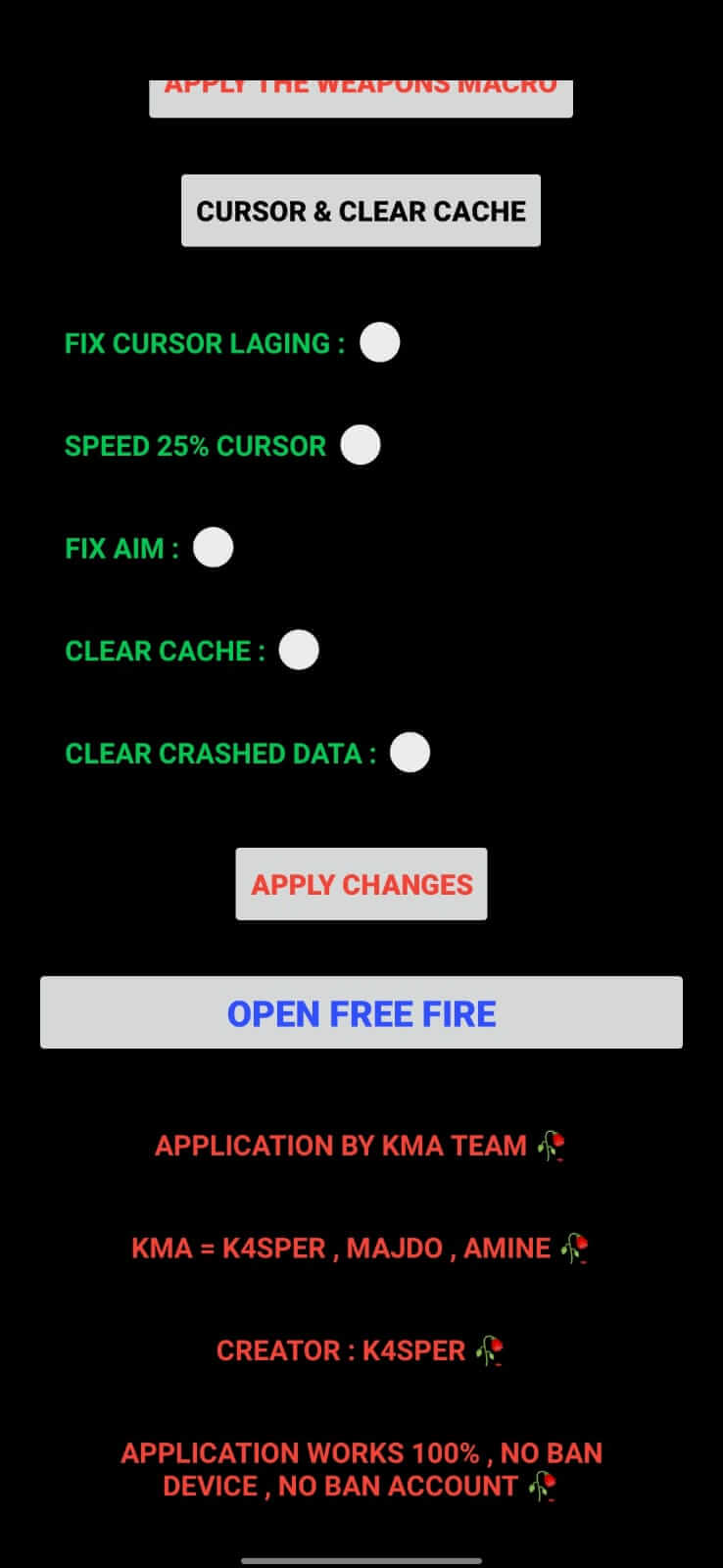
So, that was all about Ruok FF Auto Headshot App. You can use the App for free. The App helps you improve weapon handling and sensitivity for Free Fire’s best shots and headshots. It allows you to adjust sensitivity for specific weapons and change RAM for smooth gameplay. And if you have doubts about whether you can rely on the App or not, it is absolutely safe to use. The App has many features you can use for free; you don’t need a registration to use it. Download the App from our website and ensure your win in Free Fire.
Size:1.13MB Version:19.18
Requirements:Android Votes:528
Package Name:com.my.headmacro Signature:23416711af16babc5b0ec181f52cbac7
Welcome to our collection of game customization tools! These apps help you personalize your gameplay. You can access premium content, enjoy more in-game resources, or opt for an ad-free experience. Apps like Game Guardian and Lucky Patcher allow you to adjust game parameters. Just a heads-up, it's good to be mindful of the game's original terms of service. Feel free to explore and elevate your play, but always use them responsibly.
About us | Contact us | Privacy policy| DMCA
Copyright © 2026 Xiaohei All rights reserved.