YouTube MP3 is a powerful YouTube video downloader. This application offers streamlined functionality, designed to download videos in a single step, saving users time to enjoy a variety of interesting videos. With YouTube MP3, users can extract audio from videos and save it as an MP3 file to their devices. Regardless of video length, you can easily download these videos; the tool automates the process in just a few simple steps. After downloading, you can listen anytime, anywhere, immersing yourself in the world of music even without an internet connection.
The app is very user-friendly and easy to use.
It has a clean and modern interface.
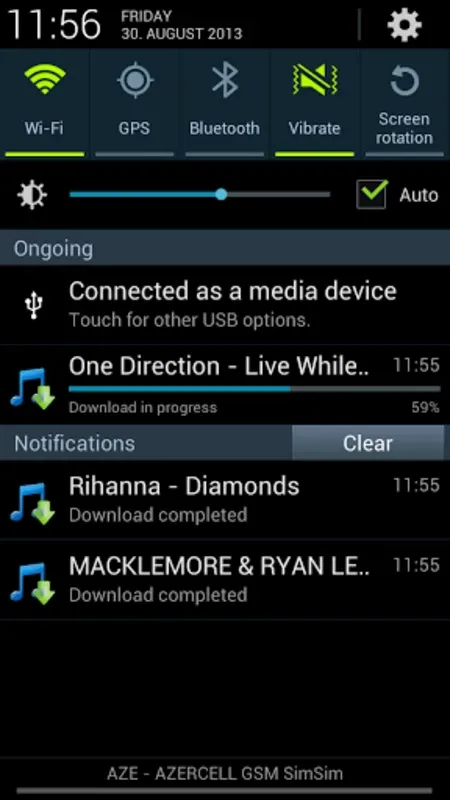
It allows you to download MP3 files from YouTube directly onto your Android device.
The quality of the MP3 files is very good.
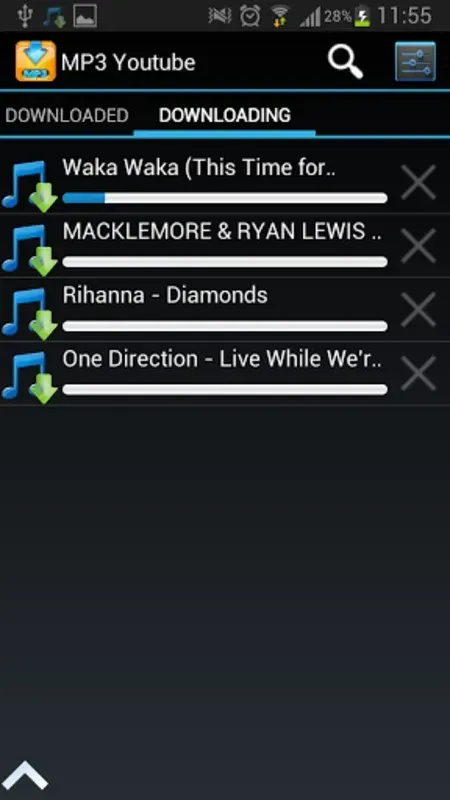
Quick and Easy Song Downloads: YouTube MP3 allows you to download songs from YouTube quickly and easily. With just a few taps, you can have your favorite songs saved on your device.
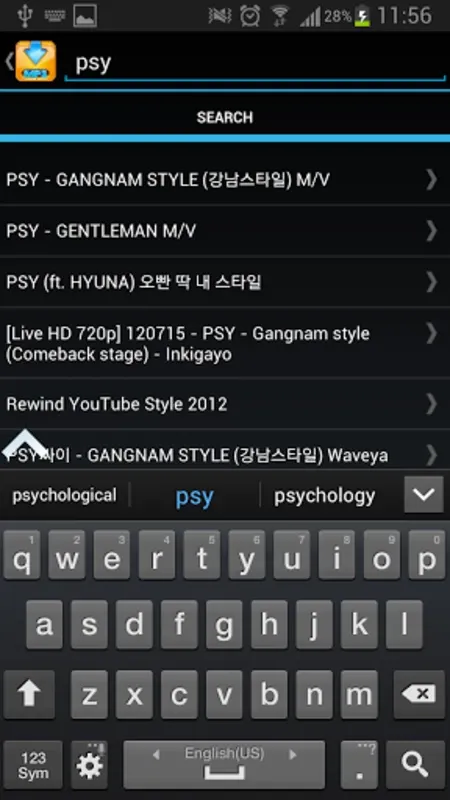
Simple User Interface: The app is designed with a user-friendly interface, making it easy for anyone to navigate and use. You can easily search for the song you want and download it with just a few simple steps.
Listen Before Downloading: Before downloading a song, you have the option to listen to it first. This feature allows you to preview the song and ensure that it is the one you want before downloading it.
Convert YouTube Videos to MP: In addition to downloading songs, YouTube MP3 also allows you to convert any YouTube video into an MP3 file. This means you can extract the audio from any video and listen to it as an MP3 whenever you want.
Access Downloaded Songs: All the songs you've downloaded are conveniently stored within the app. You can easily access and listen to them without the need for an internet connection.
Fast and Efficient: YouTube MP3 provides a fast and efficient way to download songs and convert videos. You can save time and enjoy your favorite music without any hassle.
1. Grab the video link: Locate the YouTube video you want, then copy its URL (on mobile, tap “Share” and choose “Copy Link”). Shorts are supported too.
2. Paste the URL here: Return to this page and paste the video link into the input field. Please avoid pasting URLs of live streams or videos with restrictions.
3. Choose audio or video: Decide whether you want to convert to MP3 or download the video. For video, you can select from various resolutions up to 4K.
4. Trim if needed: Want only part of the audio? Use the trim feature to set your start and end points before submitting.
5. Select quality: Choose between various bitrates for audio (64kbps–320kbps) or resolutions for video (360p to 4K).
6. Start the conversion: Click the “Convert” button to initiate the process.
7. Wait briefly: Usually, conversions finish in under 30 seconds—even longer videos complete swiftly.
8. Download your file: When ready, a download button will appear—click to save the MP3 or video file.
9. Support the project: This tool stays free thanks to generous donations. If this service helps you, consider supporting via the donation link that appears post-conversion.
Pros
Offline playback for listening without an internet connection
Background listening supports multitasking and screen-off playback
Supports downloading full albums or individual picks for a personal library
Aims for a simple, easy-to-use experience
Cons
Primarily focused on basic downloading and playback, so it may feel limited if you want broader music library tools
Centered on YouTube-sourced content, which can be a narrow fit if you rely on other audio sources
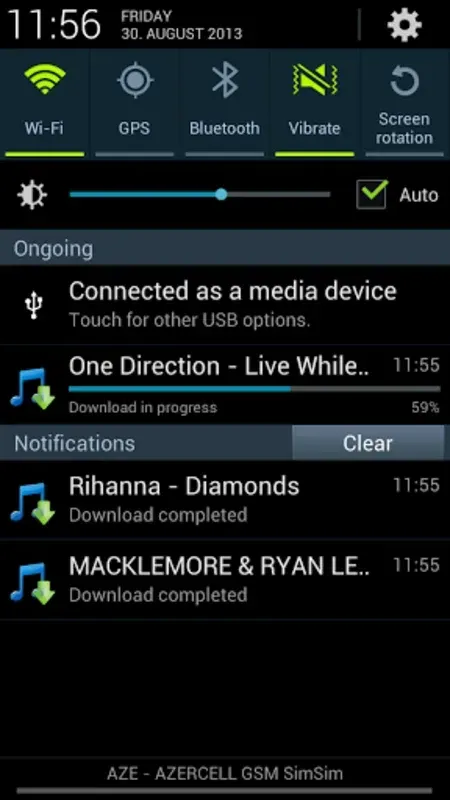
Another notable function is that once you've completed the download, you can share the file through Whatsapp with your contacts. Plus, YoutubeMp3 lets you play the downloaded file right in the app using its own player. If you want to save a song or video that's been uploaded to YouTube, Youtube MP3 offers a simple and quick solution.
Size:6.2MB Version:1.2.86
Requirements:Android Votes:61
Package Name:com.youtube.mp3 Signature:927ca44949d7788aa86f9d7f04d7fdacecd1dfb9
Video Editor is a powerful software tool designed for crafting, refining, and enhancing video content. It enables users to transform raw footage into compelling visual narratives or effective communication platforms. As digital media continues to evolve, video editing has grown in significance - no longer just a professional necessity but also an accessible skill for everyday creators. Modern editing tools now offer intuitive interfaces, AI-powered features, and cross-platform compatibility, making high-quality video production achievable for both experts and casual users alike.
In the era of popular short videos, it seems that everyone can edit, which has become an essential skill. The editor brings you a ranking of video editing software that is good. Editing videos seems to be a daily routine, used by both internet celebrities and daily life recorders. The editing techniques are also different. The videos edited by professional personnel are more shocking and beautiful, while those edited by non professional personnel are ordinary. Below, the editor will organize some useful video editing software.
About us | Contact us | Privacy policy| DMCA
Copyright © 2026 Xiaohei All rights reserved.