GG Mouse Pro 3 is a game emulator designed for mobile devices, allowing users to enjoy a variety of popular titles and connect to various smart peripherals on their phones. After device calibration and button layout reconfiguration, users can enjoy a comfortable gaming experience. The software features an active community where users can interact, share their keyboard layout settings, and favorite game genres. At the same time, the software prioritizes user privacy, refraining from collecting usage logs and game data, and encrypting any such data for safe and secure use.
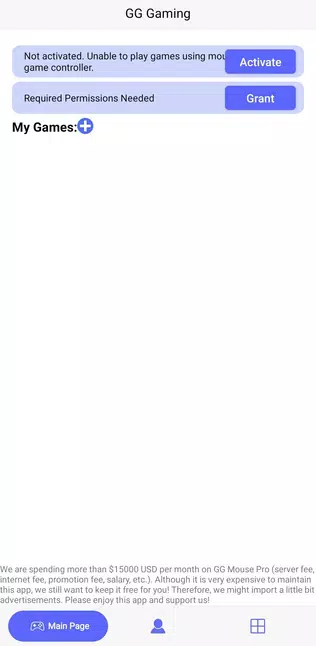
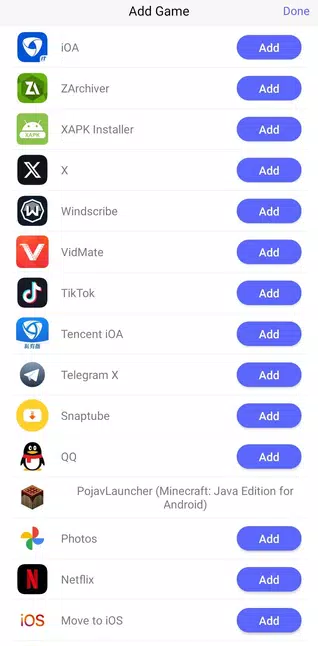
Desktop grade control for mobile games: GG Mouse Pro 3 lets you use a physical keyboard and mouse to aim, tap, and swipe on your Android screen. This gives you direct, precise inputs, and it helps with fine control in shooters, MOBAs, and other action titles.
Custom key mapping for every title: You can assign keys and mouse buttons to on screen controls and save different layouts for different games. This makes it easy to switch playstyles and keep controls consistent across your library.
PC or Mac peripherals on your phone: GG Mouse Pro 3 works with your existing desktop keyboard and mouse. You do not need to run a full emulator on the phone, and you can still get an emulator like feel during gameplay.
Fast setup with community guidance: The app uses a clear connection flow, and there are many community tips that help you fine tune sensitivity and layout. This support shortens the learning curve and gets you into a match faster.
Responsive inputs without extra overhead: Inputs are translated to the touch interface on your device, and that keeps interaction responsive in supported games. As a result you can aim and move with confidence while keeping your phone’s performance focused on the game.

In-Game Overlay for Real-Time Adjustments: An innovative aspect of GG Mouse Pro 3 is its in-game overlay, providing players with the ability to make real-time adjustments without exiting their game. This feature empowers users to fine-tune their settings dynamically based on their current gameplay needs. Whether it’s adjusting sensitivity on the fly or remapping controls during critical moments, players have the power to adapt instantly.
Enhanced Visual Feedback and Interactions: The application includes visually intuitive feedback mechanisms that enhance player interaction. This visual component adds clarity to how inputs translate into in-game actions. With GG Mouse Pro 3, users gain a deeper understanding of their controls, facilitating a more engaging gaming experience.
Ensuring Compatibility Across Devices: GG Mouse Pro 3 is engineered with versatility in mind, supporting an extensive range of devices beyond just standard mobile phones. It is compatible with tablets and a variety of operating systems, making it an ideal choice for those who enjoy gaming on different platforms. This kind of inclusivity ensures that gamers can enjoy consistent performance across their favorite devices.
Dear developers, Please fix the random joystick issue in PUBG Mobile. It has become extremely frustrating, especially after the latest update. The joystick sometimes moves unpredictably, which seriously affects gameplay and player experience. I hope this issue can be resolved as soon as possible. Thank you.
my experience is not very good because the developers have remove the double device activation and i cant activate gg mouse 3 and cant play with keyboard and mouse please developer need tofocus on this topic.
Amazing app! Smooth gameplay, stable FPS, and a great experience. Highly recommended. Keep up the great work!
Very nice app. Tho can we have direct switch to other configuration? Like we just hit a keyboard shortcut and the configuration will be to the other one. It's needed for games that have other control placements for riding and other activities.
This app is an absolute game-changer! It's completely free, yet it offers features that rival the Flydigi Q1 converter. You won't experience any lag or stutter while playing with a mouse - it's like using a high-end PC emulator! What's more, there are no pesky subscription fees to worry about. And the cherry on top? Regular updates, with a mind-blowing frequency of 2-3 updates per week! I'm blown away by its performance and functionality. If I could, I'd give it a stellar rating of 10/10.
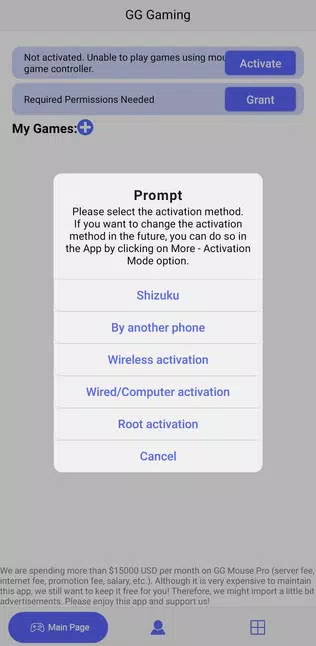
Is root required?
No! GG Mouse Pro 3 does not require root access. You can use all features without rooting your device.
What devices are supported?
GG Mouse Pro 3 supports Android 7.0 and higher. Works with most Android devices and compatible mice.
How do I get support?
You can reach our support team via the Support section, Telegram, Discord, or email. We're here to help!
Can I use multiple activation methods?
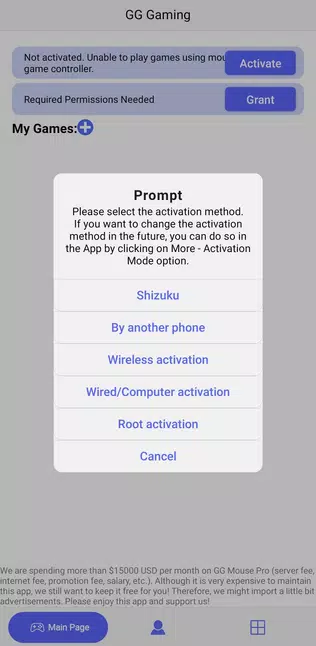
Yes! You can choose from wireless, wired, or device-to-device activation depending on your needs.
Is there a free trial?
Yes, GG Mouse Pro 3 offers a free trial so you can test all features before committing.
How do I install GG Mouse Pro 3?
Download the APK from our website, enable unknown sources in your settings, and install the app. Follow our step-by-step installation guide for more details.
GG Mouse Pro 3 functions as a converter, allowing a physical mouse and keyboard to control games on an Android device. This setup can offer a different feel for certain mobile titles, particularly shooters, where some users report responsive input with minimal delay. The software includes customizable key mapping, letting players adjust controls to their preference.
Size:38.1MB Version:3.2.1
Requirements:Android Votes:157
Package Name:com.zjx.ztezscreenshot Signature:ea8ff81a370b79c32be62a17dd39198884f9a154

Utility apps are indispensable in our lives, making our daily routines more convenient. To help you find these apps more easily, this site has created a collection. This collection brings together a series of practical tools covering various aspects of life, work, and education, meeting all your needs. What are you waiting for? Try these apps now and make your life easier!
Transform your mobile device into a powerhouse of efficiency with these handpicked essential tools. Whether you need professional-grade photo editing, seamless file organization, smart task management, or real-time weather updates, our curated selection of premium apps delivers unbeatable performance. Streamline your daily routine, automate repetitive tasks, and boost your productivity with intuitive interfaces and powerful features. Designed for both professionals and casual users, these editor-approved applications will revolutionize how you work and play. Don't settle for an ordinary phone - upgrade your digital experience today and unlock your device's full potential!
About us | Contact us | Privacy policy| DMCA
Copyright © 2026 Xiaohei All rights reserved.