App Manager is a user-friendly application management tool that supports batch processing, allowing users to update, move, and delete software with a single click. It lets users install various file formats, games, and documents, and automatically records installation and uninstallation history, giving users a chance to undo their changes. Users can share important files with friends via links, speeding up communication. Furthermore, the software helps clean up junk files and duplicate files in internal storage, further improving phone performance.
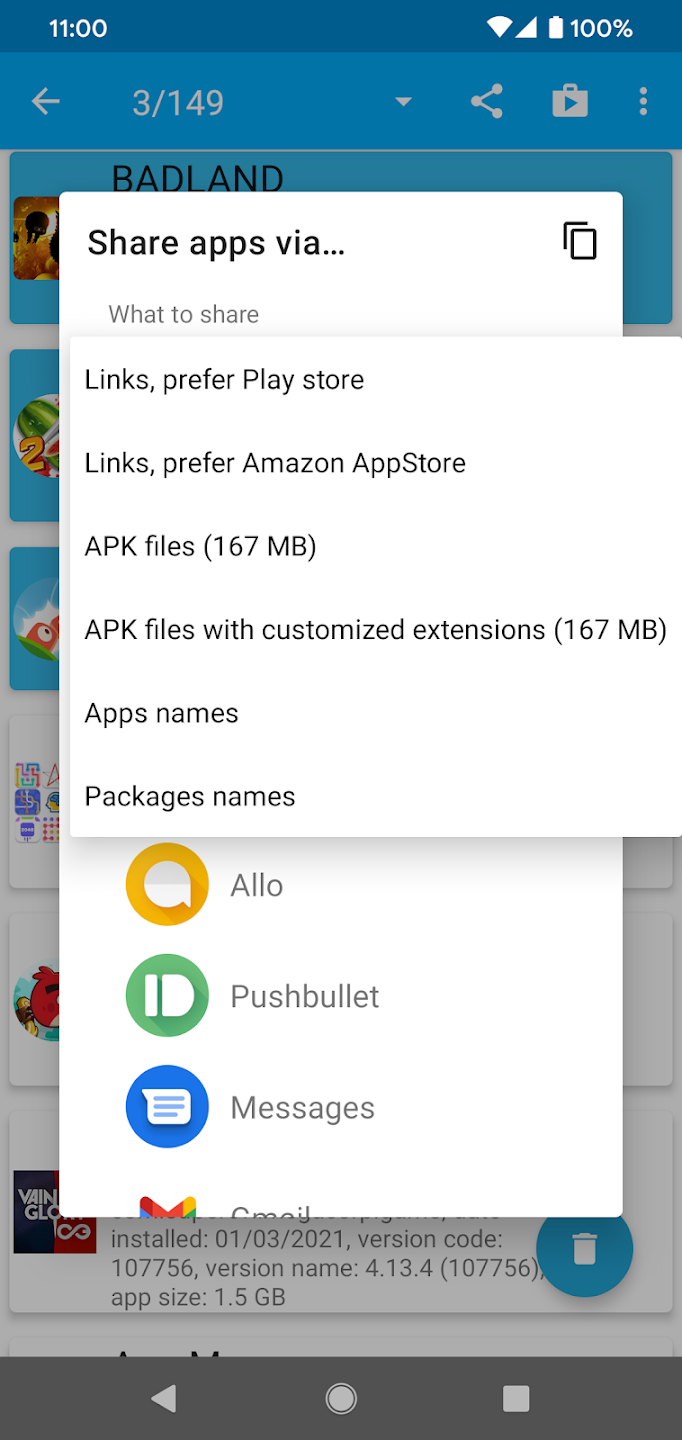
Outstanding Application Management: App Manager is a versatile tool offering a plethora of features that enhance user control over their applications. Users can view an application's detailed information, including its package name, installed and updated dates, storage size, and permissions. This feature is particularly useful for users who are keen on understanding the specifics of their installed applications.The application also provides a feature to back up APK files to a local device. This feature comes with a verify option that confirms whether the APK file has been successfully backed up. This ensures that users can keep track of their application backups effectively.
Effective App Display: App Manager provides several display options to view applications. Users can choose to view their apps in a list or grid format, offering flexibility in terms of user preference. This feature enhances the user's experience within the application and makes navigation more seamless.
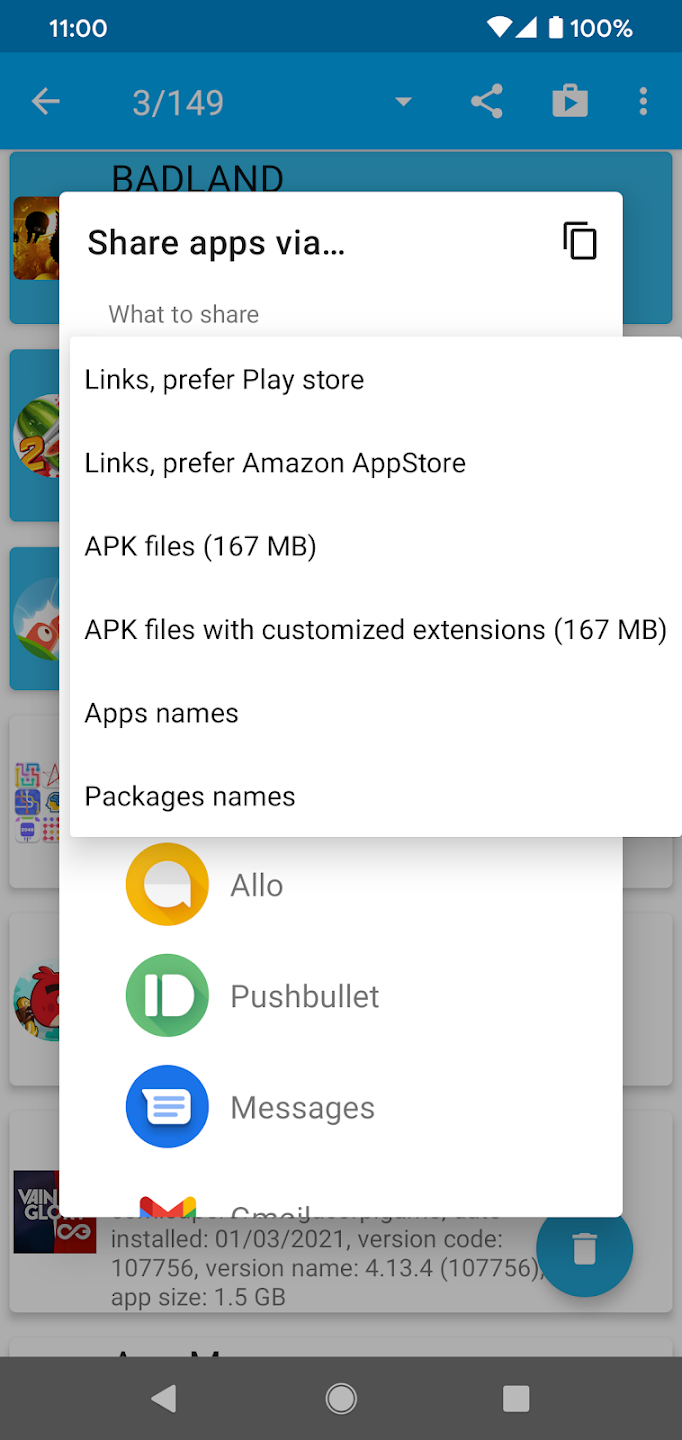
Customizable Settings: App Manager enables users to customize which details are shown. This means users can tailor the app to show only the information they find most relevant, making the application more user-friendly. Moreover, the application provides a feature to add a menu list and share apps to single tab action, enhancing the app's sharing capabilities.
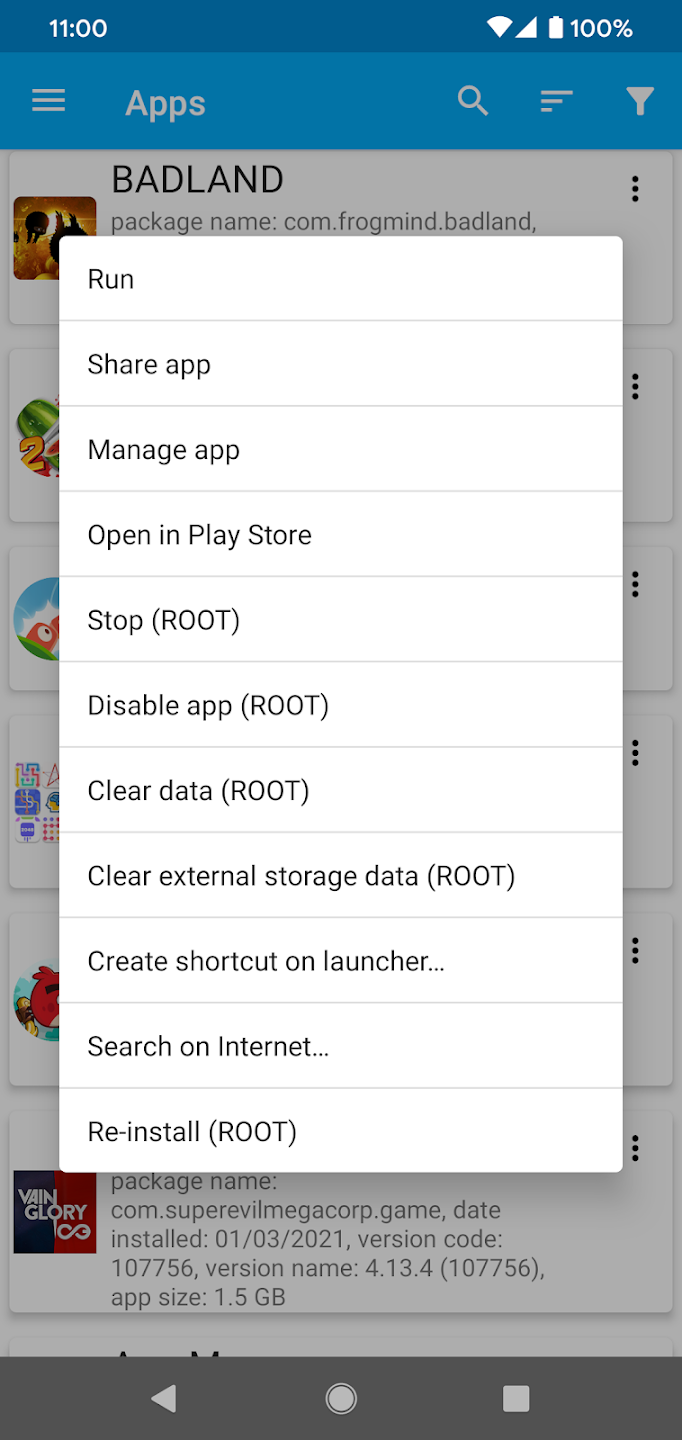
Search and Analysis: The app provides a feature for users to search online by package name, which allows for more detailed information about a particular application. This is essential for users who need to understand more about their apps beyond the basic details. Additionally, it's a great tool to check the source of installed apps, helping users identify if an app was installed from the Play Store or an outside source.
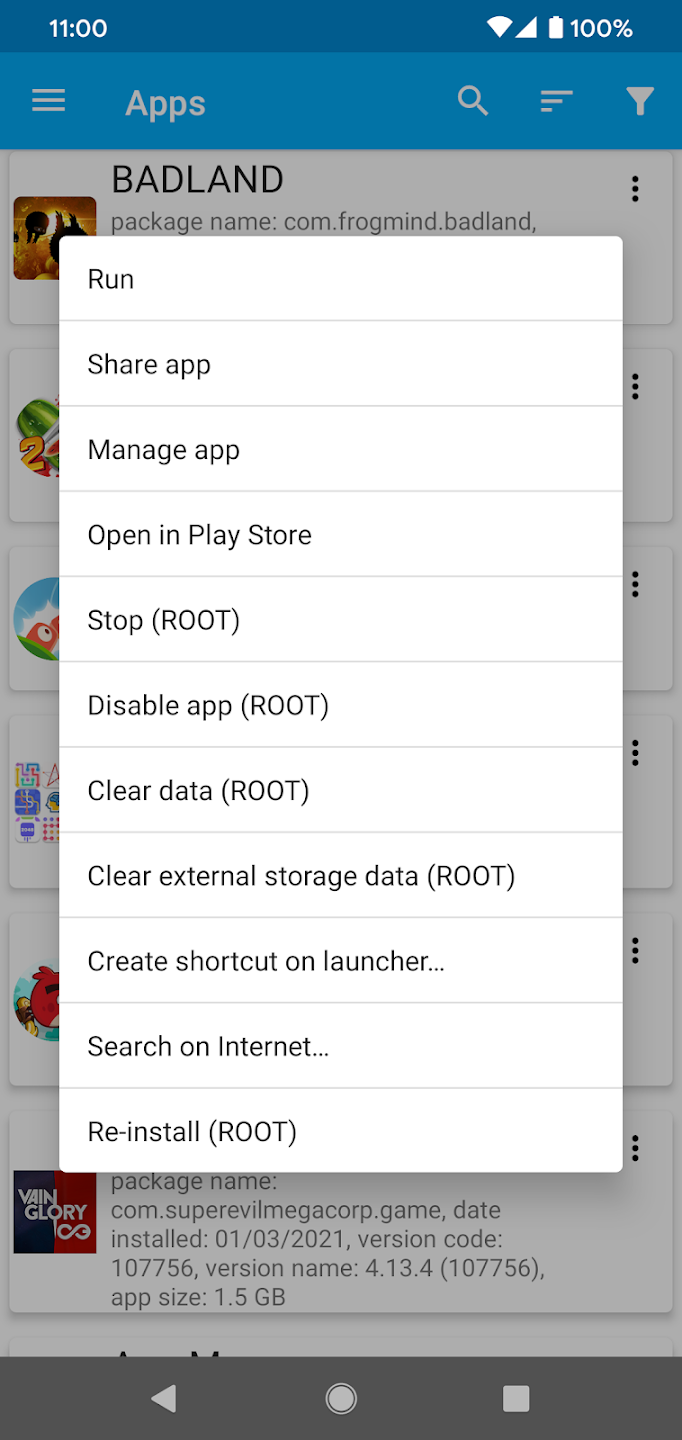
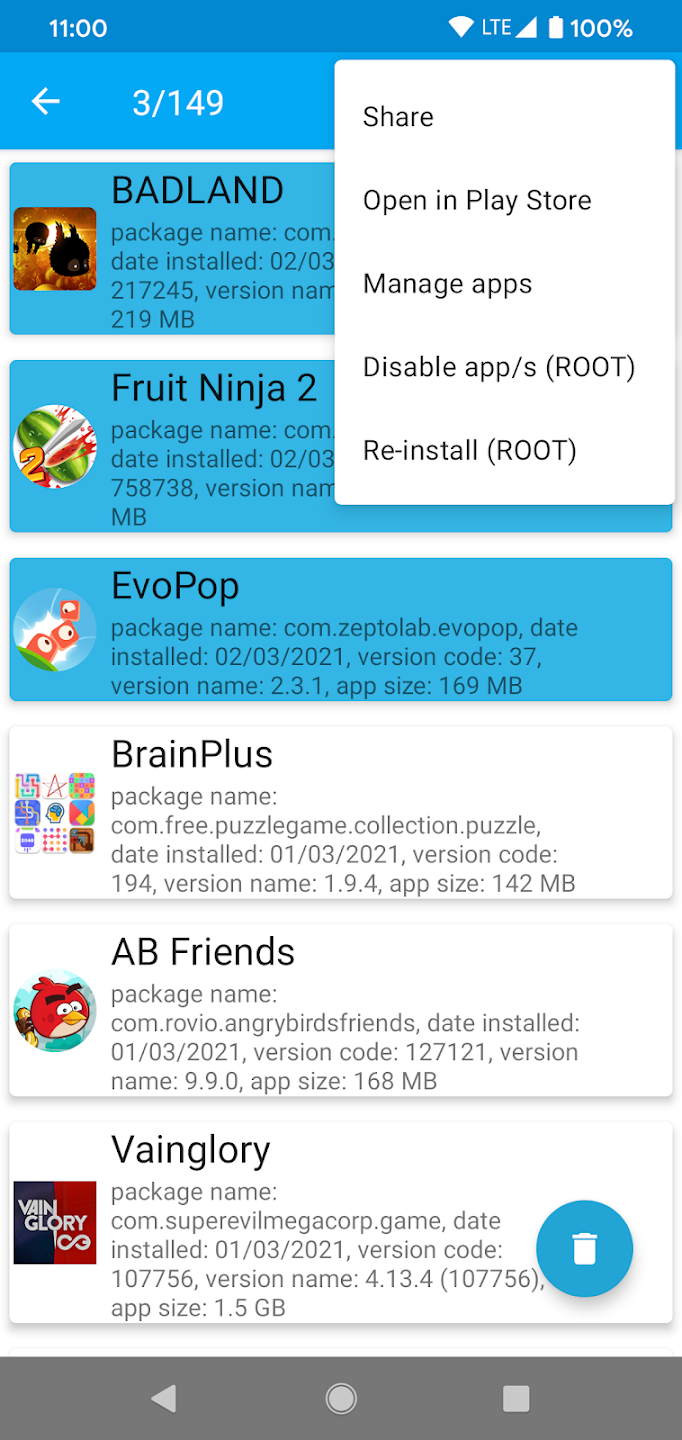
One tap uninstalls: App Manager lets you remove an app with a single tap. It can automatically handle apps with device admin permissions so you can revoke them before removal. This makes quick cleanups less tedious.
Batch actions for multiple apps: Uninstall several apps at once,Share as a link or APK file,Disable or enable selected apps,Reinstall and run apps,Open app details for management.
Install and manage package files: When installing from files, App Manager supports APK, APKS, APKM, and XAPK formats and includes tools for managing APKs. It can add shortcuts for newly installed apps and shows a history of removed apps. This support helps when you work with packages such as an App Manager APK.
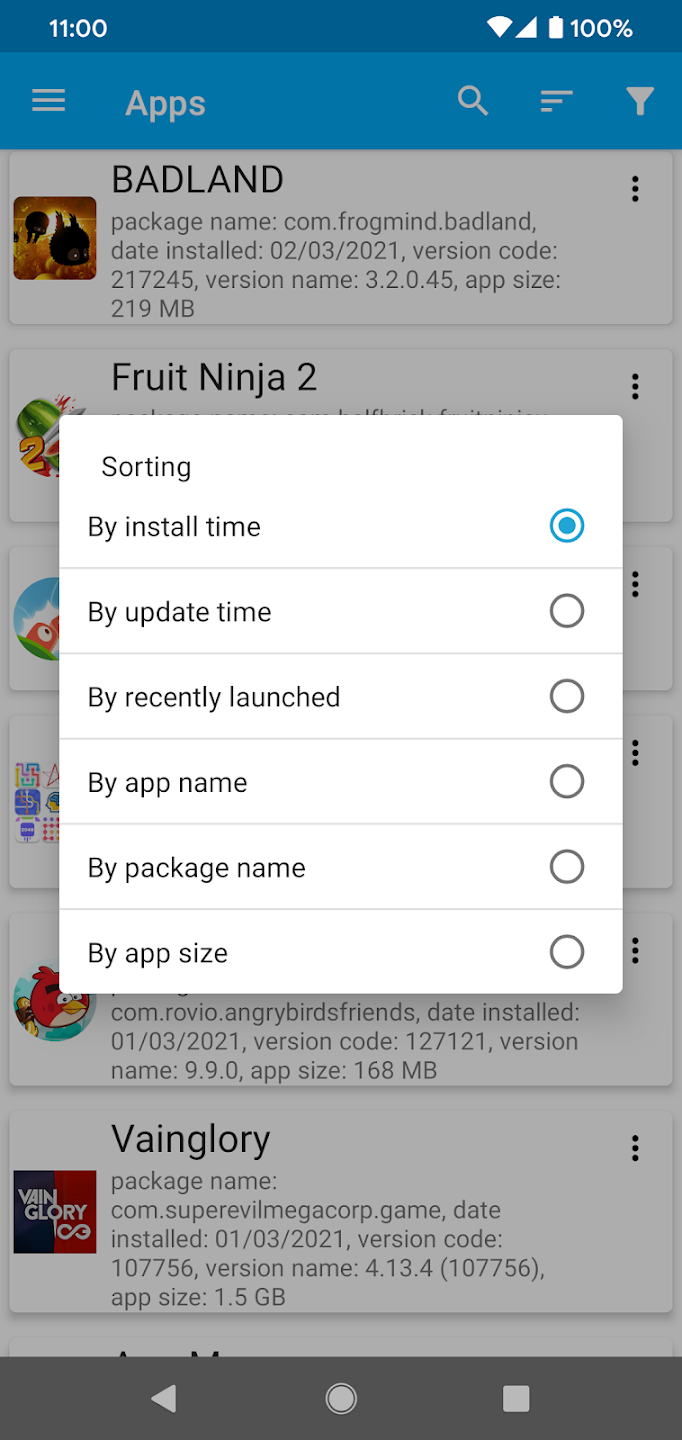
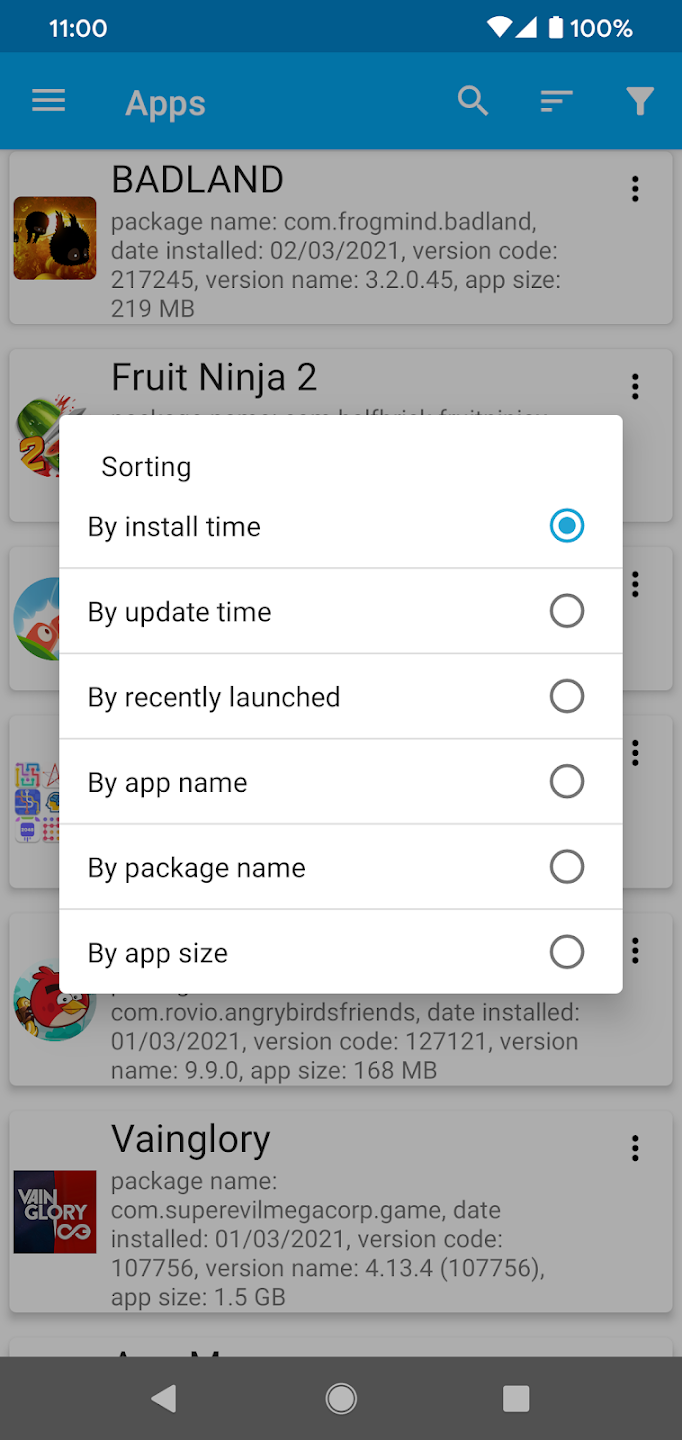
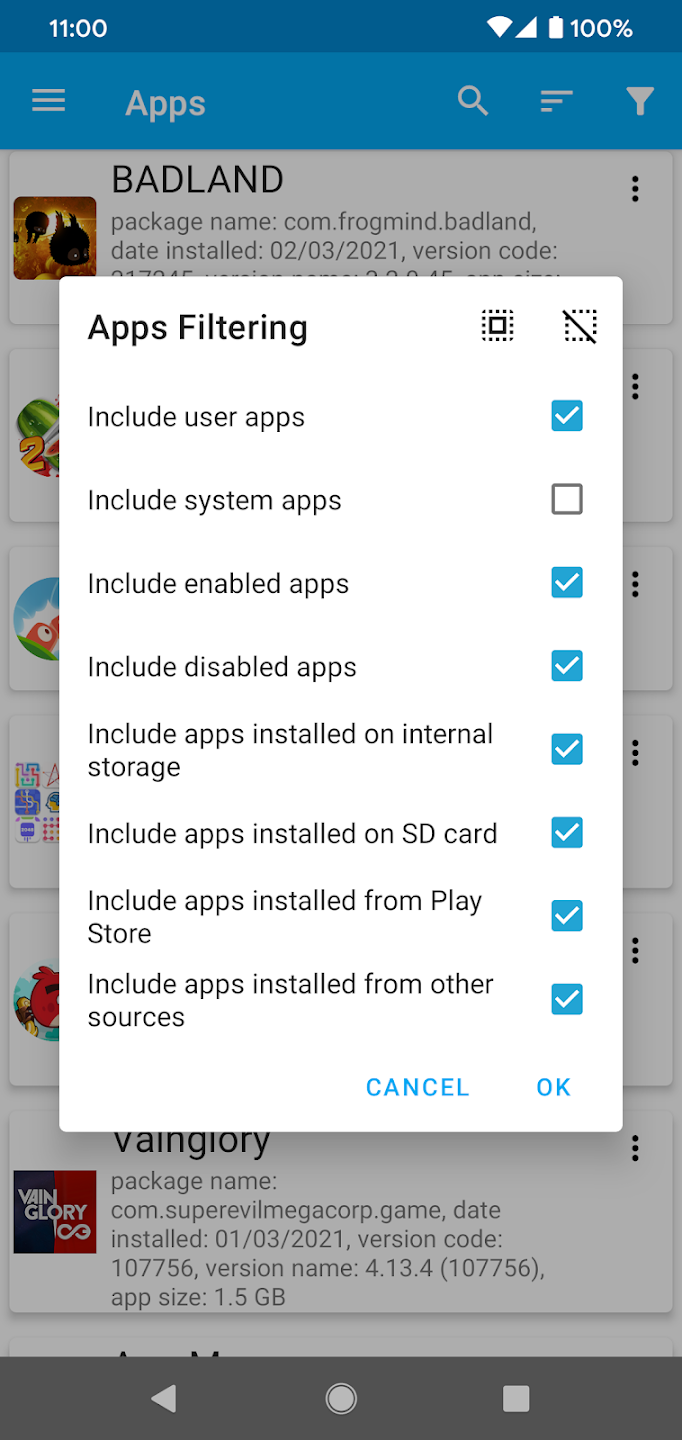
Advanced tools and sorting: On rooted devices, you can stop apps, clear internal storage, disable or enable, and in some cases uninstall system apps, which is risky and may affect device stability. Filters show system or user apps, enabled or disabled apps, and storage location. Sorting by size, name, package, install date, update date, or launch time helps you find what matters quickly.
Had redirects happen on my phone and couldn't figure it out after hours. Installed this app and found the fake "File Manager" in seconds. Definitely use if you're having issues with pop-up and redirect ads on your phone.
Just a fantastic app. Does its thing, works well, has all the right features, is well maintained, and doesn't give me a hard time. And I don't think it's ever nagged me for a rating, which is the absolute best way to make me angry and give you a bad rating.
this app is amazing this app install any thing you want , like iam downloading a PVZ fusion apk in my phone package installer tell me problem while parsing a passage and I install PVZ fusion in app manager it will installed and I run it it will gona smooth and good working! thank you dev for response!
A great app with so many useful applications! I find it particularly valuable to install an APK or XAPK file! Not only is it an amazing app but the absolute best support from the developer you could ever ask for. He recently invested a lot of time in helping me understand an issue I was dealing which simply turned out to be a lack of education on my part thank you very much Liran! Please support this developer!
This app is faithful in its good performance, making it one of my favorite and most used apps. I'm able to do a variety of functions to all installed apps through this one. A definite must have for all smartphones!
App Manager is an app management tool that stands out for its simplicity. The app comes with a clean and crisps interface, which has everything clearly laid out. It does not require any learning curve, as all its options are easy enough to understand. It also has useful shortcuts in its menu options to help you manage your phone easier. Just keep in mind that if you are a user without root privileges, you will have fewer features.
Size:34.2MB Version:7.84
Requirements:Android Votes:333
Package Name:com.lb.app_manager Signature:7a523679f6bde2c47b3b226080a878e0147515f9
Transform your mobile device into a powerhouse of efficiency with these handpicked essential tools. Whether you need professional-grade photo editing, seamless file organization, smart task management, or real-time weather updates, our curated selection of premium apps delivers unbeatable performance. Streamline your daily routine, automate repetitive tasks, and boost your productivity with intuitive interfaces and powerful features. Designed for both professionals and casual users, these editor-approved applications will revolutionize how you work and play. Don't settle for an ordinary phone - upgrade your digital experience today and unlock your device's full potential!
With the development of mobile hardware and software, many practical tool software have emerged, covering a wide range of aspects and becoming a good helper for everyone in work and life. Today, the editor provides you with a list of useful tool software downloads. These tools are not particularly complex types, and after reading them, everyone can quickly learn how to use them. Proper use can bring great convenience to life and work.
About us | Contact us | Privacy policy| DMCA
Copyright © 2026 Xiaohei All rights reserved.