Speech Services by Google is an excellent voice-based assistive tool. Packed with powerful features, it supports a wide range of languages and dialects while offering customization options that allow users to easily adjust speech rate and language settings to suit their personal preferences. With Speech Services by Google, users can enjoy a hands-free experience that brings literature and communication to life. Whether you are an avid reader who wants to listen to your favorite books on the go or someone who needs assistance with pronunciation, this tool meets your needs perfectly.
To search for addresses on Google Maps from the car.
To transcribe recordings from the smartphone recorder.
To read books from Google Play Books, equipped with the Read Aloud feature.
With Google Translator to hear the translations and how the words are pronounced.
With TalkBack and other applications that can provide you with voice messages on the device.
With accessibility applications such as Voice Access, developed for people with difficulties manipulating the touch screen.
With any application developed to have a voice search function.
To learn pronunciation with language apps.
One of the primary functions of Speech Services by Google is its text-to-speech capability, which allows applications to read text aloud. Users can experience this feature in various contexts, such as having Google Play Books read their favorite literature, or utilizing Google Translate to hear the pronunciation of specific words and phrases. The app also supports accessibility features, offering spoken feedback for users with visual impairments through applications like TalkBack. This functionality is essential for ensuring that all users can interact with their devices effectively.
In addition to reading text aloud, Speech Services by Google includes a robust speech recognition feature. This aspect allows users to dictate text through voice commands, making it easier to compose messages, notes, or search queries without needing to type. For instance, when using Google Maps, users can verbally search for locations, streamlining the navigation process. The Recorder app can transcribe spoken recordings into text, facilitating note-taking and documentation. Additionally, the Phone app's Call Screen feature provides real-time transcription of incoming calls, enhancing communication for users who may prefer reading over listening.
The app's versatility extends to various language learning applications, where it recognizes spoken input to assist users in practicing new languages. This feature is particularly beneficial for learners seeking to improve their pronunciation and conversational skills. Furthermore, many third-party apps in the Play Store integrate with Speech Services to provide voice search functionality, allowing users to find their favorite music or shows quickly and efficiently.
Utilize the speech synthesizer to listen to text from your screen, perfect for busy users who want to multitask.
Sync the app with Google Translate to improve language learning and pronunciation.
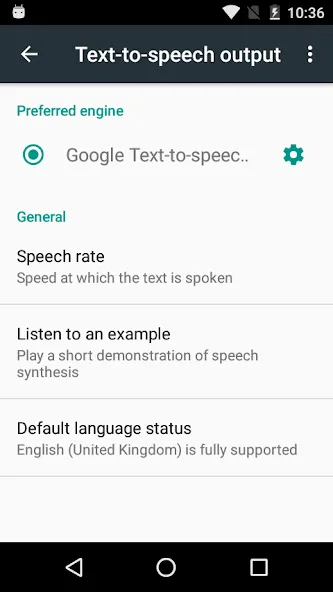
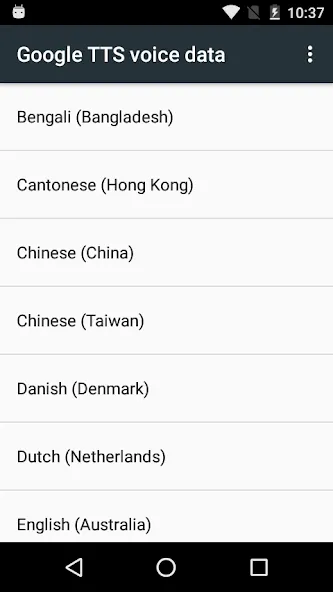
Adjust the speech rate to a comfortable level for an enjoyable listening experience.
Take advantage of the app's accessibility features, such as TalkBack integration, for easy smartphone navigation.
Pros
Broad language and dialect coverage
Natural-sounding voice synthesis
Supports accessibility features and multiple apps
Customizable speech rate and pitch
Offline language packs available
Cons
Occasional mispronunciation of certain words
Voice quality can vary by language
Limited advanced features compared to some specialized TTS apps
In summary, the combination of text-to-speech and speech-to-text functionalities, along with customization options and integration with other applications, positions Speech Services by Google as an essential app for many Android users. Its ability to adapt to individual needs and preferences ensures a streamlined experience, making it a noteworthy choice for enhancing communication through technology.
Size:72.75MB Version:20260202.02
Requirements:Android Votes:432
Package Name:com.google.android.tts Signature:3361b0639bcec294424c0a6b8eec4cd6
Utility apps are indispensable in our lives, making our daily routines more convenient. To help you find these apps more easily, this site has created a collection. This collection brings together a series of practical tools covering various aspects of life, work, and education, meeting all your needs. What are you waiting for? Try these apps now and make your life easier!
Transform your mobile device into a powerhouse of efficiency with these handpicked essential tools. Whether you need professional-grade photo editing, seamless file organization, smart task management, or real-time weather updates, our curated selection of premium apps delivers unbeatable performance. Streamline your daily routine, automate repetitive tasks, and boost your productivity with intuitive interfaces and powerful features. Designed for both professionals and casual users, these editor-approved applications will revolutionize how you work and play. Don't settle for an ordinary phone - upgrade your digital experience today and unlock your device's full potential!
About us | Contact us | Privacy policy| DMCA
Copyright © 2026 Xiaohei All rights reserved.