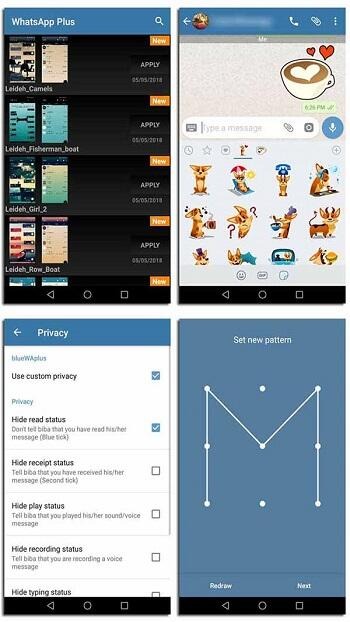
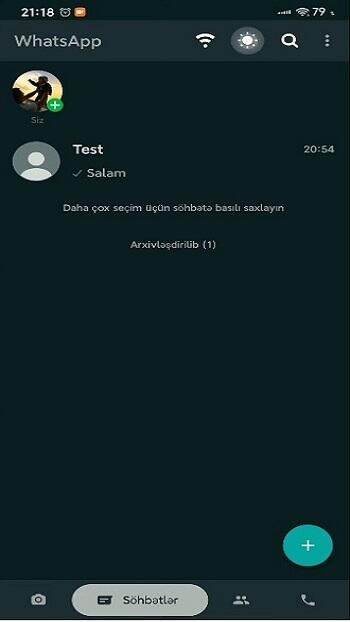
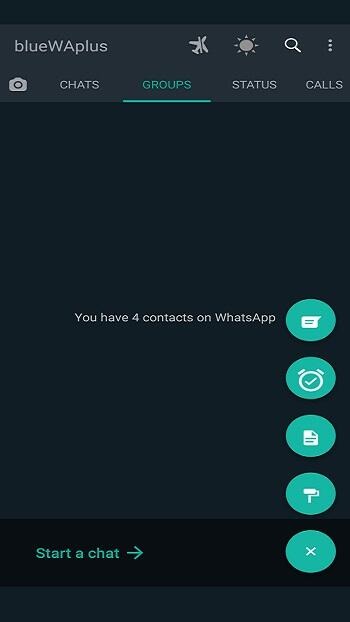
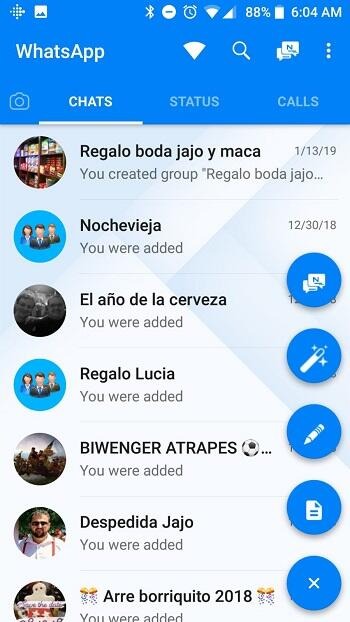
Blue Whatsapp builds upon the original WhatsApp application, adding more customization settings and privacy protection options to provide users with a superior social experience. Users can customize the chat interface, background, and font styles, freely set their online status, and flexibly switch between different languages to meet diverse user needs. Regarding privacy protection, users can hide their names for anonymous input and record incoming calls. Simultaneously, the software protects user account information and chat history in real time for peace of mind. The software also includes an app lock, allowing users to set a password to enhance security.
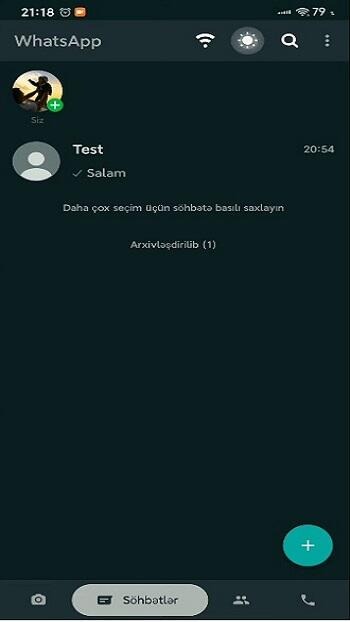
View Status Secretly: Blue whatsapp offers secrecy for status views as well.tvgarden Now it is possible that you can view someone’s status without their knowledge, your name won’t pop up into the watch list. Unlike the official app in which views are monitored here you can browse with complete privacy.
Multi language Translation: This version of whatsapp has multi language support in the chat box it means you can translate messages to 150+ languages across the globe. You can even type the message in your own language and convert it into another language before sending it. The interesting point is that it is flawless, meaning there are no grammatical or spelling mistakes. This makes the conversations easy and fluent for personal as well as business purposes.
Anonymous Typing & Recording: This application facilitates its users with maximum privacy options including anonymous Typing and recording option. You can turn off the typing option individually for each chat box or in group form. Now you can type messages or record voice notes without letting them know whether you are online or not. Surprise your contact with text or voice messages without any kind of “Typing” or “Recording” indicator.
Hide Chats: Users can now add another layer of privacy to their data for advanced security via Chat Hide Feature. It is possible to completely hide a chat box. I’m not talking about the Archive box which is easily accessible. This feature keeps the chat box hidden as long as you are not going to type the password in the search bar. Only the exact matching password can lead to unlocking the data within the box; any other method is worthless.
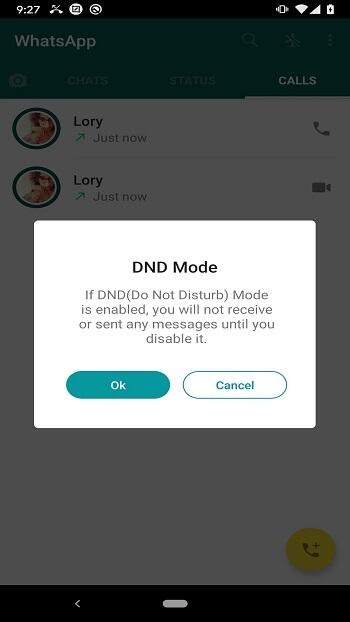
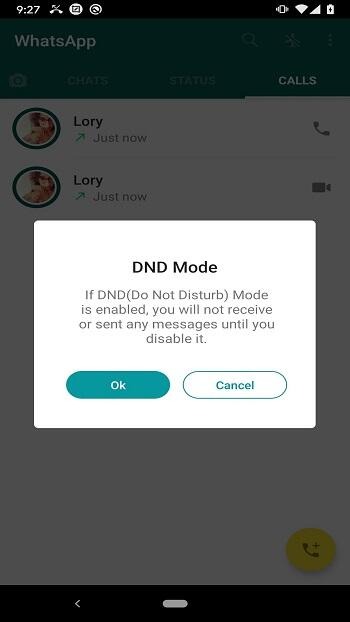
Do Not Disturb Mode (DND Mode): Unlike the official whatsapp application, blue whatsapp comes with pre-installed Do Not Disturb Mode which enhances privacy and allows users to stay a lot more focused on their work. This feature works as an Aeroplane mode for whatsapp only blocking any kind of message in order to keep you away from distraction and helps you to focus.
Audio Messages: Send quick voice notes instead of typing with Blue WhatsApp. Hold the mic button, record your message, and send it instantly. It’s super handy when you’re busy or on the move, making communication fast, personal.
Video Messages: Share short video clips directly in your WhatsApp Blue chats. Capture a moment, like a quick smile or event, and send it instantly without a full video call. It’s a fun, instant way to add a visual touch to your conversations, keeping them lively
Share Status: Post photos, videos, or text updates on Blue WhatsApp that vanish after 24 hours. Your friends see them in their status tab. It’s a fun way to share daily moments, like a selfie or quick thought, keeping your contacts updated without permanent posts.
Make GIFs: Create fun GIFs from video clips with Blue WhatsApp. Trim a short video, convert it to a GIF, and share it in chats. It’s an easy way to add humor or excitement, bringing your messages to life with quick, looping animations. This feature is used by many of the users.
Video Calls: Enjoy face to face chats with WhatsApp Blue video calls. Perfect for family catch ups or quick hellos, these calls are clear and data efficient. Connect with friends globally without worrying about charges. Just tap the video icon to start a lively, personal conversation anytime.
Audio Calls: Make free, high quality voice calls to friends worldwide. Blue WhatsApp ensures crystal clear audio with minimal data usage. Whether catching up with family or colleagues, enjoy reliable calls without extra costs. Just tap the call button and connect instantly, no matter the distance.
Is Blue WhatsApp safe to download and use?
Yes, it’s generally safe if downloaded from a trusted source. Always scan the APK and keep your version updated for best results.
What is the difference between Blue WhatsApp and official WhatsApp?
Blue WhatsApp offers extra privacy controls, UI customization, and dual account support, unlike the official version which has limited features.
Can I get banned for using Blue WhatsApp?
Yes, there’s a risk. Although Blue WhatsApp includes anti-ban features, it’s still unofficial and may violate WhatsApp’s terms of service.
How do I update Blue WhatsApp?
You need to manually check for new versions from reliable websites, as it’s not available on the Google Play Store.
Does Blue WhatsApp work on iPhones?
No, Blue WhatsApp is an Android-only app. iOS users cannot install third-party APKs without jailbreaking their devices.
Is Blue WhatsApp free to use?
Yes, the app is completely free and does not require any subscription or payment to access its premium features.
Blue WhatsApp lets you enjoy sharing high-quality photos and videos right now. We all know that WhatsApp is notorious for downsizing images, thereby ruining their resolutions. With this app, you don’t need to worry about this as you can send the photos as they are!
Size:56.74MB Version:2.22.17.76
Requirements:Android Votes:103
Package Name:com.blueWAplus Signature:037b998cb83cfa77d4a8e217bf48704d
Transform your mobile device into a powerhouse of efficiency with these handpicked essential tools. Whether you need professional-grade photo editing, seamless file organization, smart task management, or real-time weather updates, our curated selection of premium apps delivers unbeatable performance. Streamline your daily routine, automate repetitive tasks, and boost your productivity with intuitive interfaces and powerful features. Designed for both professionals and casual users, these editor-approved applications will revolutionize how you work and play. Don't settle for an ordinary phone - upgrade your digital experience today and unlock your device's full potential!
With the development of mobile hardware and software, many practical tool software have emerged, covering a wide range of aspects and becoming a good helper for everyone in work and life. Today, the editor provides you with a list of useful tool software downloads. These tools are not particularly complex types, and after reading them, everyone can quickly learn how to use them. Proper use can bring great convenience to life and work.
About us | Contact us | Privacy policy| DMCA
Copyright © 2026 Xiaohei All rights reserved.