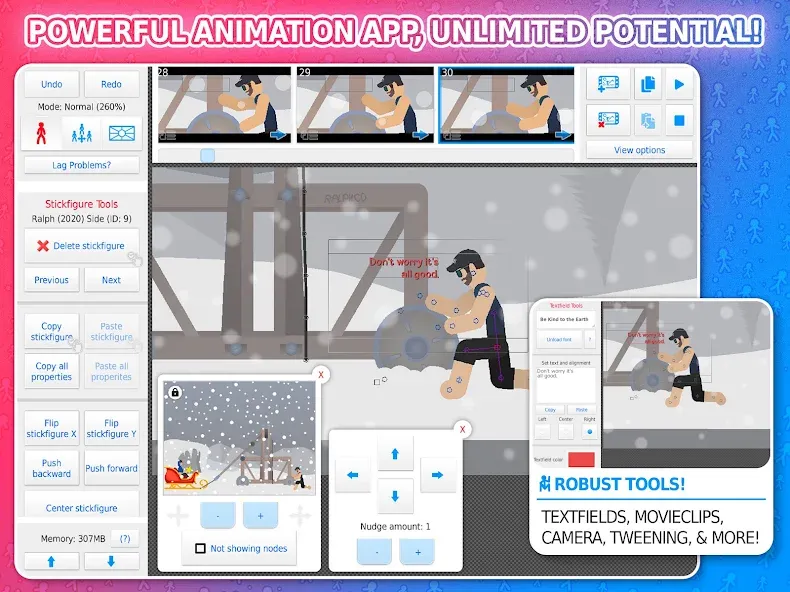
Stickman Animator is a stickman animation tool. It allows for quick import and creation of animated images, with customizable frame rates for smoother animations. It features a simple camera with panning, zooming, and rotation capabilities. Various shapes and colors can be added to any stickman model. A text box allows adding text and voice to the animation. Built-in sound effects enhance the animation's impact. It supports over 3000 stickmen and can export to GIF format. Keyframes can be added to the timeline using keywords. It's user-friendly with a guided mode.
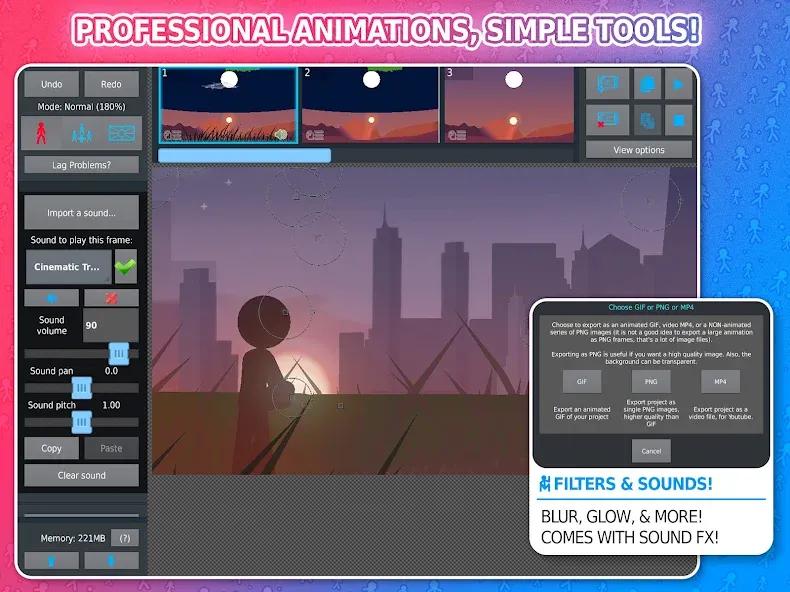
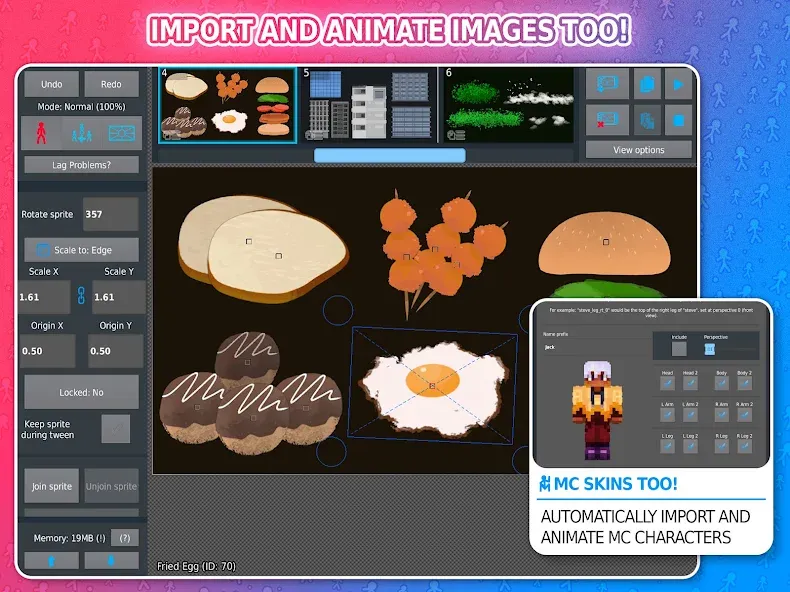
Import and animate images as well!
Automatic customizeable frame-tweening, make your animations smoother!
A simple camera to pan/zoom/rotate around the scene, similar to the "v-cam" in Flash.
Movieclips allow you to create and reuse/loop animation objects within your projects.
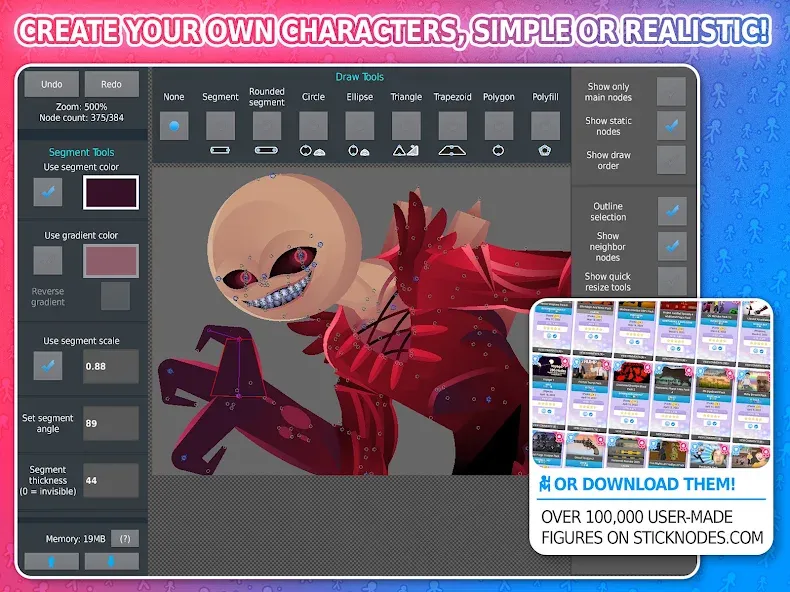
A variety of shapes, color/scale on a per-segment basis, gradients - create any "stickfigure" you can imagine!
Textfields allow for easy text and speech in your animations.
Add all kinds of sounds effects to make your animations epic.
Apply different filters to your stickfigures - transparency, blur, glow, and more.
Join stickfigures together to easily simulate holding/wearing objects.
A large community full of all kinds of interesting people and other animators.
Over 30,000+ stickfigures (and counting) to download from the website.
Export to GIF (or MP4 for Pro) to share your animation online.
Compatibility with pre-3.0 Pivot stickfigure files.
Save/open/share your projects, stickfigures, and movieclips.
And all the other typical animation stuff - undo/redo, onion-skin, background images, and more!
Please note, sounds, filters, and MP4-export are Pro-only features
Open Stickman Animator and create a new project, then set your canvas size and frame rate.
Add a stickfigure from the community library or create one with shapes and color gradients.
Block key poses on the timeline, insert frames, and enable tweening to smooth movement between poses.
Adjust the camera to pan, zoom, or rotate for each shot, then place images or join figures to add props.
Preview the sequence, refine timing, and export to GIF or MP4 if you use Pro, then share your animation.
Pros
Offers an easy way for you to design and animate your own characters
Includes a Quick Menu that makes it easier to use
Available as a free app and Pro (paid) app
Many different custom features are available for users
Has an export feature for sharing your creations
Cons
Limits you to just 40 saves
Has a short lag time
Great animation app! The ads, from my experience, only happen when you open the app, then never again, the design and layout is great, the community is creative, and it's overall a really good app! I would definitely recommend! I'm an amateur animator, and this helped me a TON! If I could give this more stars, I would! The pro version is also quite cheap! only $3.99 for so much features! I personally prefer the pro one, however this one is still great!
I absolutely love this animating app!!! it's help learn and create my own animation, when I was a beginner I was overwhelmed by the confusing buttons and option, but when I'm getting hang of it, it was actually helping me developed lots of skill and thank you Ralph!! keep up the great work!!!
Its an amazing app overall. Even if your not good at animation, it simplifies it and it still looks awesome, and you instead could use the easy but very powerful stick creator to make figs and share/let others see/download your figs! Overall, just great. Five stars :)
Harness the power of simplicity with Stickman Animator, an intuitive app designed to breathe life into stick figure animations effortlessly. Ideal for enthusiasts and creative minds, this application stands out by enabling rapid animation—slide a stick figure in your desired direction and watch it animate without the need for frame-by-frame manipulation.
Size:72.06MB Version:4.3.2
Requirements:Android Votes:552
Package Name:org.fortheloss.sticknodes Signature:d71c0c0f1cebd245dcb727d2056442f7
Utility apps are indispensable in our lives, making our daily routines more convenient. To help you find these apps more easily, this site has created a collection. This collection brings together a series of practical tools covering various aspects of life, work, and education, meeting all your needs. What are you waiting for? Try these apps now and make your life easier!
Transform your mobile device into a powerhouse of efficiency with these handpicked essential tools. Whether you need professional-grade photo editing, seamless file organization, smart task management, or real-time weather updates, our curated selection of premium apps delivers unbeatable performance. Streamline your daily routine, automate repetitive tasks, and boost your productivity with intuitive interfaces and powerful features. Designed for both professionals and casual users, these editor-approved applications will revolutionize how you work and play. Don't settle for an ordinary phone - upgrade your digital experience today and unlock your device's full potential!
With the development of mobile hardware and software, many practical tool software have emerged, covering a wide range of aspects and becoming a good helper for everyone in work and life. Today, the editor provides you with a list of useful tool software downloads. These tools are not particularly complex types, and after reading them, everyone can quickly learn how to use them. Proper use can bring great convenience to life and work.
About us | Contact us | Privacy policy| DMCA
Copyright © 2026 Xiaohei All rights reserved.