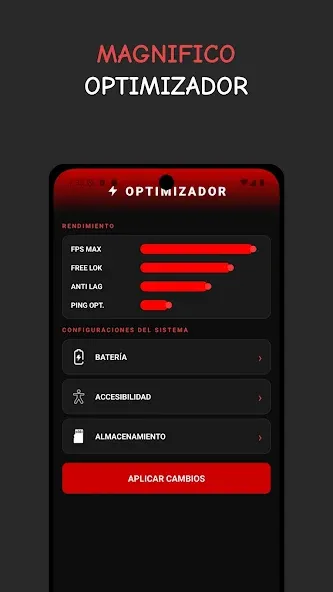
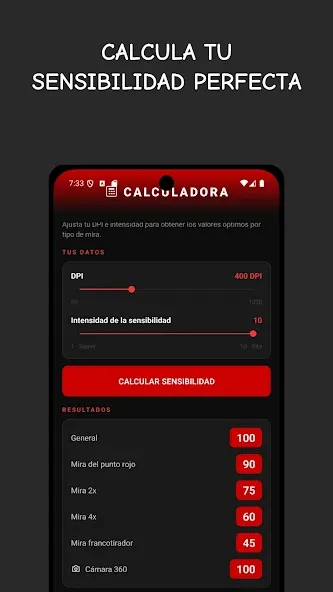
MACRO MSI is a powerful game assistant software for Android devices. It can change the DPI of games to increase or decrease touch sensitivity. Users can test different speeds and sensitivities and adjust settings accordingly. A pixel calibration mode allows for pixel calibration, enabling multi-touch control at desired locations. Gesture adjustments are also available, allowing for pre-modification when switching games and applications. An accelerator optimizes device performance and improves game speed. The software boasts high security and is compatible with most Android devices.
Change DPI
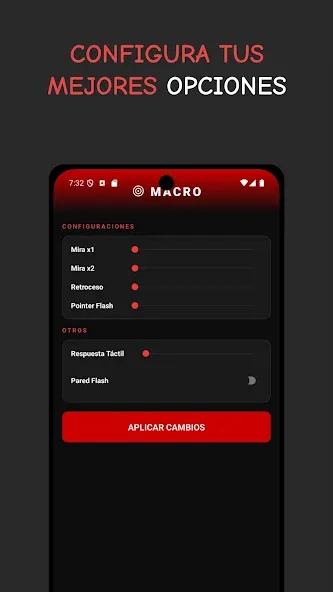
MACRO MSI lets you change DPI to raise or lower sensitivity across the device. When you adjust dots per inch, swipe movement becomes faster or slower in a controlled way. Start with small increments to keep aiming steady, then confirm response in your usual apps or games.
Speed sensitivity
You can fine-tune swipe and gesture speed to match your play style. This helps swipes register sooner or reduces overshoot on longer drags. After each change, test quick flicks and slower movements to see how the screen tracks your finger in different scenarios.
Pixel calibration
MACRO MSI provides pixel behavior controls to refine touch input accuracy. With calibrated pixels, taps land closer to the intended point and multi-touch feels more stable. Apply consistent settings and retest to avoid sudden jumps when switching between screens.
Macro option
The macro option applies the same touch and gesture adjustments every time, so controls remain steady. This is useful when switching between games or apps because sensitivity stays consistent. If you change presets, confirm they take effect before competitive play.
Booster
A Booster tool can optimize device performance to reduce input delay during gaming or multitasking. It clears minor bottlenecks so gestures feel more responsive. Run it before heavy sessions and check overall smoothness afterward.
Pros
Flexible sensitivity adjustment features
FPS capping option
Lets you modify RAM allocation
Cons
Only comes in Spanish
Limited RAM capping feature
What is MACRO MSI?
It is an Android utility app that allows users to adjust screen sensitivity, DPI, and display settings for better control and performance.
Is MACRO MSI safe to use on Android devices?
It is generally safe, but it may require advanced permissions, so users should review access requests carefully before installing.
Can MACRO MSI improve gaming performance?
Yes, adjusting sensitivity and touch response can help improve accuracy and reaction time in games that require precision.
Does MACRO MSI work on all Android phones?
It supports many Android devices, but performance and compatibility can vary depending on hardware and system version.
What are the risks of using MACRO MSI?
Over-adjusting settings may affect device stability or responsiveness, especially on lower-end phones.
Open MACRO MSI and review your baseline, then choose a preset or keep default values for your first test.
Set DPI in a small step and apply the change, then test quick swipes on the home screen or in a training room to see immediate response.
Adjust speed sensitivity next, trying both short flicks and long drags. Observe aim tracking or scroll control and fine-tune in small increments.
If touch points feel off, use pixel calibration tools to refine accuracy and retest. Optionally run a dead pixel check to spot any stuck areas.
Before a long session, run Booster to reduce input delays, then lock in your macro or preset to keep controls consistent. Restart the game if it needs fresh input recognition.
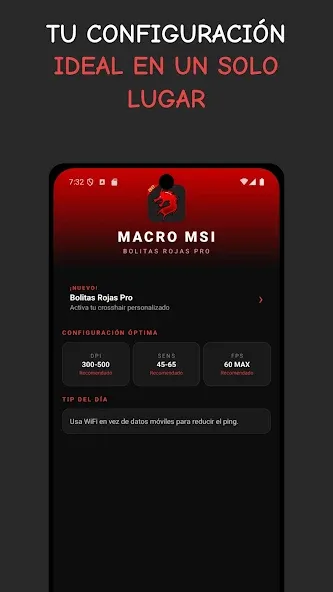
MACRO MSI is designed for players who are tired of slow reactions, missed shots, and unstable gameplay. Instead of struggling with default settings that limit your performance, this tool helps you unlock smoother control, faster touch response, and a more consistent gaming experience. Whether you are facing input delay or aiming inconsistencies, optimizing your device can make a real difference in how you play—and how often you win.
Size:7.19MB Version:4.5
Requirements:Android Votes:84
Package Name:com.msi.sensi Signature:b3ab9097b4282ba0dd711392296938dc
Welcome to our collection of game customization tools! These apps help you personalize your gameplay. You can access premium content, enjoy more in-game resources, or opt for an ad-free experience. Apps like Game Guardian and Lucky Patcher allow you to adjust game parameters. Just a heads-up, it's good to be mindful of the game's original terms of service. Feel free to explore and elevate your play, but always use them responsibly.
Meet Game BOX — your all-in-one game hub! Explore action, RPG, strategy, and more. Find games quickly, download fast, and play seamlessly on mobile. Simple, safe, and packed with top-rated titles. Perfect for gamers everywhere.
Utility apps are indispensable in our lives, making our daily routines more convenient. To help you find these apps more easily, this site has created a collection. This collection brings together a series of practical tools covering various aspects of life, work, and education, meeting all your needs. What are you waiting for? Try these apps now and make your life easier!
About us | Contact us | Privacy policy| DMCA
Copyright © 2026 Xiaohei All rights reserved.