GFX Tool is an Android game utility. It supports all game versions and allows for arbitrary resolution modification. It unlocks HDR and UHD graphics even on low-end devices, with a maximum FPS of 60. It offers over 25 ready-made GFX packages and includes a view control that allows free access to all options. It optimizes game graphics and frame rates for optimal gameplay. The user interface is simple and easy to use. Its small size allows it to run on some low-end and mid-range devices.
Android 11 Supported.
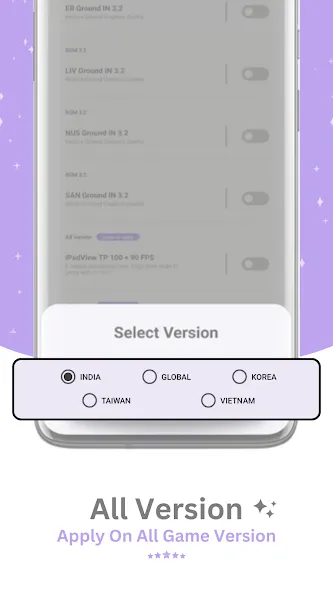
All Version Supported.
Change to any resolution (in-game).
Unlock HDR and UHD graphics in low end devices (in-game).
Unlock the upto 90 FPS (in-game).
Potato Graphics Support (in-game).
Fully control Anti-aliasing and shadows (in-game).
Unlock Ultra Audio Quality (in-game).
And much more other useful options (in-game).
Pros
More than 25 ready-made GFX packs
Graphics options range from very low to very high
Maximum FPS and iPhone-style view controls
Free access to all listed adjustments
Cons
Excessive ads make the interface difficult to navigate
Promises of eliminating all device lag are unrealistic
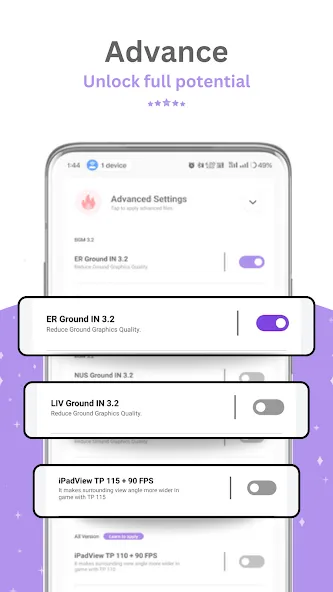
Download and Install: Obtain GFX Tool from this site.
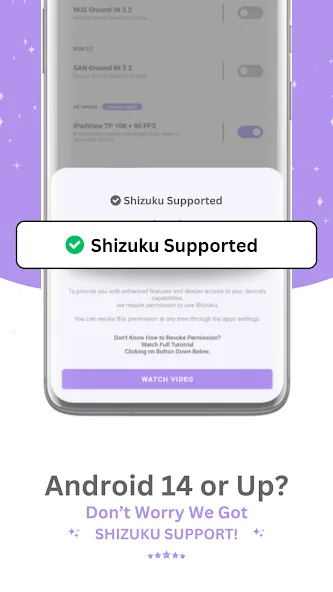
Launch and Authorize: Open the application and grant the necessary permissions.
Select Game Version: Select the version of the game you are playing.
Customize Settings: Adjust settings such as 60 FPS, iPad view, etc.
Activate and Start the Game: Tap "Activate" to apply the settings and enjoy better graphics and performance.
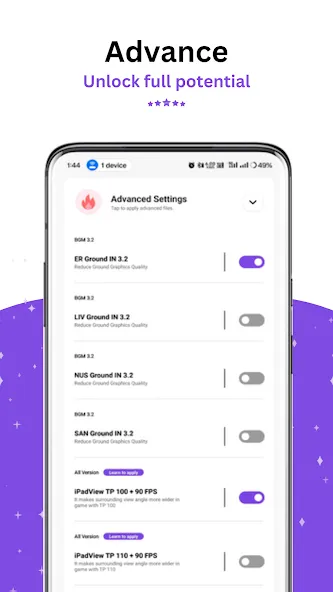
it's actually good, not like the others apps that actually scam, but the ipad view is not working, but the fps and graphics is good, keep up the good work
The head shot is set at premium plz fix the bug set on the files
No comment but I recommend this app to all mf who had a slow and deley touch device
Best gfx tool but not support in 90 fps
One of the best app on the play store absolutely deserves 4-stars
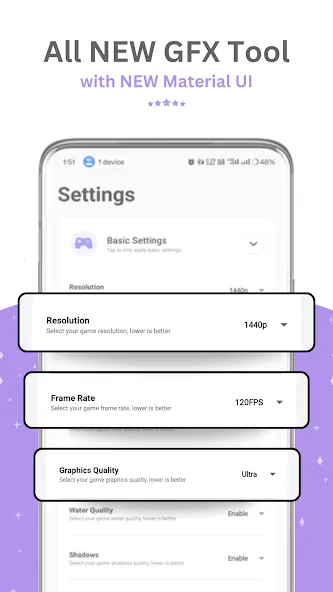
GFX Tool is what you're looking for if you're in need of improving your PUBG visuals without the headache of manually reconfiguring your smartphone. All you have to do is pick which game version you'll be playing, and from there select the resolution you like, frames per second, and the type of graphics you want displayed. Once you've finished setting up your preferences, all you have to do is launch the game from within GFX Tool. Easy peasy.
Size:6.79MB Version:1.0.45
Requirements:Android 5.0+ Votes:114
Package Name:com.gamebooster.gfxtools Signature:5d3631f86597d19d686977f1b8847767
Utility apps are indispensable in our lives, making our daily routines more convenient. To help you find these apps more easily, this site has created a collection. This collection brings together a series of practical tools covering various aspects of life, work, and education, meeting all your needs. What are you waiting for? Try these apps now and make your life easier!
Transform your mobile device into a powerhouse of efficiency with these handpicked essential tools. Whether you need professional-grade photo editing, seamless file organization, smart task management, or real-time weather updates, our curated selection of premium apps delivers unbeatable performance. Streamline your daily routine, automate repetitive tasks, and boost your productivity with intuitive interfaces and powerful features. Designed for both professionals and casual users, these editor-approved applications will revolutionize how you work and play. Don't settle for an ordinary phone - upgrade your digital experience today and unlock your device's full potential!
With the development of mobile hardware and software, many practical tool software have emerged, covering a wide range of aspects and becoming a good helper for everyone in work and life. Today, the editor provides you with a list of useful tool software downloads. These tools are not particularly complex types, and after reading them, everyone can quickly learn how to use them. Proper use can bring great convenience to life and work.
About us | Contact us | Privacy policy| DMCA
Copyright © 2026 Xiaohei All rights reserved.