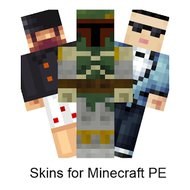
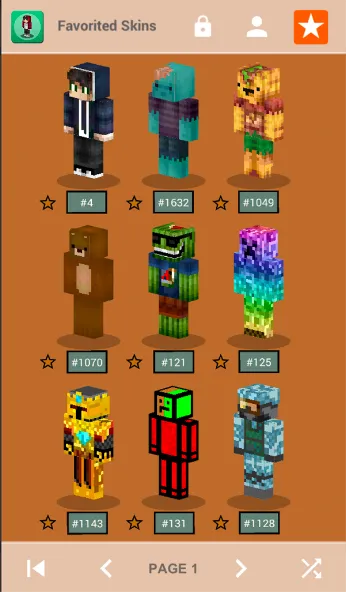
Skins for Minecraft PE is a Minecraft mod for Android devices. It allows you to easily install skin packs into the Minecraft game. You can create your own custom skin packs and find and replicate skins from other users. All skin packs in this software are completely free. The software is simple and easy to use for beginners. However, avoid using too many colors, as it can strain your eyes. Players can search for images to create skins for movie characters. The mod contains over 10,000 high-definition skins, clearly categorized. The software supports offline access.
Easily Install your own skin pack to Minecraft directly
Browse ready made pack just for you
Find any skins of valid user.
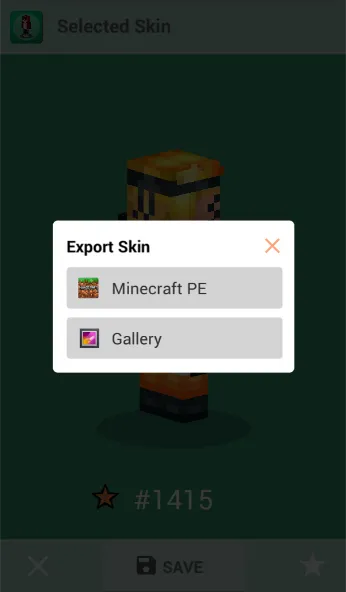
Easily Apply skin on MCPE .
Save/download Skins.
All for FREE
Tip #1: Do NOT use MS Paint. Photofiltre and Photoshop are better for pro Skin makers. I would say if you have Photofiltre, or Photoshop and you are starting out, try using them for editing. For beginners, use MC Skinedit. It’s much easier, and has a nice interface.
Tip #2: Do NOT use a lot of colors, or neon colors. It hurts the eyes and looks bad. I would say, just don't do it.
Tip #3: Do NOT make a skin that has hundreds of skins made for it. (Ex. Yoshi, Mario, TMNT) ,unless it's every different.
Tip #4: If you are making a skin of a video game, or movie person; Use Google or something to bring up the image, don't draw from memory.
Tip #5: If you cannot Hand draw or so called "Mouse draw" Use other people's skins and edit them. (Remeber Credit!) Simple as it needs to be.
Tip #6: Take your time. A skin you are going to upload or use should look nice so you will want to keep that skin or have others download it.
Pros
Developer claims a catalog of more than 10,000 HD skins
Wide range of themes, including anime, mobs, animals, and superheroes
One-tap skin application
Online and offline access
Cons
No useful search function
Ads can interrupt browsing frequently
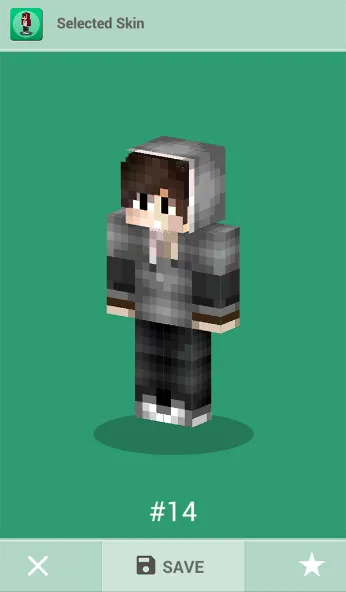
Its just a good app to use no need no spend money, just save skin, a 30 second ad is nothing compared to a 1$ skin, if you are gonna transfer it to minecraft click profile edit character go to the three minecraft character and click "choose new skin" then find the skin you imported and then click the saved skin then wait for the loading screen of minecraft then there it is. It is easy to use so 5*
I love this app it has so many cute skins and you can download on minecraft on a tablet omg you should have a look at it you will not regret it. And so many skins. I just love the "game". Have a look, it's good, and cute, and scary, there's boys, there's girls, there's animals, and....... SO MANY SKINS I LOVE IT.
I love this so so much it's really easy to add a skin! There are a lot to choose from and when you find the skin that you want you just save it to photos and there you have it! I never thought adding skins in Minecraft was really easy :P I really recommend it!!
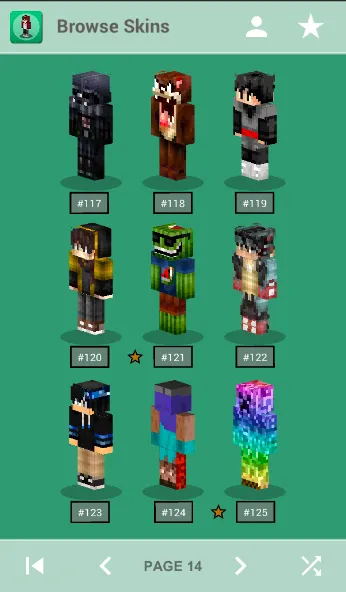
Skins for Minecraft PE is an app to modify the skins on your Minecraft Pocket Edition. The best thing about it is that you don't even need to have BlockLauncher installed (although this is also available on Uptodown). You can just apply the new skins from the app itself.
Size:45.25MB Version:3.6
Requirements:Android 2.3+ Votes:258
Package Name:com.keeratipong.minecraftskins Signature:2f30d7ad0d2793a14056bb042e9200fa
Discover a world of enhanced digital experiences with our comprehensive collection of modified applications. Our platform brings together premium modded apps featuring unlocked functionalities, ad-free usage, exclusive content, and performance optimizations-all without restrictions. From popular mobile games with unlimited resources to productivity tools with pro features unlocked, we carefully curate only the most reliable and high-quality mods. Whether you're a gamer seeking competitive advantages or a power user looking for advanced app customizations, our aggregator serves as your trusted source for safe, tested modifications. Enjoy seamless downloads and step into an upgraded digital experience-all in one convenient destination. Start exploring today and unlock your apps' full potential!
Mod APK stands for Modified Android Package Kit, which is an altered version of an original Android app or game. These modified versions often bypass in-app purchases, remove ads, unlock premium content, or grant players advantages that would normally require extensive gameplay to achieve. Unlike official releases, Mod APKs achieve these enhancements by altering the app's original code, manipulating resource files, or injecting custom scripts. While they offer free access to paid features, they operate outside the developer's intended design and may violate terms of service. Users should be aware of potential security risks, such as malware or account bans, when using such modifications.
Mod Games, Also known as game modification, it refers to game versions that change the gameplay, add new features, or unlock additional content by modifying the code or resource files of the original game. These modified games are commonly referred to as "Mod", which stands for "Modification" and means to modify or enhance.
About us | Contact us | Privacy policy| DMCA
Copyright © 2026 Xiaohei All rights reserved.