EveryCircuit is a circuit simulation tool for Android devices. It offers a vast collection of circuit-related components, allowing users to build their own circuits from scratch. Once built, the tool supports charging tests and provides feedback on circuit shortcomings. The interface is highly professional, making it easy for both beginners and experienced PCB designers to use.
Schematic Responsiveness
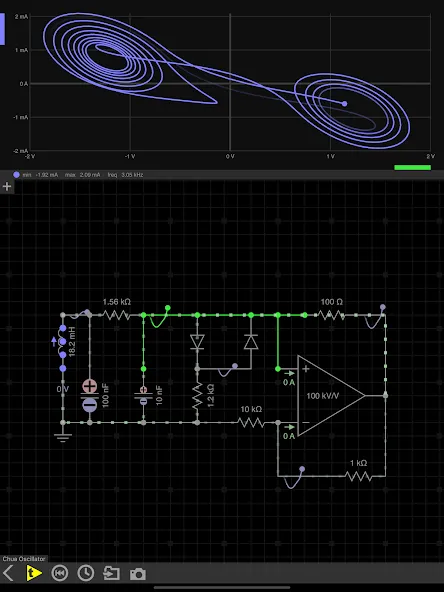
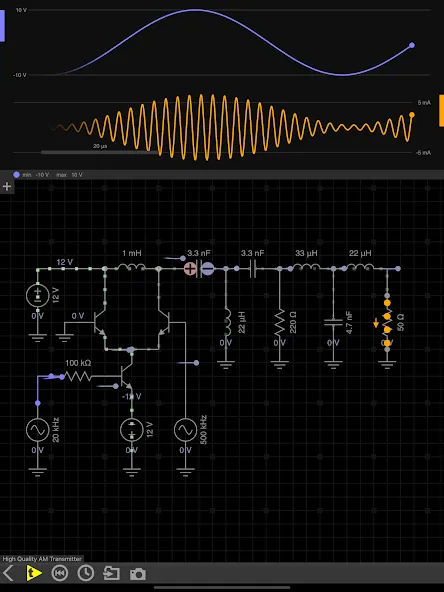
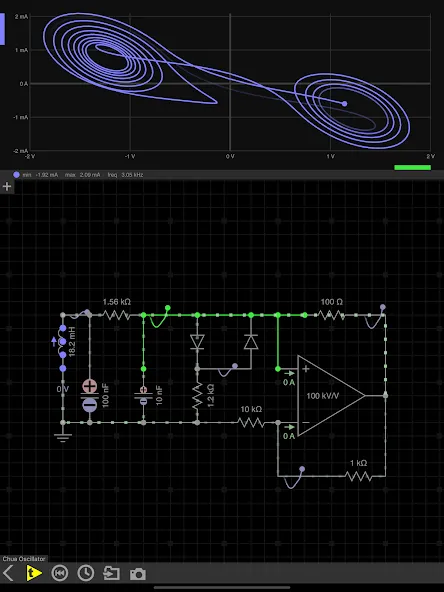
A single play/pause button starts the simulation, while analog knobs adjust component values in real time. You can also draw arbitrary input signals with your finger and view the results via the built-in oscilloscope. This visual feedback makes circuit behavior easier to understand than static diagrams, especially when capacitors are charging or current direction is changing.
This app is ideal for electronics students and enthusiasts who want to connect formulas to practical effects. PCB hobbyists and amateur radio users will also find it a convenient space for creative experimentation, while professionals can use it as a quick sketchpad. Automatic routing and a concise schematic editor reduce the number of keystrokes required to assemble designs.
Comprehensive Selection of Analog and Digital Components
The component library goes far beyond basic resistors and capacitors. It also includes transformers, controllable sources, instruments, diodes, LEDs, MOSFETs, bipolar transistors, operational amplifiers, motors, relays, switches, and 555 timers. Digital circuit developers can use logic gates, various flip-flops, counters, seven-segment displays, and analog-to-digital converters and digital-to-analog converters.
Pros:
Real-time voltage, current, and charge animation
A complete range of analog and digital components
Finger-drawn signals, oscilloscope, and real-time parameter control
Automatic routing, no ads
Cons:
Large tracks and unlimited archiving require a paid version.
Cloud storage and device synchronization services are not available for free.
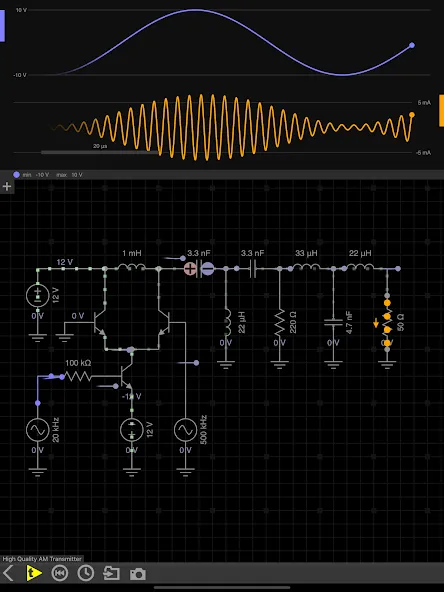
Like an oscilloscope, this type of application is essential for anyone wanting to delve into electrical theory and applications, prototyping, or simply figuring out the functionality of a new circuit diagram found online. Its beautiful design and use of color further enhance its appeal. This compact app boasts a large and loyal user base, ranging from hobbyists to experts, all eager to share their wisdom and experience to help you fully utilize this tool, enhance your electrical knowledge and practical skills, streamline project workflows, and ensure the safety of you, your work, and those around you. It's absolutely great value for money; a paid account also grants access to the desktop version, offering greater editing space and making the most of high-resolution displays. You won't regret purchasing this app.
I've been using the full version of EveryCircuit on my iPad, working with simulation projects in my introductory electronics course. (I'm a programmer with limited electronics experience.) Initially, it took me a while to figure out how to match the course projects with projects I'd completed using other software, but the process itself wasn't difficult and was quite inspiring. I know I haven't fully utilized the app's capabilities or created any particularly amazing circuits, but so far, EveryCircuit has been a lot of fun to use.
First of all, thank you for developing such an excellent and beautiful application. Please keep up the good work. I can't discuss the accuracy of the electronic models here, but for simple circuits, this app performs quite well.
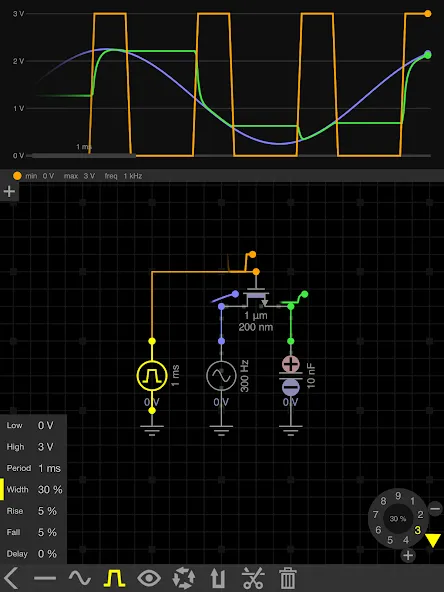
In summary, EveryCircuit is an invaluable tool for learners and enthusiasts in the field of electronics. Its interactive features, comprehensive component library, and powerful simulation capabilities make it ideal for anyone wanting to delve deeper into circuit design. This application not only aids in theoretical understanding but also encourages hands-on practice, thereby deepening the understanding of electronic principles.
Size:8.10MB Version:2.31
Requirements:Android 5.0+ Votes:288
Package Name:com.everycircuit.free Signature:28fc6fd3495aa374cf4ad1aea29ab660
Educational software are emerging in an endless stream on the market, so which one can stand out? It should not only be simple and convenient to use but also helpful for our study. Below, Xiaohei.com brings you a very comprehensive and practical summary of educational software downloads. Come and download it, there is always one that suits you.
About us | Contact us | Privacy policy| DMCA
Copyright © 2026 Xiaohei All rights reserved.