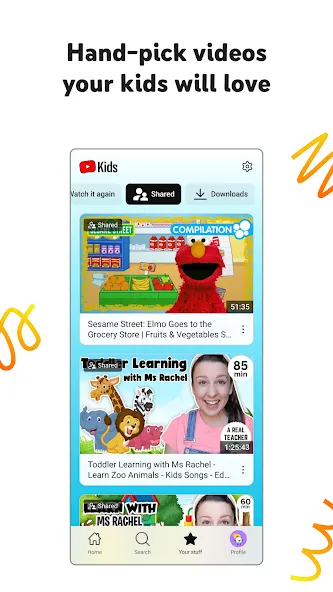
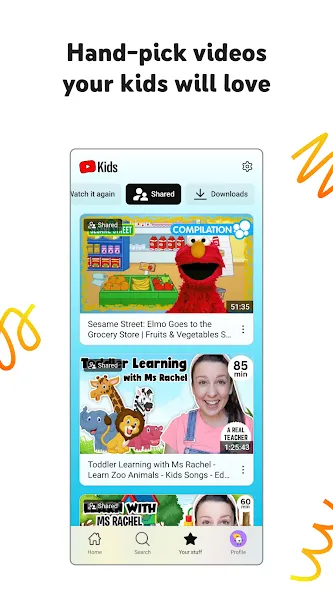
YouTube Kids is a video-streaming application designed specifically for children. It offers a wide range of videos and educational content suitable for young viewers, while also providing parents with tools to manage what their children watch and how long they spend on the app. Parents can restrict access to specific videos and channels, helping to create a safe and appropriate environment for their children’s development. The app features tailored modes and content for different age groups—such as preschoolers, toddlers, and older children—and includes a built-in search function that allows users to find videos by entering keywords. Additionally, a share button makes it easy for users to quickly share videos with friends.
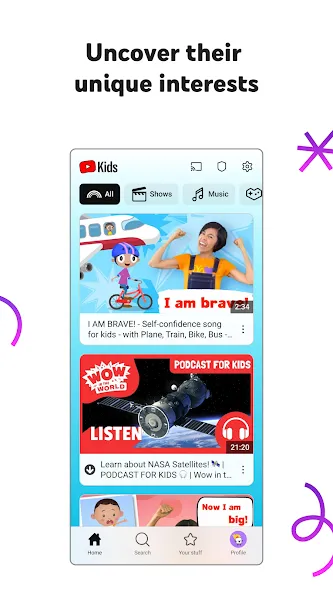
Curated Content Selection: The app employs a sophisticated system combining automated filters, human review, and parent feedback to ensure that the content available is suitable for children. This meticulous curation process means that kids are primarily exposed to videos that are age-appropriate, educational, or simply entertaining in a safe manner. For instance, a child might easily discover engaging science experiments, animated storytelling, or sing-along songs without encountering inappropriate material.
Robust Parental Controls: Parents are empowered with a comprehensive suite of tools to customize their child’s viewing experience. These controls allow guardians to block specific videos or channels, approve only certain content for viewing, or even turn off the search function entirely. This level of customization ensures that the content aligns with family values and individual preferences, providing a secure and personalized environment for every child.
Child-Friendly Interface: The user interface of the platform is specifically designed with young users in mind, featuring large buttons, colorful graphics, and intuitive navigation. This design philosophy enables children to easily browse and select videos independently, fostering a sense of autonomy while exploring content. The simplified layout minimizes complexity, making the experience accessible even for toddlers who are just beginning to interact with digital devices.
Diverse Educational Entertainment: This experience offers a rich variety of content that spans both entertainment and education, stimulating curiosity and learning. Children can immerse themselves in educational shows that teach numbers and letters, creative craft tutorials, or engaging stories that spark imagination. The diverse categories ensure that there’s always something new and exciting to discover, supporting developmental growth through playful engagement.
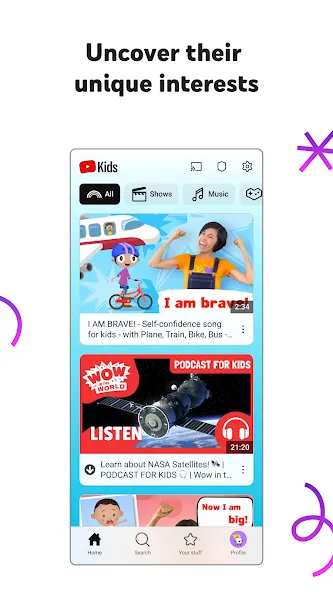
it fine for kids because it is the safe verison of youtube while Regular Youtube is for ages 11 and up Because There is videos not for toddlers Such as horror Swearing gaming not for kids Songs with lyrics not for toddlers like swearing etec.
You have full control on your kids account + choose what they can watch and what age ratings you want it to be. It is safe for even a 1 year old(of course if you are just showing him something on your phone. I would say you can use YouTube kids independently at 4 years old.
As much as this has been a wonderful app, as soon as my children were able to search for videos there was a problem. Some of the videos contained the use of bad language. I informed my children that they had to be responsible by reporting the video, but I am still wary of each video they watch now. It needs a bit more screening. It has the potential to be a great learning tool but as said before, needs better screening. I don't want to have to limit everything my child does, is profanity absolutely necessary?
My son totally loves watching his favourite shows on YT Kids.I would love it if it were possible for parents to be able to lock the screens while kids are watching their video so they are unable to pause or change videos mistakenly when they touch the screens.
Dear Team,I really appreciate the initiative to have a portal for our kids. This is an excellent app by all standards. However, I will be glad if you can introduce subtitles or make it compulsory for all content creators to help both parents and kids.
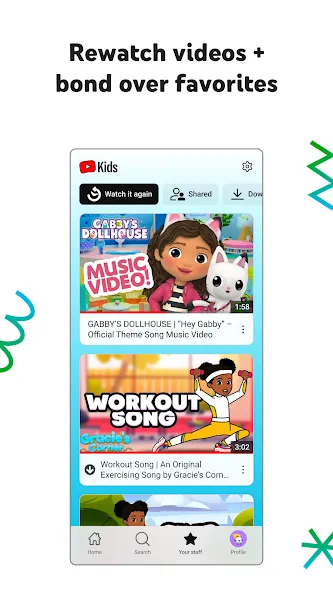
Use the steps below to set up profiles and core controls on a phone. If you plan to download YouTube Kids first, keep the parent device nearby for verification. The process takes only a few minutes and helps keep viewing organized.
Open the app after installation, review the initial prompts, and complete the required parent verification. Sign in with a parent account if asked so settings can be saved.
Create a child profile by adding a name and age, then choose an age level or select Parent Approved Only for a fully curated library.
Adjust profile settings. Toggle search on or off, review suggested content areas, and block any channels or videos you do not want to appear.
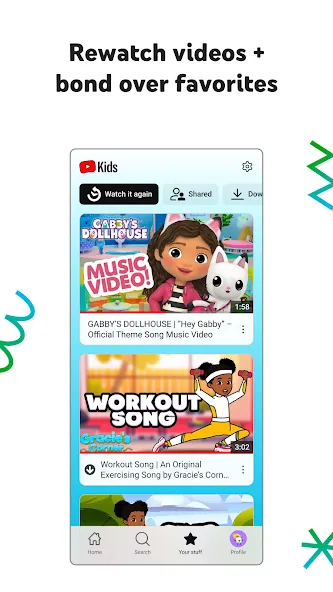
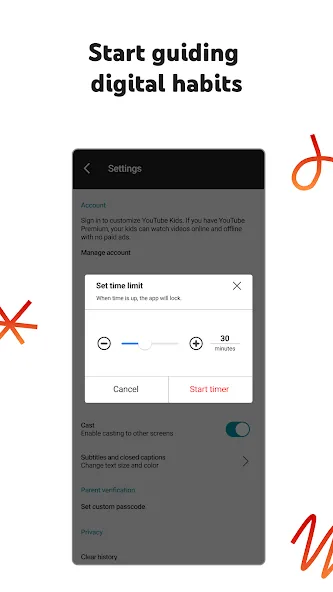
Set a screen time Timer before playback. Start watching by browsing categories or using the home screen, and use Watch It Again to return to recent videos.
To keep the experience consistent on other screens, sign in on another device or go to youtubekids.com in a browser and use the same parent account. For TV activation, follow the code shown on the TV and complete the steps in the Help Center.
Download the app onto your smartphone.
Click the profile image in the upper left to create a parent profile.
Enter your birth year (the app will confirm).
Select a Gmail account, read the terms and conditions, enter a password, and log in.
Create a child profile by entering their first name and age (birth month is optional).
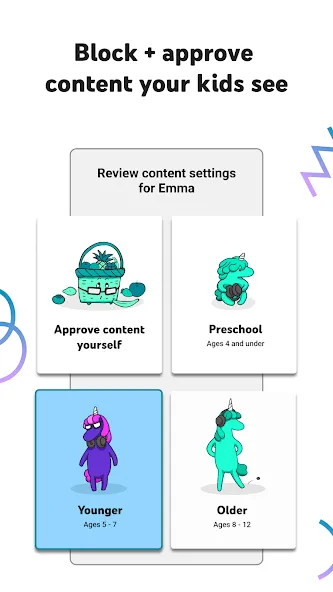
Select Content Settings for each child. There are 4 choices: Preschool (0-4), Younger (ages 5-7), Older (ages 8-12)* and “Approve content yourself.” See the images below.
Based on our searching, the Older category allows access to Ted Talks, music videos (some of a mature nature), LGBTQ explanations, Ellen episodes, Saturday Night Live skits, etc. For some parents, these topics might be fine and for others, they won’t want them. We simply want parents to be aware.
Download the YouTube Kids and manage your young children's or others' access to a platform with as varied content as YouTube. Adapt screen time, set parental filters, and gain peace of mind by ensuring that your children can never watch age-inappropriate videos on your smartphone. The app's filter also applies to ads, so you won't have to worry about inappropriate advertising either.
Size:75.88MB Version:11.43.542
Requirements:Android 4.4+ Price:Free
Package Name:com.google.android.apps.youtube.kids Signature:e7ae31a30f3fcb9ac2b1d433e311e0fb
Does the world need one more app for social media? That was one of the main things that the founders of the startup thought about when they came up with the idea to create a social media app. Threads has apparently answered with a resounding “yes.” In just one hour, the Meta app gained one million users, making it the winner of this competition of social media apps. The “Threads case” is different, you might say. And I agree. Since they already had Instagram users, that gave them an edge that other apps do not have. And finally, is it still worth it to start from scratch and make a social media app when you do not have Instagram to watch your back? Yes, that is the clear answer. Today I am going to discuss why social media app development is worth your time and money. Also, I will cover steps, costs, features, and other aspects.
With the advancement of technology, downloading videos on Android devices is no longer time-consuming. The Android universe is now infested with hundreds of apps for video download in Android that can download HD videos from a slew of video-sharing and streaming sites like YouTube with the swipe of a finger. However, the majority of these apps may contain adware and other unwanted software! As a result, if you’re looking for a good list of the best free Video Downloader Apps for Android. That is completely safe; this is the place to be!
A truly outstanding movie is not just about an engaging plot-it also requires seamless transitions between scenes. When these transitions are natural and fluid, they help the audience stay immersed in the story without feeling disconnected. The same principle applies to video games. Games that ensure smooth, uninterrupted gameplay, whether through well-designed animations, intuitive controls, or seamless scene changes, create a more immersive and enjoyable experience for players. A game that flows effortlessly from one moment to the next demonstrates a level of craftsmanship that deserves recognition and admiration.
About us | Contact us | Privacy policy| DMCA
Copyright © 2026 Xiaohei All rights reserved.