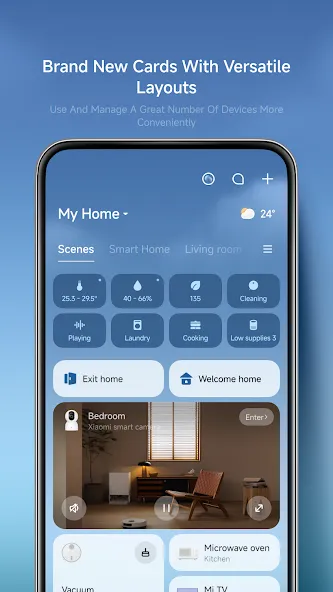
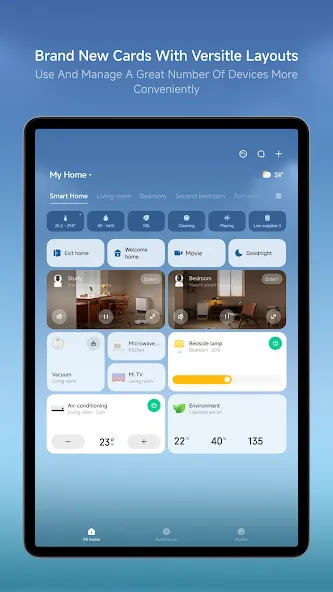
Xiaomi Home is a mobile application designed for users of Xiaomi’s product ecosystem. Through this app, users can remotely control a wide range of smart devices to suit their specific needs. Adding a device is simple and takes just a few steps; once connected, you can monitor the status of your devices in real time, share control access with family members, and configure various settings—such as scheduled on/off times, energy consumption tracking, or mode switching—to create a comfortable living environment at home. The app also features an active community where you can interact with other Xiaomi users, share recommendations for useful devices, and discover new insights into smart home technology.
Control from anywhere: Switch on lights, tweak the thermostat, or check a camera whether you’re across the room or across town.
Live status & notifications: See real-time device states and get alerts when something changes, like motion events or finished prints.
Shared access with trust: Invite family or roommates and choose exactly what they can view or control with flexible permissions.
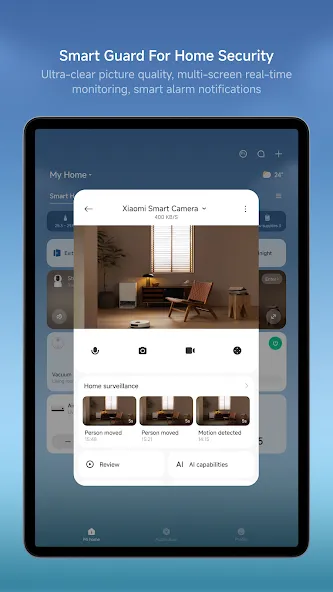
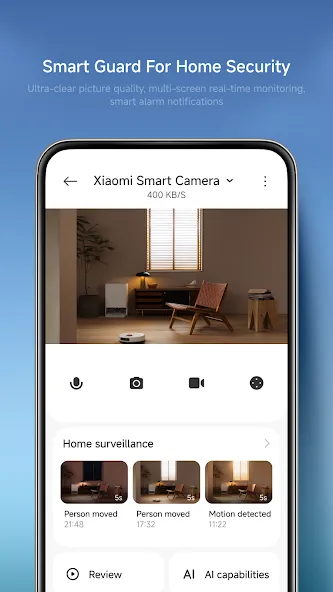
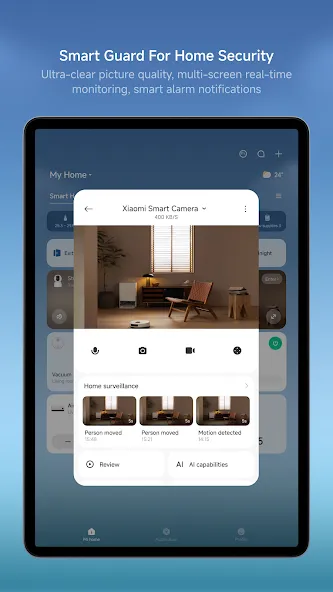
Smarter cameras: Watch live, grab quick snapshots or clips, and browse a clean history timeline; two-way talk is available on supported models.
Lighting your way: Adjust brightness and color temperature, set moods with scenes, and schedule lights to match your day.
Comfort controls: Manage air conditioners and fans with remote power, temperature, modes, speeds, and oscillation, plus automation options.
Power that pays attention: Toggle smart plugs and power strips, run scheduled operations, and view energy stats where available.
Printing, simplified: Use handy templates, pick media types, run pre-checks, and even create collage-style prints for a smoother workflow.
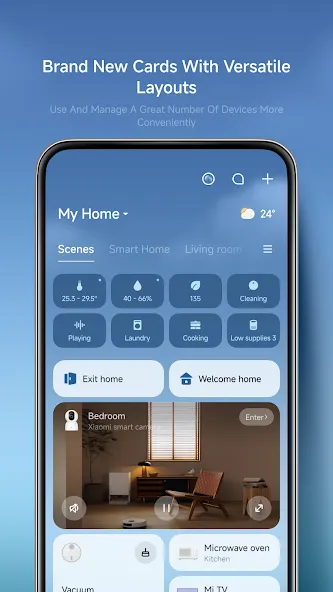
Remote Device Management and Real-time Monitoring: The app provides comprehensive control over your connected smart devices, allowing you to manage them regardless of your physical location. You can view the current status of your devices in real time, ensuring you are always informed about their operation. This functionality extends to adding new devices to your ecosystem, which the app facilitates with a straightforward setup process.
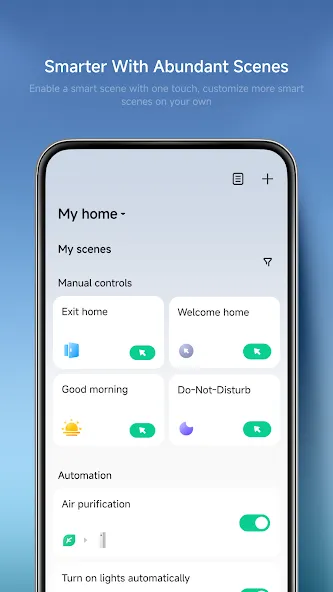
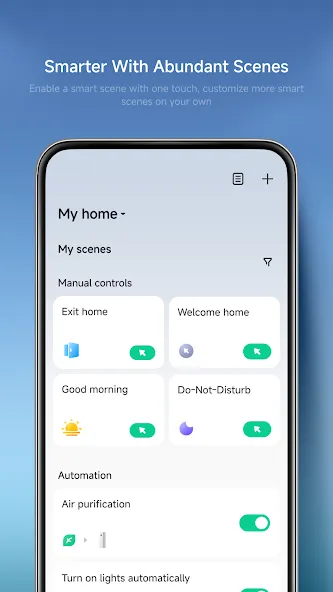
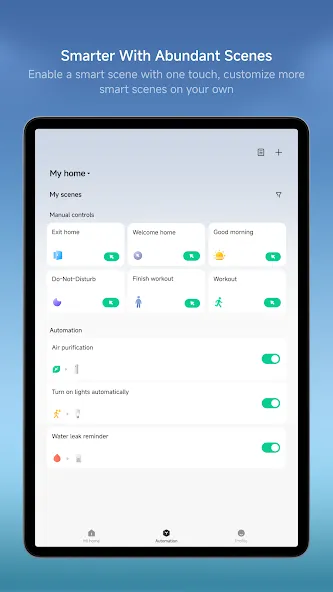
Intelligent Task Automation: Users can leverage Xiaomi Home to set up and execute intelligent tasks. This feature enables the creation of automated routines for your devices, such as scheduling lights to adjust brightness and color temperature at specific times or automating scene changes based on predefined conditions.
Device Sharing Capabilities: The app supports sharing control of your intelligent devices with others. This allows friends and family members to manage selected devices, fostering a collaborative smart home environment.
Integrated Device Support: Xiaomi Home integrates with a range of intelligent devices, offering specific functionalities for each type. For cameras, it provides a live view, enables quick snapshots and video clips, and offers easy access to recent events and history playback. For printers, the app includes printing-oriented templates and workflows, along with built-in media selection and pre-checks to ensure printing requirements are met. It also supports richer creation flows, such as collage-style layouts and mixed media selection. For lights, the app allows remote on/off control, adjustment of brightness and color temperature, scene automation, and scheduling.
After you download Xiaomi Home, setup on an Android phone is straightforward. The steps below outline how to add devices and begin basic control. Follow them in order for a smooth first-time experience.
Open Xiaomi Home and sign in with your Mi Account, or create a new account inside the app.
Allow requested permissions such as Bluetooth, Wi-Fi, and location so the app can discover devices nearby.
Wait for a “Devices nearby” prompt to appear, then tap it to start pairing. If nothing appears, tap “+ Add device,” search for your model, or use “Add Manually.”
Follow the on-screen instructions to connect the device to your network and complete any required setup steps.
Create smart linkages if needed so devices can work together based on time, status, or simple triggers.
It is so easy to connect devices. And it's like you can customize it, and you can add other people, which is amazing. It will just be like a security camera, security camera A1. You better go try it it's the best because it can monitor, it will send you things like, "Bro, A1, that's the best kind of camera they are selling, but I want something smaller."
I would greatly appreciate it if the Google Home integration for the Smart Air Purifier could be updated to include manual fan speed controls. Currently, I can only toggle power and switch between preset modes, but lack the granular slider for precise adjustment available in the Xiaomi Home app.
Using app with camera. Enjoying this very much Low monthly subscription (for 1 camera). Can we en be free for basic usage. easy to connect between app and camera. App is easy to navigate, provided you know you exact device and model to connect to. No annoying ads.
User friendly app. Easy to access and configure settings. Using mainly for Xiaomi smart doorbell 3S and Lockin Digital Door Lock. App also have device sharing options which is very convenient.
I have used Xiaomi Home app for months, through a smartphone running Android 15 and wifi. The app is functional and controls the quality products offered by Xiaomi effectively.
With a wide array of features designed to simplify smart home management, Mi Home stands out as a valuable tool for anyone looking to enhance their living environment through technology. The ability to connect devices, automate tasks, and monitor performance makes it an essential app for modern households. Users interested in optimizing their smart home experience can download Mi Home and start exploring its capabilities today.
Size:338.98MB Version:11.9.704
Requirements:Android Price:Free
Package Name:com.xiaomi.smarthome Signature:0a8f2192023b236000e04556e000651d
A healthy lifestyle is about more than just proper nutrition and consistent exercise. Getting enough sleep, taking care of your body and mind, and managing things like medications and doctor’s appointments also play important roles in staying healthy. A good app can be a great way to manage it all. That’s why Healthline tested a variety of different healthy lifestyle apps. We chose the year’s best based on content, reliability, and user reviews.
Take charge of your daily routine with the most innovative lifestyle apps of 2024. Elevate your fitness, mindfulness, and nutrition with cutting-edge workout, meditation, and meal-planning tools. Boost productivity with smart scheduling apps that simplify time management, or unwind with curated entertainment, news, and reading platforms. Whether you want to stay organized, energized, or inspired, these handpicked apps help you achieve balance effortlessly. Download now and transform your work, wellness, and free time-your best life is just a tap away!
Nowadays, people's lives not only rely on mobile phones, but also on various apps. In addition to shopping apps and video watching apps, there are also many lifestyle apps that are commonly used by people. Today, I will share with you the apps for daily life? If you also want to make your life more convenient, you should really understand it well, which is also essential for everyone.
About us | Contact us | Privacy policy| DMCA
Copyright © 2026 Xiaohei All rights reserved.