UV Video Status is a lightweight media player for Android. It scans your device’s internal storage and SD card to build a clean, searchable media library, specifically designed for the stable playback of local high-definition and compatible video files. With UV Video Status, users can open videos directly via external file managers or add multiple files to a playback queue for continuous, uninterrupted viewing. Please note that playback performance for certain codecs may depend on the decoding libraries provided by your device’s operating system; the app focuses on delivering a robust local playback experience rather than including additional, built-in codec packs.
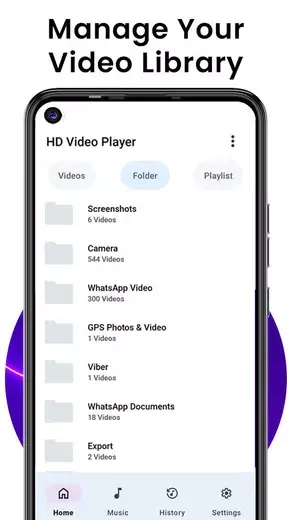
Post short videos that are up to 30 seconds long.
Simple user interface.
Share videos fast.
Full-screen video previews.
Save videos as statuses and download them to your phone gallery in order to send them as messages later on.
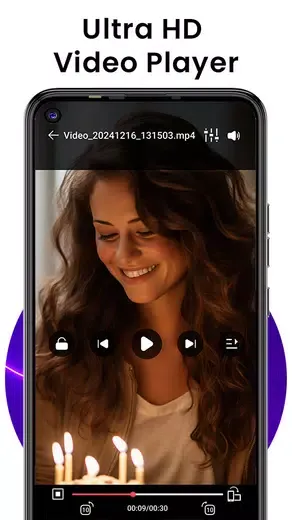
Controls are intentionally straightforward: swipe gestures adjust volume and brightness during playback, horizontal swipes seek forward or back, pinch or double-tap can change aspect ratio, and an on-screen slider gives fine-grained control over playback speed.
These gestures are designed to minimize interruptions, so you rarely need to open menus while watching.
The floating mini player can be dragged and resized, making it practical to follow a tutorial, watch a clip, or keep a video visible while you check messages or browse other apps.
Main capabilities
The app supports popular codecs and multimedia containers, giving you the freedom to open MP4, MKV, AVI, MOV, FLV and many other file types directly from storage or network locations. Playback controls are responsive, and the player detects available tracks and subtitles automatically. For users who switch between devices frequently, the player can remember playback positions so you can resume where you left off.
Playback and format support
UV Video Status focuses on wide compatibility. It uses a combination of software decoding and hardware acceleration to play high-bitrate videos without stutter on modern Android devices. Adaptive frame-rate handling and automatic scaling ensure videos display correctly on different screen sizes, while audio track selection and stereo/mono switching are available for multi-track files.
User interface and controls
The interface places primary controls within easy reach: play/pause, seek, volume, brightness, and a quick toggle for subtitles. A clean layout reduces clutter, so menus are available but unobtrusive. Touch gestures for fast seeking and volume/brightness adjustment make one-handed operation straightforward. Users can switch to full-screen mode or lock the screen to avoid accidental taps during playback.
Enable hardware decoding for high-resolution files if your device supports it to reduce battery drain and improve playback.
Use subtitle synchronization to correct timing on older or poorly encoded rips.
Create playlists when watching series or curated content to avoid manual track selection.
Switch decoders if you encounter choppy playback—software decoding can improve compatibility on some files.
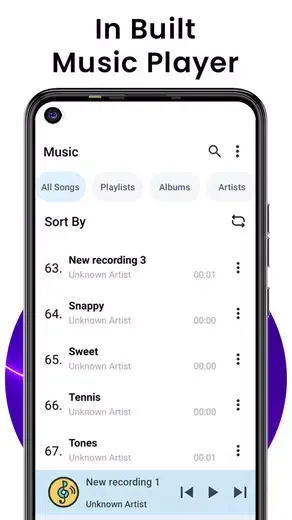
With its emphasis on ease of use and versatility, UV Video Status appeals to a broad audience. Whether users are looking to celebrate special occasions or simply share their daily moments, the app provides the resources needed to create visually stunning video content. As a platform for creative expression, UV Video Status stands out in the realm of video editing and sharing apps. Its numerous features and user-friendly design make it a compelling choice for anyone interested in enhancing their digital storytelling capabilities.
Size:15.96MB Version:5.5
Requirements:Android 10.0+ Price:Free
Package Name:com.videostatus.uv Signature:d8f7f2da4e7edc973b4fae49a8d083e3
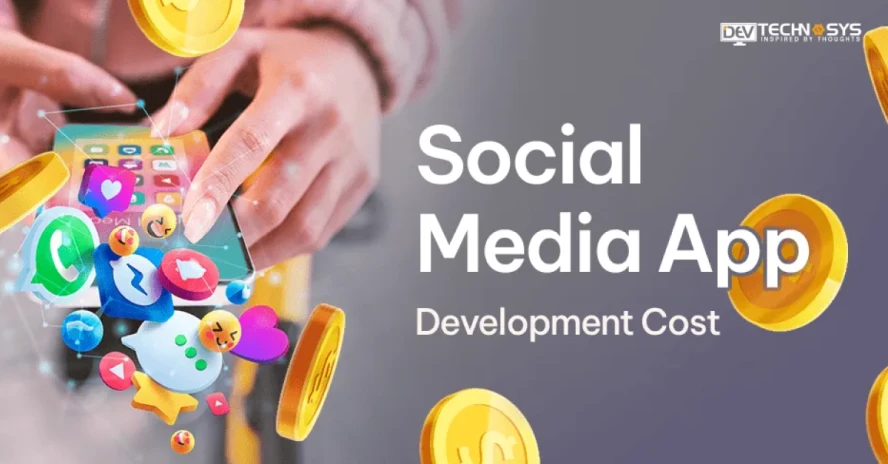
Does the world need one more app for social media? That was one of the main things that the founders of the startup thought about when they came up with the idea to create a social media app. Threads has apparently answered with a resounding “yes.” In just one hour, the Meta app gained one million users, making it the winner of this competition of social media apps. The “Threads case” is different, you might say. And I agree. Since they already had Instagram users, that gave them an edge that other apps do not have. And finally, is it still worth it to start from scratch and make a social media app when you do not have Instagram to watch your back? Yes, that is the clear answer. Today I am going to discuss why social media app development is worth your time and money. Also, I will cover steps, costs, features, and other aspects.
With the advancement of technology, downloading videos on Android devices is no longer time-consuming. The Android universe is now infested with hundreds of apps for video download in Android that can download HD videos from a slew of video-sharing and streaming sites like YouTube with the swipe of a finger. However, the majority of these apps may contain adware and other unwanted software! As a result, if you’re looking for a good list of the best free Video Downloader Apps for Android. That is completely safe; this is the place to be!
About us | Contact us | Privacy policy| DMCA
Copyright © 2026 Xiaohei All rights reserved.