GOM Player is a free multimedia tool. This application boasts numerous practical features, supports multiple file formats, offers customizable themes, a subtitle library, and 360-degree VR video, allowing users to easily open various videos and music. With GOM Player, you can play media files of any format without needing to install other applications. Users can efficiently manage their favorite videos for quick and easy access. Its rich customization features allow you to tailor your viewing experience to your personal preferences.
Variety of non-encoded video files including mp4 types can be played.
You can play 360 videos
Convenient UI, such as sliding menus and intuitive screen options.
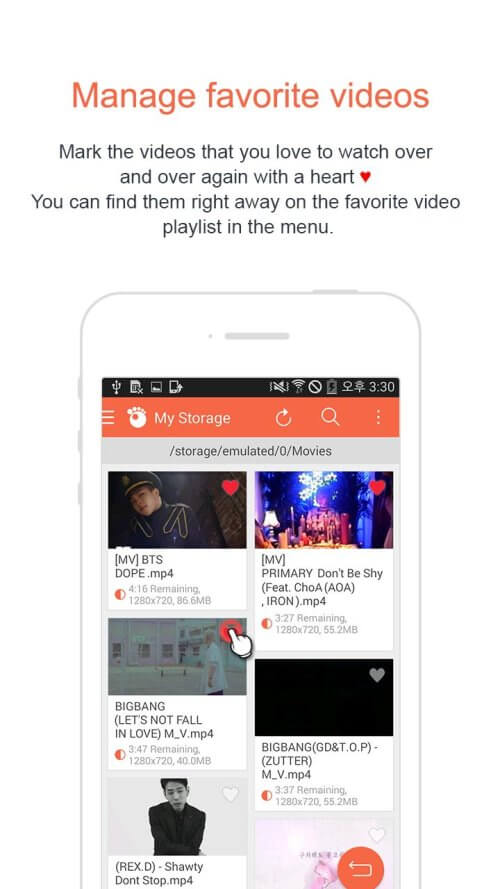
You can manage the list of your favourite videos.
You can screenshot the screen while it is being played.
We support sleep timer function
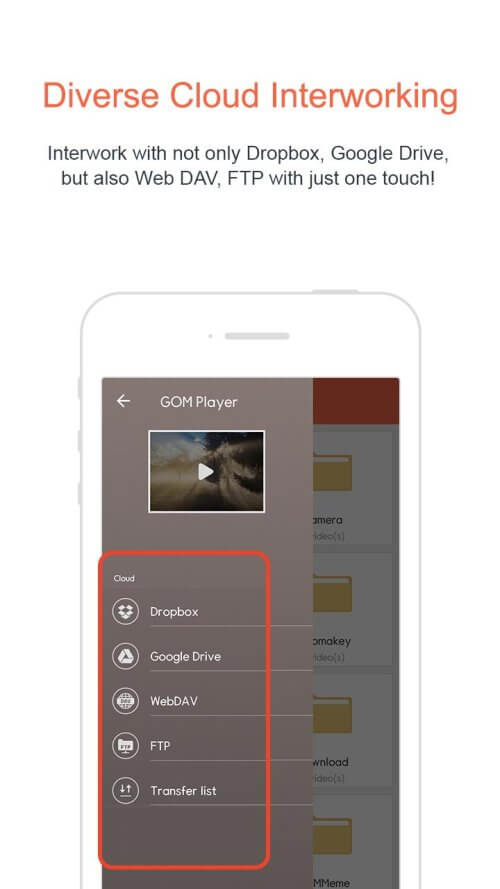
It is possible to connect to Dropbox, GoogleDrive, WebDAV, and FTP
We support advanced settings
Support for multiple formats
GOM Player stands out for its ability to play virtually any video or audio format without requiring additional codecs. The app supports popular formats such as MP4, AVI, MKV, FLV and MOV, as well as audio files in MP3, AAC and FLAC. Thanks to its optimized playback engine, users can enjoy smooth and uninterrupted playback, even with high quality and high resolution files.
Advanced support for subtitles and customized synchronization
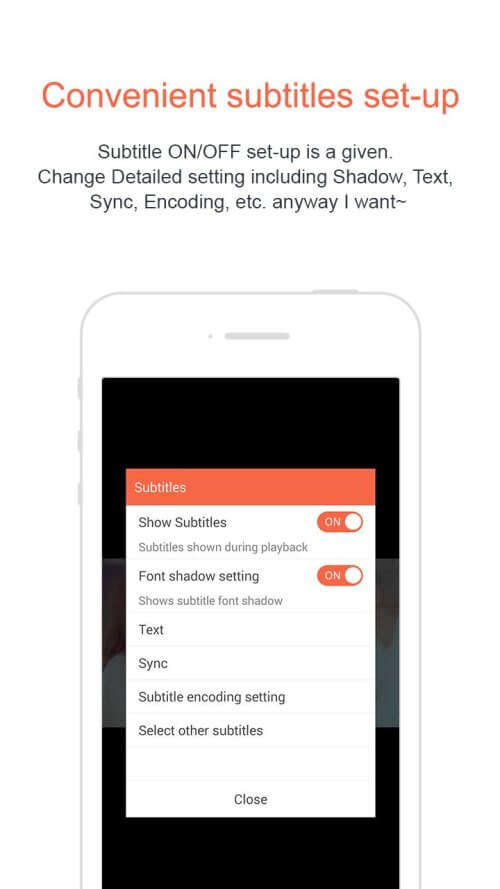
One of GOM Player's strengths is its support for multiple subtitle formats, allowing users to load SRT, ASS and SUB files without a hitch. What's more, the app has advanced customization options, such as synchronization, font size and color adjustment, ensuring that the subtitles are perfectly adapted to the content. It even has a feature that allows you to automatically search for subtitles, making it easy to locate and download files directly from the app.
HD and 4K quality for an exceptional viewing experience
GOM Player enables high-resolution video playback, including HD, Full HD and 4K, ensuring stunning visual quality. The app's performance optimization allows you to seamlessly play HD videos, even on devices with moderate specs. Its support for advanced decoding hardware ensures efficient resource consumption and stable playback at all times.
Intuitive controls and customizable touch gestures
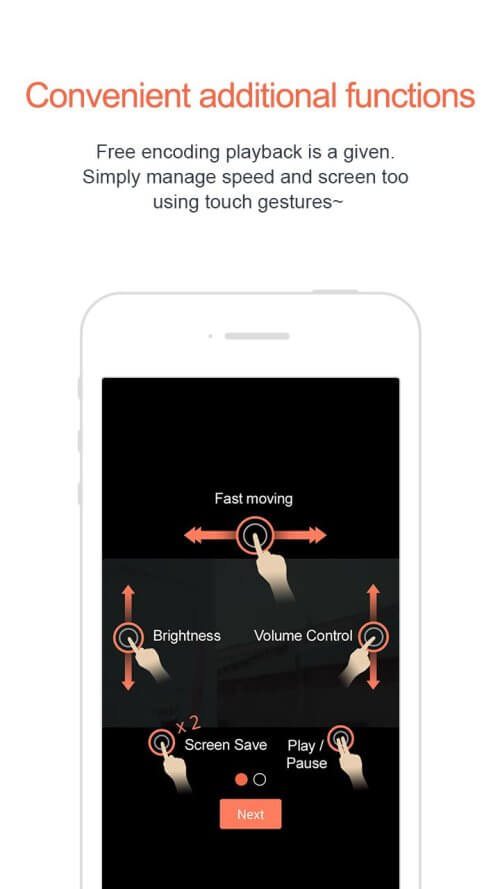
To offer a smoother user experience, GOM Player incorporates touch gestures. Adjust the volume, brightness and playback speed by sliding your fingers on the screen, allowing you to watch your content your way without having to go through any menus. The app also allows you to configure customized shortcuts, adapting to your individual preferences and improving accessibility.
Floating mode and background playback support
GOM Player has a handy floating window mode that allows you to continue watching your videos while using other apps. This is ideal for those wanting to multitask without interrupting video playback. What's more, the app offers background playback, allowing you to listen to audio even when the screen is turned off, which is useful for podcasts, lectures and music videos without having to keep the device active.
CAPTURE AND SHARE MEMORABLE MOMENTS
If you’ve ever watched a video and wished to capture that perfect scene, your wish is GOM Player’s command. It comes with a screenshot function that lets you freeze-frame the action, effectively giving you the power to create your movie stills. Imagine the epic meme potential!
SLEEP TIMER AND CLOUD CONNECTIVITY
GOM Player isn’t all about the video; it’s your trusty bedtime companion with a built-in sleep timer function. Now you can drift off to sleep watching your favorite movie without draining your device’s battery to zero by dawn. And don’t forget its ability to connect to Dropbox, Google Drive, WebDAV, and FTP. With such expansive cloud connectivity, your videos are always within reach, even if they’re not on your device.
ADVANCED SETTINGS FOR THE TECH-SAVVY
Finally, for those who love to tweak and fine-tune, GOM Player has you covered with various advanced settings. Get ready to dive deep into the app’s underbelly, tinkering with settings to optimize your viewing experience. It’s a bit like being handed the keys to the kingdom, but the domain is a top-tier video player, and the keys are sliders, checkboxes, and dropdown menus.
This multimedia tool is good for users who want access to VR content, or who want access to a vast library of subtitles. The program is functional, but it takes some getting used to. Anyone who prefers a standard multimedia player would be better off downloading an alternative like VLC. For those who are going to download the program, make sure you pay close attention to the prompts of the installer. For the most recent version of GOM Player, developers have added the New Preference Mode (beta), fixed an error with HEVC contents as well as incorrect DVD chapter markings and an action handling the margins for messages.
Size:73.3MB Version:1.9.8
Requirements:Android Votes:114
Today, many popular movie streaming apps like Netflix, Disney+, and Hulu have reached millions of viewers. And they have done this without relying heavily on additional promotions. People no longer need to stick to some random, specific TV schedules to enjoy their favorite shows and movies. Thanks to the internet, viewers can easily find new and entertaining content without any hassle. Not to mention, the leading movie streaming solution like Netflix has become incredibly popular because they understand and cater to audience preferences worldwide.
Video Player is a software application or hardware device designed to decode and display digital video content. Modern video players are highly versatile, capable of handling both locally stored files and real-time streaming media from online platforms. Over time, technological advancements have transformed video players from basic format-specific tools into sophisticated systems supporting a wide range of codecs, resolutions, and playback features. Today’s players offer enhanced functionality such as subtitle synchronization, playback customization, and adaptive streaming, ensuring a seamless and user-friendly viewing experience across various devices.
About us | Contact us | Privacy policy| DMCA
Copyright © 2026 Xiaohei All rights reserved.