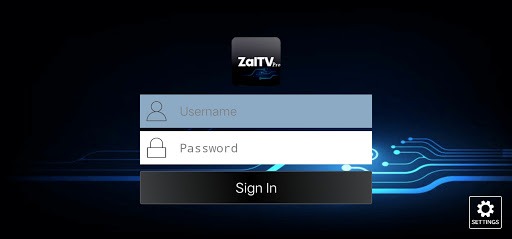
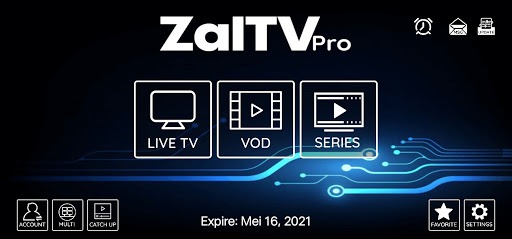
Zaltv is a video player with a built-in media player. It allows users to watch on-demand videos and browse episodes by track number. Users can add their favorite TV shows to their favorites. It supports backup and restore functions and can sync across multiple devices. It sends push notifications when new shows are available. It also includes a built-in VPN. The user interface is simple and easy to use. Parental controls are also included. Screen casting and media sharing are also supported, providing users with great convenience.
Default player
EPG (Electronic Program Guide) support
catch up with the EPG
VOD with IMDb Info
Series by seasons and episodes
Add TV, VOD and Series to Favorites
Backup and Restore Synchronize settings with multiple devices
Schedule Recording to internal or external storage (DVR)
Program reminder from EPG Display
Schedule Recording from EPG Display
Buil-in VPN support
Pros
Intuitive interface and easy activation via short codes
Supports live TV and on-demand IPTV playlists
Compatible across multiple devices and platforms
Stable performance with minimal buffering
Parental controls and favorites functionality
Cons
No included channels or IPTV sources
Paid app after free trial period
What is ZalTV used for?
ZalTV is used to play IPTV content through M3U playlists on smart TVs and Android TV devices.
Does ZalTV provide channels or movies?
No, ZalTV does not include any content. Users need to add their own playlists to watch media.
How do you activate ZalTV on a TV?
You upload your playlist on the official site, get a 10-digit code, and enter it into the app on your TV.
Is ZalTV free to use?
ZalTV usually offers a trial period, after which a small fee may be required for continued use.
Who should use ZalTV?
It is best for users familiar with IPTV who want a simple and clean player for managing playlists on a TV.
Step 1: after installing the app go to the URL provided.
Step 2: complete the registration process and get a validation code.
Step 3: enter the code to register as a user.
Step 4: find and enter your own M3U lists. These are not included in the app.
ZalTV is a mobile and smart TV application designed as a media player for IPTV content. It runs mainly on Android-based TVs and TV boxes, where users can manage and play their own streaming playlists. Instead of offering built-in channels, it acts as a tool that connects your personal media sources to a larger screen.
Size:8.94MB Version:1.3.4
Requirements:Android Votes:469
Package Name:com.player.zaltv Signature:2d69016ae8592609b2be291233f50fa0
Today, many popular movie streaming apps like Netflix, Disney+, and Hulu have reached millions of viewers. And they have done this without relying heavily on additional promotions. People no longer need to stick to some random, specific TV schedules to enjoy their favorite shows and movies. Thanks to the internet, viewers can easily find new and entertaining content without any hassle. Not to mention, the leading movie streaming solution like Netflix has become incredibly popular because they understand and cater to audience preferences worldwide.
A video streaming service is a type of on-demand online entertainment source for TV shows, movies, and other streaming media. In need of Android movie apps? you can watch your favorite shows or movies any time anywhere Streaming means listening to music or watching video in ‘real time’, instead of downloading a file to your Android device and watching it later. Whether you're looking to watch movies, TV shows, or videos on your Android device, you'll need a good video player app. Beyond just playing content, these apps now offer features such as seamless playback, format versatility, subtitle support, advanced controls, VR integration, online video streaming, and enhanced privacy. This article delves into the best free and paid Android video player apps in 2024, guiding both casual viewers and cinephiles to their ideal choice.
Streaming software allows you to broadcast your content live across the internet. It processes the raw feed that comes from your camera and converts it into a digital format that is suitable for internet streaming, in real-time. In 2024, 41% of internet users have already watched at least one live stream in their lifetime. And 27.6% of them are expected to watch at least one live broadcast every week. Hence, it is needless to say that the live streaming market is seeing a massive boom. As the market is growing, the number of live streaming software is also increasing. And it is becoming extremely difficult to choose one. In this guide, we will tell you what are the parameters to decide the best live streaming software, like what features they should have and what factors you need to consider. And finally, we will tell you about the top 10 live-streaming software that our experts have handpicked for you! So, let’s get started.
About us | Contact us | Privacy policy| DMCA
Copyright © 2026 Xiaohei All rights reserved.