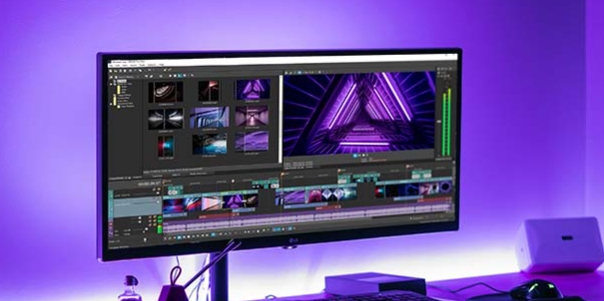
Video Guru is an outstanding video editing utility designed to help users achieve professional-level video editing, allowing you to easily express your creativity and turn inspiration into reality. Video Guru presents a powerful, easy-to-use, and comprehensive multimedia editing platform where users can experiment with music, editing, filters, and a wealth of customization options to help you create smoother and more creative video content. Video Guru boasts a rich library of materials, is simple to use, and is beginner-friendly.
Video Filters and Effects: Add stunning cinematic filters and effects to panoramic videos.
Merge multiple video clips into one using transition effects.
Create eye-catching videos with magical video effects and stylish filters with just a few clicks.
Video Transitions: Edit videos with transitions and music, and merge multiple videos for uploading to YouTube.
Offers a variety of video transition effects, such as glitch, VHS, noise, etc.
Video Speed Editing: Free video editing application & professional video editor, supporting music, fast/slow motion.
Speed up or slow down video playback; speed adjustment ranges from 0.2x to 100x.
Video Backgrounds: Add various aspect ratio borders without cropping. Editable background colors and video blur effects.
Blur backgrounds to suit social media.

Regular updates are a key feature of Video Maker, with developers constantly releasing new effects, filters, and transitions. This continuous improvement philosophy ensures users have access to the latest video editing tools and trends, keeping content fresh and innovative.
For users looking to enhance their video editing skills, Video Maker is an ideal choice. It meets a wide range of editing needs, from basic cuts to advanced effects, suitable for all types of projects. This app stands out for its all-in-one functionality, providing everything needed for video production.
The app is designed to eliminate banner ads, offering a clean and smooth editing experience. This user-centric design philosophy aims to inspire creativity and avoid distractions. Download Video Maker to access this powerful tool that simplifies the video editing process while delivering professional-quality results.

Easy AF to use! And it's got all of the basics that you'll need to trim/cut/split a video of your choice, and then you can choose the frame rate, resolution, ect when you go to save it to make the file size smaller if need be. You can also create stickers using your library.. All for free! Thanks Video.Guru!
I forgot to update this but I DID get the restore option back after getting a new device. The only issue now is, what happened to the video section that allowed us to customize the videos for YouTube, TikTok and etc? I thought it was an issue with the device again but it wasn't. The option is not there anymore. I really like this app so I hope they put the option back again when they can. I'm still going to use it though because like I said before I really like this app.
this is amazing, surprisingly versatile. seriously this is better than anything I could find on PC - all the free editors there are either too complex or too simple. this one is Perfect. There is an issue, though. It says the estimated video size is about 4GB. I have more than 4GB left on my device, yet it tells me I need to free up 6 more GB before it saves. What is this!? The video is only 4GB, why do I need 12+ GB to save it?
So easy to learn. So easy to use. Took 5 minutes to explore and had a good understanding of most of the features. Great for adding music, string clips, or making a (simple-ish) edit. There's more advanced software out there if you want to do higher-level stuff, but if you just want to have fun or do something quickly, this is perfect.

Variable Features for Visual Enhancement
In addition to the tool's flexibility and excellent performance, the app's additional features are reliable and practical, effectively improving image quality. These features include filters, visual effects, color adjustments, post-processing, and more, offering a wealth of customization options for ultimate user convenience. These features are easy to use and can be combined with other functions to create perfect synergies.
Add Free Music for Entertainment
Video.Guru also introduces video audio insertion, providing users with numerous opportunities to enhance the appeal of their videos. The app's built-in audio library is extensive, covering most popular free content, and even including multiple versions. The music insertion process is diverse and convenient, helping users effectively synchronize melodies with the visuals.
Flexible Editing Tools and Facilities, and Advanced Technology
Video.Guru boasts a wealth of multimedia file editing features, each containing exciting and powerful capabilities designed to expand the user experience and bring surprises. These features make editing easier and smoother, while also providing a variety of customization options, allowing users to create a personalized editing experience. Furthermore, some unique features can provide users with many new inspirations for content design.

Video.Guru offers users endless possibilities, providing a variety of functions and tools to facilitate photo or video editing, and offering numerous customization options to meet individual user needs. Furthermore, it continuously updates with new content across various fields, inspiring users' creativity and taking their editing to new heights.
Size:55.2MB Version:1.584.183
Requirements:Android Votes:320

Video Editor is a powerful software tool designed for crafting, refining, and enhancing video content. It enables users to transform raw footage into compelling visual narratives or effective communication platforms. As digital media continues to evolve, video editing has grown in significance - no longer just a professional necessity but also an accessible skill for everyday creators. Modern editing tools now offer intuitive interfaces, AI-powered features, and cross-platform compatibility, making high-quality video production achievable for both experts and casual users alike.
Mobile video editing tools are highly popular, with complete functions and professional tools that provide a strong atmosphere for various materials. Rich video templates can be operated with just one click, saving time and without too high a threshold. So what are the free versions of mobile video editing software? Editing software should have high popularity, but most of them require membership. Next, I recommend several platforms that can be used for free.
In the era of popular short videos, it seems that everyone can edit, which has become an essential skill. The editor brings you a ranking of video editing software that is good. Editing videos seems to be a daily routine, used by both internet celebrities and daily life recorders. The editing techniques are also different. The videos edited by professional personnel are more shocking and beautiful, while those edited by non professional personnel are ordinary. Below, the editor will organize some useful video editing software.
About us | Contact us | Privacy policy| DMCA
Copyright © 2026 Xiaohei All rights reserved.