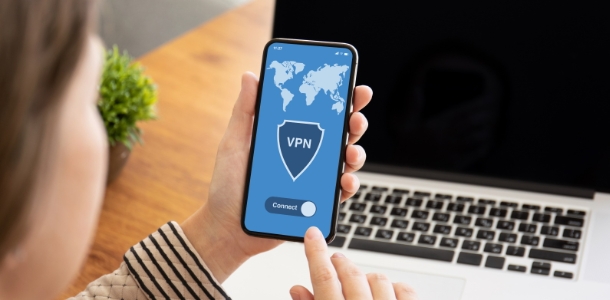
SwitchVPN is a unique and practical internet proxy service that provides users with high-quality, stable, and fast internet connections, allowing you to enjoy a seamless experience of accessing online resources. SwitchVPN features a clean and simple interface design, allowing users to easily locate the functions they need through a smooth navigation bar. SwitchVPN supports server switching in multiple countries and regions, unlocking blocked website content. Users can enable anonymous proxy services, and military-grade encryption technology ensures your information security.
Easily switch between IKEv2 or OpenVPN protocols
Split tunnel function, allowing you to select specific applications to use the VPN with
Select multiple servers from 32 countries/regions worldwide
Always-connected function ensures your VPN connection is always uninterrupted
Military-grade 256-bit encryption, network speeds up to 1Gbps
Unlock websites and protect your internet connection
Top-notch in-app customer support

Fast Connection
Enable automatic server selection; our built-in fast connection algorithm will find the nearest and fastest VPN server to your location.
Rock-Solid AES-256 Encryption
SwitchVPN uses industry-leading AES-256 encryption to protect you from hackers and snoops at home or on guest Wi-Fi networks.
Split Tunneling
Split tunneling allows you to choose which apps' traffic goes through SwitchVPN and which apps' traffic goes through your regular internet connection.

What is a VPN on Android?
An Android VPN is an application compatible with your Android device, such as the SwitchVPN Android app. A major reason to install a VPN on your Android device is that a Virtual Private Network (VPN) can help you encrypt your internet traffic, hide your virtual identity, bypass geo-restrictions and internet censorship, and protect your personal data from hackers and snoops. VPNs have many more uses; you can learn more on our "What is a VPN?" page.
Does My Android Phone Need a VPN?
Yes, you need to install a VPN on all your devices. A VPN is a powerful, multi-purpose tool. You can use VPN software for a variety of activities, such as bypassing geo-restrictions, watching streaming media, sharing files, playing games, or protecting your network security.
How to use a VPN on an Android device?
Install SwitchVPN on your Android device. Once installed, open the app and check the "Automatic Server Selection" box or manually select a server. Tap the green button to start connecting to a VPN server. If you selected "Automatic Server Selection," our algorithm will connect you to the nearest and fastest server. Otherwise, you will connect to the server you manually selected. That's it. Now you can bypass internet censorship, browse the internet securely and privately, and enjoy many more features.

SSL Encryption
Easy One-Click Connection
Extensive Server Selection
Easy Automatic Reconnection
Protect your iOS device from insecure Wi-Fi connections
Protect your device from unwanted inbound connections with a NAT firewall
Zero-Logs VPN

SwitchVPN provides a secure Virtual Private Network (VPN) for easy internet access. It also helps you access blocked and geographically restricted websites. SwitchVPN uses protocols such as OpenVPN, SSTP, L2TP, and PPTP (Point-to-Point Tunneling Protocol) to enhance security.
Size:33.79MB Version:0.6.03
Requirements:Android Votes:231

With more and more of our lives happening online, smartphones have become an essential component of our daily routines. Whether you’re shopping, banking, or socializing – everything can be tracked online, even on Androids. This information can then be used by third-parties profiting off your data or your ISP to slow down your internet speed. An easy way to increase online privacy and security of your Android smartphone is to start using a VPN. At Cybernews, we have over 5 years of experience testing VPN services, so we know what makes a great VPN app. To make your search for a reliable VPN easier, together with our research team, I tested both free and paid Android VPN apps, and summarized the results of our research below.
Enjoy unrestricted internet access anywhere in the world with these top-rated free VPNs for Android. Securely browse in private, bypass geo-blocks, and unlock censored websites in just a few taps. These powerful apps encrypt your connection, mask your IP address, and protect your data-especially on risky public Wi-Fi. Whether you're streaming global content, accessing restricted platforms, or simply safeguarding your privacy, these trusted VPNs deliver fast, reliable performance. Discover the most popular free VPN downloads and experience true online freedom today-no limits, no compromises!
In 2024, privacy and security on mobile devices are more important than ever, and a reliable VPN can help protect your data while browsing. The best free VPNs for Android offer a solid balance of speed, security, and user-friendly features without costing a dime. These VPNs allow you to browse anonymously, bypass geo-restrictions, and safeguard your personal information on public Wi-Fi networks. While free options may have certain limitations, such as data caps or fewer server locations, they still provide essential privacy protection. With strong encryption, zero-logging policies, and a simple setup, these free VPNs ensure your online activities remain private and secure while using your Android device.
About us | Contact us | Privacy policy| DMCA
Copyright © 2026 Xiaohei All rights reserved.