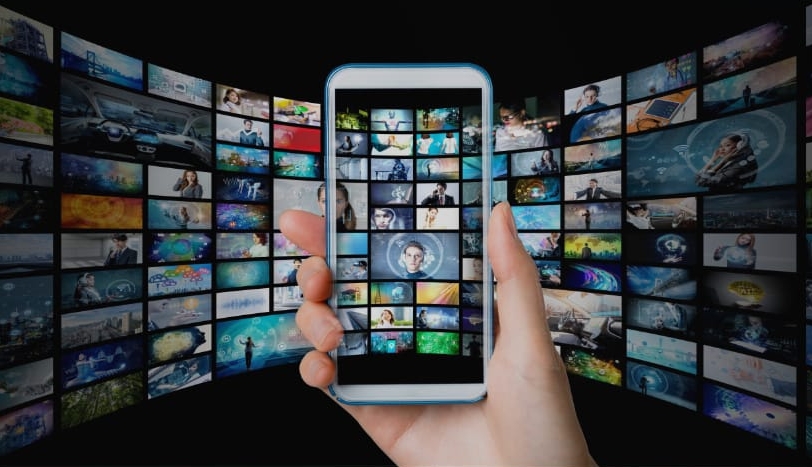
Video Downloader is an excellent video playback and editing application. This powerful app is designed to provide users with a way to download videos and music directly from the internet. With Video Downloader, you only need a few simple steps, and it will automatically detect and start downloading. This application is completely free and supports all download formats. Furthermore, it provides a built-in browser for browsing various videos. Once the file is downloaded, you can watch the video even without an internet connection.

Ability to download videos from various websites, including YouTube.
Easy and intuitive user interface for downloading videos quickly and efficiently.
Support multiple video formats such as MP4, AVI, MOV, etc.
Option to pause or resume downloads in case of network issues/interruptions during the process.
Automatically detect downloadable content on a web page with one click option available for a quick selection of desired files before initiating the download process.
Capable of recognizing different types of streaming protocols (HTTP/HTTPS) used by most popular sites like Vimeo & Dailymotion while downloading online media content without any hassle.
The built-in search feature allows users to find their favorite movies or TV shows directly within the app instead of having them browse through external sources first and then initiate file transfer afterward.
It supports batch processing which allows simultaneous downloads at once, saving time significantly compared to other apps that can only handle single files.

Pause and resume downloads: If you have a slow internet connection or need to pause a download, use the download manager's pause and resume feature. This allows you to download videos at your convenience and saves data if needed.
Download multiple files at the same time: The app supports simultaneous downloads, meaning you can queue up multiple videos for downloading. This saves time and makes the downloading process more efficient.
Save downloaded files in a password-protected folder: To keep your downloaded videos private and secure, use the app's password-protected folder feature. This ensures that only you have access to your downloaded content.

Easy to use: Video Downloader Android app is straightforward and intuitive. It requires no technical knowledge or experience to download videos quickly from the Internet with just a few clicks.
Fast downloads: The built-in video downloading engine ensures that all files are downloaded at high speeds, saving you time when accessing your favorite content online.
Supports multiple formats: This app supports numerous popular video file types such as MP4, FLV, AVI, etc., making it easier for people who have different preferences in terms of media players or devices they own/use.
Compatible with most devices & browsers: The application works seamlessly on desktop computers and mobile phones, running various versions of operating systems, including Windows 10, iOS 8+, and Android 4+.
Downloading copyrighted content is illegal and can lead to legal repercussions.
Video downloader apps often contain malicious software that could compromise your device’s or personal data’s security.
Some video downloading applications may require users to pay for premium features, adding additional costs over time.
The quality of downloaded videos may be lower than streaming versions due to compression issues when saving files from online sources onto a mobile device’s storage space.

With applications that are integrated with many different features, it is often not essential to focus on the application’s design. But with Video Downloader, the application’s interface will also be one of the methods for the application to communicate with users. So the application will bring you an excellent interface with elementary, friendly, and easy-to-use communication operations in the application.
Size:17.0MB Version:2.6.7
Requirements:Android Votes:222


Today, many popular movie streaming apps like Netflix, Disney+, and Hulu have reached millions of viewers. And they have done this without relying heavily on additional promotions. People no longer need to stick to some random, specific TV schedules to enjoy their favorite shows and movies. Thanks to the internet, viewers can easily find new and entertaining content without any hassle. Not to mention, the leading movie streaming solution like Netflix has become incredibly popular because they understand and cater to audience preferences worldwide.
Video Player is a software application or hardware device designed to decode and display digital video content. Modern video players are highly versatile, capable of handling both locally stored files and real-time streaming media from online platforms. Over time, technological advancements have transformed video players from basic format-specific tools into sophisticated systems supporting a wide range of codecs, resolutions, and playback features. Today’s players offer enhanced functionality such as subtitle synchronization, playback customization, and adaptive streaming, ensuring a seamless and user-friendly viewing experience across various devices.
About us | Contact us | Privacy policy| DMCA
Copyright © 2026 Xiaohei All rights reserved.