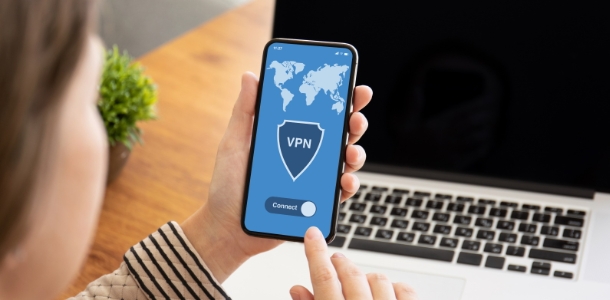
VPN Hosts is an outstanding and practical network proxy service tool that restores a smooth and uninterrupted internet browsing experience, allowing you to enjoy a stable and seamless connection while focusing on entertainment or important work tasks. VPN Hosts presents users with an easy-to-use and lightweight network proxy application. Users do not need root access to utilize its powerful features, allowing you to easily access blocked websites and unlock more useful resources. VPN Hosts boasts high-speed servers worldwide that you can switch between with a single click, an intuitive and clear interface, and secure encryption to protect your privacy.

Supports Custom DNS
Supports downloading hosts files from the network. You can explore this feature by:
Long-pressing the "Select hosts file" button.
Entering your website address and clicking the download button.
Clicking the radio button in the "From Network" option, and then clicking the "Confirm" button.
Clicking the large "Start Test" button.
Enjoy!
Create your own hosts file or obtain a hosts file from the internet.
Place the file anywhere on your phone that you can choose or access.
Launch the application. Tap the blue button at the bottom of the screen, then select the hosts file you created or obtained from the internet.
Tap the large white button that looks like a toggle switch; the white button will turn green.
Enjoy!

Works perfectly on Android 9 using the Dev's fix. Simple app, and I love the ability to so easily use my own hosts file. I tried the free version first and immediately came back and purchased it to support Xfalcon. Thanks for such an elegant way to stop ads!
Since I am cursed with a Verizon Pixel 2 XL without root, this saved me so much headache with damn ads on this device. Thank you dev!
Network-level filtering: You can also use a very powerful security system. This system will continuously protect your security every second you are online, providing you with the safest device usage experience.
Application-level security protection: This application will fully protect all your personal information and data. You can rest assured that no third party or hacker can access or steal your personal information.
Power-Saving Design: This product also features a power-saving mode. Enabling this mode reduces power consumption during use, effectively extending battery life and protecting the battery.
No Root Access Required: This application can be used immediately without rooting your device or using professional support equipment. It provides a highly attractive and enjoyable user experience.
System File Access: This application allows you to access detailed system information. This information provides you with the necessary data for efficient and fast internet use.
Developer-Friendly Tools: This application offers extremely practical and user-friendly tools. These tools will help you use the internet more efficiently and smoothly, ensuring a satisfying experience every time you use your device.

One particularly impressive aspect of this application is its energy efficiency in accessing domain names. Users can find the main domain and subdomains of a number of domains. Therefore, using this application, you can find the main domain representing all subdomains for convenient and quick access. If you frequently visit a particular website, this will significantly save energy.
Size:890KB Version:2.2.1
Requirements:Android Votes:451
Package Name:com.github.xfalcon.vhosts Signature:c525527086eac5df5b753ae9fd043b5a19928c69
With more and more of our lives happening online, smartphones have become an essential component of our daily routines. Whether you’re shopping, banking, or socializing – everything can be tracked online, even on Androids. This information can then be used by third-parties profiting off your data or your ISP to slow down your internet speed. An easy way to increase online privacy and security of your Android smartphone is to start using a VPN. At Cybernews, we have over 5 years of experience testing VPN services, so we know what makes a great VPN app. To make your search for a reliable VPN easier, together with our research team, I tested both free and paid Android VPN apps, and summarized the results of our research below.
Enjoy unrestricted internet access anywhere in the world with these top-rated free VPNs for Android. Securely browse in private, bypass geo-blocks, and unlock censored websites in just a few taps. These powerful apps encrypt your connection, mask your IP address, and protect your data-especially on risky public Wi-Fi. Whether you're streaming global content, accessing restricted platforms, or simply safeguarding your privacy, these trusted VPNs deliver fast, reliable performance. Discover the most popular free VPN downloads and experience true online freedom today-no limits, no compromises!
In 2024, privacy and security on mobile devices are more important than ever, and a reliable VPN can help protect your data while browsing. The best free VPNs for Android offer a solid balance of speed, security, and user-friendly features without costing a dime. These VPNs allow you to browse anonymously, bypass geo-restrictions, and safeguard your personal information on public Wi-Fi networks. While free options may have certain limitations, such as data caps or fewer server locations, they still provide essential privacy protection. With strong encryption, zero-logging policies, and a simple setup, these free VPNs ensure your online activities remain private and secure while using your Android device.
About us | Contact us | Privacy policy| DMCA
Copyright © 2026 Xiaohei All rights reserved.