APK Editor is an application for managing APK files, allowing you to easily replace or modify them. For beginners, APK Editor offers simple modifications such as changing background images or icons, removing languages, or reducing file size, without requiring an understanding of the entire technical process. Advanced users have more options, including the ability to decompile the entire APK file and rebuild it from scratch. APK Editor provides powerful APK personalization to make your files more distinctive. If you have specific needs for modifying APK files, APK Editor will provide better assistance.
Easy Editing Mode:
As the name suggests, Easy Editing Mode allows you to replace or modify existing files within an APK file without rebuilding the entire APK from scratch.
Common uses include:
Changing background images or icons
Editing text resources
Removing unnecessary languages to reduce application size
Fine-tuning without affecting core logic
This mode is fast and intuitive, ideal for users who want to see immediate results without delving into the technical details.
Full Editing Mode:
Full Editing Mode is where the APK Editor truly demonstrates its power. This mode decompiles the entire APK file, allowing you to rebuild it segment by segment after making changes. With full editing capabilities, you can:
modify application resources at a deeper level
adjust configurations inaccessible in "Simple Edit"
rebuild the APK after extensive customization.
However, this mode requires patience and a deeper understanding of the structure of Android applications. It demands more, but the flexibility it offers is unparalleled by other modes.

Flexible Import Options
You can open APK files from local storage with a single click, or extract APK files from installed applications. This flexibility is invaluable when the file already exists on your device, or when you want to analyze installed applications. After importing, the application organizes the file into a clear layout, allowing you to directly enter the editing mode suitable for the current task.
Localization and Visual Resource Editing
The APK editor allows you to localize text, adjust application tags, and replace images or icons. You can also view the layout and adjust visual effects or spacing. Useful in-app tips make common changes such as text updates or icon replacements easier, reducing the time spent searching for the required files.
Permissions and Component Review
You can view the permissions requested by the app during installation to understand what permissions the app needs. Please proceed with caution, removing unnecessary or advertising-related resources and components. Since these changes may affect how the app functions, it is recommended that you make small, incremental modifications and verify their effectiveness.
Rebuild and Test in One Process
After editing, the APK editor compiles your changes and generates an installable package. You can install it immediately to check tags, images, or behavior in a real-world environment. This quick cycle helps you quickly verify results and make adjustments if any appearance or functionality issues arise.

Many users wonder why bother editing APK files when most apps function correctly without modification. The answer lies in personalization and optimization. Some apps come with unnecessary permissions or pre-installed software, slowing down your device. Using the APK editor, you can remove these useless elements, improving performance and extending battery life. Furthermore, if you enjoy experimenting with app features, this tool allows you to unlock hidden features not available in the standard version.

What is the APK editor used for?
It's used to modify APK files, such as changing images, text, permissions, and other internal resources of an Android app.
How does the Easy Edit mode in the APK editor work?
Easy Edit mode allows you to quickly replace or adjust selected files in an APK without rebuilding each component, enabling faster, minor changes.
What's the difference between Easy Edit and Full Edit?
Easy Edit supports direct file replacement, while Full Edit rebuilds the entire package and supports deeper structural changes requiring higher skills.
Can the APK editor extract APK files from installed apps?
Yes, it can extract APK packages from apps installed on your device, allowing you to edit them even without the original files.
Is the APK editor suitable for beginners?
Basic tasks can be completed, but advanced editing requires technical knowledge, as incorrect changes can lead to installation errors or application crashes.
This app is suitable for users familiar with Android file operations who want direct control over their app packages. It's especially suitable for testers, amateur modifiers, and learners studying how APK resources are organized.
Size:6.7MB Version:1.9.0
Requirements:Android Votes:563


Welcome to our App Store! Explore a handpicked collection of top apps for productivity, entertainment, and more. Find easy-to-use tools, popular games, and innovative utilities-all chosen for quality. Download your new favorites easily and discover new ways to simplify your digital life today!
Mod APK stands for Modified Android Package Kit, which is an altered version of an original Android app or game. These modified versions often bypass in-app purchases, remove ads, unlock premium content, or grant players advantages that would normally require extensive gameplay to achieve. Unlike official releases, Mod APKs achieve these enhancements by altering the app's original code, manipulating resource files, or injecting custom scripts. While they offer free access to paid features, they operate outside the developer's intended design and may violate terms of service. Users should be aware of potential security risks, such as malware or account bans, when using such modifications.
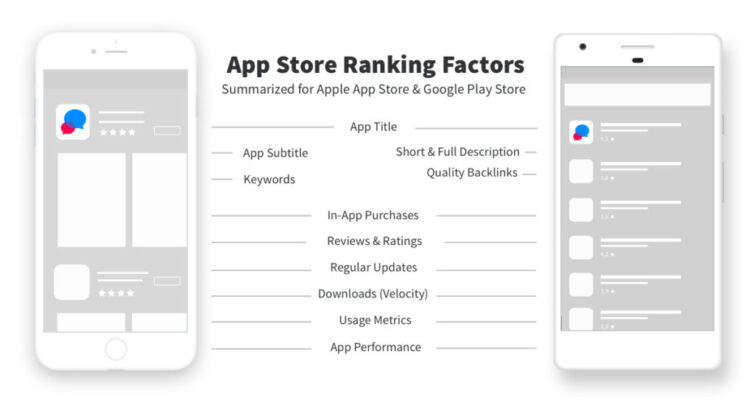
Stay updated with the latest and hottest apps in one place! Our carefully curated ranking features the most trending, high-rated, and must-have apps across various categories, including entertainment, productivity, social media, and more. Whether you're looking for new tools, fun games, or innovative utilities, this list ensures you never miss out on top-performing apps. Explore the most downloaded and highly recommended applications, all available for instant download. Discover, download, and enjoy the best apps today!
About us | Contact us | Privacy policy| DMCA
Copyright © 2026 Xiaohei All rights reserved.